New York City – Blender 3D Models
 CREATION-CREW


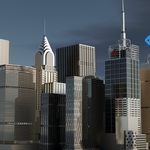
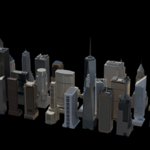
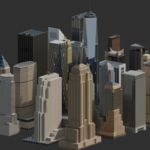
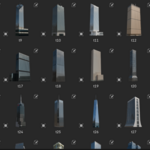
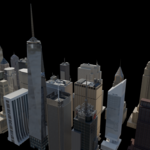
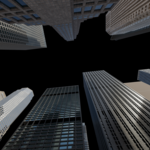
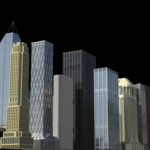
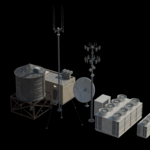
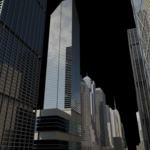
THE IDEAL SKYSCRAPERS OF NEW YORK
Mid Poly Edition — Blender Asset Library Kit
━━━━━━━━━━━━━━━━━━━━━━━━
OVERVIEW
This asset library gives you a curated collection of mid poly New York City-inspired skyscrapers, built natively for Blender's Asset Library system. Every model has been carefully crafted to deliver the best balance of visual quality and render performance — clean topology, PBR-ready materials, and consistent real-world scale across the entire collection.
Whether you are building a cinematic city backdrop, a game environment, or an architectural visualization, this kit is designed to save you hours of modeling time and get you straight into creating.
━━━━━━━━━━━━━━━━━━━━━━━━
REQUIREMENTS
• Blender 3.5 or above (fully compatible with Blender 4.5)
• No third-party add-ons required
• Works with both Cycles and EEVEE render engines
• Compatible with Windows, macOS, and Linux
━━━━━━━━━━━━━━━━━━━━━━━━
WHAT IS INCLUDED
• A curated collection of mid poly NYC-inspired skyscrapers
• Native .blend file formatted for Blender's Asset Browser
• Consistent scale across all assets — mix and match freely
• Clean, organized topology — easy to modify, retexture, and animate
• All assets pre-tagged and categorized inside the Asset Browser
━━━━━━━━━━━━━━━━━━━━━━━
INSTALLATION — STEP BY STEP
Step 1 — Download
After purchase, download the .blend file from your account and save it to a folder on your computer. Example: Documents - Blender - Asset Libraries - NYC Skyscrapers
Step 2 — Open Blender Preferences
Launch Blender and go to:
Edit - Preferences - File Paths - Asset Libraries
Step 3 — Add the Library
Click the plus (+) button and browse to the folder where you saved the .blend file. Give it a name such as "NYC Skyscrapers" and confirm.
Step 4 — Open the Asset Browser
In your Blender workspace, open a new panel and set it to Asset Browser. Select "NYC Skyscrapers" from the library dropdown on the left.
Step 5 — Start Building
Browse the collection and drag any skyscraper directly into your 3D viewport. Scale, rotate, and position as needed. That is it — you are ready to build your city!
━━━━━━━━━━━━━━━━━━━━━━━━
TIPS FOR BEST RESULTS
• Use the Asset Browser search bar to filter assets by name quickly
• Hold Shift while dragging to place multiple buildings without reselecting
• Apply an HDRI environment light for instant realistic lighting on all models
• For large city scenes, use Blender's Collection Instances to keep your file size manageable
• All materials are fully editable — feel free to swap colors and textures to suit your project
LICENSE
This asset library is licensed for both personal and commercial use. You may use these assets in your own projects, client work, animations, games, and renders. You may NOT resell, redistribute, or repackage the original asset files as your own product.
SUPPORT
Having trouble with the installation or a specific asset? I am happy to help. Reach out through the Superhive message system and I will get back to you as quickly as possible.
If you enjoy the kit, a review on the product page would mean a lot — it helps other artists find this library and supports future updates.
Thank you for your purchase and happy blending!
Have questions about this product?
Login to message
| Published | 4 months ago |
| Blender Version | 3.5 - 5.2 |
| Render Engine Used | Cycles, Eevee |
| License | Creative Commons |
Discover more products like this
newyork building animate cycles city skylines assets 3d city blender 3d building city 3darchitect 2026-new skyscrapers 3d building model 3DAssetLibrary 3dbuilding BlenderAssetLibrary