 Mawloud Djeghloul


Animation Tools - Professional Animation Workflow for Blender 4.0+
Animation Tools is a comprehensive toolkit designed to streamline and enhance your animation process in Blender, helping you create smoother, more polished animations in less time. Whether you're a character animator, motion designer, or VFX artist, this collection of specialized tools will transform your workflow.
🌟 Key Features
Enhanced Animation UI Controls
Work more efficiently with improved animation controls directly in your Dopesheet and Graph Editor! No more switching to the Timeline to toggle auto-keying  or adjust frame ranges.
- Auto-keying toggle button in all animation editors
- Preview range controls
- Set start/end frames with one click
- "Set End to Last Keyframe" button
- Seamlessly integrated into Blender's interface
Spacing Visualizer
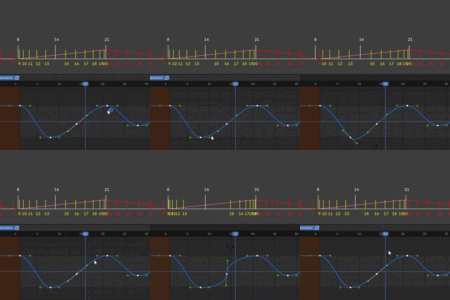
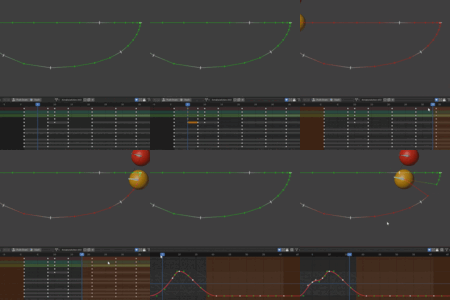
Visualize the spacing between keyframes directly in your viewport! The Spacing Visualizer creates an intuitive graph that shows the timing and spacing of your animation.
- Real-time visualization of keyframe spacing
- Customizable display options
- Shows values for precise control
- Works with any animation channel
Motion Trails
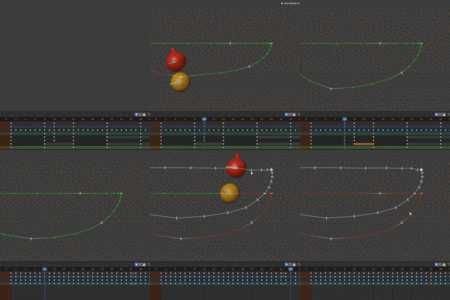
Create and visualize the path of any bone or object through 3D space. Motion Trails give you a clear view of your animation's trajectory, making it easier to refine arcs.
- Customizable past/future colors
- Clickable markers to jump to specific frames
- Multiple trails for different bones
- Real-time updates as you animate
Onion Skinning
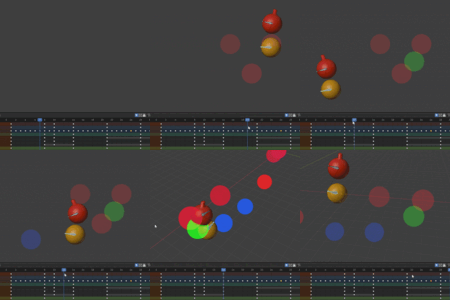
See multiple frames of your animation simultaneously with our advanced onion skinning system. This essential feature helps you maintain proper spacing and timing.
- Works with any mesh object
- Customizable opacity settings
- Draw all keyframes or specific frames
- Perfect for character animation
Smear Tool
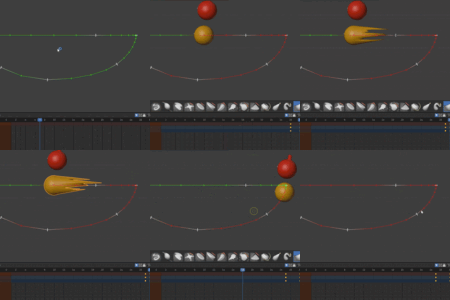
Create traditional animation-style smear effects with just a few clicks! The Smear Tool allows you to add smear at a specific frame creating the illusion of motion blur.
- One-click smear creation
- Automatic keyframing
- Sculpt mode integration for fine-tuning
- Toggle visibility for easy editing
Animation Retimer
Adjust the timing of your animations non-destructively. The Animation Retimer lets you experiment with different timing options without permanently altering your keyframes.
- Non-destructive timing adjustments
- Apply changes when satisfied
- Easily revert to original timing
- Works with any armature animation
Keyframe Shifter
Quickly shift keyframes forward or backward from the current playhead position. This time-saving feature makes it easy to adjust timing without tedious selection operations.
- Shift keyframes with keyboard shortcuts
- Customizable frame offset
- Works in Dopesheet and Graph Editor
- Preserves relative timing between keyframes
Keyframe Distributor
Evenly distribute selected keyframes across a time range with a single click. Perfect for creating consistent timing or fixing irregular spacing.
- Distribute keyframes evenly
- Works with any animation data
- Maintains keyframe values
- Saves hours of manual adjustment
Time Scrubbing
Navigate your timeline with precision using intuitive mouse-based scrubbing. Time Scrubbing gives you more control over playback and makes it easier to find the perfect frame.
- Mouse-based timeline scrubbing
- Keyframe-to-keyframe navigation
- Works in the 3D viewport
- Customizable sensitivity
🚀 Why Choose Animation Tools?
- Designed by Animators for Animators: Created to solve real workflow challenges faced by professional animators
- Comprehensive Toolkit: All the essential animation tools in one package
- Optimized Performance: Carefully coded for smooth operation even with complex scenes
- Intuitive Interface: Seamlessly integrates with Blender's UI
- Regular Updates: Ongoing development and compatibility with the latest Blender versions
💡 Perfect For:
- Character Animators
- Motion Designers
- VFX Artists
- Game Developers
- Anyone who wants to streamline their animation workflow
Upgrade your animation workflow today with Animation Tools and experience the difference that professional-grade tools can make in your creative process!
