 DaveWorksOnBlender




BLENDER 4.2+ · CYCLES · FLUID-SIM CLOUDS · NO HDRIs
NIMBUS
A sky you direct, not download.
Volumetric cloud layers built from real fluid simulations, lit by a sun that computes its own colour from the atmosphere it shines through. Drag a slider and the whole sky updates.

50 km
SKY IN ONE SCENE
3 layers
CUMULUS · STRATO · CONGESTUS
8 GB
GPU IS ENOUGH (LOD)
90 s
INSTALL → FIRST SKY
noon 90°45°20°8°sunset 2°
This bar is not decoration. It is the actual behaviour of the Nimbus sun. One elevation slider; the atmosphere computes the colour.
SEE IT MOVE
Sliders you can watch working
ONE SLIDER Volume Density

One slider goes from thin wisps to storm clouds. Thin clouds glow, thick ones cast their own shadows. Same physics either way.
ONE SLIDER Sun Elevation

Moonlit night, dawn, morning and noon. Same clouds, one slider. The sun computes its own color, and a rotating star field with the Milky Way takes over after dark.
ONE CLICK Random Seed

Every seed gives you a different sky in the same style. Finding a good shot takes a few clicks instead of an afternoon of sculpting.
RESULTS FIRST
Four times of day. One rig. Zero re-lighting.
Every frame below is the same scene. Only the sun and layer sliders moved. Straight out of Cycles.

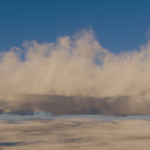
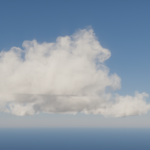
Clear day: brilliant white fair-weather cumulus, deep zenith, crisp shadows. The reference look for lookdev and archviz plates.
elevation 38° · cumulus amount 0.65 · straight out of Cycles

Golden dusk: drop the elevation to 5° and the sun turns warm on its own, lighting the tops and leaving the bases in shadow. No color grading involved.
elevation 5° · the air-mass model does the rest

Blue hour: drag the sun below the horizon and you get glowing cloud edges over a dark twilight sky. Same scene, elevation -4°.
elevation -4° · the physical sun handles twilight on its own

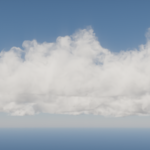
Towering congestus: switch the layer type and the same shapes rebuild as fewer, larger clouds with real vertical development. The Depth slider takes them from natural to dramatic.
congestus depth 1.9 · elevation 18° · same scene, two sliders
UNDER THE HOOD
Built like a renderer, not a prop pack
☁ A real layer stack
Cumulus, stratocumulus and towering cumulus congestus as independent layers, each with its own altitude, density, size, detail, depth, offsets and seed. Stack them, move them, animate them.
☀ Physical sun & atmosphere
A real sun lamp fed by blackbody temperature and per-channel atmospheric extinction. White at noon, amber at the horizon. Computed, not keyframed.
◐ Film-grade shading
Dual-lobe scattering, the same technique used in film volumetrics. Silver linings, luminous translucent bases, scale-true cauliflower florets.
▲ Distance LOD
Fine detail where the camera looks, cheaper detail at the horizon. Towers are built from stacked shapes, the way real congestus grows.
⚡ Fast viewport
Lightweight proxies keep the viewport instant; full volumes evaluate only at render. Flip one toggle for true clouds in viewport-rendered mode.
⬇ Wind, time & VDB
Wind-drift drivers animate detail over the timeline; every sun property is keyframable. Bake layers to VDB for engines and other DCCs.
🌍 Real place, real time
Type in a latitude, longitude, and date/time and the sun lands exactly where it would in real life, computed with the same math real solar-position calculators use. Manual sliders still work whenever you want them.
✦ A night sky that turns
Thousands of stars across three brightness classes, plus the Milky Way, all rotating together around the pole as the sun moves — the way the real sky does. Density, size, brightness and Milky Way strength are all live sliders.
EVERY CONTROL, MAPPED
The small stuff that matters in production
What it is, what it does, where it lives in the panel.
| CONTROL | WHAT IT DOES | WHERE |
|---|---|---|
| Sun Elevation / Azimuth | Positions the sun; sky + sunlight colour follow live, no rebuild | Sky & Lighting |
| Use Location & Time | Latitude, longitude, UTC offset, month, day and time — Nimbus computes the real sun position instead of you dragging it | Sky & Lighting |
| Sun Temperature | Blackbody colour of the sun itself (2000-12000K) before the atmosphere filters it | Sky & Lighting |
| Sun Diameter | Angular size. A bigger sun gives softer cloud shadows | Sky & Lighting |
| Atmosphere Density | From crisp mountain air to hazy lowlands. Also controls how fast the sun warms and dims | Atmosphere |
| Sky Brightness | Dims the sky without dimming the sun, like a polarizing filter. Deeper blue, clouds stay bright | Atmosphere |
| Sky Exposure | The camera side of the equation. Raise it after sunset the way you would on a real camera | Atmosphere |
| Moon Elevation / Azimuth / Strength | A separate night key light, boosted above real-world values so night renders are actually visible | Moon & Night |
| Star Density / Size / Brightness | Dial the night sky from a faint city glow to a dense dark-site field. All three are live sliders | Moon & Night |
| Milky Way Strength | Brightness of the Milky Way band that rotates with the stars. Set to 0 to turn it off | Moon & Night |
| Cloud Type | Cumulus, stratocumulus, or cumulus congestus. Each one reshapes the simulated library its own way: as baked, flattened into patches, or built up vertically | Clouds → Layer |
| Display Mode | Four buttons per layer: Preview (fast default), Viewport (real clouds live), Render Only, or Hidden. Mix and match per layer | Clouds → Layer list |
| Per-layer Density / Amount / Size | Thin wisps to storm-solid, coverage, and the size of individual clouds | Clouds → Layer |
| Cloud Detail / Cloud Depth | Soft billowy edges to torn and ragged, and flat scud to towering. Both update the preview live | Clouds → Shape |
| Altitude | Cloud base height in meters, the way weather reports measure it | Clouds → Layer |
| Random Seed + refresh | A new sky every click. The same seed always rebuilds the same sky | Clouds → Placement |
| Layer Offset X/Y | Slide a whole layer to frame the shot without touching the camera | Clouds → Placement |
| Voxel Size | Voxel size in meters. This is the quality versus VRAM dial | Clouds → Quality |
| Wind Direction / Speed | Drives cloud drift over the timeline for animation | Sky & Lighting → Wind |
| True Clouds in Viewport | Swaps the lightweight previews for the real volumes when you want to eyeball before rendering | Clouds |
| Bake / Load Hero Clouds | Optional. Simulates brand new cloud shapes from your seed in the background, then loads them | Clouds → Hero Clouds |
| Export Cloud VDB | Writes the cloud shapes as OpenVDB files for game engines, Houdini, or other software | Clouds → Quality |
RENDERED WITH NIMBUS
Straight out of Cycles


no compositing tricks · no photo plates · no HDRIs
UPDATES & OWNERSHIP
No subscriptions. No surprises.
You buy it
One purchase. The version you buy is yours. Access is never revoked, and your renders are royalty-free in any project, commercial work included.
You keep it
No external downloads or subscriptions. Everything the sky needs ships with the addon, so scenes built with Nimbus keep rendering years from now.
You get updates
All fixes and feature updates in this major version are included. Questions answered through the SuperHive inbox.
SPECIFICATIONS
Blender4.2 LTS and newer (5.x supported)
EngineCycles · GPU strongly recommended
GPU memory8 GB is enough for a full 50 km sky
Cloud shapes5 fluid-sim shapes included, plus optional baking
Download size~300 MB (the shape library is most of it)
IncludedAddon · shape library · documentation
Renders licenseRoyalty-free, commercial included
QUESTIONS
Does it work in EEVEE?
Nimbus is Cycles only. True volumetric scattering is what makes the clouds photoreal. EEVEE shows the placeholder previews.
How heavy are renders?
A 1080p full-sky frame takes minutes on an 8 GB card. The LOD system spends detail only where the camera looks.
Can I animate it?
Yes. Wind moves the clouds over the timeline, and every sun and atmosphere setting can be keyframed for timelapses.
Where do the cloud shapes come from?
Real fluid simulations. Every shape was grown by running smoke physics until it formed genuine convective structure, then saved as OpenVDB. That is why they do not have the smooth procedural look. The library ships with the addon, so you never have to simulate anything.
Do I have to bake or wait for anything?
No. Install, press Build Sky, render. Baking is optional and only exists if you want shape variations nobody else has: change the seed, press Bake, and it runs in the background.
Do I need HDRIs or textures?
No. No HDRIs, no textures, no internet. The sky and sun come from an atmosphere model, the clouds from the included shape library.
Can I use the clouds outside Blender?
Yes. Export Cloud VDB writes the shapes as OpenVDB files for Houdini, Unreal, or anything else that reads volumes.
Can I match a real location and time of day?
Yes. Turn on Use Location & Time, enter latitude/longitude and a date/time, and the sun is placed exactly where it would be in reality — the stars and Milky Way rotate correctly to match.
NIMBUS
Stop downloading skies. Start directing them.
updates included · docs included · support via SuperHive inbox
