Offset Collection Animation
 Blender.Fun




# Offset Collection Keyframes
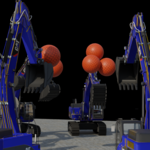
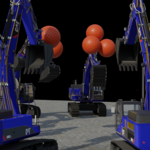
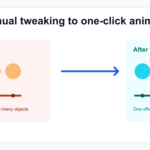
Offset Collection Keyframes is a Blender add-on that helps you shift animation keyframes for all objects inside a selected collection.
## Overview
This add-on is designed for animators who want to modify timing across a whole collection quickly and consistently. Instead of adjusting each object manually, you can select a collection, define an offset in frames, and apply the change in one step.
## Installation
1. Download the add-on folder.
2. Open Blender and go to Edit > Preferences > Add-ons.
3. Click Install and select the add-on archive or the add-on folder.
4. Enable the add-on from the list.
## Usage
1. Open the 3D Viewport sidebar.
2. Go to the Item tab.
3. In the Offset Collection Keyframes panel, choose the target collection from the dropdown.
4. Enter the number of frames to offset.
5. Click Offset Keyframes.
## Notes
- Positive values delay the animation.
- Negative values advance the animation.
- The operation affects all relevant objects in the selected collection.
## Support
For questions or feedback, please contact the add-on maintainer.
$2
Have questions about this product?
Login to message
| Dev Fund Contributor | |
| Published | 2 months ago |
| Blender Version | 2.93 - 5.2 |
| Extension Type | N/A |
| License | GPL |
