One-Click 3-Point Studio Lighting
 Domenas


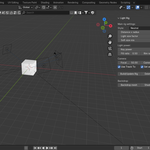
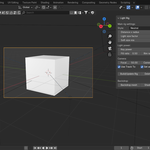
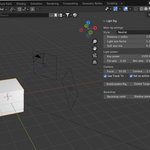
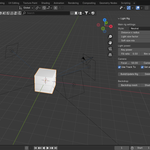
One Click Studio Lighting
Create professional product renders in seconds.
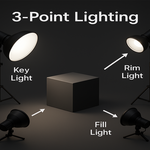
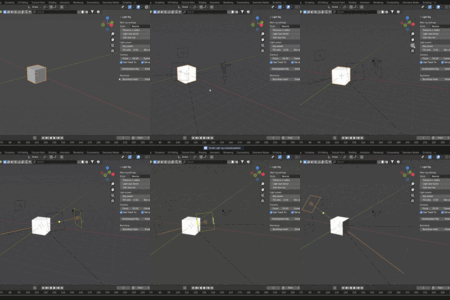
One Click 3 Point Studio Lighting automatically builds a complete lighting setup around your selected object. No manual light placement, no complicated node setups, and no wasted time adjusting cameras.
Whether you're rendering products, game assets, portfolio models, or Blender Market previews, this add-on helps you achieve clean and consistent studio lighting with a single click.
Features
• Create a complete 3-point lighting rig instantly
• Automatically positions:
- Key Light
- Fill Light
- Rim Light
- Camera
- Tracking Target
• Automatic camera framing
• Multiple built-in lighting presets
• Adjustable light power and balance
• Optional studio backdrop generation
• Optional shadow catcher support
• Works in both Eevee and Cycles
• Non-destructive workflow – update or remove the rig at any time
How to Use
- Select the object you want to render.
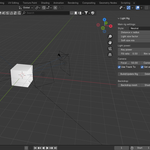
- Open the Lighting tab in the N-Panel.
- Press Build / Update Rig.
- Choose a lighting preset.
- Fine-tune the light intensity if needed.
- Start rendering.
That's it.
The add-on takes care of the technical setup so you can focus on your artwork.
Perfect For
- Product renders
- Blender Market previews
- Game assets
- Kitbash assets
- Portfolio renders
- Hard surface models
- Sculpts
- Materials and shaders
Requirements
- Blender 4.0 or newer
No external assets are required.
Everything is generated automatically inside your Blender scene.
Have questions about this product?
Login to message
| Published | 10 months ago |
| Blender Version | 3.0 - 4.0 |
| Render Engine Used | Cycles, Eevee |
| License | GPL |
