One-Click Pbr Pro - Auto Texture Generator For Blender
 ONE-CLICK Studio


Installation
-
Download the
.zipfile from Blender Market after purchase. -
Open Blender →
Edit > Preferences > Add-ons. -
Click Install..., then select the
.zipfile. -
Enable One-Click PBR Pro from the add-ons list.
How to Use
-
Open Blender and select your object.
-
In the Shader Editor or Material Properties, click the One-Click PBR panel.
-
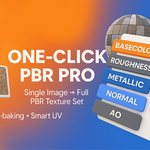
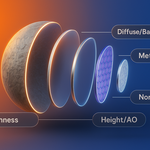
Import your texture set (Base Color, Roughness, Normal, Metallic, AO, etc.).
-
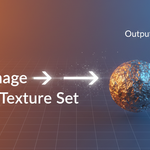
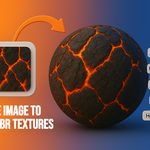
The add-on will automatically create a clean Principled BSDF material with correct node connections.
-
(Pro version only) – Use the advanced controls:
-
UV mapping tools
-
Brightness & contrast sliders
-
Export materials as EXR
-
Height/Displacement, Emission, Opacity support
-
Compatibility
-
Works with Blender 3.0+ (tested on 3.6, 4+ and 5.0).
-
Compatible with Cycles and Eevee render engines.
-
$4.50
It has all the basic features you need!
-
$7
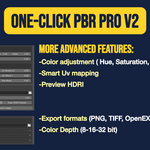
More advanced features: -Color adjustment ( Hue, Saturation, Value, Gamma) -Smart Uv mapping -Preview HDRI -Export formats (PNG,TIFF,OpenEXR) -Color Depth (8-16-32 bit)
-
$16
4-6 people
Have questions about this product?
Login to message
| Blender Extension Compatible | Yes |
| Sales | 100+ |
| Rating | 10 ratings |
| Dev Fund Contributor | |
| Published | 12 months ago |
| Blender Version | 3.0 - 4.5 |
| Extension Type | Add-on |
| Render Engine Used | Cycles, Eevee |
| License | GPL |