 RLGUY
RLGUY



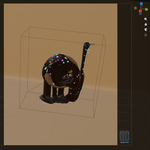
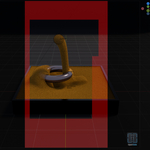
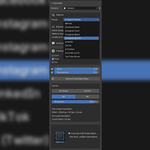
OpenGate is a Blender extension for composing social-media content — not for spitting out platform-ready files or locking you into channel-specific render settings.
Inspired by the open-gate workflow on cinema cameras (full sensor, crop in post), OpenGate adapts that idea to a square master canvas built for multi-format social delivery. Frame your shot once in Blender, render a single square master, and crop in your editor for YouTube, Reels, Stories, feed posts, and more — without rebuilding the composition for every aspect ratio.
Sim once · publish everywhere.
How it works
- Assign a camera in the OpenGate sidebar panel.
- Pick a platform preset (or toggle framing masks manually).
- See exactly how your shot fits 16:9, 9:16, and 5:4 — right in the camera viewport.
- Set your square canvas resolution (HD Ready through 8K).
- Render one master. Crop in post with confidence.
Press NumPad 0 — the active mask appears as a background overlay in camera view, with optional passepartout dimming outside the frame.
Key features
- Multi-format viewport masks — Toggle 16:9 landscape, 9:16 portrait/story, and 5:4 feed overlays. Combine masks to compare formats while you compose.
- Platform presets — One-click presets for YouTube Shorts, YouTube (16:9), Instagram Reels, TikTok, Facebook Reels, and more. Each preset applies the right framing masks and shows delivery recommendations: resolution, suggested frame rates, maximum length, and the post-crop size for each format.
- Safe zones (9:16) — Optional UI safe-zone overlays for vertical platforms help you keep titles, captions, and key action clear of platform chrome (Instagram, YouTube, TikTok, Facebook Reels).
- Square Open Gate canvas — Set a square master resolution from HD Ready (1280×1280) up to 8K (4320×4320). The panel shows your export resolution and the exact post-crop dimensions for the active format.
- Camera-first workflow — Mask overlays, passepartout, and opacity controls live in the 3D Viewport sidebar — where you actually frame the shot.
- Up-to-date platform specs — Delivery hints are sourced from official platform documentation and reviewed regularly. Always verify current requirements before you publish.
Who is it for?
- 3D artists and motion designers shipping content to multiple social channels from one Blender scene
- Studios and freelancers who want a consistent master render and flexible post crops
- Anyone tired of duplicating cameras, re-framing, or re-rendering for every aspect ratio
OpenGate is a composition and planning tool. It does not replace your video editor or encode final platform files — it makes sure what you render will crop cleanly where you need it.
Requirements
- Blender 5.1+ (developed and tested on 5.1)
From the FLIP Fluids team
OpenGate is built by Dennis Fassbaender & Ryan Guy — the team behind the FLIP Fluids add-on for Blender. Concept, mask assets, and architecture are original work by the FLIP Fluids team.
Parts of the Python source code were created and optimized with the help of AI tools, under human review and direction by the authors.
Support: [email protected]