Pack Opening Animation #007 – Editable 3D Blender Template
 pacc studio


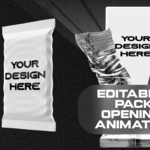
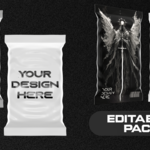
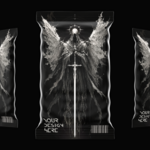
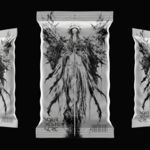
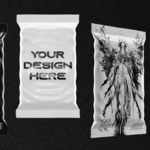
-
User Documentation:
Pack Opening Animation #007 – EDITABLE 3D Blender Template/Source file (Card reveal animation for TCG, NFT Cards & Collectibles) Designed for rendering video/image(MP4 / PNG etc) outputs only, Not intended for GLB/FBX etc.
Overview
Create cinematic 3D pack opening animations in Blender Eevee for Any Trading Cards, TCG, NFT, or collectible cards. Fully animated, editable, and easy to customize. Designed for rendering video/image outputs only (MP4 / PNG sequence/mov etc).
Not intended for GLB, FBX, or real-time engine export.Included Video Tutorial
A full step-by-step video tutorial is included.
The tutorial contains voice-over explanations.
It covers design placement, texture export, Blender setup, and rendering.
No prior Blender experience is required.Software Requirements
Blender version 5.1.2 or newer is required.
The project is built and optimized using Eevee for fast and clean renders.What’s Included
Fully animated Blender project files with mobile and desktop versions.
Both Dark pack style and Light style is included watch the youtube tutorial for full detail.
Eevee-optimized lighting, camera, and animation setup.
A 2D design template file for placing your artwork.
A detailed 2D design guide provided as a PDF.
A full video tutorial in 4K with voice-over explaining every step in detail.
Project Structure
The Blender file is organized and beginner-friendly.
All objects and collections are clearly named and pre-animated.How to Use the Project(step by step Video Guide provided)
Open Blender.
Open the provided .blend file.
Do not rename or delete existing objects unless necessary.
The animation will play automatically on the timeline.Customizing Your Design
You will receive a 2D template file that shows exactly where each design goes.
Place your artwork on new layers above the template.
Make sure your artwork slightly overlaps the guide areas to avoid visible edges.
Hide the template layer texts before exporting.
(step by step Video Guide provided)Exporting the Texture
Export your final texture as PNG or PSD.
Blender supports PSD files directly, so you can load PSD files without converting them.
High resolution is recommended.
Export pixel resolution size in mentioned in the Youtube videoApplying the Design in Blender
Open the Blender file.
Select the product model.
Replace the existing texture with your exported PNG or PSD file.
Your design will update instantly.Rendering
This project is designed for Blender Eevee.
Choose your output resolution and frame rate.
Render still images or full animations as needed.
The animation is also suitable for marketplace previews, ads, and social media.Intended Use
Card reveal animation for TCG, NFT Cards & CollectiblesLicense Information
You may not resell or redistribute.
Support:
If you need help, contact me (https://linktr.ee/paccstudio).
Have questions about this product?
Login to message
| Dev Fund Contributor | |
| Published | 3 months ago |
| Blender Version | 5.1 |
| Render Engine Used | Eevee |
| Misc Data | Animated |
| License | Royalty Free |
Discover more products like this
Booster Pack blender card reveal Editable Template Pack Opening Animation Pack Opening blender eevee trading card motion graphics tcg Game asset NFT