Parametric Pilot
 Arq. Gustavo Garcia ARCHS


Is the addon free for commercial use?
Yes, it’s licensed under MIT License (free for personal and commercial use).
Where can I report bugs or request features?
Contact via:
Instagram
Patreon
How do I change the language?
Go to Preferences > Add-ons > Parametric Pilot > Preferences.
Select your preferred language.
Custom Position mode isn’t working in Object Mode.
This mode is primarily designed for Edit Mode. Use with caution in Object Mode.
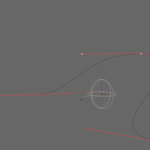
Visual guides are not showing.
Ensure Show Guides is enabled.
Check if Guide Size and Opacity are set correctly.
Pie Menu (Shift+S) doesn’t work.
Verify no other addon conflicts with the shortcut.
Restart Blender if issues persist.
The addon doesn’t appear in Blender.
Ensure it’s installed and enabled in Preferences > Add-ons.
Check if Blender version is 4.5.0.
What does "Preview Only" do?
Shows a preview of the placement without affecting geometry.
Useful for testing before applying changes.
How do I move the origin of an object?
Enable Move Origin in the panel or pie menu.
The origin will snap to the calculated position.
What alignment methods are available?
Normal: Aligns to surface normals.
Edge: Aligns to the longest edge.
Best Z: Aligns the closest axis to global Z.
View: Aligns to the current view.
Object: Aligns to the object’s axes.
How do visual guides work?
Toggle Show Guides in the UI.
Adjust Size and Opacity for better visibility.
What is Custom Position mode?
Allows manual adjustment of the calculated position.
Use mouse drag or arrow keys for fine-tuning.
How do I use Multi-Geometry mode?
Enable Multi-Geometry in the panel or pie menu.
Select multiple objects to calculate their midpoint.
How do I access the addon?
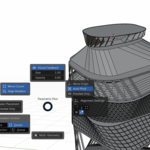
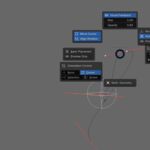
Pie Menu: Press Shift+S in the 3D View.
Side Panel: Navigate to View3D > Sidebar > Parametric Pilot.
Which Blender versions are supported?
The addon is designed for Blender 3.0 + actually (stable branch).
How do I install the addon?
Download the .zip file.
In Blender, go to Edit > Preferences > Add-ons > Install....
Select the downloaded file and enable the addon.
What is Parametric Pilot Pro+?
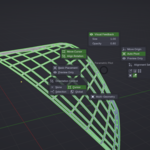
t's an advanced Blender addon that provides parametric control over cursor and object placement, with features like multi-geometry support, visual guides, and multi-language interface.
-
$4.99
This is a fundamental modification that I see can help improve Blender, I hope you like it.
Have questions about this product?
Login to message
| Dev Fund Contributor | |
| Published | about 1 year ago |
| Blender Version | 2.8 - 4.4 |
| Extension Type | N/A |
| Render Engine Used | Blender-Internal, Cycles, Eevee |
| License | Mit |
