 FormChime
What it does
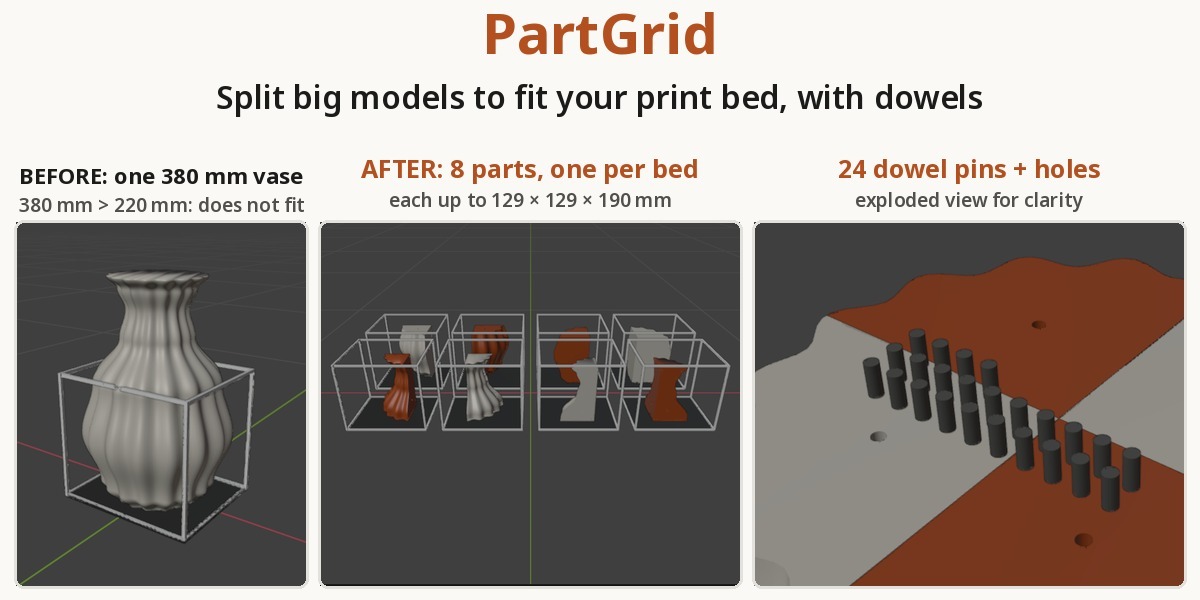
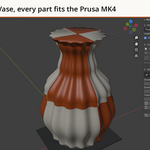
PartGrid cuts a model that is too big for your 3D printer into the fewest parts that fit the bed. It can add matching dowel holes and printable pins, and it exports one STL per part. The original object is never deleted, and every part is checked to be closed before you export.
It is for people who 3D print models made in Blender that are larger than their printer's build volume: props, statues, vases, terrain pieces and similar solid models.
Features
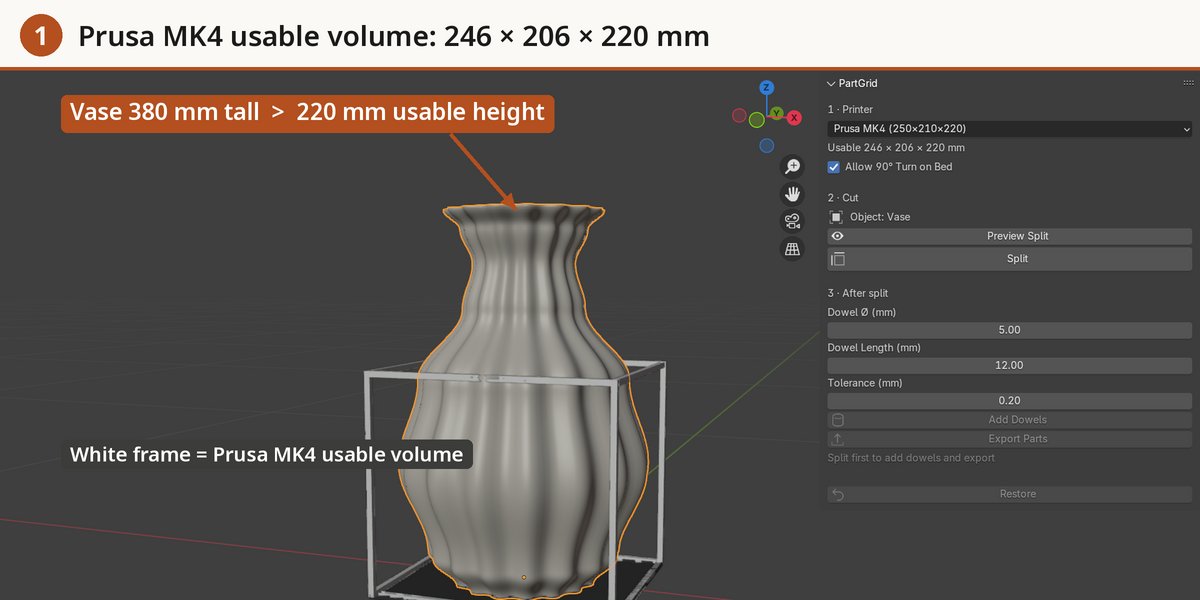
- Fits parts to your bed. Pick a printer preset (Bambu Lab A1 mini, Prusa MK4, Creality Ender-3, Small resin) or enter a custom size. A margin is kept free on the bed edges. Preset sizes are suggestions, not official specs.
- Optional 90° turn. "Allow 90° Turn on Bed" lets a part count as fitting if it fits after turning 90° around Z, which can save parts.
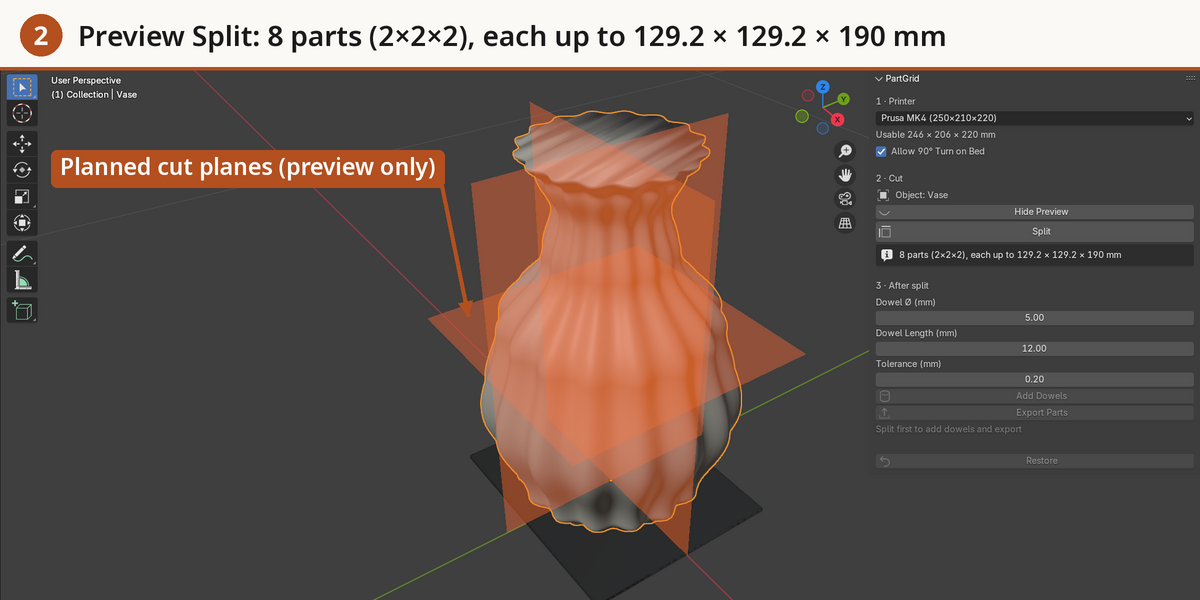
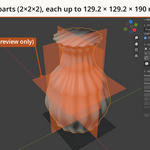
- Preview before cutting. Preview Split shows the planned cuts as translucent planes, plus the part count and part size.
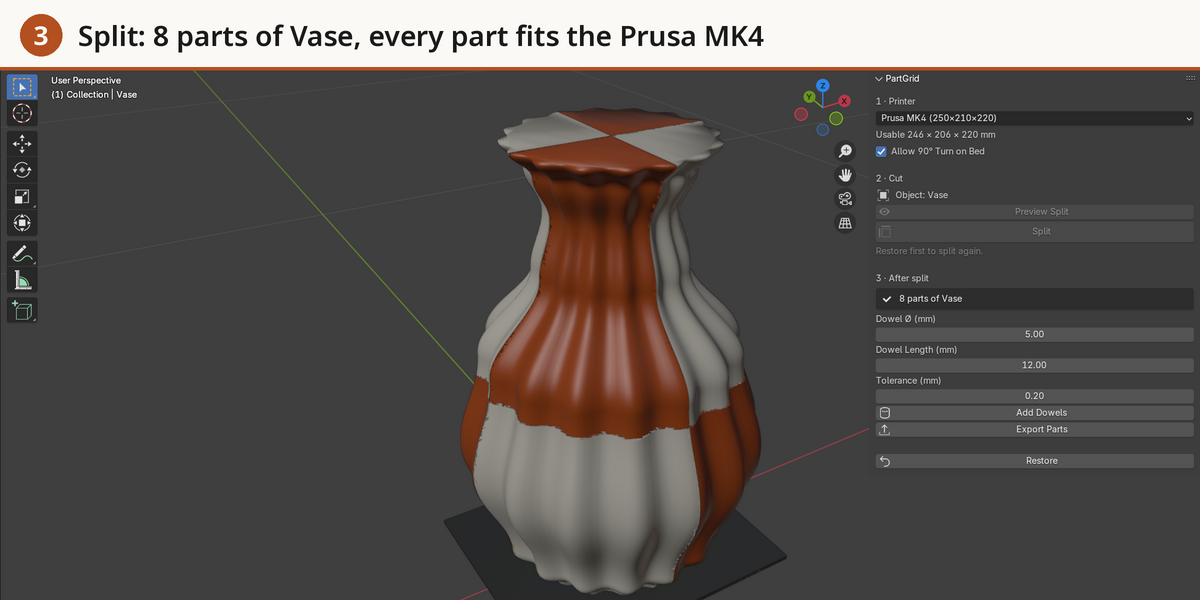
- Grid split with capped cuts. Split cuts the active object along a regular grid and caps every cut. If a part would not fit, nothing is changed and you get a message.
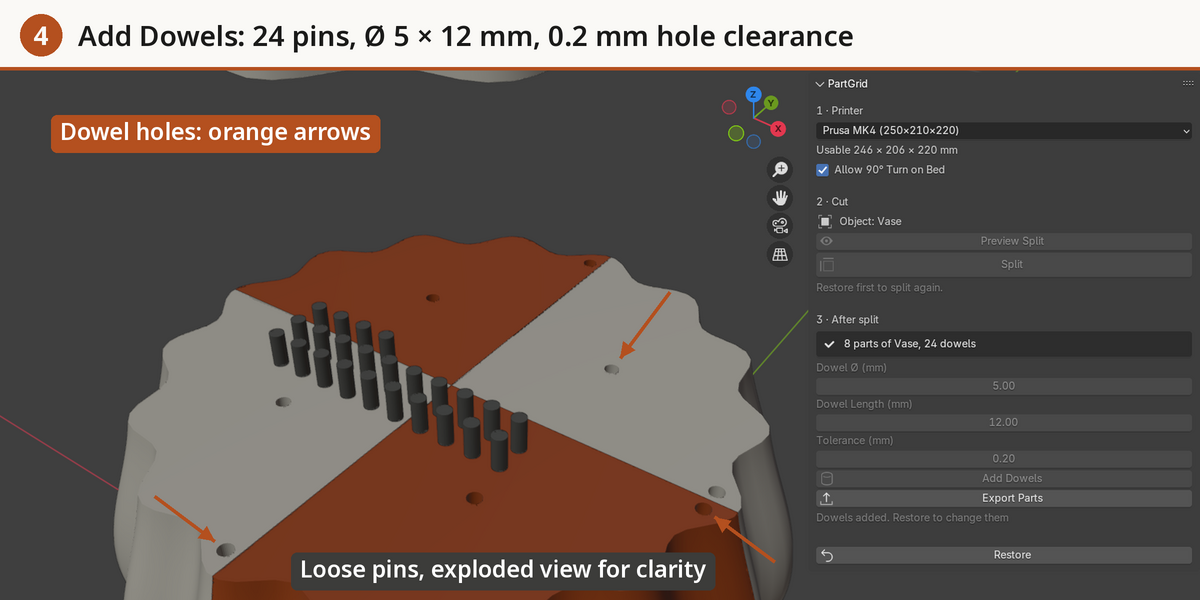
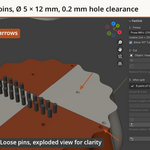
- Dowels. Add Dowels drills matching holes into both sides of every cut (one or two per cut face, where there is room) and adds a "Dowels" object with the loose pins. Pin diameter, length and hole tolerance are adjustable (0.2 mm suits most FDM printers).
-
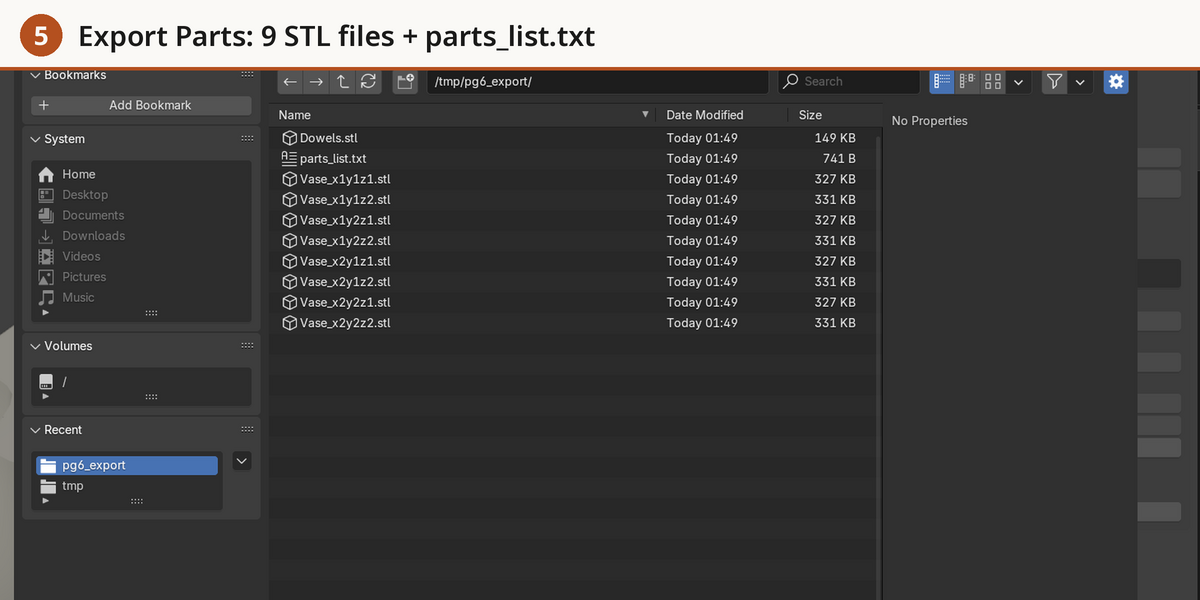
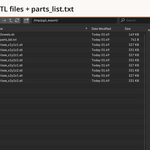
Checked STL export. Export Parts saves every part as STL in millimetres, laid on its largest flat face when that still fits the bed, the pins as one more STL, and a
parts_list.txt. Parts are checked after Split and Add Dowels (closed, consistent normals, volume adds up); if a check fails, nothing is changed and you get an error instead of broken parts. - Restore. Deletes the parts and pins and shows the original again.
- Handles real scenes. Modifiers (the evaluated mesh is split), mirrored objects (negative scale), collection / Geometry Nodes instances, and scenes in metres or millimetres (STL is always written in mm). Touching or overlapping shells are merged into one solid before cutting, and Split tells you when this happened (this does not always work; see Known limitations).
How to use it
- In the 3D Viewport, open the N sidebar > PartGrid and pick your printer (or Custom).
- Select the model and press Preview Split to see the cuts and the part count.
- Press Split, then Add Dowels if you want pins.
- Press Export Parts to write one STL per part, the pins STL and
parts_list.txt. - Press Restore at any time to remove the parts and bring back the original.
Requirements
Supports Blender 4.2 LTS–5.2; screenshots taken in 4.2.
The model must be one closed solid (see Known limitations).
Known limitations
- Dense models with overlapping shells may fail to split. Split then says so and changes nothing. (The tested case, two overlapping spheres of about 100,000 faces, splits.)
- Details thinner than 0.001 mm (1 micron) may be cut away or, if they lie on a cut, refused with "a detail is thinner than 0.001 mm". The message gives the fix: in Edit Mode, Merge by Distance (0.001 mm), Select Non Manifold, Delete Faces, then Split again. This only removes detail too thin to print; Ctrl+Z undoes it.
- Rare models with a detail under 1 micron on a cut are cut twice (the status bar says "retrying without snap") and take about twice as long.
- The mesh must be one closed solid. If it is not, Split changes nothing and says what it found (holes, a split seam, a surface touching itself at a point, edges shared by more than two faces, or a mesh passing through itself). Hollow models (a shell inside another) are not supported; delete the inner shell to split it as a solid.
- Cuts are straight and evenly spaced along X, Y and Z; you cannot place them by hand.
- Cuts use Blender's Exact boolean, so dense models take a while. Measured on a 100,000-face sphere split into 8 parts: Split takes about 6 seconds in background mode, and in the Blender window about 6.6 seconds on 4.2 and about 7.1–7.5 seconds on 5.2; Add Dowels about 2–4 seconds. Small models take under a second. Models with touching or overlapping shells take longer. The status bar shows which step is running.
- Dowels go only where a hole fits with 1.2 mm of wall around it and enough depth on both sides; very thin parts may get none.
What's included
partgrid-0.1.18.zip, a Blender extension. Install it in Blender 4.2 or later with Edit › Preferences › Get Extensions › ⌄ (top right) › Install from Disk. It contains the add-on source (__init__.py, operators.py, geometry.py, plan.py, panel.py, preview.py, printers.py), blender_manifest.toml, LICENSE, README.md and CHANGES.md.
License: GPL-3.0-or-later. Copyright (C) 2026 FormChime.
Version
0.1.18
Support
Updates & support. Includes free updates for all 0.x and 1.x releases. Support by email at [email protected]. We aim to support new Blender releases but can't guarantee a date.
Refunds follow Superhive's refund policy: https://support.superhivemarket.com/article/22-refund-policy
How it was made (AI-assistance disclosure)
Built with AI assistance: the code and docs were written with AI tools under the direction of the developer (FormChime), who chose the features. Every release build is tested in Blender 4.2 and 5.2 before it ships.
Trademarks
Blender is a registered trademark of the Blender Foundation. Bambu Lab, Prusa and Creality are trademarks of their respective owners. PartGrid is an independent add-on and is not affiliated with or endorsed by the Blender Foundation, Bambu Lab, Prusa Research or Creality.
