 studioromanrec
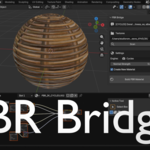
PBR Bridge — Auto PBR Material Builder for Blender
Stop wiring nodes by hand. Build complete PBR materials in one click.
The problem every 3D artist knows
You download a texture pack. Inside: Albedo, Roughness, Metallic, Normal, AO. Now you have to open the Shader Editor, create every node manually, connect each texture, remember which maps need Non-Color space, add the Normal Map node, wire the AO multiply...
Ten minutes of mindless work. Every single time. For every single material.
PBR Bridge eliminates all of it.
How it works
- Select your object
- Point PBR Bridge to your texture folder
- Press Build PBR Material
That's it. The add-on scans the folder, identifies every texture by filename, builds the correct node tree, sets the right color spaces, and assigns the material to your object. In under 5 seconds.
Built for real pipelines
PBR Bridge isn't just for Blender renders. It knows how different engines expect their materials — and builds accordingly.
Cycles / EEVEE Full Principled BSDF setup. AO multiplied into Base Color. Height map converted to Bump node automatically when no Normal Map is present.
Unreal Engine 5 ORM packing out of the box — R=AO, G=Roughness, B=Metallic, exactly as UE5 expects. Normal Map automatically converted from OpenGL to DirectX convention (Green channel flipped). No manual fixes needed after import.
Unity (Standard / URP / HDRP) Roughness automatically inverted to Smoothness. AO extracted correctly from the R channel. Normal Map stays in OpenGL convention — Unity and Blender agree on this one.
Switch engines with one dropdown. Hit the button again. New material, correct setup, ready to export.
Supports all standard PBR maps
| Map | Auto-detected keywords |
|---|---|
| Albedo / Base Color | albedo, color, diffuse, base_color... |
| Roughness | roughness, rough, rgh |
| Metallic | metallic, metal, met |
| Normal Map | normal, nor, nrm, norm |
| Ambient Occlusion | ao, occlusion |
| Height / Bump | height, bump, displacement |
| Emission | emission, emissive, emit |
| Opacity / Alpha | opacity, alpha, transparency |
Supports PNG, JPG, TGA, TIFF, EXR, HDR.
Detection is case-insensitive. Works with Quixel, Poliigon, AmbientCG, Fab, and most texture library naming conventions.
What you save
If you work with textures regularly, the math is simple.
10 minutes per material by hand
5 seconds with PBR Bridge
20 materials a week = 3+ hours saved every week
Works where you work
- Blender 3.4 through 5.1
- Windows, macOS (Apple Silicon + Intel), Linux
- No internet connection required
- No external dependencies — pure Python, installs like any add-on
Who is this for
- Environment artists working with large texture libraries
- Game developers exporting assets to UE5 or Unity
- Archviz artists applying materials to dozens of objects
- Anyone who is tired of building the same node tree over and over
About the developer
PBR Bridge is made by studioromanrec — a Blender developer focused on tools that remove friction from the 3D workflow.
▶ YouTube channel with tutorials and updates
License
GPL v3 — commercial use allowed.
One purchase covers your personal and commercial projects.
You may not resell or redistribute the add-on as your own product.
Compatible with Blender 3.4 – 5.1 • Windows • macOS • Linux
