Permablend
 Egret Studios LLC


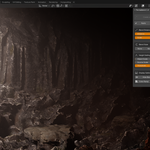
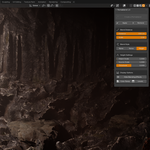
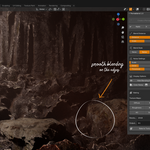
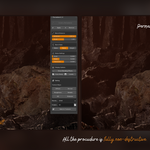
PermaBlend v1.1 Now Available!
✨ Advanced material blending system with dynamic proximity-based effects for Blender 4.0+
Created by Egret
🧩 What is PermaBlend
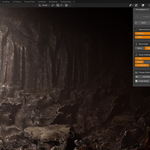
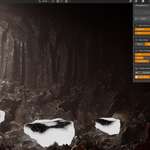
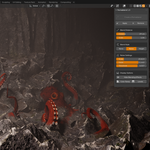
PermaBlend is a Blender addon that creates dynamic, proximity-based material blending between objects in real-time.
It automatically generates seamless transitions where objects are near each other.
It’s a non-destructive and real-time solution for environment artists, procedural designers, and shader developers — helping you achieve natural, adaptive material blending with minimal setup.
🚀 Key Features
🔄 Dynamic Proximity Blending – Materials blend automatically based on distance
🎨 Multiple Blend Styles – None, Noise, and Height-based blending options
⚡ Real-time Preview – Instantly visualize blend changes in the viewport
🧱 Non-destructive Workflow – Add, remove, or reconfigure blends anytime
🎚️ Distance & Falloff Controls – Fine-tune how far and how smoothly blends occur
🪶 Lightweight – Minimal performance impact, fully optimized
🧠 Smart System – Automatically manages modifiers and nodes behind the scenes
🧭 Quick Start Guide
-
🖱️ Select your target objects (these receive the blend)
-
🔹 Shift-select the source object (this provides the blend material – must be the active object)
-
⚙️ In the PermaBlend panel (N-Panel sidebar), click “Create a Permablend”
-
🎚️ Adjust Blend Distance and Falloff for desired softness
-
🎨 Choose a Blend Style (None, Noise, or Height)
✅ That’s it! The selected objects will now blend their materials dynamically based on proximity.
💾 Installation
🧱 Blender 4.0+
-
Download
permablend.zip -
Open Blender → Edit → Preferences → Get Extensions
-
Click the dropdown ⌄ → Install from Disk
-
Select
permablend.zip -
✅ Enable the addon
📍 Finding the Panel
Press N in the 3D Viewport → Go to the PermaBlend tab.
🎛️ Interface Guide
🧪 Create a PermaBlend
Main operator that generates a proximity-based blend between selected objects.
Requirements:
-
At least two objects selected
-
Each object must have an existing material
-
The active object (last selected) becomes the source material
🧩 Apply / Remove
-
Apply 🧱 – Makes the blend permanent, removing temporary modifiers
-
Remove ❌ – Deletes all Permablend data and restores original materials
🎚️ Blend Distance
Controls how far the effect extends from the source.
-
Higher = smoother, wider blending
-
Lower = tighter, more localized blend
🧮 Falloff & Scale
Fine-tune transition softness and scale per object for detailed control.
🎨 Blend Style
Select how the blend behaves:
-
None: Smooth gradient transition
-
Noise: Adds procedural breakup for natural variation
-
Height: Uses geometry height to drive blend
👁️ Display Options
-
Show/Hide Blend Mask – Toggle visibility of blend influence
-
Color Ramp View – Visualize the gradient strength
-
Levels Preview – Check intensity and smoothness.
⚙️ Technical Overview
PermaBlend uses Blender’s modifier and data transfer systems to create non-destructive blends:
🧩 ProximityBlend Modifier – Computes vertex weights based on object distance
🎨 VertexColor Transfer – Applies blend data as vertex colors
🧭 Normal & UV Handling – Ensures consistent shading and texture mapping
⚙️ Shader Integration – Connects directly to material nodes for smooth transitions
All these operations are handled automatically — no manual node setup required.
⚡ Performance
-
💨 Real-time feedback with minimal lag
-
🧠 Smart modifier stacking – optimized order and updates
-
🪶 Lightweight system, designed for large environments
-
🔒 Apply blends when satisfied to “bake” results and boost performance
🧱 Requirements
-
Blender 4.0 or higher
-
Objects must have valid materials
-
Works with Eevee and Cycles
-
Mesh objects only (no curves or volumes)
🧰 Troubleshooting
❓ Blend not appearing?
-
Ensure both objects have materials
-
Check that the source object is active (last selected)
-
Try increasing the Blend Distance
⚠️ Modifiers not behaving?
-
Do not manually edit Permablend modifiers
-
Use the Remove button and recreate if needed
🐢 Performance issues?
-
Collapse modifier panels
-
Apply blends once finalized
-
Avoid excessive high-poly objects
📩 Support
For bug reports, feature requests, or assistance:
📧 Email: [your-support-email-here]
🌐 Website: https://superhivemarket.com/
💬 Discord: [optional support server link]
⚖️ License
PermaBlend v1.0
© 2025 Egret Studios
Licensed under GPL v3.0
🆕PermaBlend Changelog v1.1.0
What's New?
- Invert Blend — Flip the blend direction on any target object, starting from the far edge instead of the contact point.
- Vertex Group Mask — Precisely control where blending occurs using a vertex group; only painted areas will be affected.
- Normal Direction Filter — Limit blending to surfaces facing a specific direction, perfect for top-down effects like snow or moss; threshold and softness are fully adjustable.
- Displacement Blending — Seamlessly blend displacement outputs when both materials use displacement for realistic physical transitions.
- Volume Passthrough — Materials with volume shaders now retain their volume through the blend correctly.
- Bake to Textures — Export your finished blend to texture maps (Diffuse, Normal, Roughness, Metallic, AO, Emission) in one click; set resolution and output folder for game engine or other workflow use.
- Custom Blend Style — Fully accessible with Amplitude, Threshold, and Radius controls for total creative freedom.
Bug Fixes.
- Custom Blend Style — Fully accessible with Amplitude, Threshold, and Radius controls for total creative freedom.
- Banding Artifacts Fixed — Sharp concentric stripe patterns on blended objects are gone; transitions are now smooth regardless of geometry density.
UI Improvements
- Context-sensitive panel — only displays controls relevant to your selected object.
- Setup options are visible before creating a blend; blend controls appear afterward for streamlined workflow.
- Blend Mode (Simple / Advanced) is now integrated into the Blend Style section.
- New Blend Mask section consolidates Invert Blend, Normal Direction Filter, and Vertex Group Mask in one place.
- Apply and Remove buttons appear only when a blended object is selected.
Egret
