 IK3D
IK3D


Phenix Particle System Overview
Phenix is now a GPU-native particle system. The entire simulation — emission, integration, neighbour search, constraints, fluids, collisions, procedures — runs on the GPU through WGPU compute shaders, on Vulkan, Metal and DX12. Orders-of-magnitude more particles than the previous CPU pipeline. Stack forces, constraints, fluids and procedures in a node graph: every effect composes additively, so impressive animations come out with minimal effort. I build Phenix solo in Rust + WGSL + Python.
note:The addon is delivered with a .blend file containing a variety of examples to help you quickly discover all the possibilities.

What changed (v5): CPU → Full GPU rewrite
- Scale — orders of magnitude more particles than the CPU pipeline.
- Stability — new Hooke constraint solver with material presets (Silk, Cotton, Denim, Leather, Rubber, Hair, Chain, Jelly, Metal Wire).
- Mesh attributes — read vertex velocity, mass and custom Geometry Nodes attributes from the source mesh at emission time.
- Custom Shader node — write your own WGSL compute kernel and compile live.
- GPU profilers — Memory Profiler, Perf Profiler, 3D Plotter and Spreadsheet inside the node editor.
- Live tuning — Phenix Parameters panel in the 3D viewport, no shader recompile.
- Export — bake straight to Pixar USD (.usdc) or glTF 2.0 (.glb) for downstream pipelines, three.js and web viewers.
- AI-ready — built-in MCP server lets Claude (or any MCP tool) read and write the graph.
Hardware: a GPU with up-to-date Vulkan / Metal / DX12 drivers. Apple Silicon and recent integrated GPUs supported.
Phenix main features:
Minimalist Nodal Interface
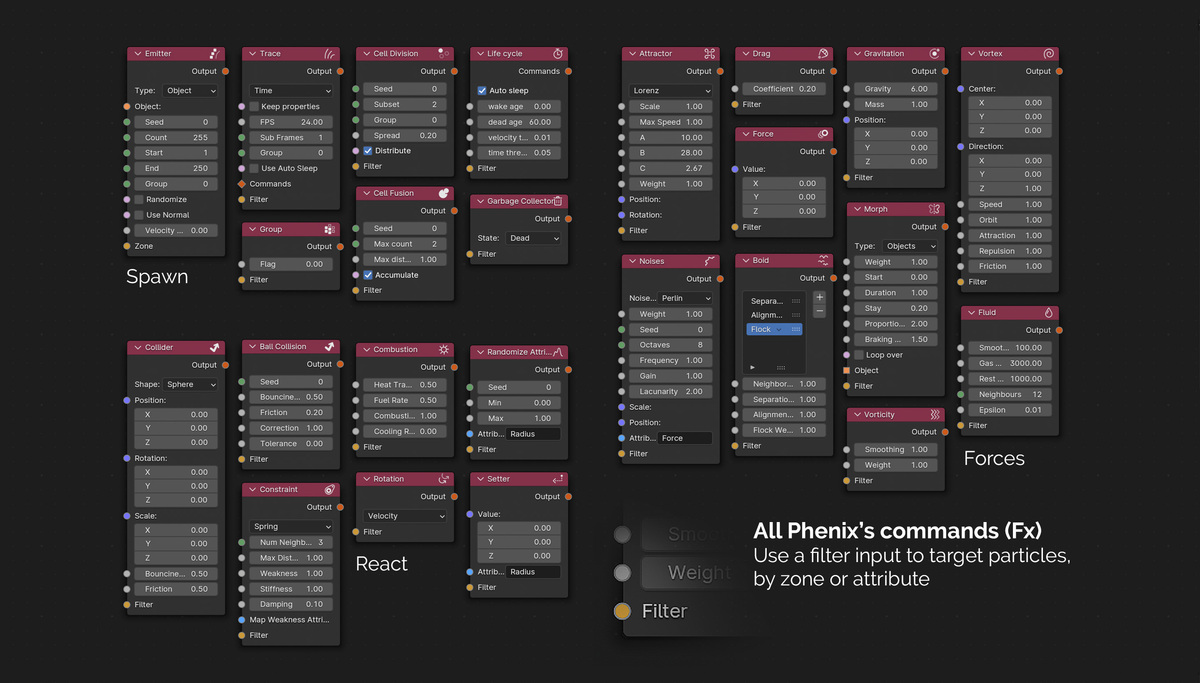
Phenix features a streamlined, user-friendly nodal interface that’s easy to pick up yet offers robust customization options. A key feature is that the order of Fx nodes connections doesn’t matter, as force integration is handled by a simple addition, making the setup process faster.
Ready-to-Use Effects
Phenix comes with a wide range of built-in effects (commands) to accelerate simulation creation:
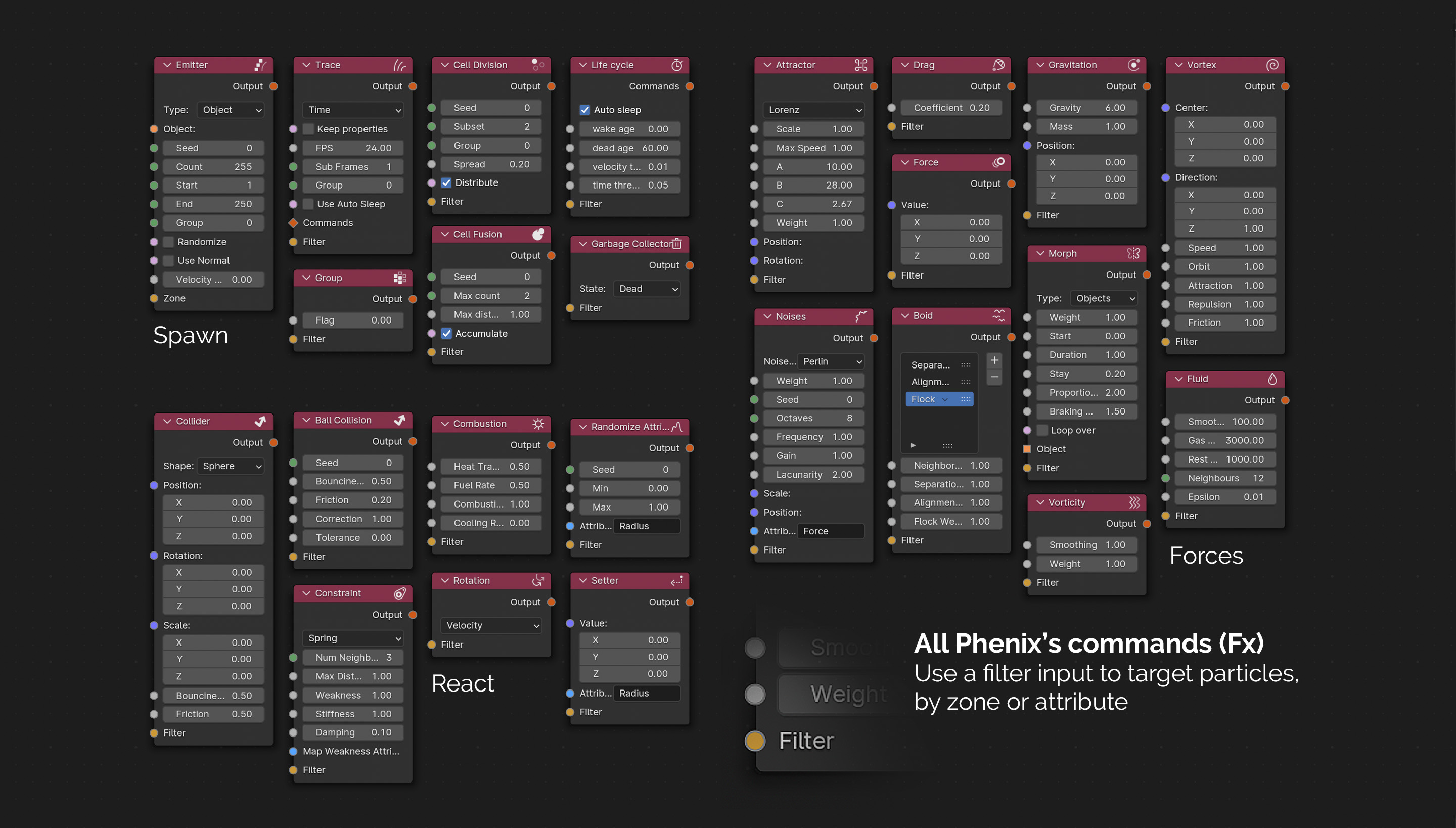
• Morphing
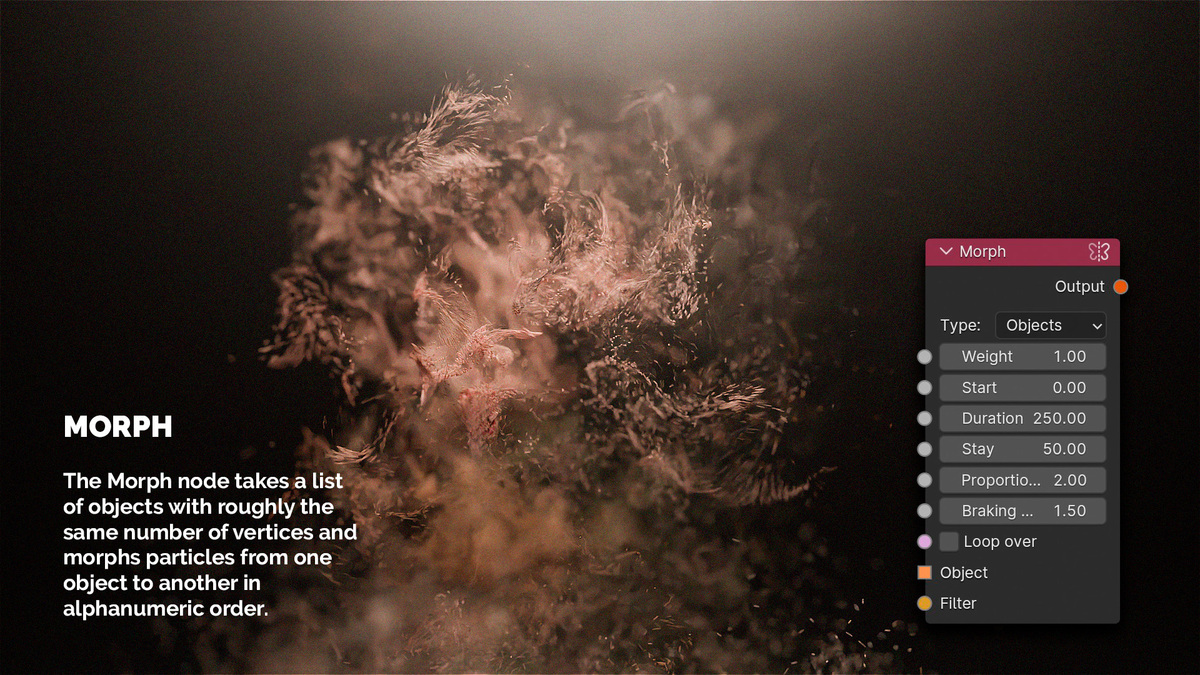
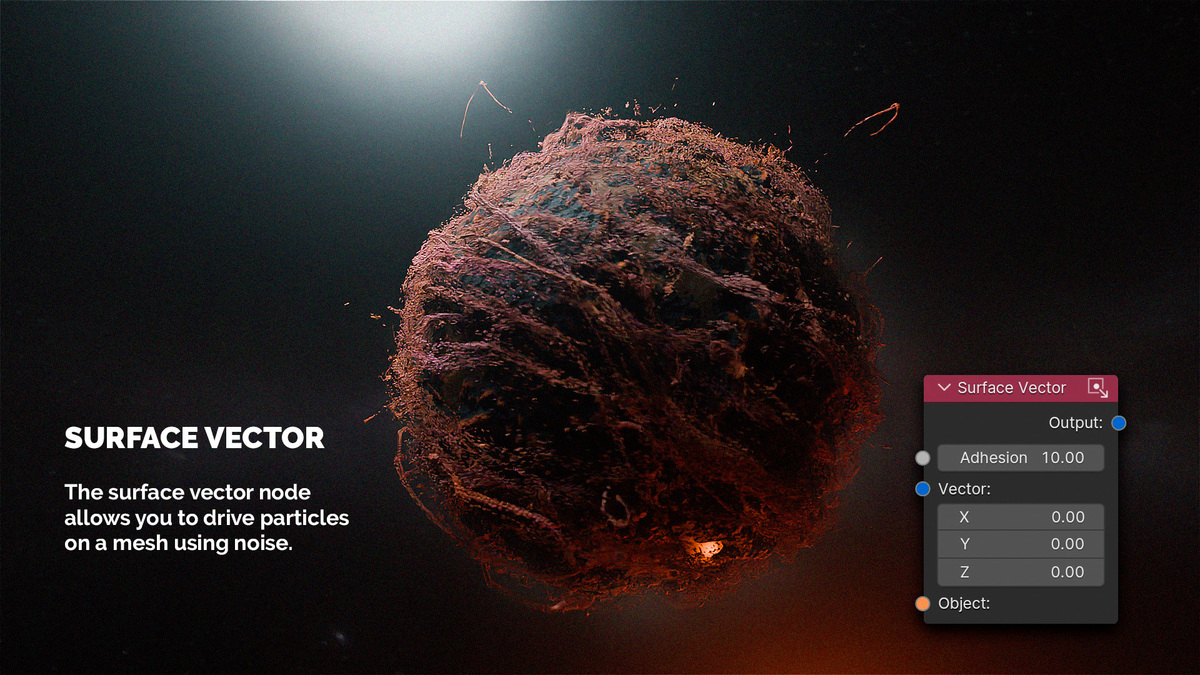
The Morphing node controls various particle properties such as color, position, and movement. It can guide particles along predefined paths or move them across the surface of a mesh (random walk), creating smooth transitions or surface-based effects. This makes it perfect for complex shape morphs.
• Tracer
The Tracer node has two modes and allows tracing particles recursively:
•Link mode: Creates a Plexus effect, where particles are connected by lines based on their proximity, forming intricate networks or structures.
•Time mode: Leaves behind particle trails that visualize their movement, ideal for effects like motion paths or glowing streaks, adding dynamism to simulations.

• SPH Fluid
The SPH Fluid node simulates liquid dynamics using Smoothed Particle Hydrodynamics, producing realistic fluid behaviors. It’s perfect for simulating water, oil, or other fluids with particle interactions governed by physical properties.
• Combustion
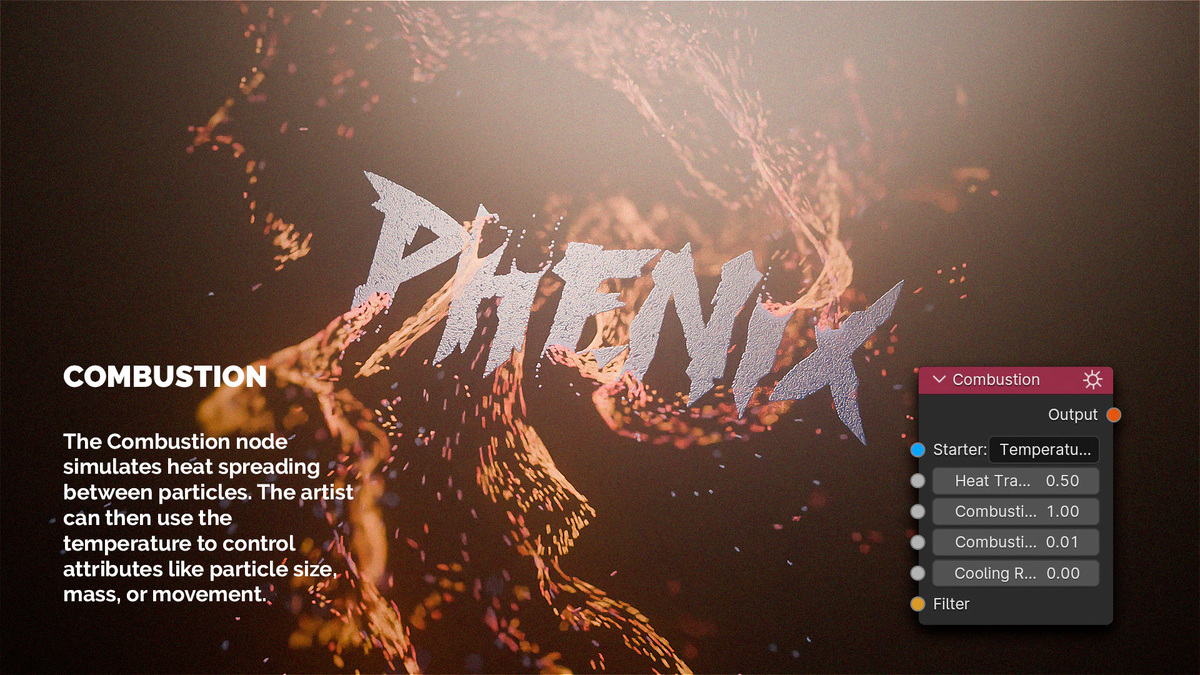
The Combustion node simulates the diffusion of heat across particles. The generated temperature data can be creatively repurposed to drive various artistic effects, such as altering particle color, size, or radius. This provides a versatile foundation for creating visually dynamic simulations that react to heat distribution.
• Attractor
The Attractor node helps generate complex, pseudo-chaotic movements like the Twisted Torus rotor, Lorenz attractor... This node creates intricate particle flows, making it ideal for dynamic, swirling, or looping patterns that appear unpredictable yet controlled.
• Constrain
The Constrain node links particles together, forming a mesh structure similar to fabric or soft bodies. It can also attach particles to objects in the scene, allowing them to follow or stick to the object’s movements, providing greater control over particle interaction.
The new Constraint Advanced node ships with material presets — Silk, Cotton, Denim, Leather, Rubber, Hair, Chain, Jelly and Metal Wire — calibrated for the new Hooke solver. Stable cloth, hair, ropes, jelly and chains out of the box.
Filtering for Fx Commands
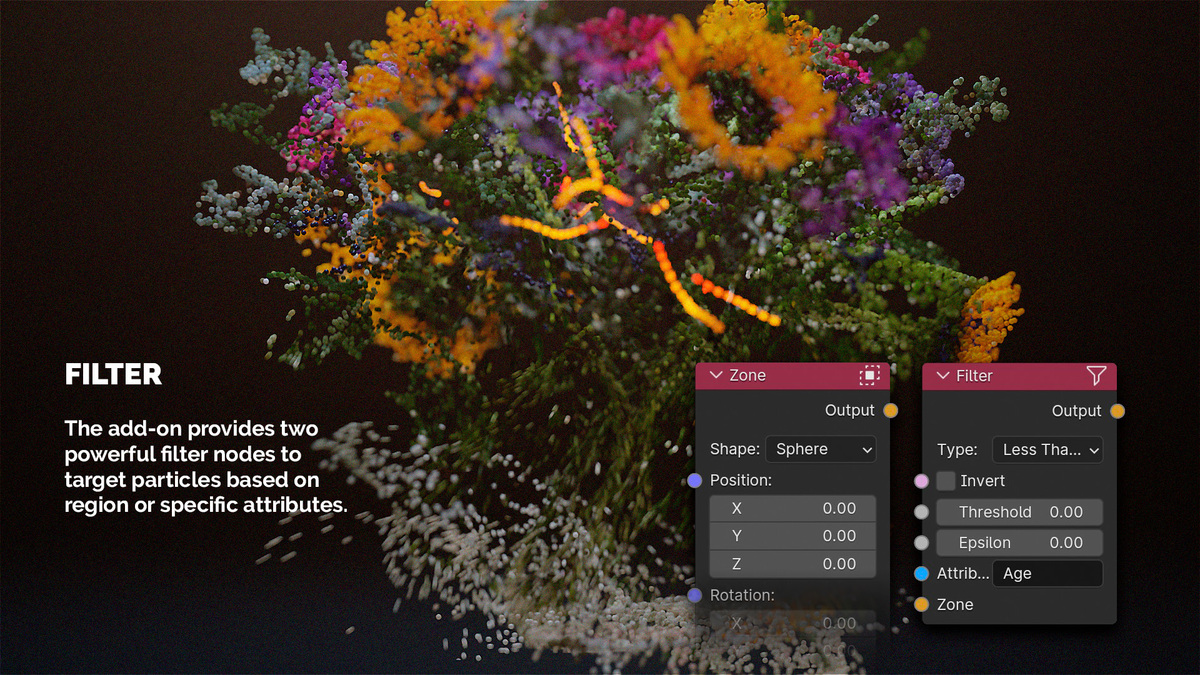
Each Fx node includes an input filter, allowing users to control when and how forces are applied. Particles can be filtered based on regions with falloff or specific characteristics, offering precise control over simulations.
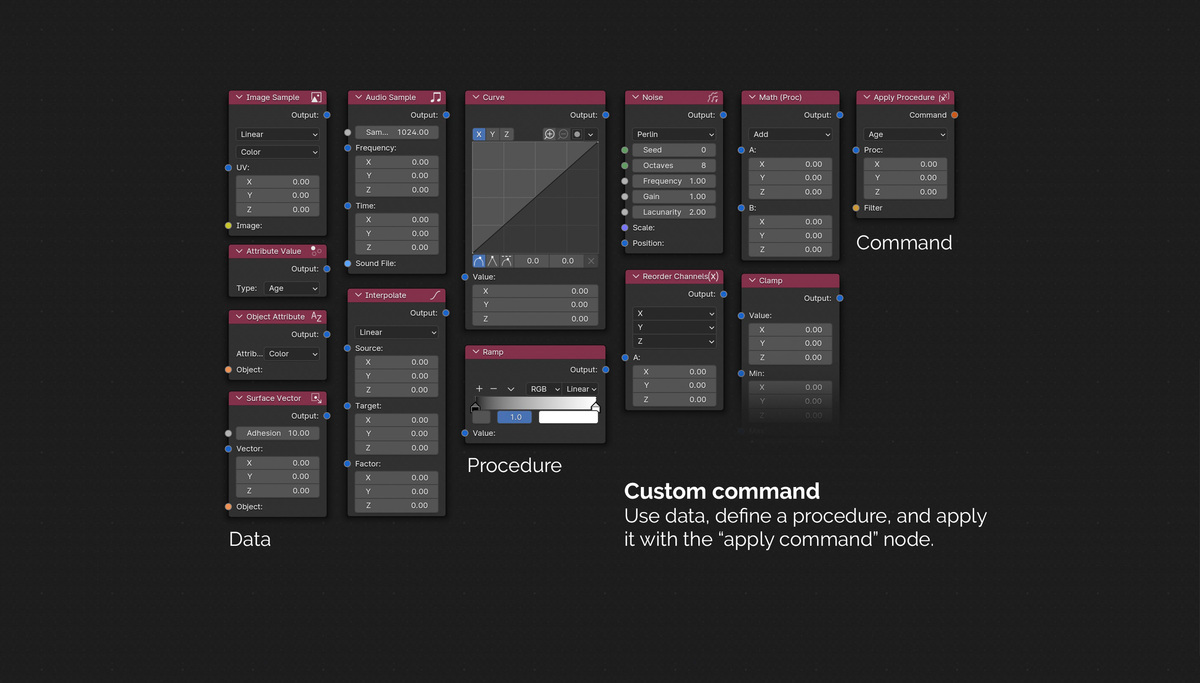
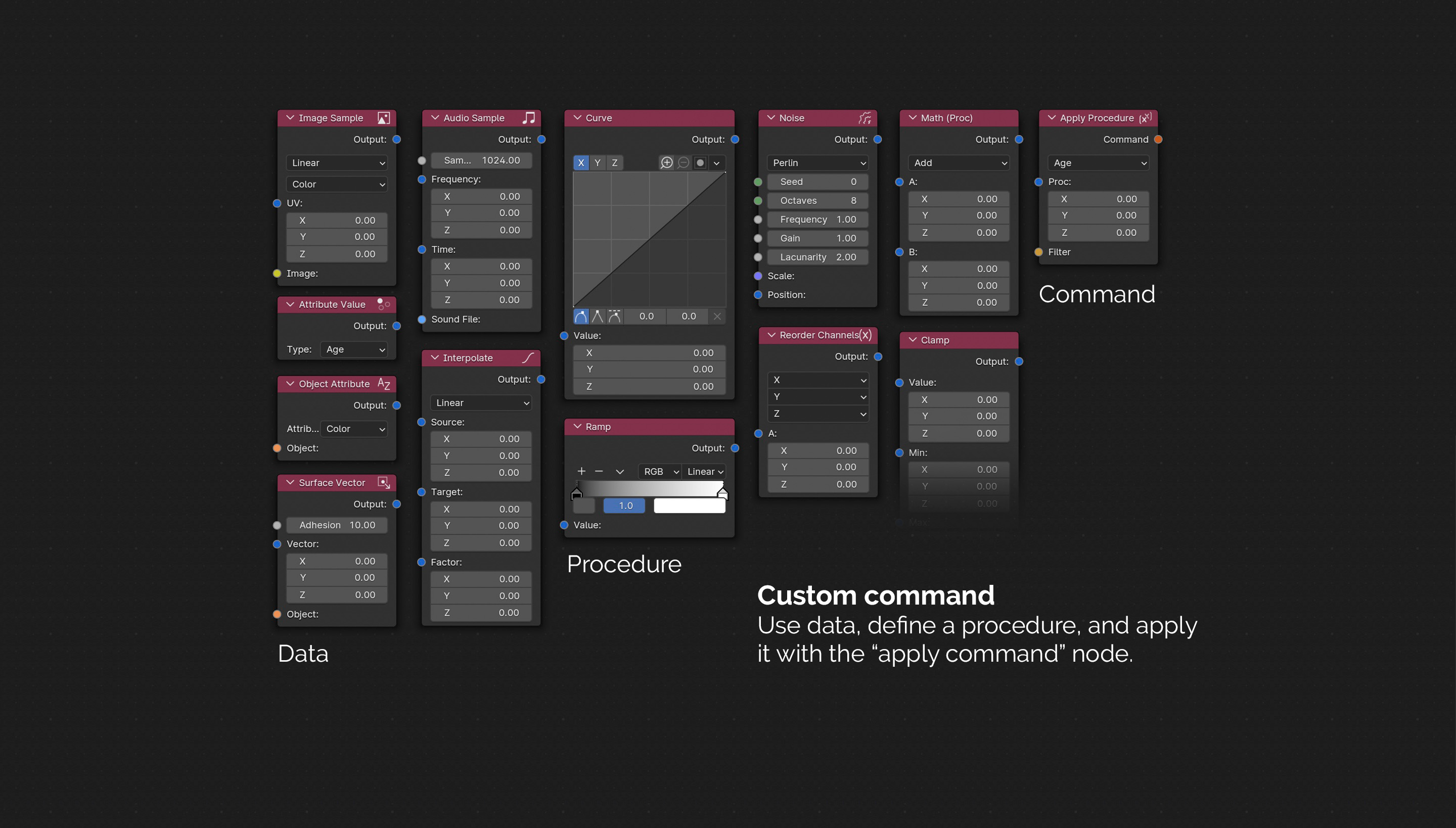
Custom Commands via Procedure (Proc)
For advanced users, Phenix offers the ability to create custom commands using a versatile set of functions (sample):
Import Object
The Import Object node allows you to bring in point clouds in .las format or load vertices from an OBJ file directly into the scene. This enables the seamless integration of external data, offering new ways to visualize and manipulate imported geometry as dynamic particles within your simulation.
Advanced Collisions
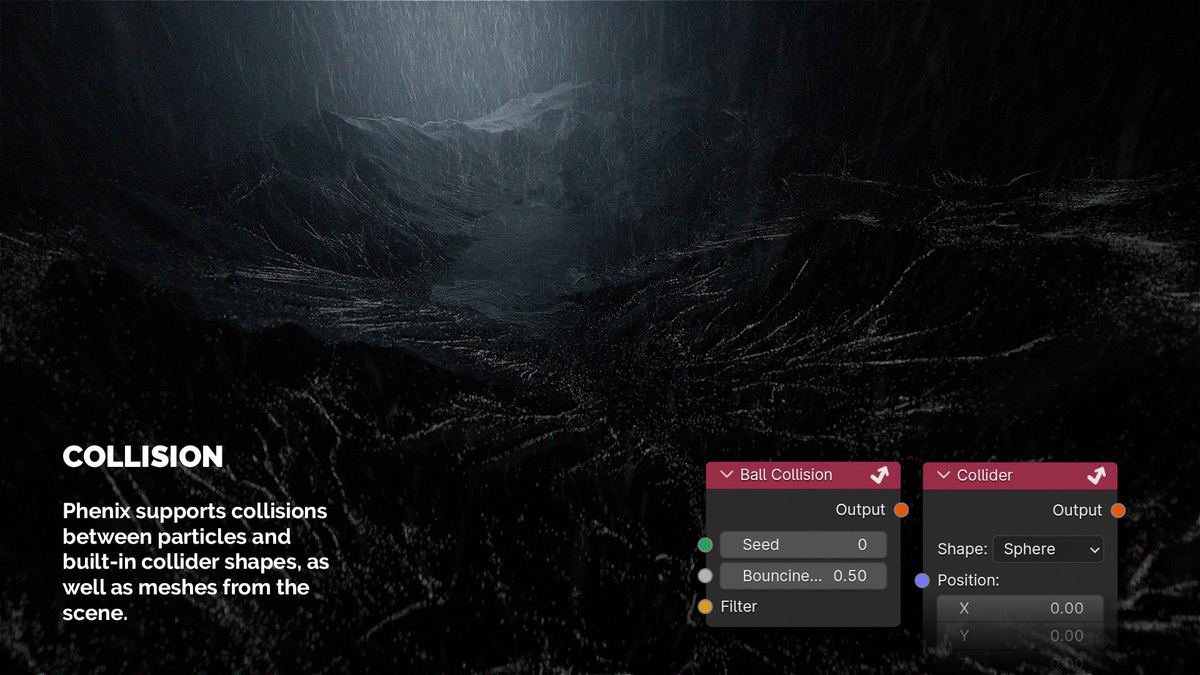
Phenix supports particle-to-particle collisions, as well as collisions with built-in colliders or meshes in the scene. It also features an auto-sleep system to pause inactive particles, optimizing performance.
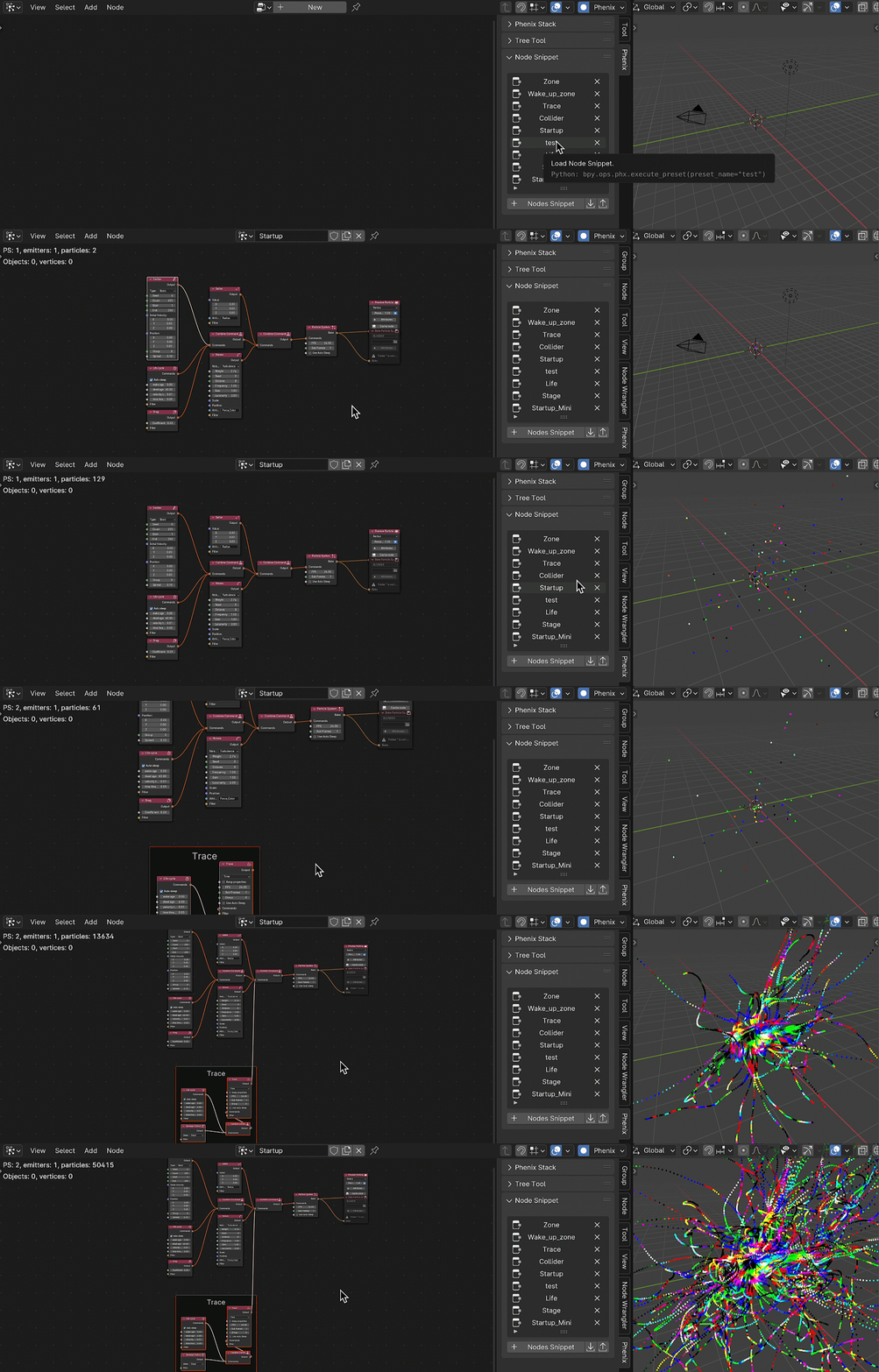
Node Snippet:
Node Snippet in Phenix is a powerful tool designed to simplify your particle animation workflow. Node Snippet contains various pre-arranged groups of nodes, serving as presets. Choose the node group that aligns with your project requirements to kickstart your animation effortlessly.
Optimization and Baking
•Simulation Caching: For smoother playback, Phenix allows you to cache simulations, reducing the load on real-time computations.
•Baking for Geometry Nodes: Simulations can be baked and exported for use in Blender’s Geometry Nodes, making it easier to integrate complex simulations into 3D scenes.
Initiate Baking:
To commence the baking process, add a "Bake Particle System" node and toggle the "attributes" button to select the properties to send to the geometry node. You then have the option to bake by clicking the "Bake" button on the node, or to bake the entire stack using the operator under the Stack panel.
What Phenix is — and what it isn’t:
• A dedicated GPU particle system, built to do one thing extremely well: simulate and art-direct large amounts of particles in real time.
• Works alongside Geometry Nodes, not as a replacement — run your sim in Phenix, then bake it into your GN setup.
• Focused on particles and their attributes (position, velocity, color, custom data) — not a general-purpose “any effect imaginable” toolbox.
• Ships a wide range of ready-made effects that mix freely — forces, fluids, constraints, procedures — so complex looks come from stacking simple blocks.
Roadmap:
|
Platform |
Release |
| Windows 86_64 | available |
| Linux 86_64 | available |
| MacOs 86_64 & M1 |
available |
The original v4 roadmap (GPU, memory, custom attributes, reaction-diffusion, …) has shipped with v5. Here is what is next:
- Phenix on the Web — a public platform where artists share Phenix node graphs the same way ShaderToy lets shader authors share their code. Since a Phenix graph already compiles to shaders, the same scene can run real-time inside a modern browser — ideal for premium particle effects on websites and product pages.
- More GPU performance — push peak particle counts higher and tighten the cost of fluid, constraint and neighbour passes on modern GPUs.
- More realism — richer fluid behaviours, sturdier cloth and soft body, better collision contact models.
- More tracer modes — trace a shape along the particle path, on top of the existing Link and Time modes.
Please follow this link to learn more about the add-on:
Youtube video tutorials
