 Elin
Try it free first: Physics Dropper 2 Lite → download · GitHub page
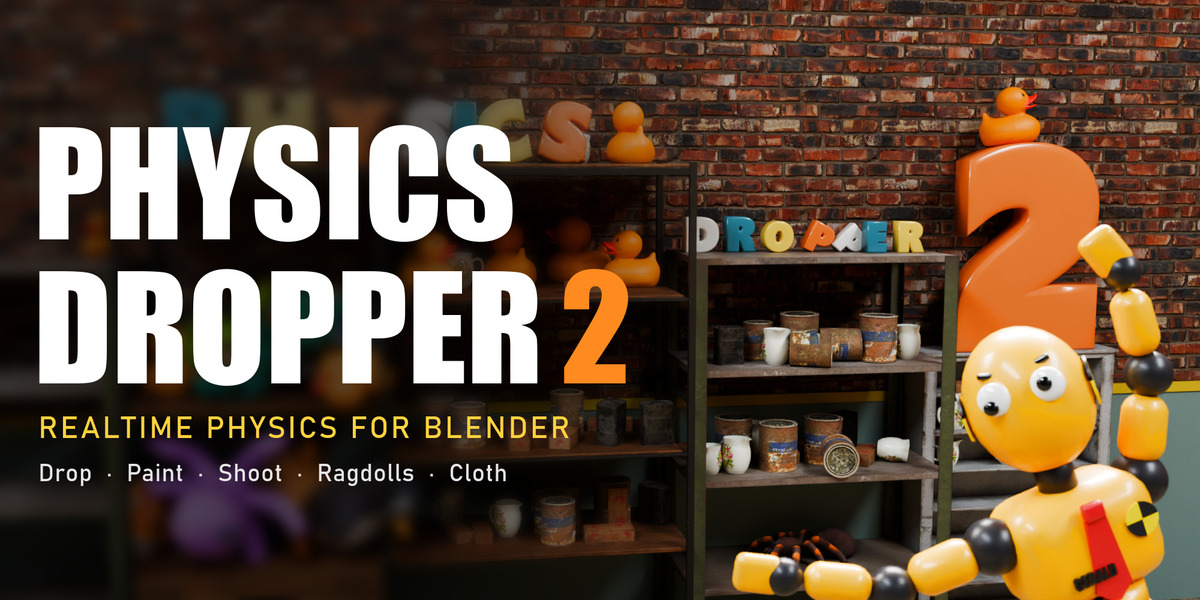
Physics Dropper 2
Select some objects, press V, and they fall, collide and settle right in your viewport. Press Done and they stay there. No baking, no caches, no messing with the timeline.
Drop some books onto a shelf, fill a bowl with fruit, arrange a pile of rubble or throw an unreasonable amount of rubber ducks at Gerald.
So, why a version 2?
I released the original Physics Dropper about five years ago. Over 3,300 people got it, and somehow it's sitting at 5.0 stars from 43 ratings. Thanks for that!
Blender's rigid body system had its limits, though: objects sinking into floors, waiting for bakes and simulations randomly exploding. So I rebuilt the whole thing using Jolt Physics, the physics engine also used in Horizon Forbidden West.
Everything now runs live in the viewport. 500 falling objects at 40+ FPS, and settled objects cost almost nothing.
Drop & Shake
Available in Lite and Full.
- Drop (V): Select objects and let physics do its thing.
- Done (Shift+V): Keep the result. Cancel puts everything back.
- Shake: Shake the ground to settle piles and fill gaps. Repeat as needed. Adjust strength, duration, frequency and randomness.
- Freeze: Stop everything where it is.
- Pause / Resume: Take a break without ending the simulation.
- Start Frozen: Objects hang in midair until a brush, Shake or collision wakes them. Handy for stacking things manually.
- Add: Throw more selected objects into an already running simulation.
- G / R: Move or rotate objects while they're simulating. They'll push other objects around.
- Collide With: Nearby visible meshes (default), a specific collection or everything. Hidden meshes are ignored unless they're in the specified collection.
- Hollow Shapes: Bowls, cups, crates and chairs get surface-following collision shapes. Stuff actually lands inside them.
- Collision Proxy: Use another mesh for collisions, such as a hidden low-poly version of a heavy scan.
- Live Settings: Adjust mass, friction, bounce and substeps while everything is running.
You can save your file, scrub the timeline or enter Edit Mode during simulation. Existing Blender rigid bodies work too. For animated objects, it'll ask before clearing keyframes. Cancel restores them.
Physics Brush
Full version only.
Interact with the running simulation using your mouse. F adjusts the radius, Shift+F adjusts the strength. Same idea as Blender's sculpt brushes.
- Drag: Grab everything within the brush radius, or individual ragdoll limbs. Steady mode preserves orientation. Swing mode lets things dangle from the cursor.
- Axis Locks: X/Y/Z locks movement to an axis. Shift+X/Y/Z locks it to a plane. Z lets you lift things.
- P while dragging: Pin whatever you're holding in place.
- Pin: Paint over objects or individual limbs to lock them. Ctrl unpins. Unpin All does exactly what you'd expect.
- Pull: Attract objects while held. Press Z to lift the whole pile.
- Push: Repel objects while held.
- Explode: Kick everything within the brush radius outward.
- Hold Shake: The longer you hold, the harder it shakes.
Paint, Drop & Shoot
Full version only.
Pick a Source collection containing your assets. No object selection needed.
- Paint: Paint objects onto surfaces and let them settle. Automatic spacing based on asset size, surface normal or stroke alignment, random rotation and scale range. Ctrl erases.
- Drop: Click to drop a handful of assets within the brush radius from an adjustable height.
- Shoot: Fire assets from the camera towards the cursor. Hold to keep firing. Adjustable speed, rate, spread and spin.
Done keeps them, Cancel removes them. Delete Painted clears them later.
Ragdolls
Full version only.
- Drop an armature or its mesh to turn it into a ragdoll. Limb shapes are generated from its own skin.
- Simulate characters alongside regular objects.
- Live Stiffness: From completely limp (0) to holding its pose (1). Swing and Twist joint limits are adjustable too.
- Drag individual limbs and pin hands or feet.
- Paint, Drop or Shoot entire ragdolls from your Source collection.
- Press Done to keep the resulting armature pose.
Works with Mixamo, most game-ready rigs and simple custom rigs. Rigify's generated rig isn't supported.
Gerald has been through a lot during development.
Cloth
Available in Lite and Full.
- Drape blankets, tablecloths and banners over objects in the same live simulation. Objects can land on cloth too.
- Presets: Silk, Cotton, Denim, Leather and Rubber.
- Adjust stiffness, friction and thickness live.
- Pin vertex groups for things like curtains and banners.
- Optional subdivision on drop.
- Grab and pull cloth using the Drag brush (Full only).
Record Keyframes
Available in Lite and Full.
Tick Record Keyframes to record object locations and rotations, ragdoll bones and cloth as shape keys. Painted objects appear on the frame they were painted. Pause and continue recording the same take whenever needed.
Live Scene Gravity
Full version only.
Change scene gravity while everything is falling. Or stop it falling altogether.
Lite vs Full
| Feature | Lite (free) | Full |
|---|---|---|
| Drop, Shake, Freeze, Start Frozen | Yes | Yes |
| Cloth | Yes | Yes |
| Record Keyframes | Yes | Yes |
| Physics Brush: Drag, Pull, Push, Explode, Pin, Hold Shake | No | Yes |
| Paint, Drop and Shoot from collections | No | Yes |
| Ragdolls with live stiffness | No | Yes |
| Live scene gravity | No | Yes |
Get Physics Dropper 2 Lite here. Files work in both versions, and installing Full automatically disables Lite.
For existing Physics Dropper 1 owners: version 2 is a separate product. The original remains available, still works and can be installed alongside version 2.
Requirements & Installation
- Blender 5.1 to 5.3.
- Windows x64 or Linux x64 with an AVX2-capable CPU.
- Apple Silicon Macs with macOS 13 or newer.
- Intel Macs and Windows/Linux ARM aren't supported. Physics Dropper 1 still works on those.
Drag the zip into Blender or go to Edit > Preferences > Get Extensions > Install from Disk.
You'll find everything in the N sidebar under PhyDrop 2.
The add-on is GPL-licensed. Jolt Physics is MIT-licensed and credited in the zip.
Good to know
- Cloth doesn't collide with itself. Also, sharp objects can poke through very coarse cloth meshes.
- Ragdolls need deform bones without bone constraints. Rigify DEF bones won't work.
- Collection instances can't be dropped yet.
- I mostly test on Windows. Linux and macOS builds pass automated tests, but I'd appreciate reports from people actually using them.
Special Thanks
A big thank you to Jorrit Rouwe for creating and open-sourcing Jolt Physics, which is the backbone of Physics Dropper 2. Without his work, this add-on wouldn't exist in its current form. It's amazing what people make available to the rest of us.
That's pretty much it. If something behaves weirdly or you've got feedback, let me know. It's just me working on this thing.
