Planer — Photogrammetry Scan Mesh Refiner
 Nachiket Bhand



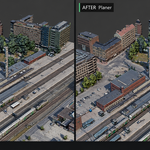
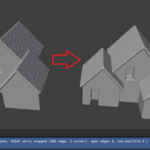
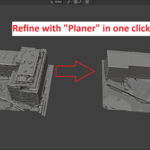
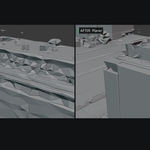
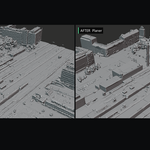
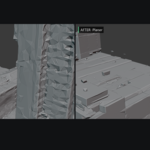
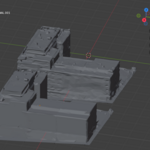
Planer — User Guide
Version 1.0.0 · Blender 4.2+ · Nachiket Bhand
1. Requirements
- Blender 4.2 or newer (extension format)
- No external dependencies. Pure Python on the numpy that ships with Blender — no wheels, no pip, no network access
- Meshes in real-world metre scale. Several defaults are absolute measurements in metres, so a model at the wrong scale will either refine nothing or flatten everything. See §7 if your model is small.
2. Install
Edit > Preferences > Add-ons- Down-arrow, top right → Install from Disk…
- Select
planer-1.0.0.zip - It enables itself. Close Preferences.
The panel is in the 3D Viewport N-panel (press N) → Planer tab.
3. Quick start
- Select your photogrammetry mesh in the viewport.
- N → Planer tab.
- Click Refine Selected (in place).
- Wait. A new object appears, named
REFINED_.
Your original is never modified. Every run produces a new object beside it.
Test on one building before you run a block. A ~200,000-face city block takes 2–5 minutes (measured: 247 s for 195k faces on a desktop CPU). Blender's window will appear frozen for the whole run. This is expected, not a crash.
4. How it works
Three stages, matching the three parameter groups in the panel:
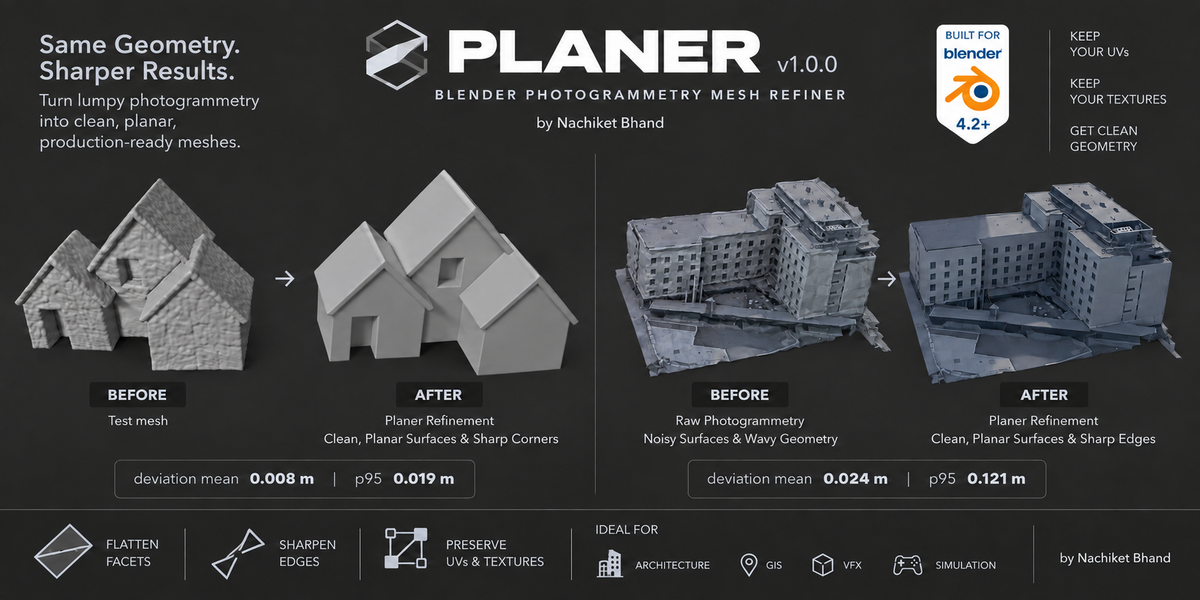
- Denoise — bilateral filtering of face normals, then vertex positions moved to satisfy those filtered normals. This kills high-frequency photogrammetry noise while a crease-aware sigma protects ridges.
- Planar segmentation — planar regions are grown from seed faces, then adjacent regions with agreeing plane fits are merged, consolidating the fragmented facets typical of tiled roofs. Regions are gated by area, not face count, so coarse tiles with a few large triangles still qualify.
- Snap with crease reconstruction — vertices snap onto their plane. A vertex supported by two planes snaps to the plane–plane intersection line; by three, to the intersection point. That is what turns saw-toothed ridges into straight creases and rounded corners into points.
Vertices are moved in place on a copy that keeps the original loops, so UVs and materials carry through natively — no data transfer, no re-bake, no smearing.
5. The panel
Denoise
| Setting | Default | Range | What it does |
|---|---|---|---|
| Normal Filter Iters | 12 | 0–60 | Bilateral face-normal smoothing passes. This is the pass that flattens noise. |
| Vertex Update Iters | 18 | 0–60 | Vertex moves applied to satisfy the filtered normals. |
| Crease Sensitivity | 0.25 | 0.05–1.0 | Bilateral normal-difference sigma. Lower keeps roof ridges and creases sharp; higher smooths across them. The single most useful dial. |
Planar segmentation
| Setting | Default | Range | What it does |
|---|---|---|---|
| Region Angle (deg) | 16.0 | 1–60 | Max normal deviation allowed when growing a planar region. |
| Region Distance (m) | 0.8 | 0.01–10 | Max distance from the running plane when growing a region. |
| Merge Angle (deg) | 16.0 | 1–60 | Adjacent regions whose fitted planes agree within this angle (and Region Distance) are merged. This is what consolidates fragmented roof facets. |
| Min Plane Area (m²) | 1.5 | 0.01–100 | Regions below this area are left un-snapped and treated as noise. Area-based, so coarse tiles with few large faces still qualify. |
| Min Faces / Plane | 2 | 2–500 | Absolute minimum faces for a plane fit. Leave at 2 — a flat quad is two triangles. Min Plane Area does the real noise rejection. |
| Snap Guard (m) | 0.6 | 0.02–5 | Rejects any vertex snap that would move further than this. Prevents spikes from outlier plane fits. |
Edges & iterations
| Setting | Default | Range | What it does |
|---|---|---|---|
| Edge Angle (deg) | 12.0 | 2–60 | Two planes meeting at more than this angle form a sharp crease, so shared vertices snap to the intersection line or point. Straight ridges, eaves and corners come from here. |
| Refine Iterations | 2 | 1–4 | Segmentation + snap passes. The second pass re-segments the already-snapped mesh, where planes are much cleaner. |
| Smooth Leftover Detail | On | — | Constrained Laplacian smoothing of vertices no plane claimed — chimneys, HVAC units, clutter. Snapped vertices are held fixed and movement is capped by Snap Guard. |
Output
| Setting | Default | Range | What it does |
|---|---|---|---|
| Decimate | Off | — | Limited-dissolve of coplanar faces for a low-poly result. Warning: a baked atlas texture loses its UV anchoring and smears. Only use with procedural re-colouring or a texture re-bake. |
| Dissolve Angle (deg) | 2.0 | 0.1–30 | Coplanarity threshold for decimation. Only shown when Decimate is on. |
| Shade Smooth | Off | — | Flat shading usually reads cleaner for CAD-like output. |
| Park Aside (m) | 0.0 | 0–500 | Offsets the result in +X so you get a side-by-side against the original. Set this to roughly your building's width for instant before/after comparisons. |
| Measure Fidelity | On | — | Reports mean and max deviation from the original surface. Leave on — it is your accuracy check. |
| Force Watertight (voxel) | Off | — | Voxel-remeshes into a closed manifold. Warning: drops UVs and sacrifices fidelity and sharp edges. Only when a closed volume is genuinely required. |
| Voxel Size (m) | 0.5 | 0.05–5 | Voxel resolution. Only shown when Force Watertight is on. |
6. Reading the report
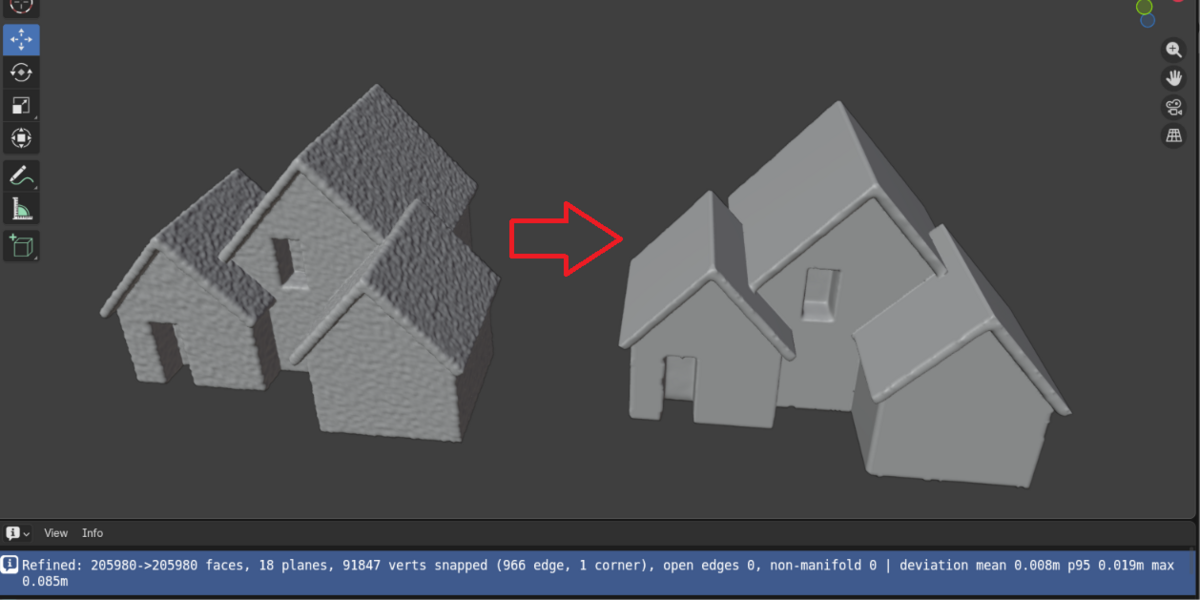
After a run the status bar reports, for example:
Refined: 195184->195184 faces, 812 planes, 96431 verts snapped
(4210 edge, 388 corner), open edges 1180, non-manifold 0
| deviation mean 0.072m p95 0.275m max 0.864m
| Field | Meaning |
|---|---|
faces |
Before → after. Equal means topology was preserved. |
planes |
How many flat regions were found and enforced. |
verts snapped |
Vertices moved onto a plane, edge or corner. |
edge / corner
|
Vertices reconstructed as straight creases and sharp points. Low numbers here mean creases weren't detected — see Edge Angle. |
open edges / non-manifold
|
Inherited from your source mesh, unchanged. Planer does not repair these. |
deviation |
How far the result sits from your original surface. A small mean means faithful. This is your accuracy check and the number to quote in a client report. |
A mean deviation of 0.072 m across a full city block, or roughly 0.08 m on a single ~55 m building (about 0.1% of the bounding diagonal), is a normal healthy result.
7. Troubleshooting
| Symptom | Fix |
|---|---|
| "No planar regions qualified" | Your model is smaller in scale than the defaults expect. Lower Min Plane Area. |
| Result too rounded, ridges lost | Lower Crease Sensitivity to 0.15–0.20. |
| Not flat enough | Raise Refine Iterations to 3. |
| Small details being flattened | Raise Min Plane Area. |
| Nothing gets refined | Lower Min Plane Area. |
| Spikes or stretched vertices | Lower Snap Guard. |
| Single house or prop, not a block | Lower Min Plane Area to 0.1–0.5. |
| Ridges came out jagged | Lower Edge Angle so more plane pairs qualify as creases. |
| Texture looks smeared | Decimate is on. Turn it off. |
| Roof facets stayed fragmented | Raise Merge Angle. |
8. Starting points by job
Google 3D Tiles, urban block — defaults. Verify on one building, then run the block and go make coffee.
Drone survey of a single house — Min Plane Area 0.3, Crease Sensitivity 0.18. The defaults are tuned for city-scale geometry and will over-flatten a single dwelling.
Producing before/after images — set Park Aside to roughly the building width and leave Measure Fidelity on. You get the comparison pair and the numbers in one run.
Feeding a CAD or GIS pipeline — Refine Iterations 3, Shade Smooth off. Only enable Decimate if you are re-baking or re-colouring downstream.
9. What Planer does not do
Read this before you buy.
- It does not reduce polygon count. Planer triangulates as it works, so a mixed quad/ngon mesh comes back as triangles and the face number goes up (e.g. 195,184 → 248,412) with no added detail. Decimation exists but smears baked atlas textures, so it ships off.
- It does not make meshes watertight. Photogrammetry shells are open, and vertex-snapping preserves topology, so they stay open. The voxel option forces a closed volume at the cost of UVs and sharp edges.
- It does not repair holes or non-manifold edges. Those counts in the report come from your source mesh unchanged.
- It does not improve the texture image. Geometry only.
10. Support
Email [email protected].
Please include:
- Your face count
- The full report line from the status bar
Those two things usually identify the problem immediately.
11. Changelog
1.0.0 — Initial release.
License: MIT · © 2026 Nachiket Bhand
 Included
Includes 12 months of
- Support from Nachiket Bhand
- Product updates
Extend this product’s Support Period +12 months: 50% of product price
Have questions before purchasing?
Login to message
Discover more products like this
buildings site context retopology mesh cleanup planar google 3d tiles reality-capture drone scan urban ArchViz photogrammetry