 Tokugawa Electronics









PLD LAUNCH / FEEDBACK CAMPAIGN
10 free copies — download right away
Try PLD 2.0.23 in your own modeling workflow and share your honest feedback. No application or reply from us is needed.
Free code: pldfeedback10
How to get it: Sign in to Superhive, add PLD to your cart, and enter pldfeedback10 at checkout. Confirm that the product price is $0, then complete your order to access your downloads immediately.
Limited to the first 10 completed coupon redemptions. Please use one copy per person. The coupon stops working automatically after 10 redemptions or on October 21, 2026 at 23:59 CDT (October 22, 13:59 JST), whichever comes first. If the code is unavailable or the product price is not $0, the free offer does not apply; do not complete a paid order unless you intend to purchase.
Share your feedback: Within about one week of trying PLD, use Contact the creator on this page and start your message with PLD Feedback. Include your Blender version, OS, what worked well, where you got stuck, and what you would improve. Screenshots and short replies are welcome, in English or Japanese. Public reviews are optional; positive feedback is not required.
For Blender 5.1 / 5.2. Tested on macOS; Windows and Linux are not yet verified. Blender 4.2 is not supported.
公開記念・先着10回限定で無料! 事前応募・返信待ち不要
ログインしてPLDをカートに入れ、購入手続きで pldfeedback10 を入力してください。商品代金が$0になったことを確認して注文を完了すると、すぐにダウンロードできます。お一人1回でお願いします。
無料枠はコードを使った注文完了の先着10回です。上限到達、または日本時間10月22日13:59で自動終了します。コードが使えない・$0にならない場合は無料対象外ですので、有料購入をご希望の場合のみ注文してください。
使用後1週間を目安に「Contact the creator」から「PLD Feedback」と書き、Blenderのバージョン・OS・よかった点・困った点・改善してほしい点をお知らせください。短い感想やスクリーンショットも歓迎。公開レビューは任意です。
TOKUGAWA ELECTRONICS / PLD 2.0.23
Panel Line
Designer
Edge-Driven · Real Geometry · Zero Boolean Cutters
A few panel lines. Suddenly, the whole model feels more convincing.
Create recessed panel cuts and panel-line grooves from selected edges—without Boolean cutters. Adjust width, depth, and rim rounding, then revise the edge selection before finalizing. Add fine seams to sci-fi armor, aircraft panels, and product housings.
Version 2.0.23
For Blender 5.1 / 5.2 · Tested on macOS / Blender 5.1.2 and 5.2.2 LTS
Japanese / English interface and manuals
- Real depth: mesh grooves that catch light and cast shadows.
- Editable workflow: adjust dimensions and reselect edges before finalizing.
- Finishing control: rounded rims, groove-floor materials, and reusable scene presets.
New in 2.0.23: fixes rim rounding in Blender 5.2. Verified on macOS with Blender 5.1.2 and 5.2.2 LTS.
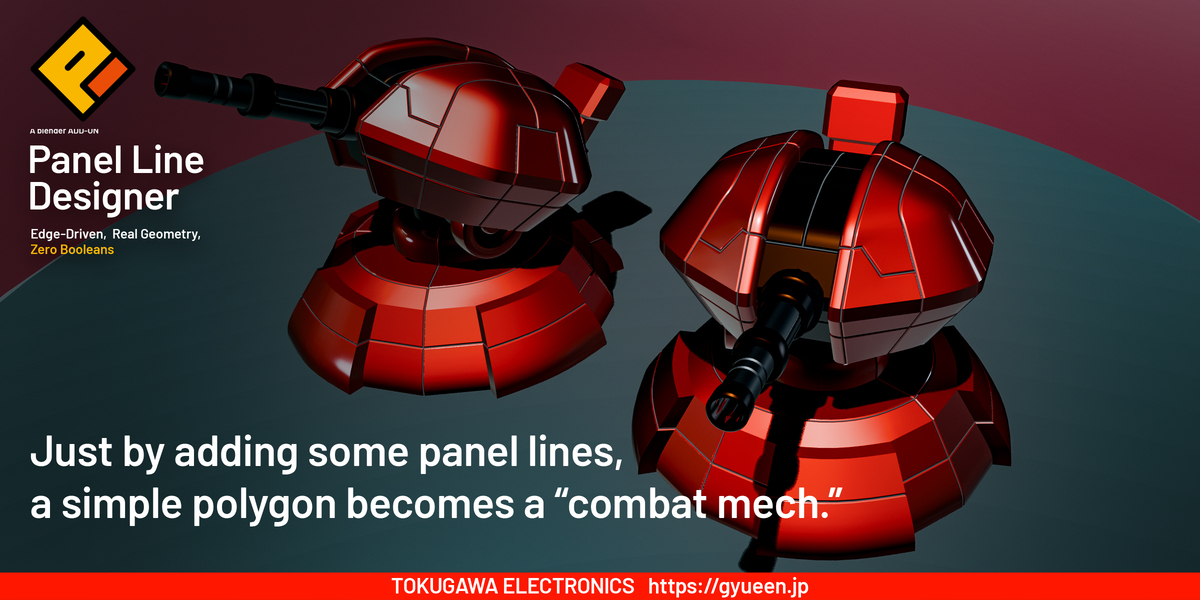
Combat-mech forms with panel-line detail.
REAL GEOMETRY
Get closer. The grooves are really there.
There is something satisfying about moving the camera closer and finding actual depth. PLD builds recessed grooves directly from the edges you select. Adjust their width and depth, and explore the details that light and shadow reveal.
On thin parts, keep the groove shallow enough to avoid intersecting the opposite surface.
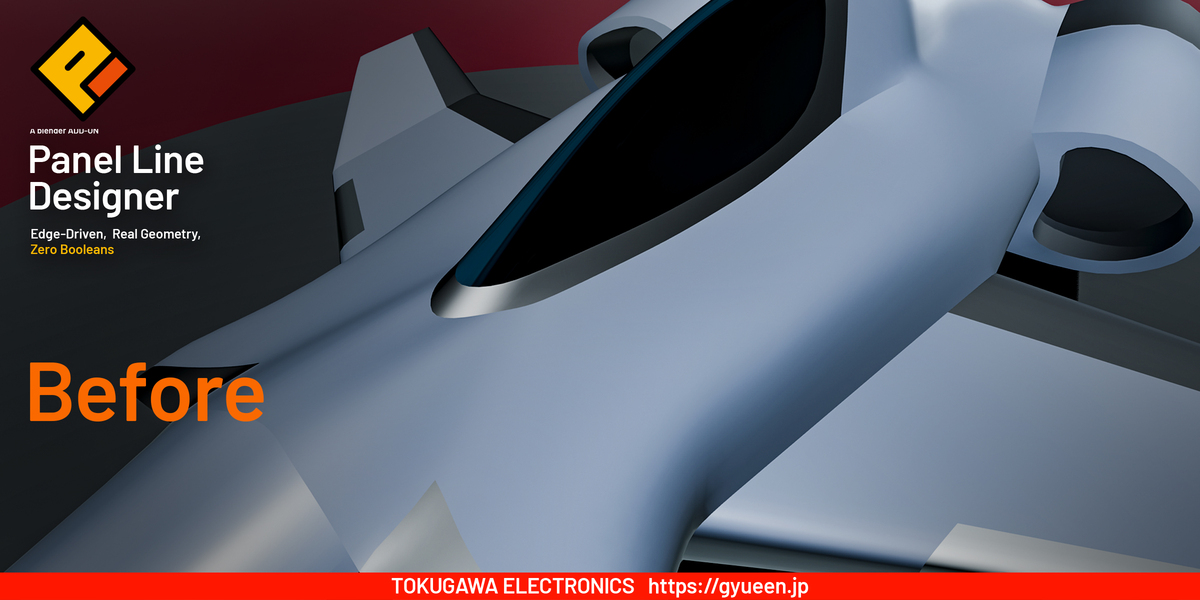
Before panel lines — aircraft surface.
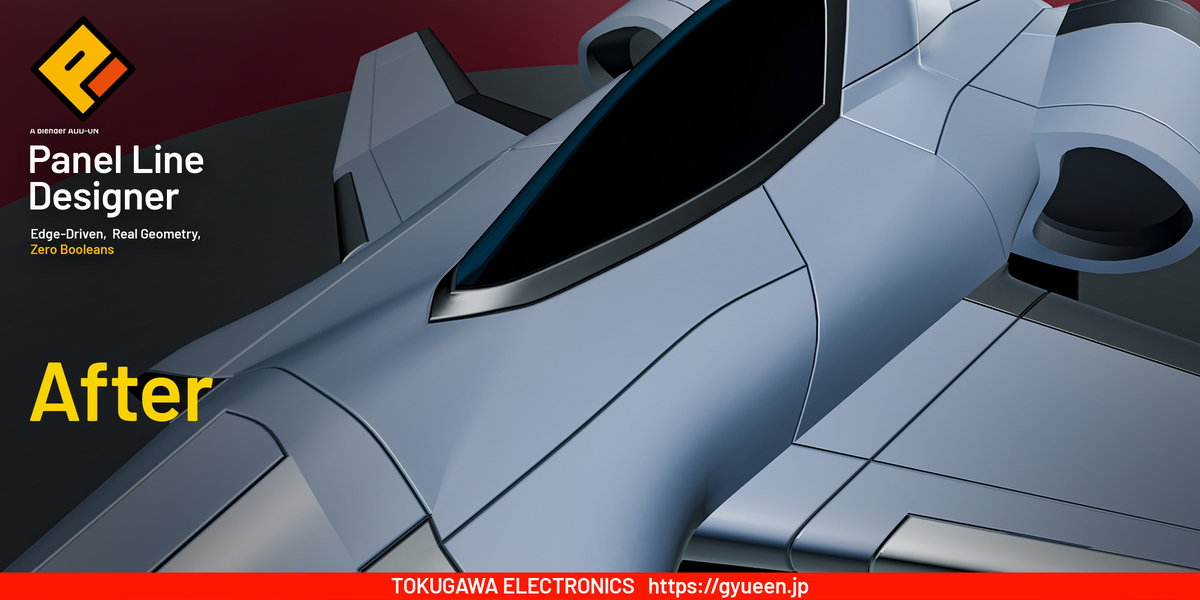
After panel lines — aircraft surface.
SELECT. CREATE. REFINE.
Choose your edges. Create the grooves. Enjoy the result.
01 — Select the edges
In Edit Mode, select the edges you want to turn into panel lines. Follow the flow of your mesh and decide where each line belongs.
02 — Create with PLD
Open the PLD sidebar and click Create Panel Lines from N Selected Edges. PLD generates a result and keeps the source object in the PLD Backups collection.
03 — Adjust width and depth
In Object Mode, refine Groove Width and Groove Depth while inspecting the result. Find the balance that suits your model.
For dense meshes, you can turn off Live Preview, change several settings, and use Update Preview to apply them together.
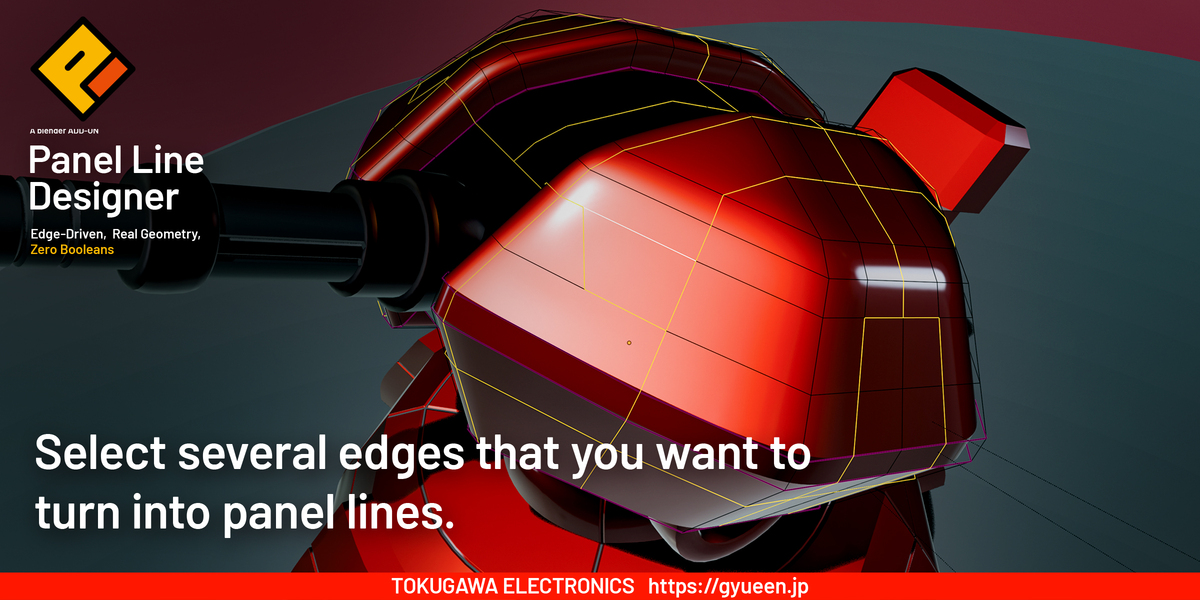
Select mesh edges to define the panel-line pattern.
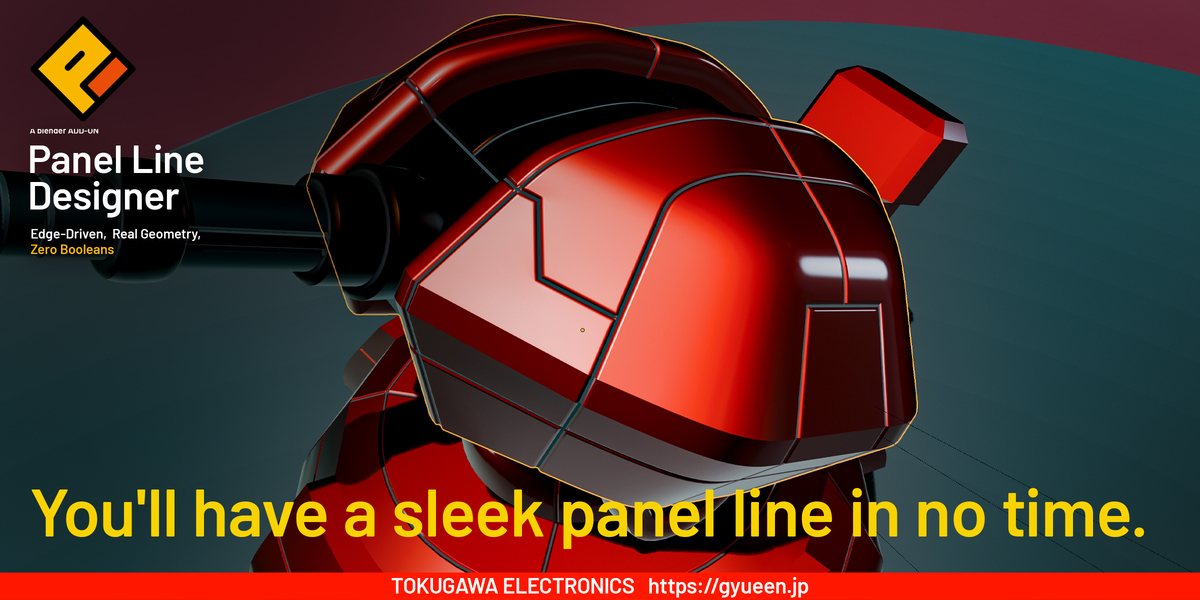
Generate grooves from the selected edges.
BUILT FOR THE DETAILS
Small details make a big difference.
Let the edges catch the light.
A little rounding around a groove can soften the highlight and give the surface the feel of a manufactured part. Adjust Rim Rounding Width and Rounding Segments to explore everything from a crisp metal slit to a softer seam in a plastic housing.
Rounding width is independent of groove width. Very short edges and dense intersections may need smaller values; inspect the result as you adjust.

Round Rim OFF — PLD 2.0.22, Material Preview.

Round Rim ON — same view and groove dimensions.
Different line widths. One shared rounding finish.
Use a fine line around a nose panel and a wider groove around a canopy frame. To add another set of grooves with different dimensions, select edges on an existing PLD result and create another pass.
In 2.0.22, groove width and depth remain separate for each pass, while the final result controls rim rounding across all passes. Adjust Round Rim, Rim Rounding Width, and Rounding Segments there. Earlier PLD rounding modifiers are no longer duplicated onto the final result.
Keep the earlier backups: changes to an earlier pass do not automatically rebuild later passes. This shared finishing step does not remove existing geometry limitations at tight intersections or groove ends.
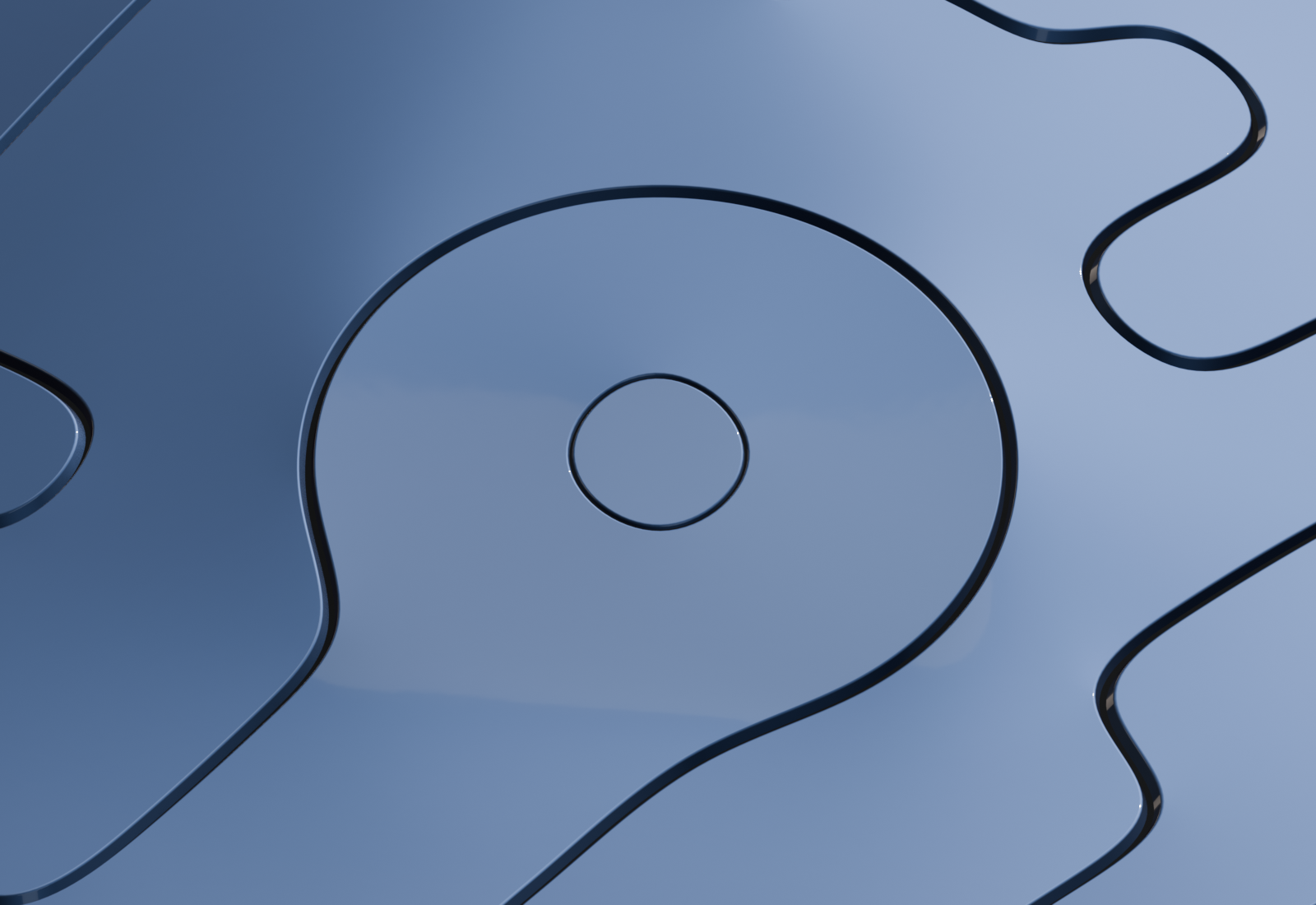
A thin loop added inside a wider groove pattern. Shared final rounding — PLD 2.0.22.
Keep refining without losing your rhythm.
PLD streamlines searches and repeated calculations during groove regeneration. Adjusting only rim rounding width or segments normally updates the finishing modifiers without rebuilding the groove mesh, making it easier to compare subtle changes. A rebuild may still be needed when required data is missing.
Curved surfaces and junctions deserve a closer look.
Refine lines that follow a curved surface with Align Floor to Rim, which adjusts the groove floor relative to the rim. Align Cross-Section Loops helps align supported configurations such as lines running around a cylindrical form.
Choose Standard, Rounded, or Stable junction handling, or select Custom to adjust the details. Match the junction treatment to the model and the path of the lines.
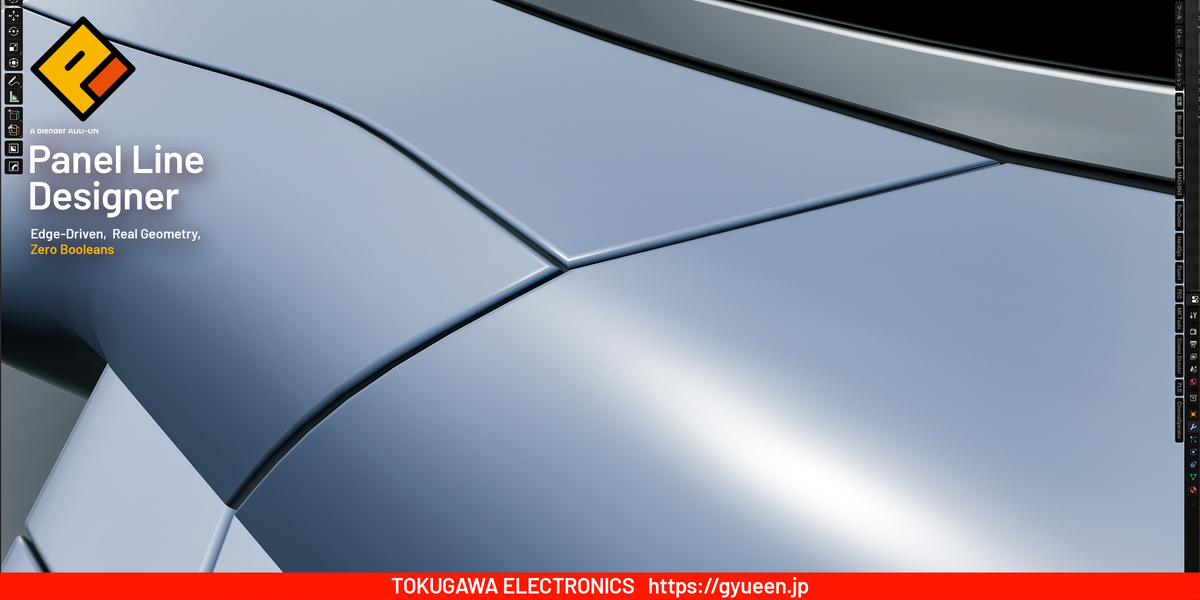
A close look at groove depth and junctions on a curved surface.
Soft forms. Sharp details.
Use crease control along the grooves and adjust Line Turn Threshold and Surface Fold Threshold to shape their appearance under subdivision. Rim bevel weights and weighted normals provide further finishing options.
Subdivision can change the original curvature. Exact preservation of the original surface is not guaranteed.
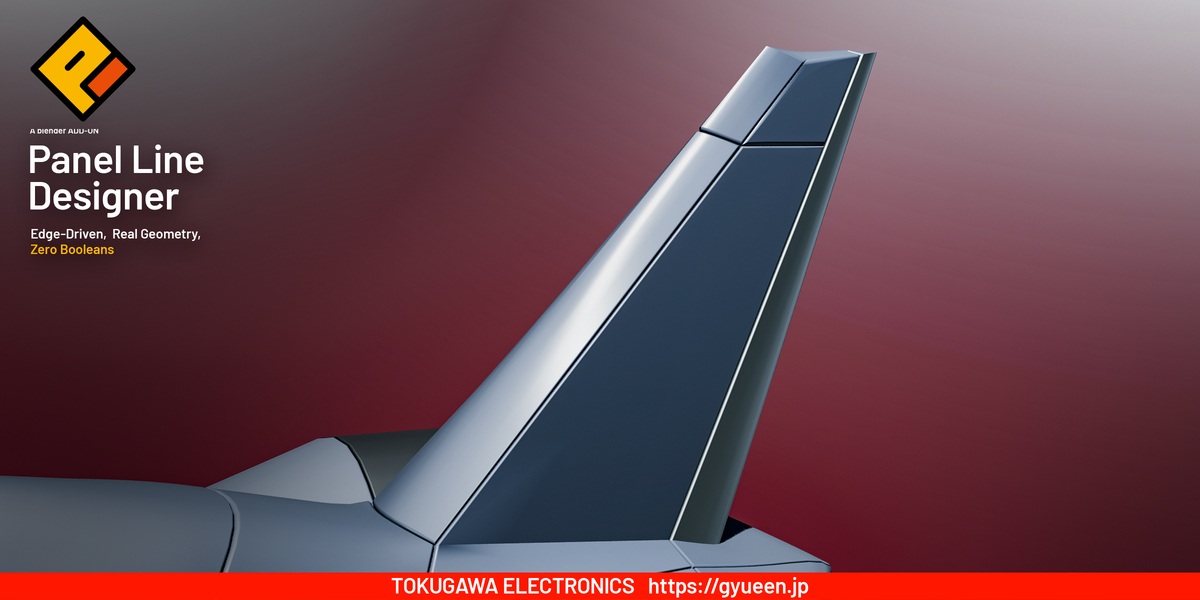
Panel-line detail on a thin aircraft fin.
Slits, bellows, and details that make a part feel purposeful.
Repeated lines can turn a simple form into something that feels constructed. Add slits or bellows from selected edges, then move in close to see the groove depth, raised rims, and shadows between them.
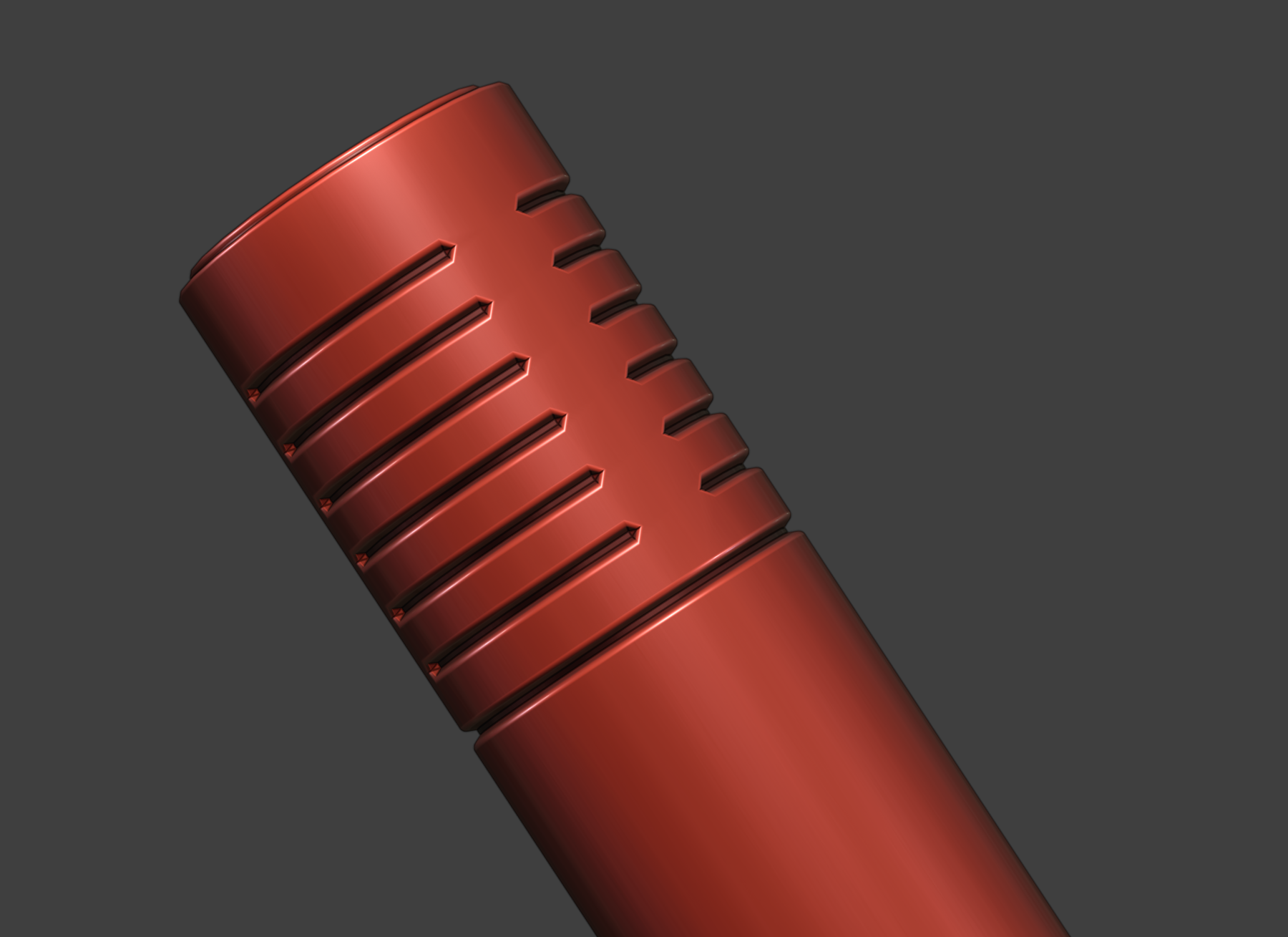
Microphone slits — PLD 2.0.15 reference.
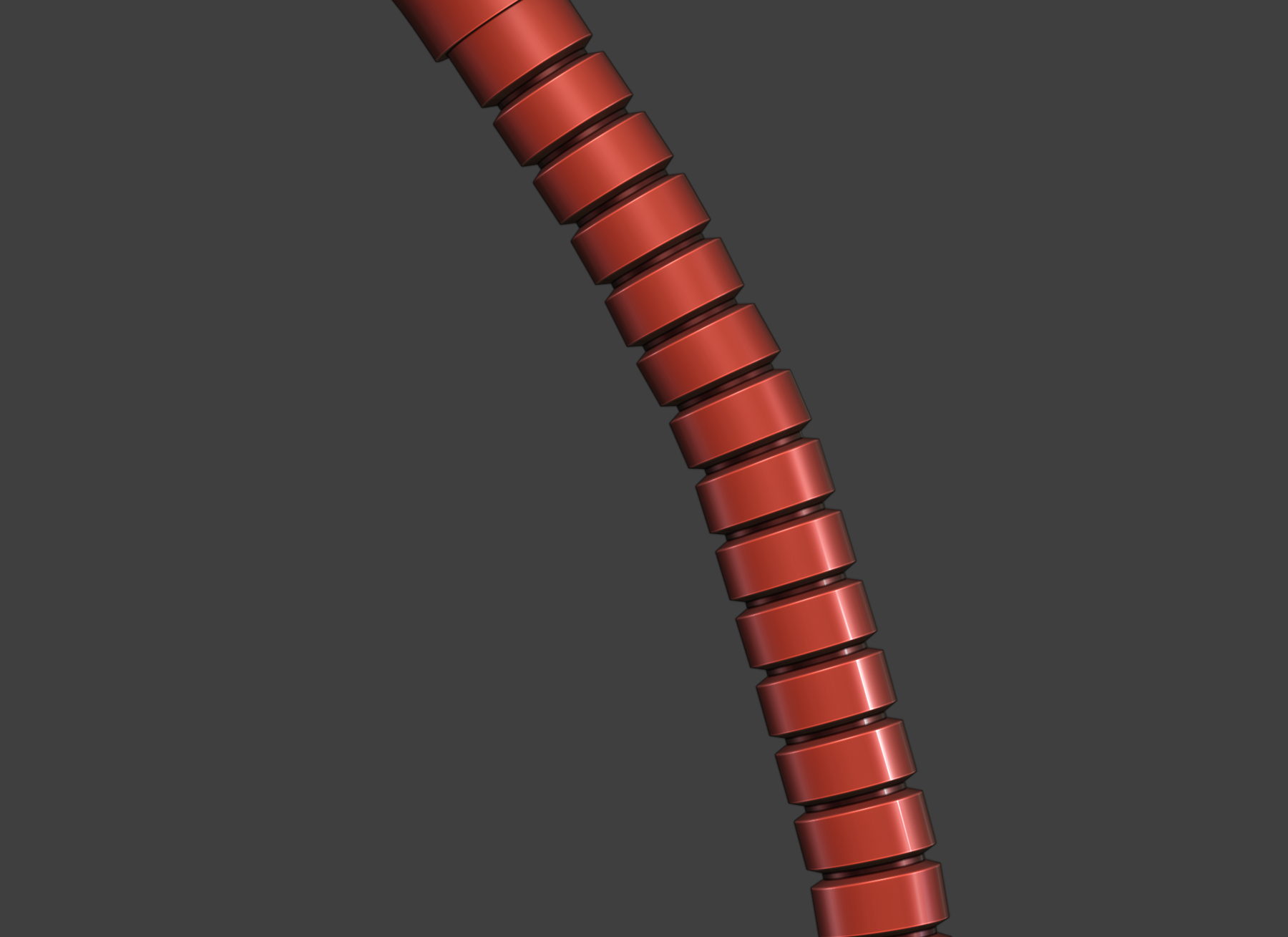
Bellows detail — PLD 2.0.15 reference.
KEEP EXPLORING
Try it. Change your mind. Try another arrangement.
Everyday objects. Carefully placed details.
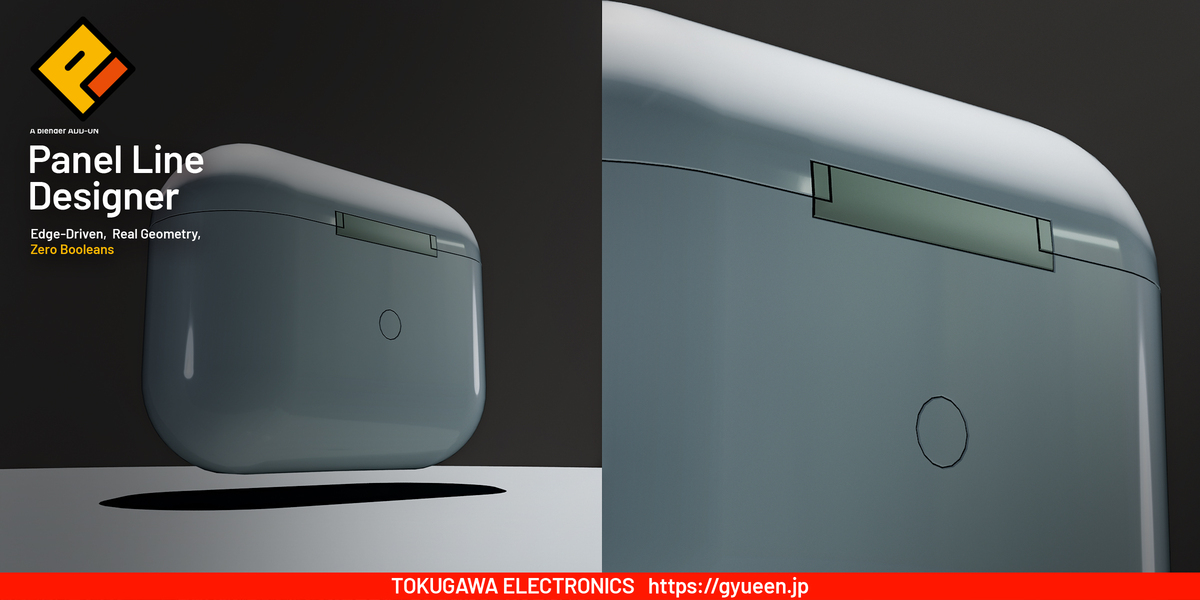
Panel lines also bring structure to product housings, lids, and small manufactured objects.
Select, generate, and select again.
Use Reselect Panel-Line Edges to add or remove edges from an existing pass, then Apply Selected Edges to rebuild. Keep adjusting width and depth until the pattern feels right.
Remove Panel-Line Setup discards the generated result and restores the source. When you are ready for direct mesh editing, use Finalize Panel Lines.
PLD re-editing is available before finalization. Finalizing ends PLD rebuilding; it does not automatically apply the remaining modifiers. Finalize before editing the result mesh by hand, because regeneration can replace those edits.
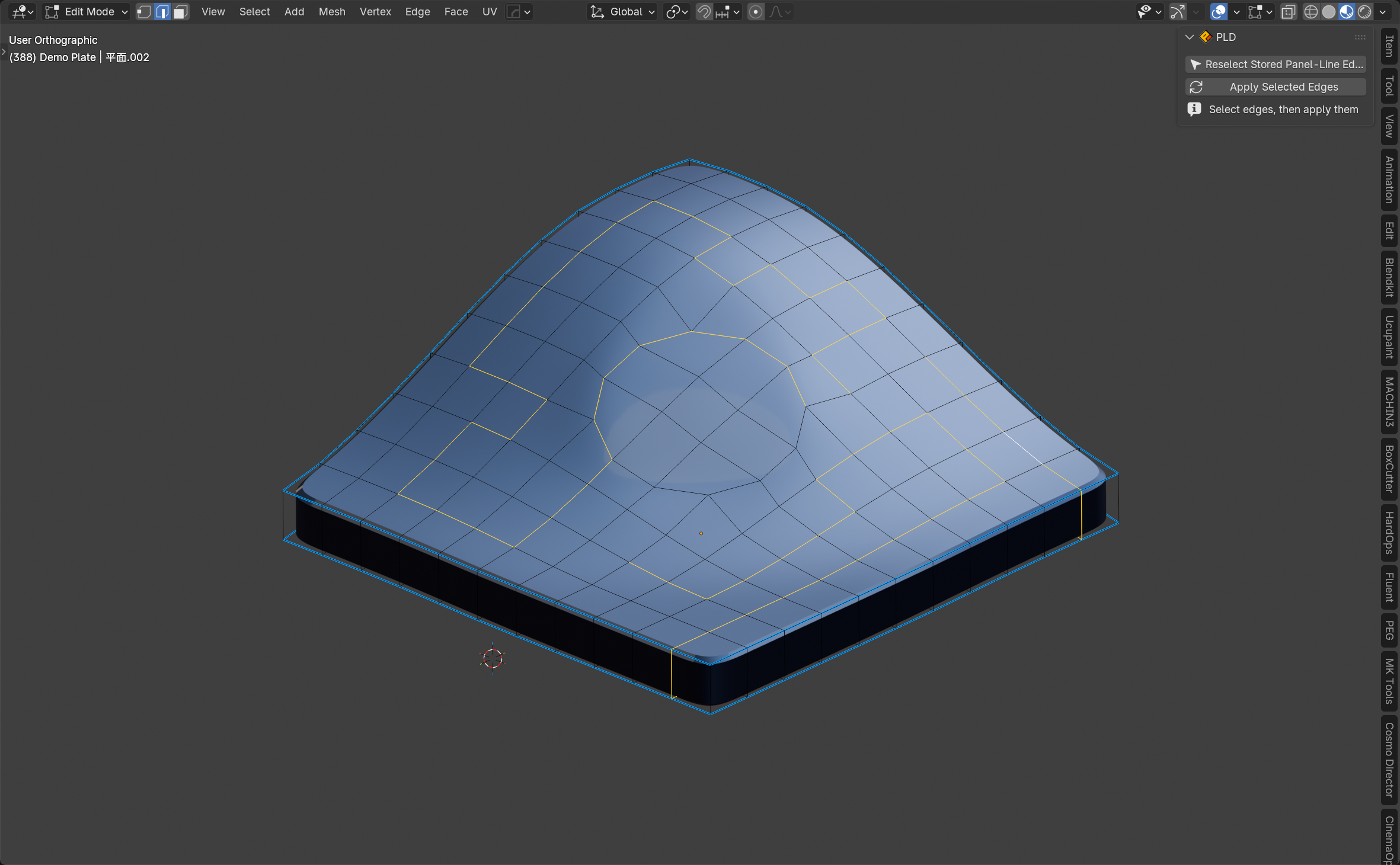
Change the selected edges before rebuilding — PLD 2.0.22.
Put the groove in shadow—or let it glow.
Darken Groove Bottom assigns a dark material to the floor of the groove. With that option enabled, choose a Custom Bottom Material, such as an emissive shader, to create luminous science-fiction details. Explore the character of the line as well as its shape.
Keep a favorite balance for the next detail.
Save width, depth, and rounding settings as a preset and reuse them across your project. Choose whether to include the custom bottom material when saving.
Presets are stored in the current .blend scene; they are not automatically shared between files.
READY TO CREATE
Set up, then make your first line.
Your purchase includes the PLD extension and illustrated Japanese and English manuals. The interface supports both languages.
- Install: PLD_2.0.23_Extension.zip — install this ZIP directly in Blender; do not unzip it.
- Read: PLD_2.0.23_Distribution.zip — extract this bundle for the illustrated manuals and supporting files.
Installation and full user guide · Frequently asked questions
Compatibility: Blender 5.1 and 5.2 series. Tested on macOS with Blender 5.1.2 and 5.2.2 LTS. Windows and Linux have not been verified for this release. Blender 4.2 LTS is not supported.
Results depend on the input mesh and groove dimensions. Very short edges, dense junctions, thin surfaces, and large rounding amounts can cause overlap or pinching. At T-junctions near groove ends, reduce groove width and depth as well as rounding width if needed. PLD does not guarantee all-quad topology or print-ready geometry.
IMAGE AND VIDEO NOTES
Images and the introduction video show earlier versions, including 2.0.22; 2.0.23 updates Blender 5.2 compatibility without changing the demonstrated workflow. Microphone photographs labeled 2.0.15 illustrate groove geometry rather than every current control.
TOKUGAWA ELECTRONICS
Support: [email protected]
Add-on license: GNU GPL v3; see the included LICENSE.txt.