 AnimPal
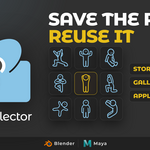

You nail a pose, you move on, and two shots later you need it again. So you scrub back through the timeline, find the frame, select every controller, copy, paste, and fix the three you missed. The pose existed already. You just had no way to keep it.

PoseCollector keeps it. Finish the pose, click Store, and the pose data and a thumbnail are saved together into a gallery you can actually look through. Click the thumbnail when you need it again and your character is in that pose.
| Blender | 2026.01 | Lower than 1 MB |

Name it, drop it in a group, click Store Pose. The thumbnail is captured from your camera at the same time, so the gallery shows the pose instead of a list of filenames. Capture Thumbnail lets you choose the camera, the material and whether overlays are hidden.


Click a thumbnail, click Apply Pose, done. Drag the Blend slider instead and the character moves into the pose gradually, so you can take it halfway. Location, Rotation and Scale have their own switches when you only want part of the pose.


Set a Scene Range, click Store Animation, and the whole motion is saved as a clip. Jump to any frame in any shot, click Apply Animation with At Current Frame, and the clip lands there. Useful for a walk, a jump or a bit of business you keep reusing.


The gallery grows fast, so it is built for a full library: groups to sort by character or type, pins for the ones you reach for daily, sort by name, a search filter, and adjustable thumbnail size. Save Library and Load Library move the whole thing between projects.

