Post FX | Next Level Compositing

Thatimster in Compositing Presets


POST FX | Next Level Compositing

Finish your renders without leaving Blender.

42 compositor nodes for colour grading, lens effects, film looks and glitches, stacked like layers. Blender 4.2+.

Layer stackPie menuViewport compositor
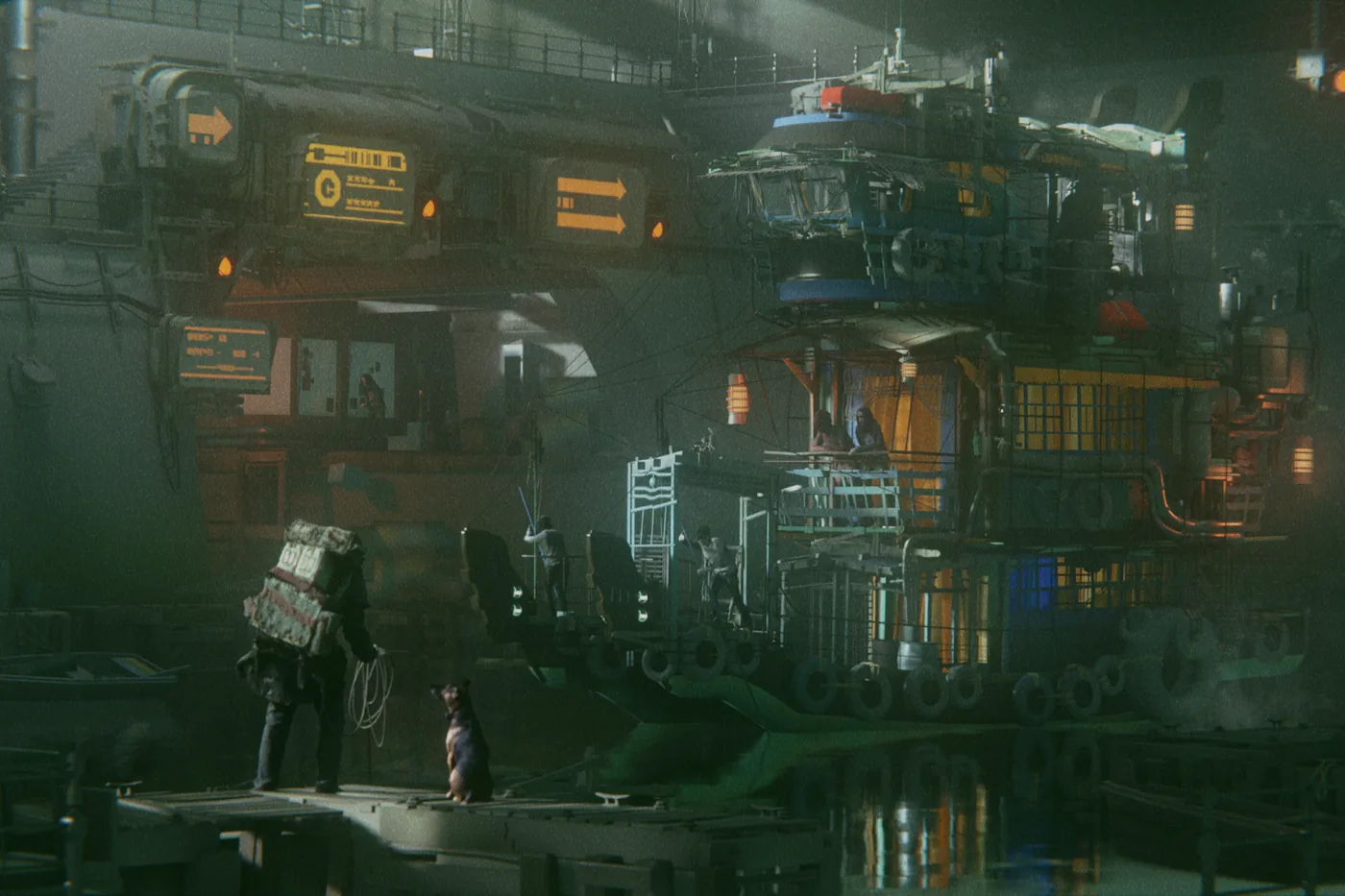
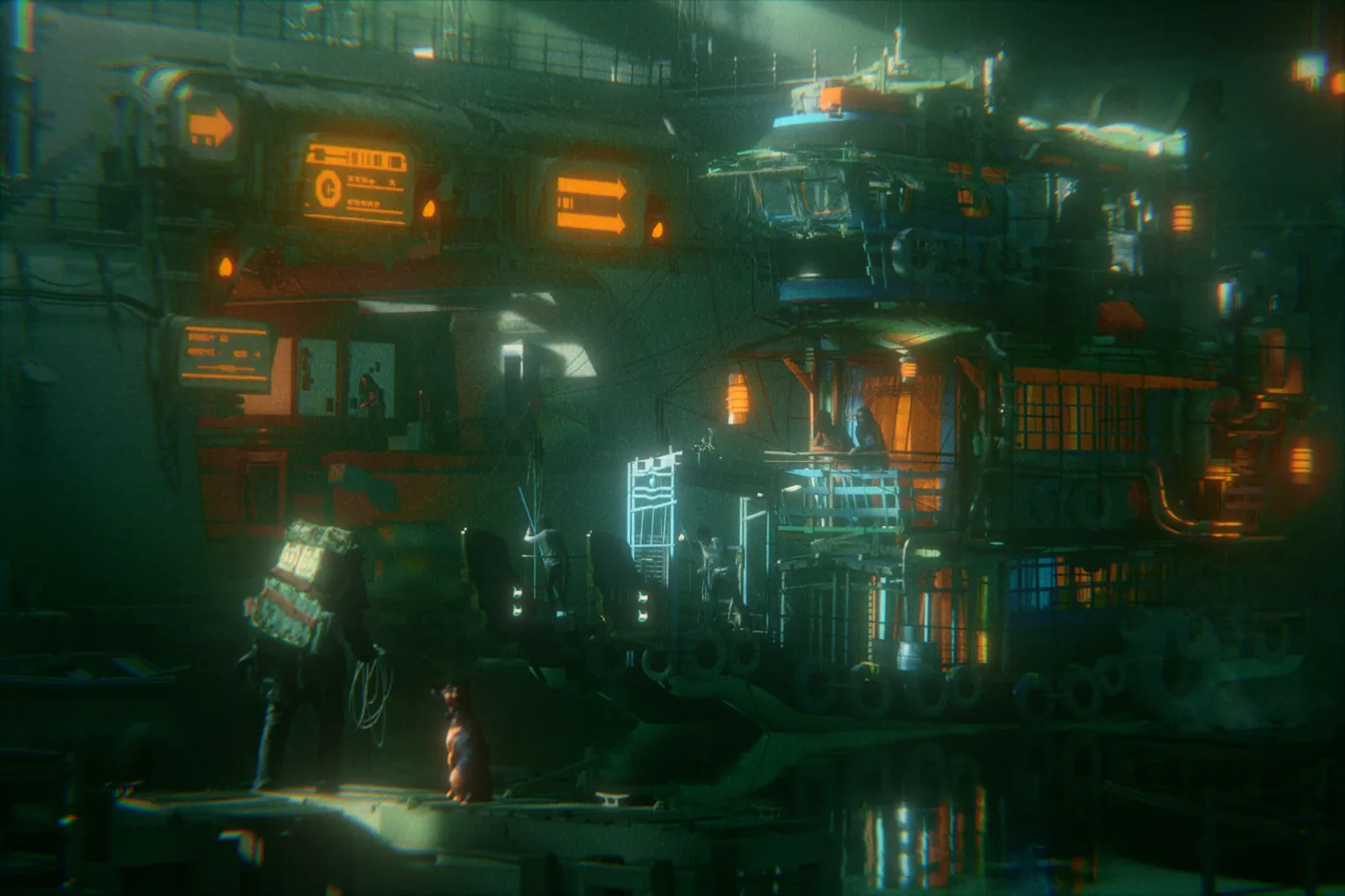
Tugboat render, original
Tugboat render finished with Post FX
Post FX Original

Drag the divider's corner handle to compare.

Image: Tugboat (Blender render)

42

Compositor Nodes

4.2+

Supports Blender versions

230×

Faster Blur in Blender 5

Free

Lifetime Updates

WORKFLOW

Stack effects like layers.

Add, reorder and hide effects from the Image Editor or the 3D viewport. Post FX wires the nodes for you. Every node works with Blender 5's viewport compositor, so you see the final look while you light and animate.
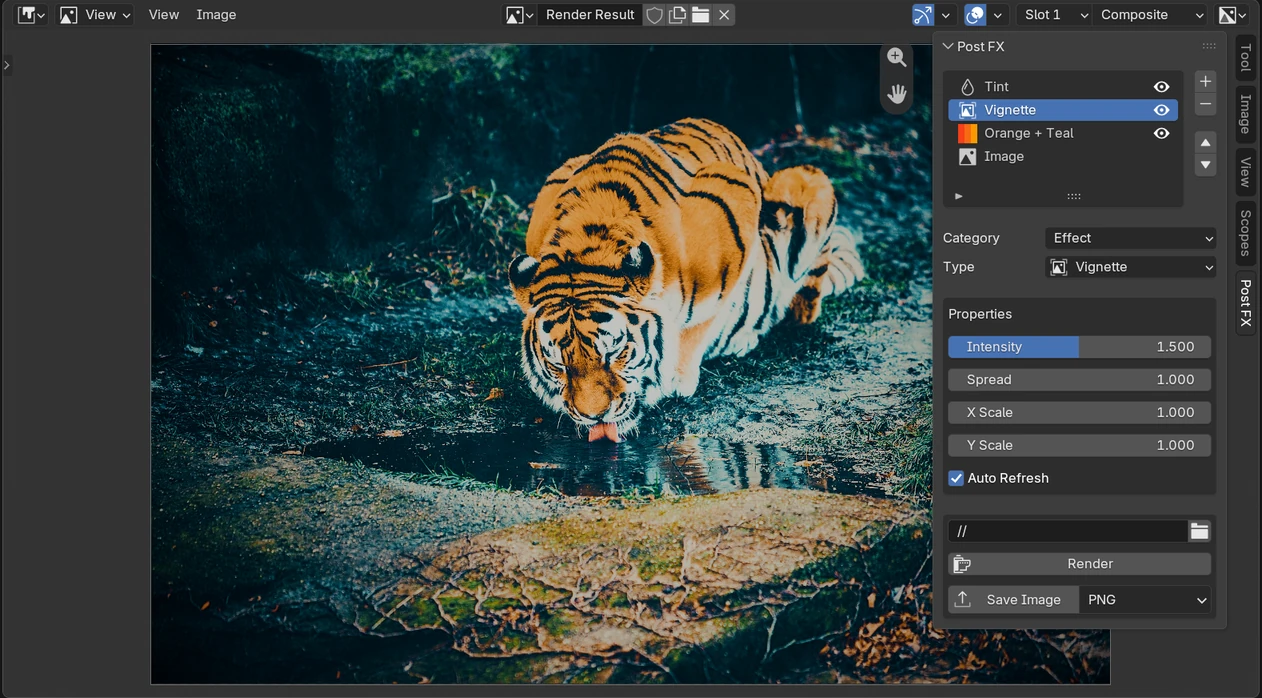
Post FX layer stack in Blender's Image Editor

Or work in nodes, fast.

Press Ctrl+A in the compositor: every Post FX node is one click away, inserted and connected where you need it.
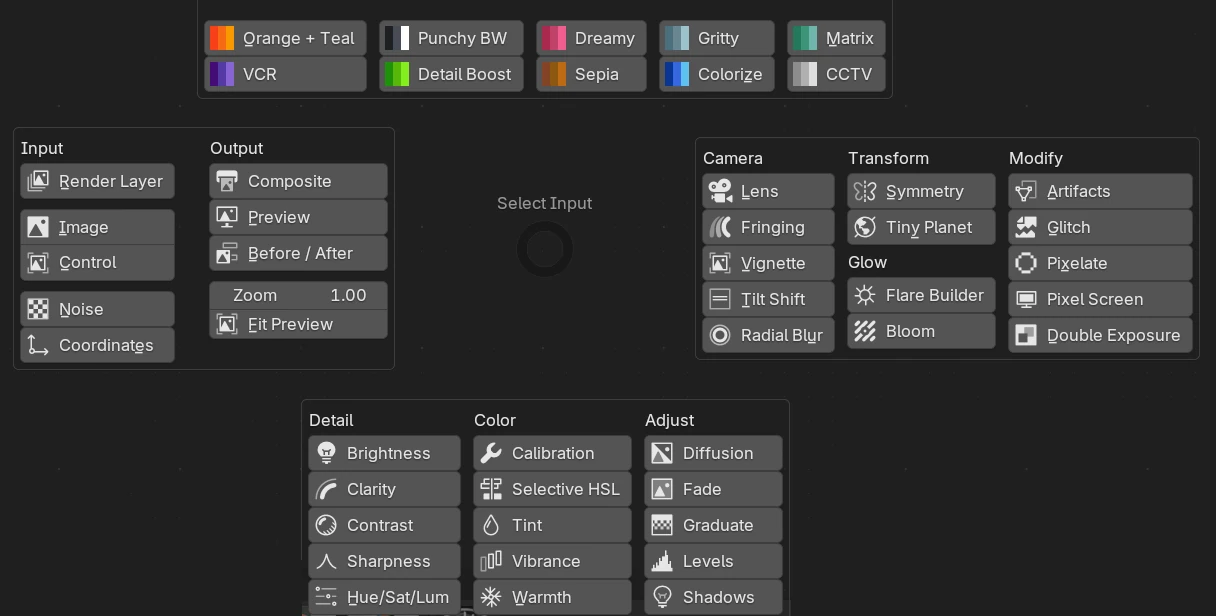
Post FX pie menu in Blender's compositor

ADJUST · 15 TOOLS

Precise colour and tone.

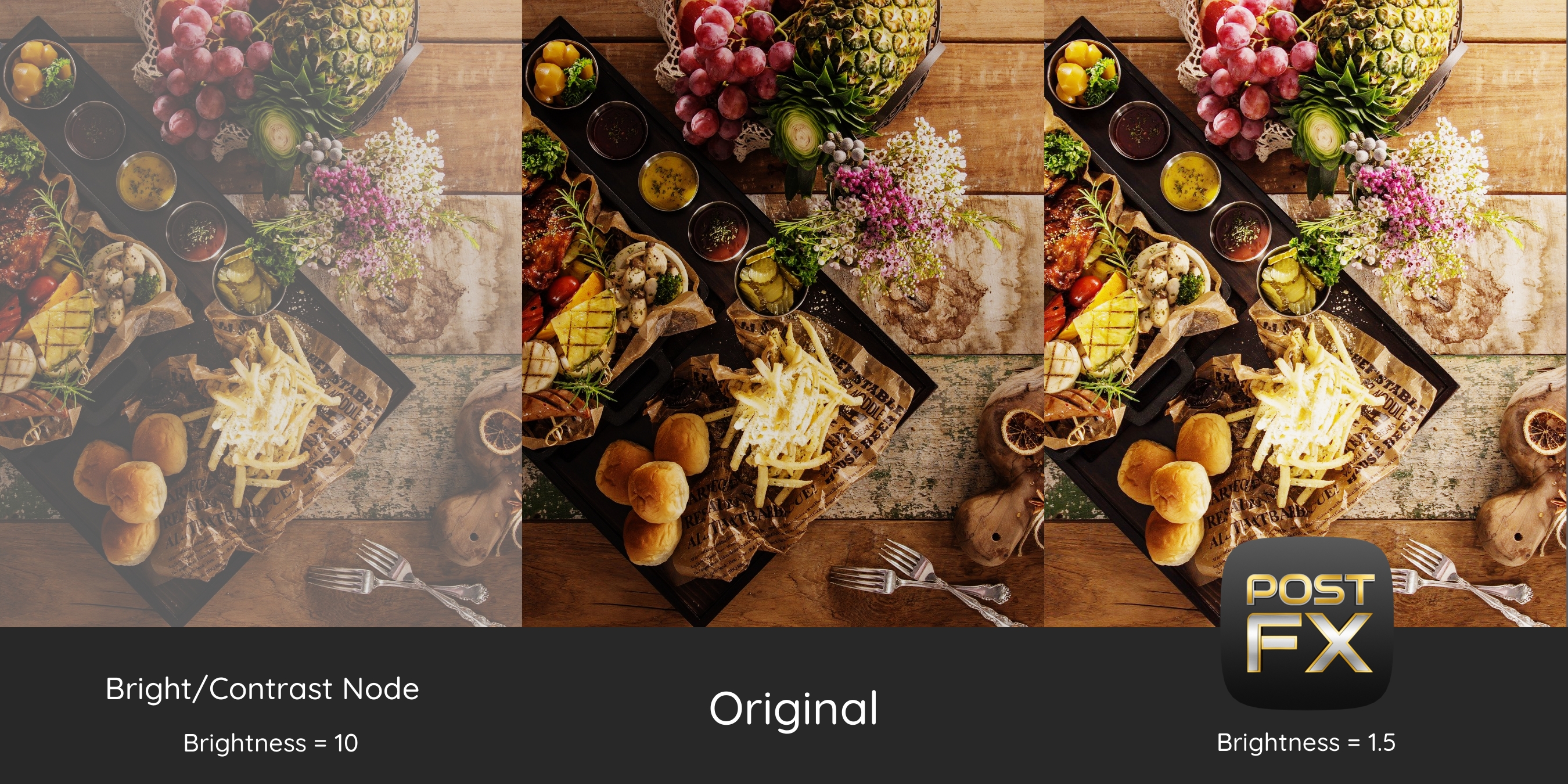
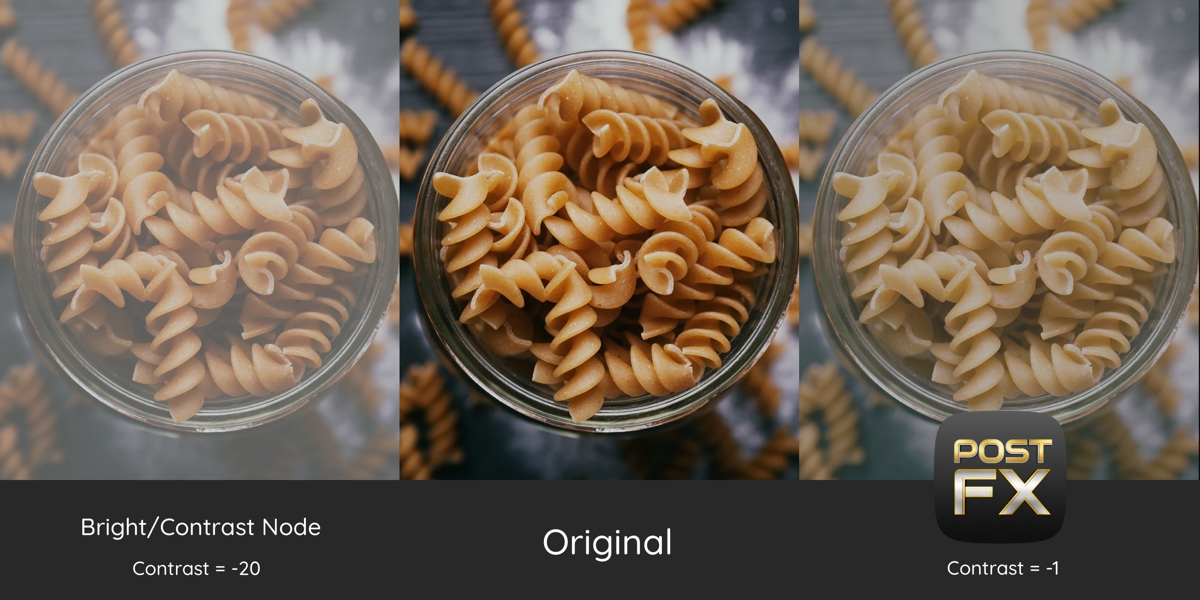
Every slider works over its whole range without clipping, and zero means untouched.
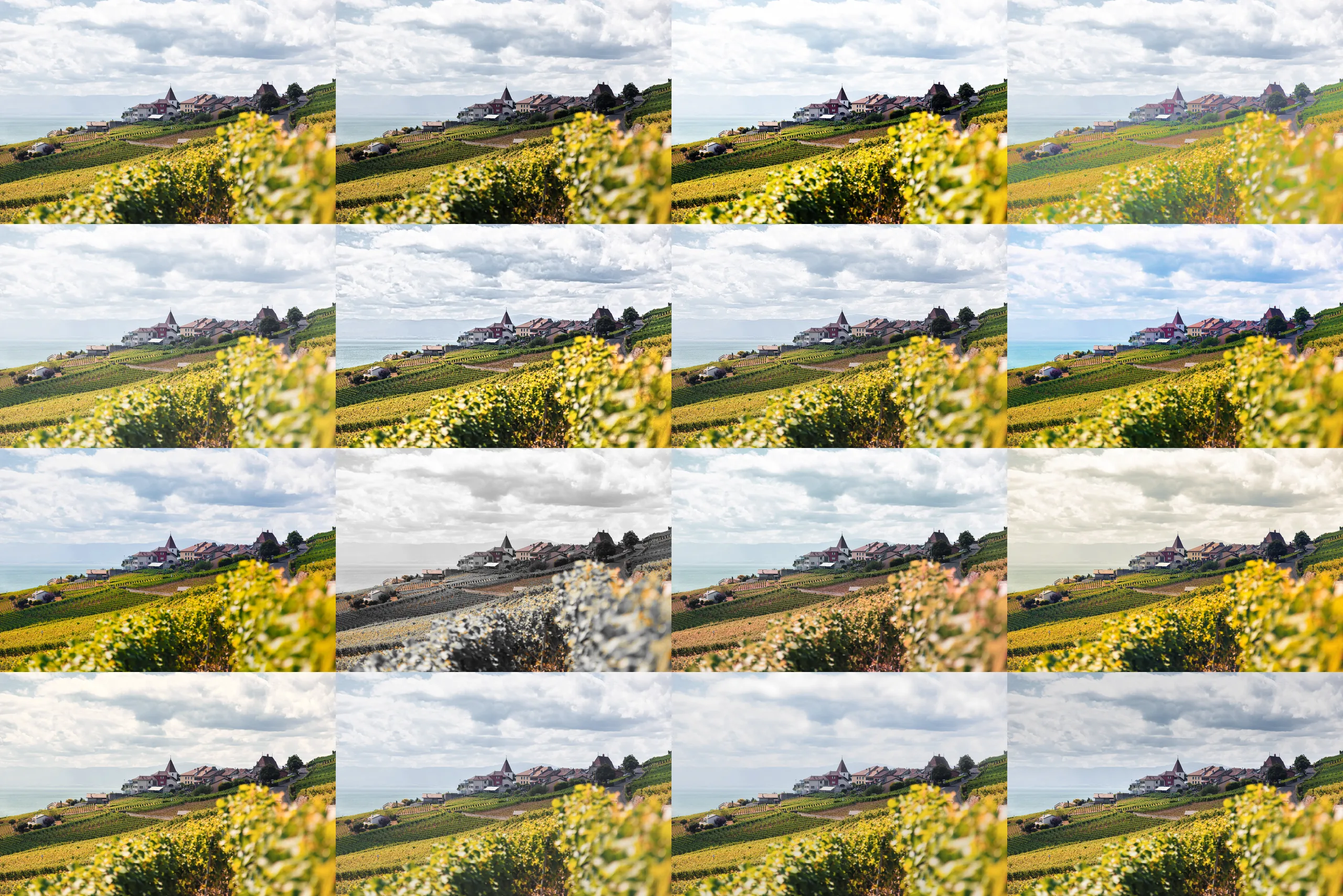
Original Hillside village image

Original

Brightness applied to the Hillside village image

Brightness

Contrast applied to the Hillside village image

Contrast

Shadows applied to the Hillside village image

Shadows

Levels applied to the Hillside village image

Levels

Clarity applied to the Hillside village image

Clarity

Sharpness applied to the Hillside village image

Sharpness

Vibrance applied to the Hillside village image

Vibrance

Hue/Sat/Lum applied to the Hillside village image

Hue/Sat/Lum

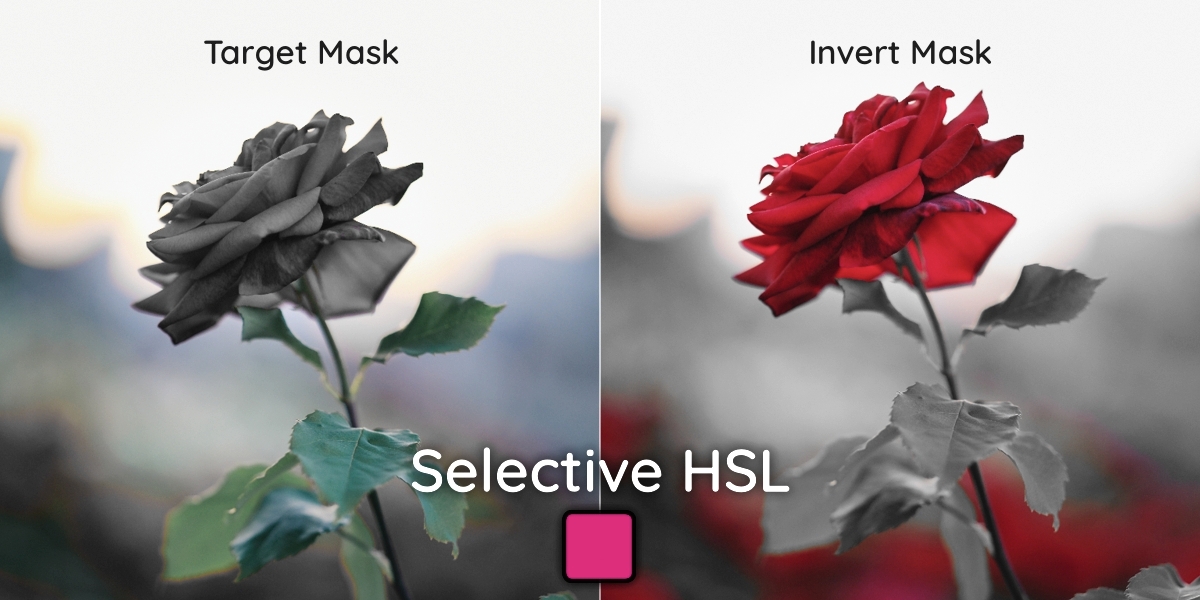
Selective HSL applied to the Hillside village image

Selective HSL

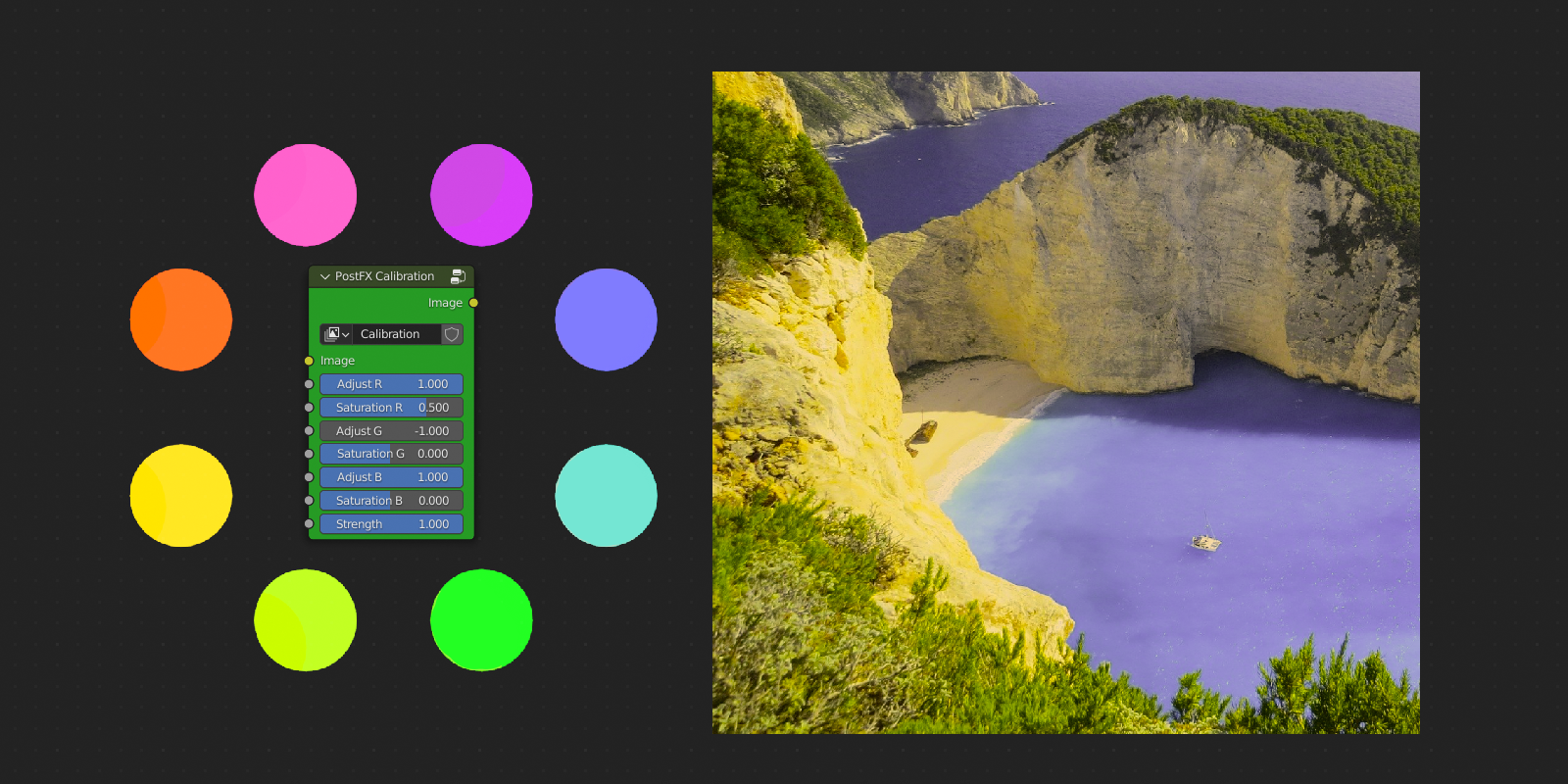
Calibration applied to the Hillside village image

Calibration

Tint applied to the Hillside village image

Tint

Warmth applied to the Hillside village image

Warmth

Fade applied to the Hillside village image

Fade

Diffusion applied to the Hillside village image

Diffusion

Graduate applied to the Hillside village image

Graduate

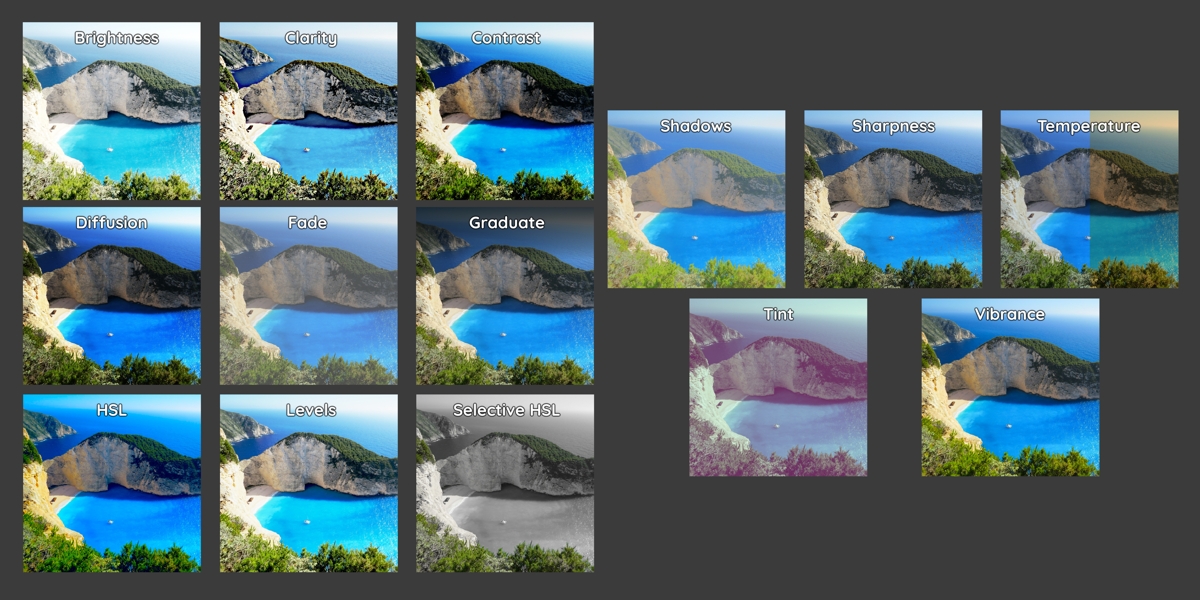
One image, every Adjust tool. First tile: the original.
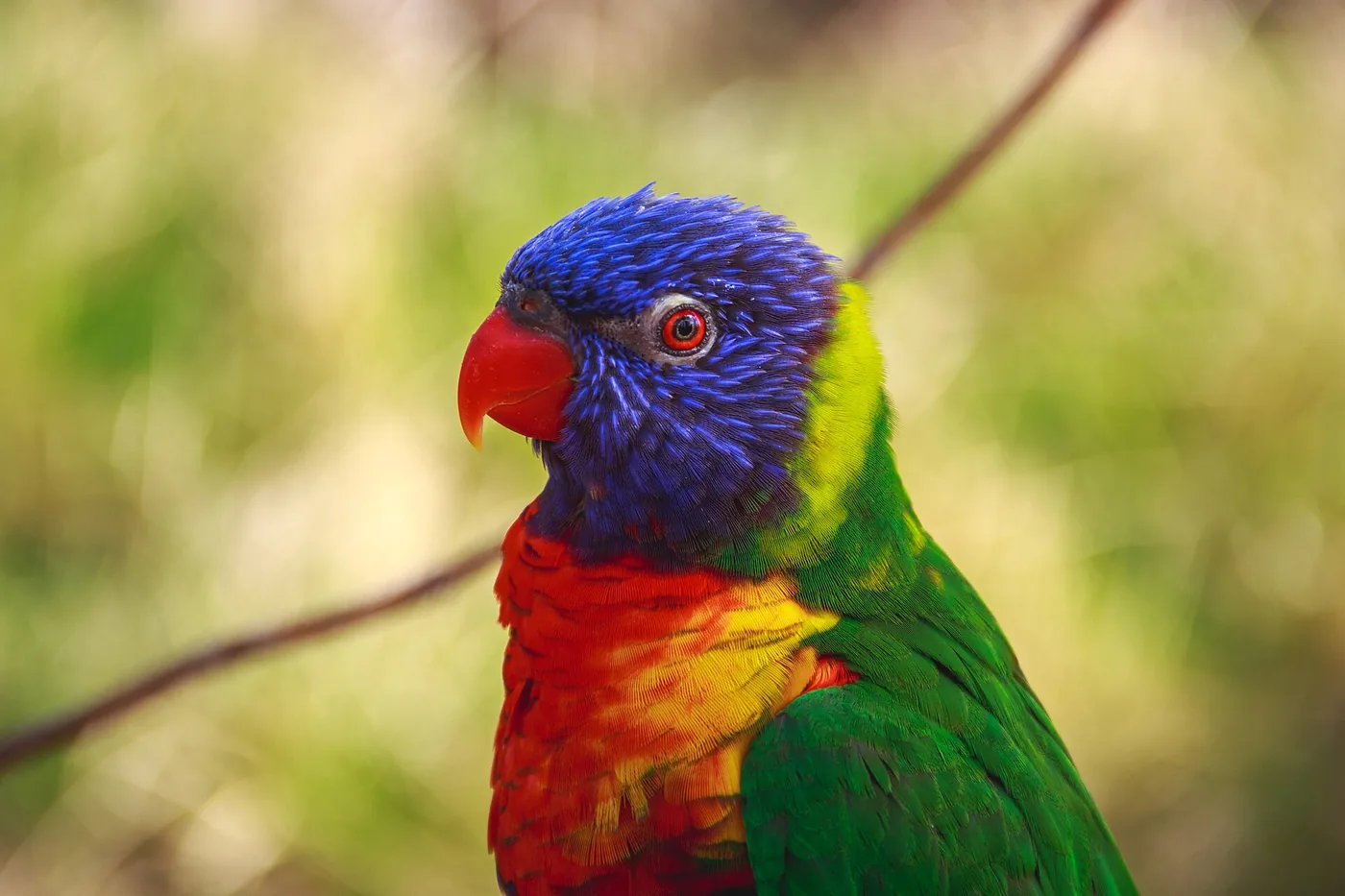

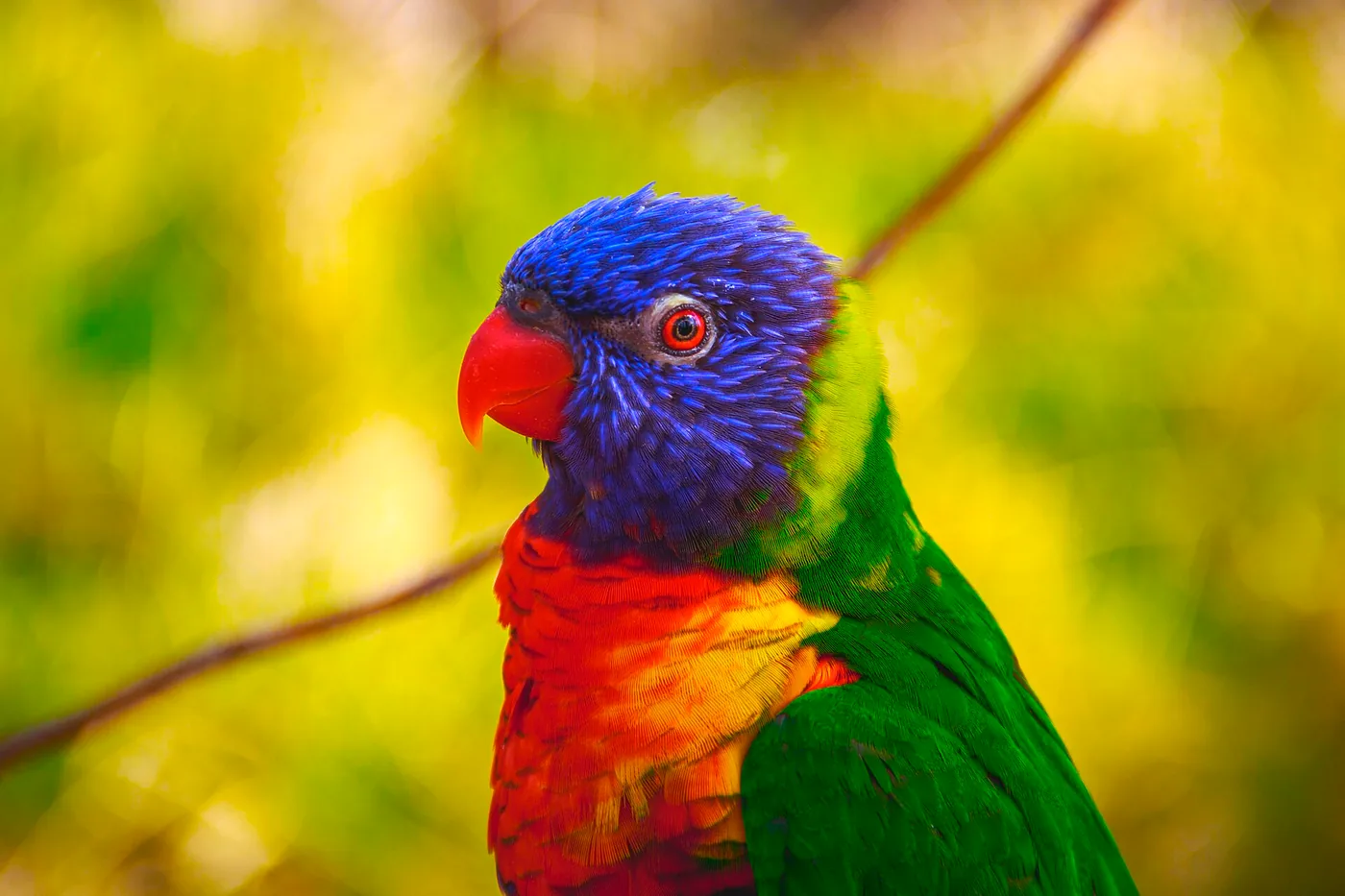
Parrot, original
Calibration on a parrot
Post FX Original

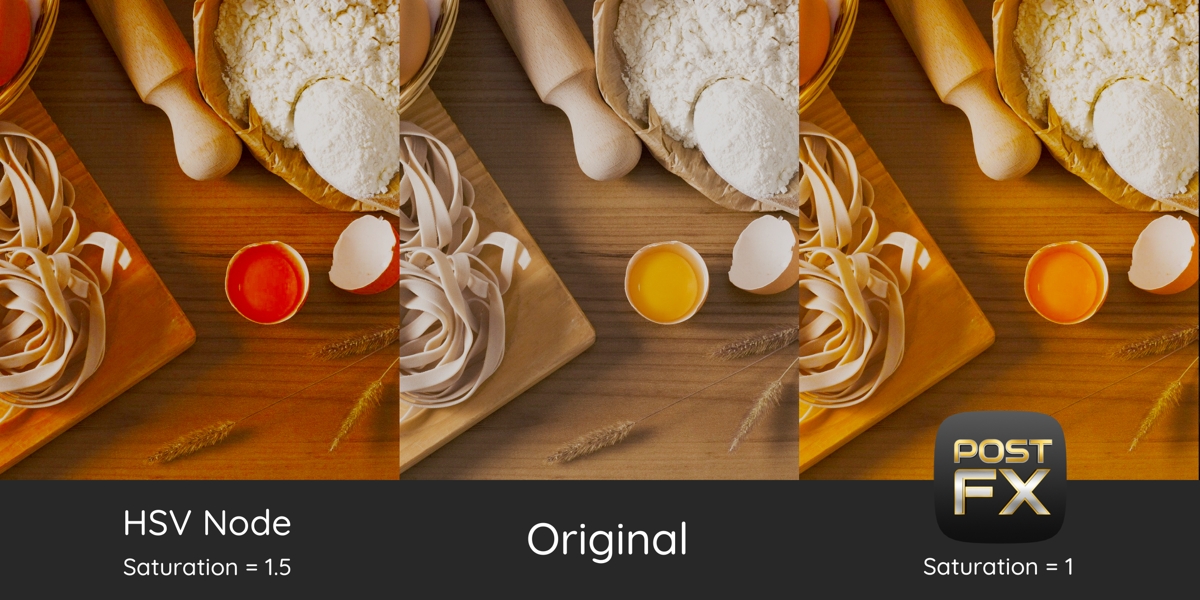
Calibration: shift and saturate each primary colour, like in photo editors.

FILTERS · 10 LOOKS

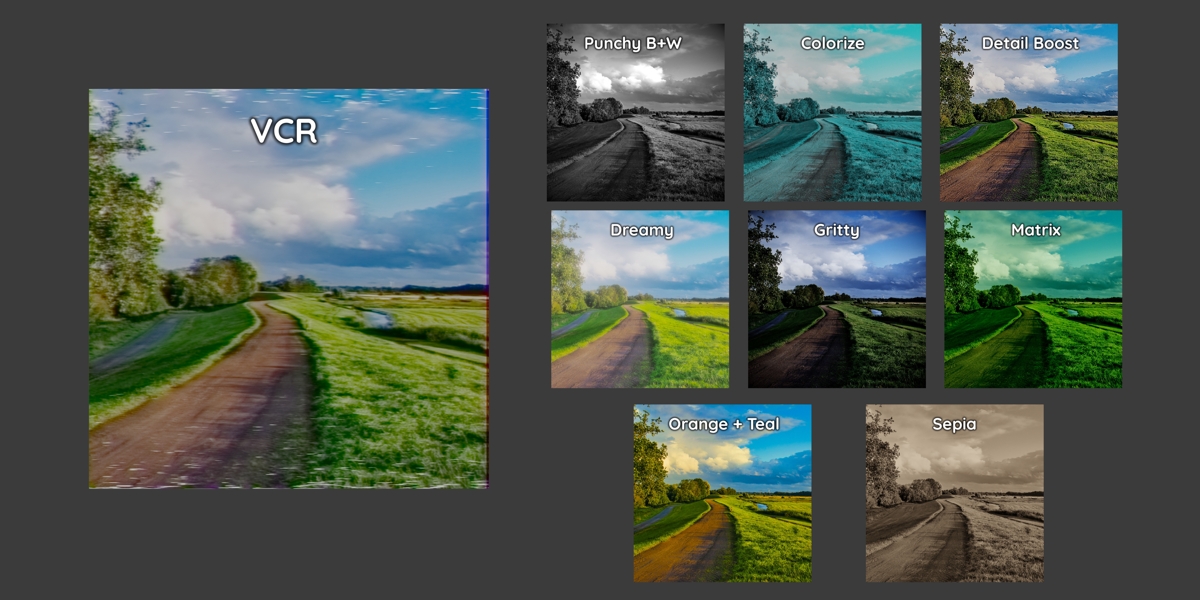
One image. Ten looks.

Finished grades in one node, each built from Post FX adjustments and effects you can still tweak.
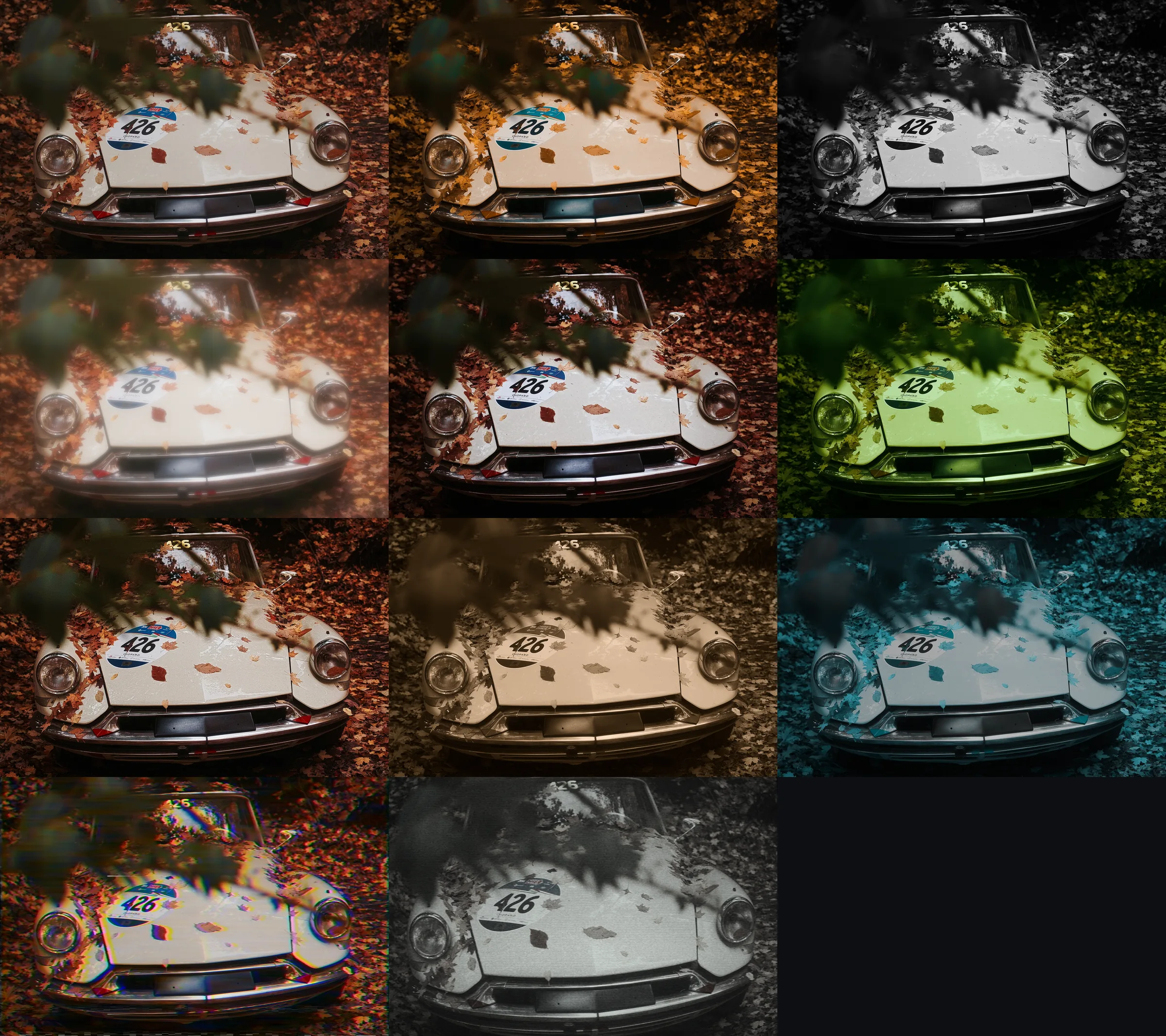
Original vintage car image
Original
Orange + Teal applied to the vintage car image
Orange + Teal · Blockbuster orange and teal grade
Punchy BW applied to the vintage car image
Punchy BW · High-contrast black and white
Dreamy applied to the vintage car image
Dreamy · Soft, glowing, pastel look
Gritty applied to the vintage car image
Gritty · Desaturated, contrasty, vignetted look
Matrix applied to the vintage car image
Matrix · Green digital-world grade
Detail Boost applied to the vintage car image
Detail Boost · Clarity, contrast and sharpening in one
Sepia applied to the vintage car image
Sepia · Warm sepia toning
Colorize applied to the vintage car image
Colorize · Monochrome tinted with one colour
VCR applied to the vintage car image
VCR · VHS tape: bleeding chroma, tracking errors, dropouts
CCTV applied to the vintage car image
CCTV · Security camera: barrel lens, crushed mono, scan lines

Swipe or scroll sideways to see every filter.

EFFECTS · 14 TOOLS

Lenses, light and happy accidents.

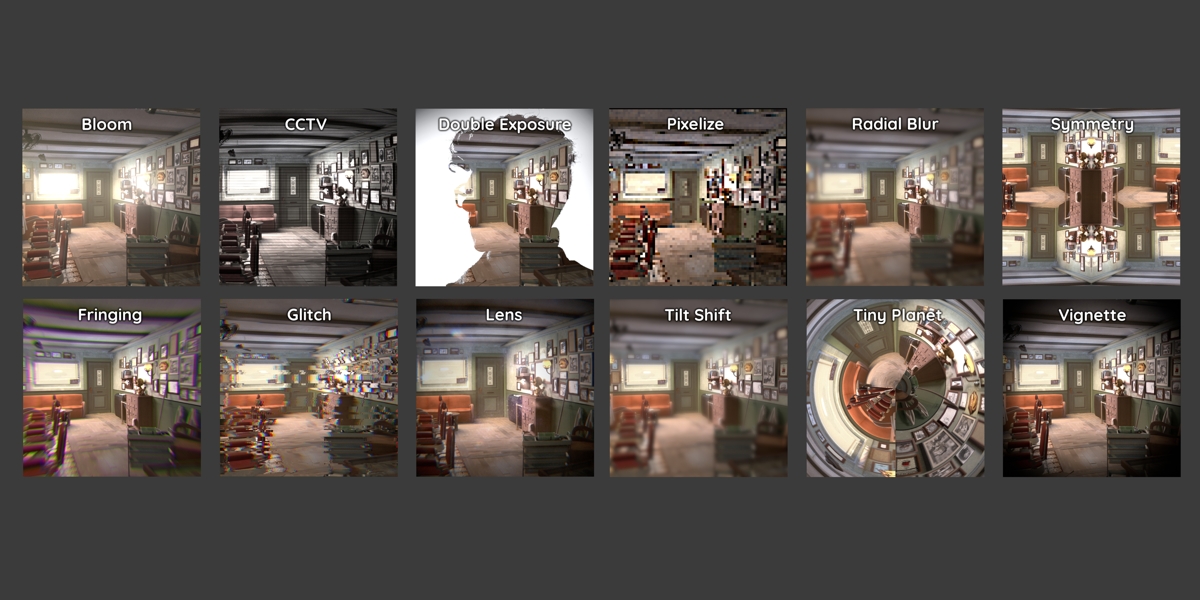
Lens imperfections, glows, tape and digital glitches. Effects look the same at any resolution.

Camera
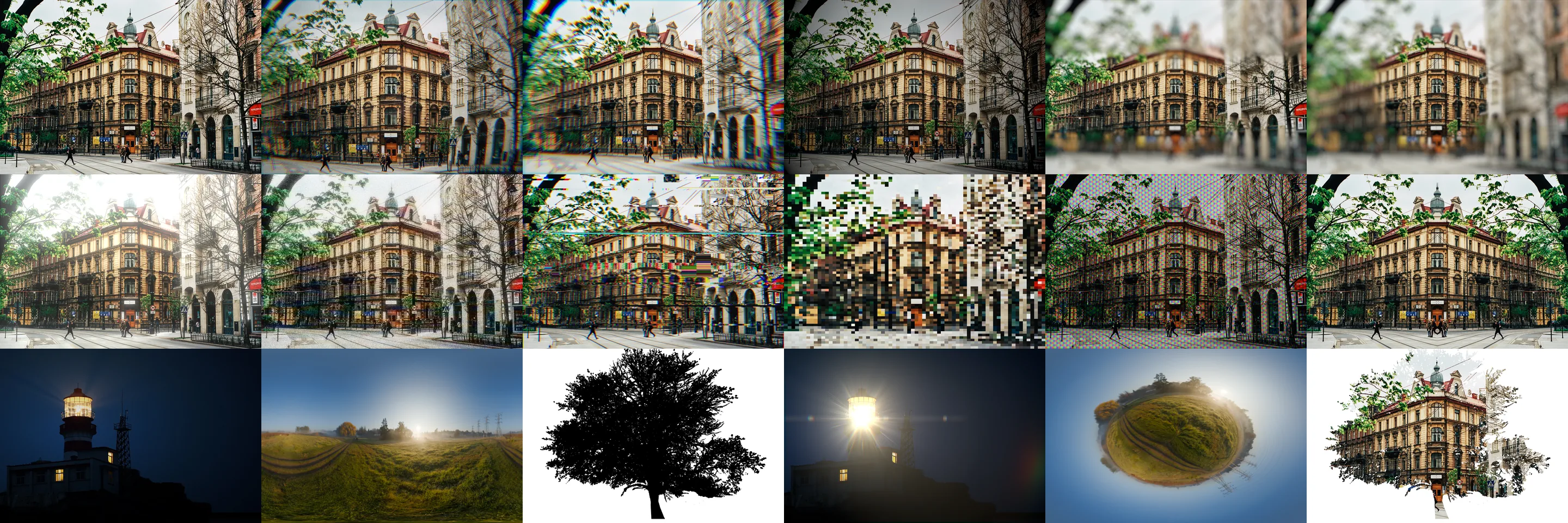
Original Krakow old town street image

Original

Lens applied to the Krakow old town street image

Lens

Fringing applied to the Krakow old town street image

Fringing

Vignette applied to the Krakow old town street image

Vignette

Tilt Shift applied to the Krakow old town street image

Tilt Shift

Radial Blur applied to the Krakow old town street image

Radial Blur

Glow, retro and transform

Bloom applied to the Krakow old town street image

Bloom

Artifacts applied to the Krakow old town street image

Artifacts

Glitch applied to the Krakow old town street image

Glitch

Pixelate applied to the Krakow old town street image

Pixelate

Pixel Screen applied to the Krakow old town street image

Pixel Screen

Symmetry applied to the Krakow old town street image

Symmetry

Special Effects

Original lighthouse image

Original

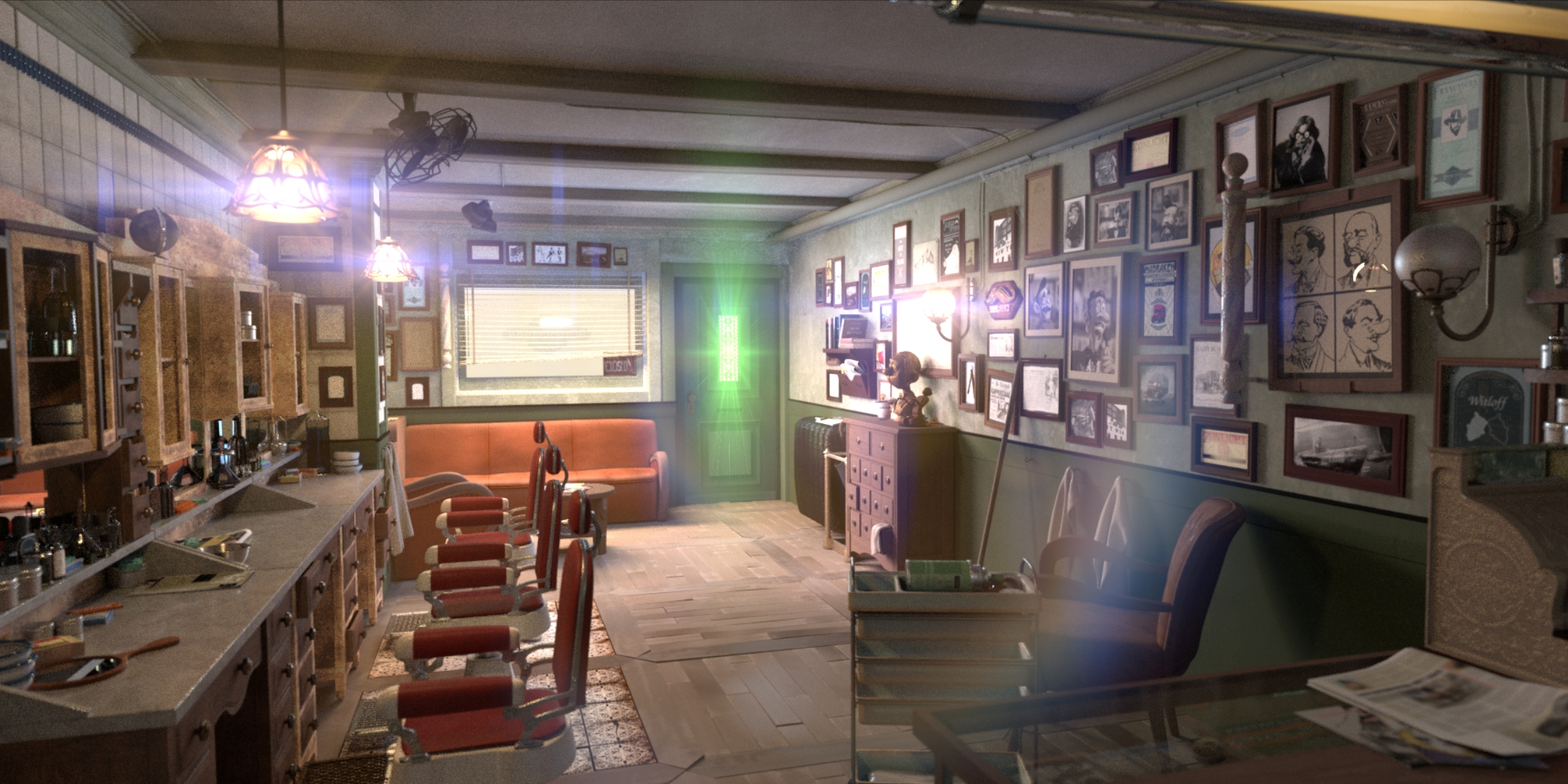
Flare Builder applied to the lighthouse image

Flare Builder

Original sunrise field panorama

Original

Tiny Planet applied to the sunrise field panorama image

Tiny Planet

Tree silhouette image used for Double Exposure

Silhouette image

Double Exposure applied to the Krakow old town street seen through a tree silhouette image

Double Exposure

Each result sits next to its original. Flare Builder, Tiny Planet and Double Exposure use images that suit them.


Animated Filters / Effects

Animated VCR filter on a vintage car

VCR: tape noise, colour bleed and tracking errors that move on their own. No drivers needed.

Animated Glitch effect on a neon sign

Glitch: digital corruption in bursts.

NEW IN V2.5

Every tool rebuilt and measured.

Full-range sliders. Each slider is useful from end to end, and neutral is an exact identity.

Same look at any resolution. Preview at 1080p, render at 4K: the effect scales with the image.

Faster in Blender 5. Up to 230× faster, and most effects use far less memory.
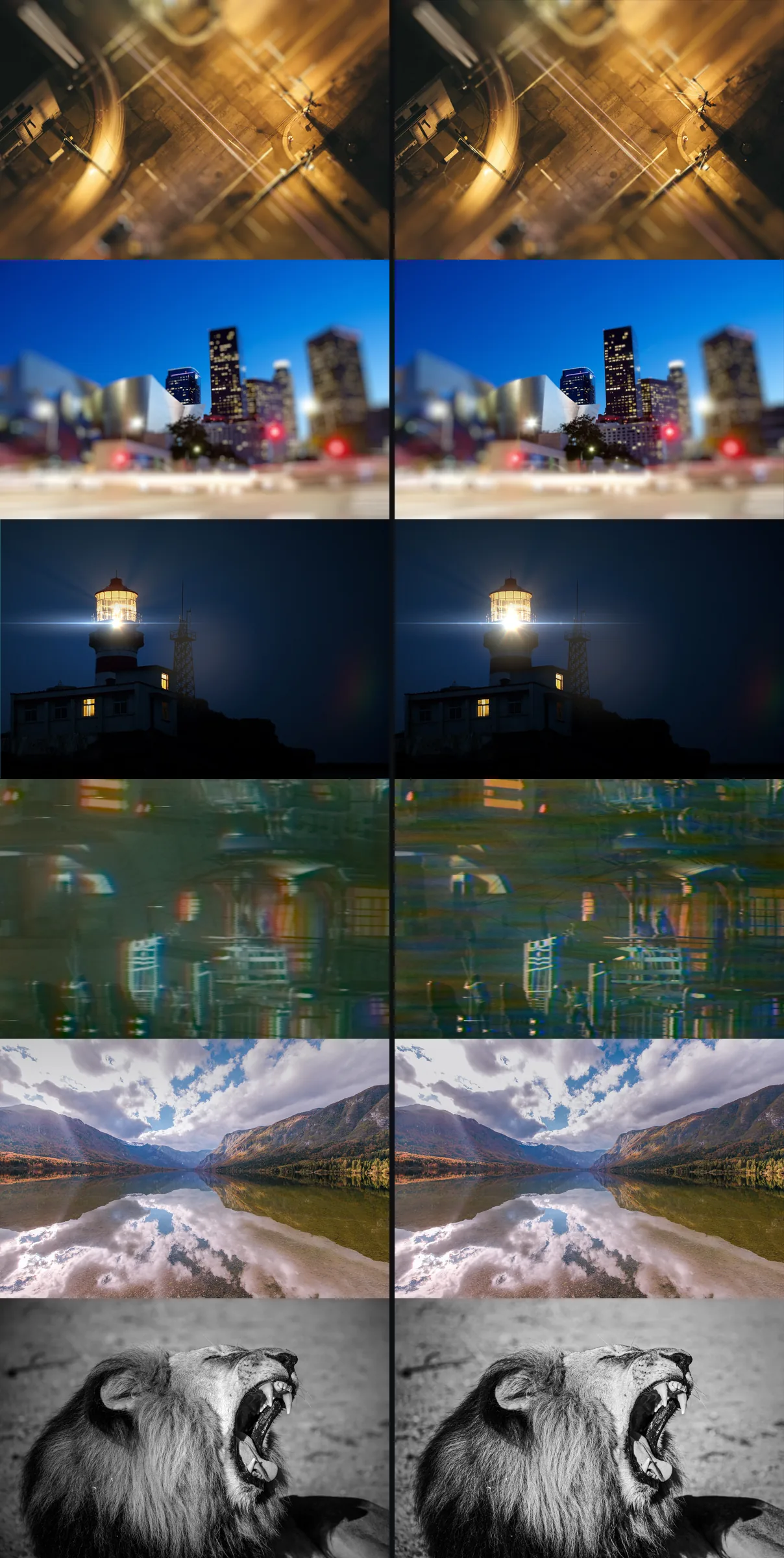
Tilt Shift in v2.3 (left) and v2.5 (right)
v2.3v2.5127× faster · 81% less RAM
Radial Blur in v2.3 (left) and v2.5 (right)
v2.3v2.5230× faster · 81% less RAM
Flare Builder in v2.3 (left) and v2.5 (right)
v2.3v2.52.2× faster · 74% less RAM
VCR in v2.3 (left) and v2.5 (right)
v2.3v2.52.2× faster · 57% less RAM
Graduate in v2.3 (left) and v2.5 (right)
v2.3v2.5Real ND filter
Punchy BW in v2.3 (left) and v2.5 (right)
v2.3v2.5More detail, deeper blacks

v2.3 on the left, v2.5 on the right. Swipe for more.

Upgrading from v2.3? Your projects open and look the same. Full list in the Version History tab.

Built for Blender 5.

Measured in Blender 5.2 against Post FX v2.3, same images, same settings.

Radial Blur230×
Tilt Shift127×
Dreamy4.5×
Calibration3.3×
VCR2.2×
Flare Builder2.2×

On Blender 4.x, Post FX estimates a stack's memory, warns before it gets heavy and offers a one-click switch to the GPU compositor.

Start with Lite. Upgrade any time.

Lite $1 Full $15
Adjust 3 (Brightness, Contrast, Tint) 15
Filters 2 (Punchy BW, Sepia) 10
Effects 3 (Vignette, Symmetry, Radial Blur) 14
Inputs & outputs Control All, including Before / After and Save Image
Layer stack and pie menu ✓ ✓
User manual (PDF) ✓ ✓
Discord community — ✓
Premium support — ✓
Free lifetime updates — ✓

Before you install.

Blender 4.2+. Installs as a Blender Extension (Edit → Preferences → Get Extensions → Install from Disk).

Any image. Works on Cycles and EEVEE renders, render passes and plain images. Big stacks on Blender 4.x run best with the GPU compositor.

Manual included. A PDF with a before / after example for every node and explanations of what each field does.

Support. Join the Discord community (Full version) and get direct assistance from me.

Start with Lite. Unlock all 42 nodes when you're ready.

Post FX v2.5 · Blender 4.2+


  • 3 Adjustments, 3 Effects, 2 Filters

    $1
  • 15 Adjustments, 14 Effects, 10 Filters, 9 I/O Shortcuts, Discord Access, Extra Options, Free Lifetime Updates, Premium Support

    $15
$1

Have questions about this product?
Login to message

Details
Sales 200+
Rating
4 ratings
Dev Fund Contributor
Published over 4 years ago
Blender Version 4.2 - 5.2
Render Engine Used Cycles, Eevee
License GPL