 Xpress


Documentation – POWER MUTE
Power Mute is a lightweight Blender add-on designed to quickly mute, isolate, and animate object visibility without managing collections, View Layers, or complex setups.
Installation
-
Download the add-on ZIP file.
-
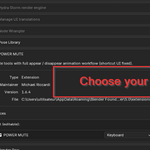
In Blender, go to Edit > Preferences > Add-ons.
-
Click Install, select the ZIP file, and enable POWER MUTE.
Interface
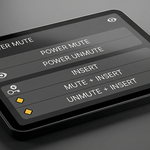
POWER MUTE is available in the 3D Viewport > Sidebar (N-panel) > POWER MUTE.
A floating popup can also be opened using the shortcut Shift + Ctrl + D (editable in the add-on preferences).
Buttons Overview
POWER MUTE
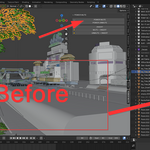
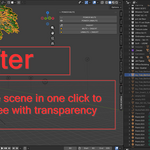
Mutes the entire scene except the selected objects. Useful for quickly isolating objects.
POWER UNMUTE
Restores visibility for all objects in the scene.
INSERT
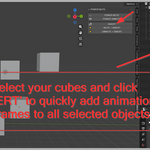
Inserts visibility keyframes (viewport and render) on all selected objects.
This button prepares objects for visibility animation without muting them.
MUTE + INSERT
Mutes selected objects and inserts visibility keyframes at the current frame.
Ideal for animating object disappearance while keeping the viewport readable.
UNMUTE + INSERT
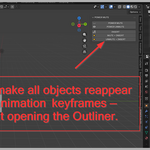
Restores visibility of muted objects and inserts visibility keyframes.
If no objects are selected, all currently muted objects will be restored automatically.
Notes
-
The eye icon in the Outliner is never modified to preserve animation preview in the viewport.
-
No setup is required. POWER MUTE works out of the box.
-
Designed for fast workflows, transparent renders, and clean visibility animation.
Have questions about this product?
Login to message
| Blender Extension Compatible | Yes |
| Published | 8 months ago |
| Blender Version | 4.3 - 5.0 |
| Extension Type | Add-on |
| Render Engine Used | Cycles, Eevee |
| License | GPL |

Discover more products like this
transparent render blender addon isolate objects blender outliner productivity ui tools power mute render workflow visibility control animation keys mute objects