Precious Pack: 10 Precious Stones in 7 Cuts
 Prism & Poly
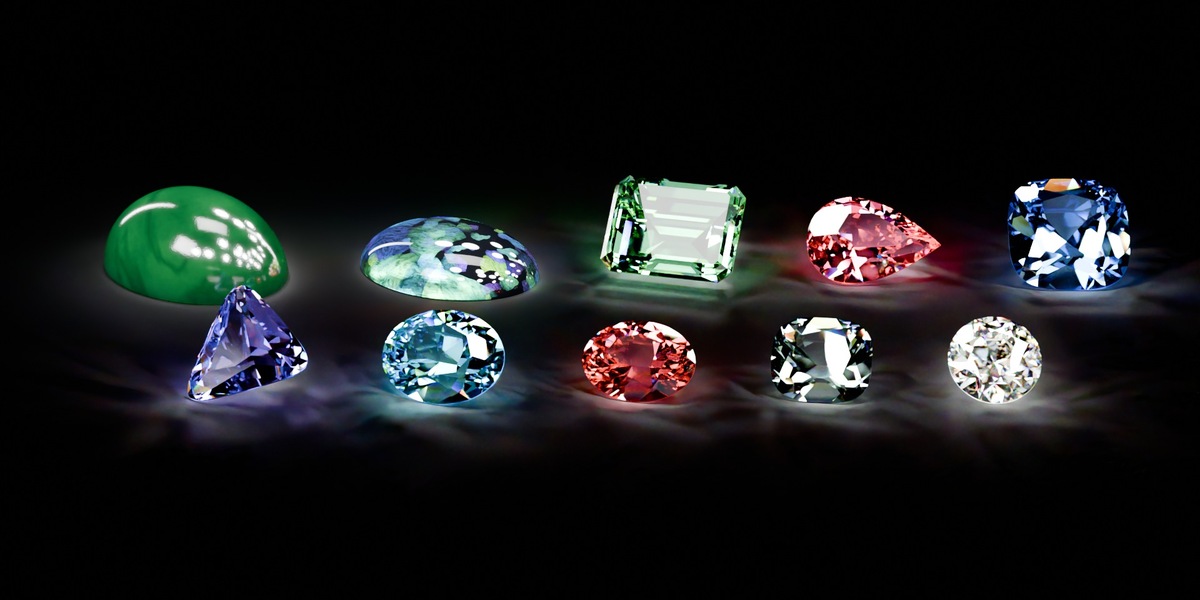
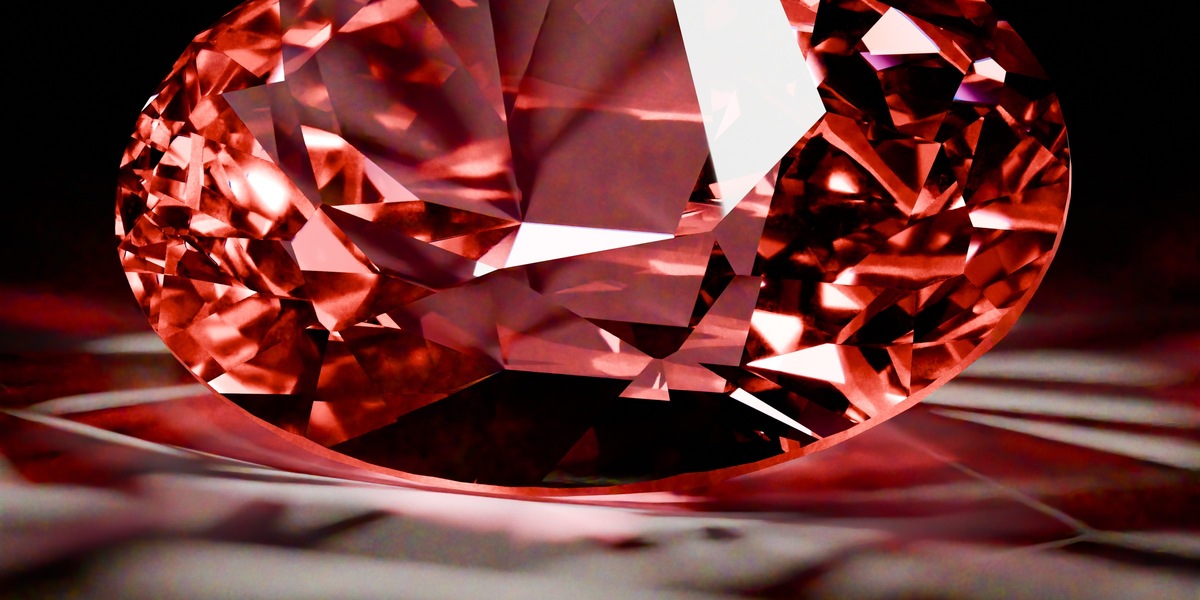
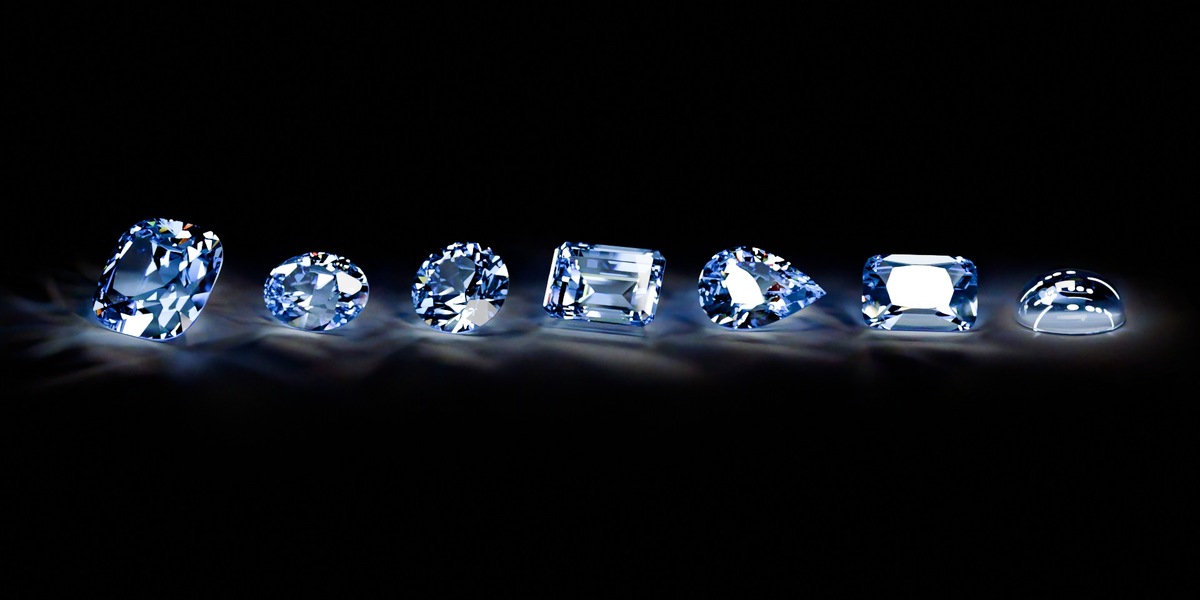
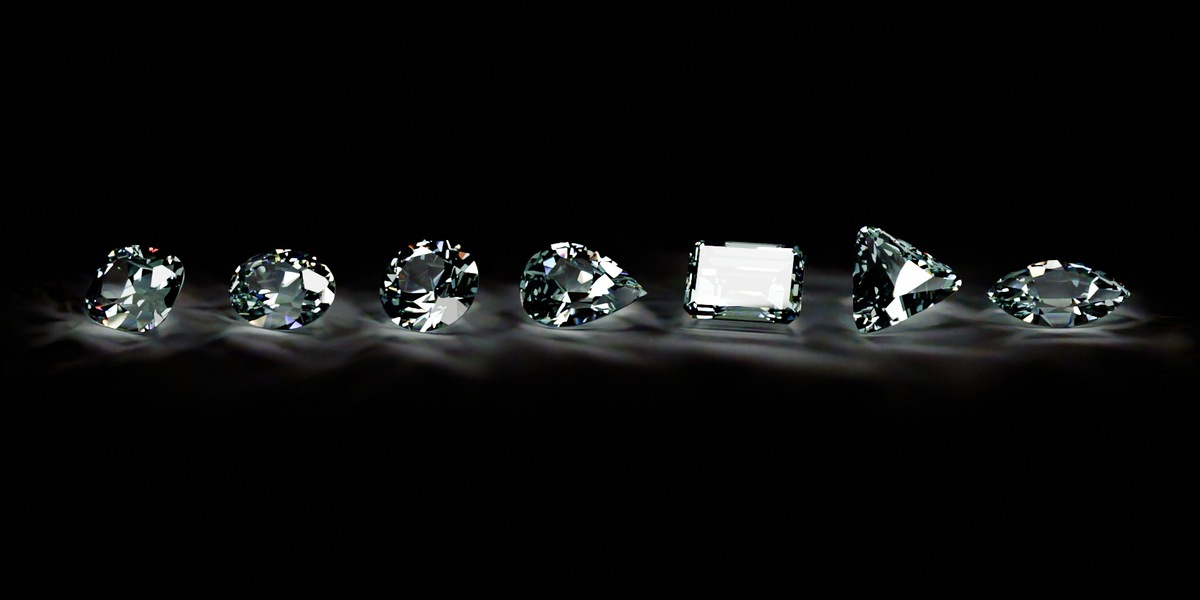
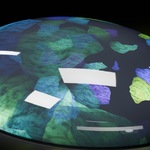
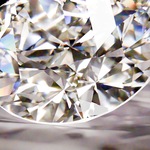
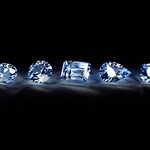
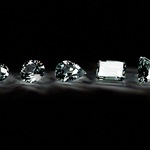
Ten precious stones. Each one comes as a rough specimen (1.2 to 6.4 cm) and in the seven cuts it's most often sold in (5 to 28 mm). That's 80 assets.
The ten are diamond, ruby, blue sapphire, emerald, alexandrite, red spinel, tanzanite, Paraiba tourmaline, black opal and imperial jadeite. I left pearl out because it's organic rather than a stone. Paraiba is technically a tourmaline, but it's a very different, copper-coloured material from the watermelon tourmaline in my Gem Pack, so it earned its own spot.
Like my Rock Pack and Gem Pack, everything was built procedurally in Blender from real mineral data, with no scans and no third-party textures. This one goes further on the physics, because precious stones are where the details really show.
What's in the download
-
PreciousPack_HighPoly.blend (made in Blender 5.3). The detailed stones with full Cycles materials are in
HighPoly_RoughandHighPoly_Cut. Game-ready versions are inGameReady_RoughandGameReady_Cut(LOD1 and LOD2 are hidden in the viewport). The file also includes the studio I used for the product shots (Showcase) and a jewelry-counter setup with black felt (Jewelry). - textures/ - baked maps for the two opaque stones, black opal and jadeite, for every rough and every cut: BaseColor, Normal, Roughness, Metallic, AO and a packed ORM map (red = AO, green = roughness, blue = metallic). Rough pieces are 2048 px, cut pieces 1024 px. The clear stones don't need textures.
- exports/FBX/ - one FBX per asset with LOD0, LOD1 and LOD2.
- exports/GLB/ - one GLB per asset (LOD0, textures embedded). The clear stones use glTF's transmission, IOR and volume extensions, so they come through as real coloured glass in viewers that support them.
- scripts/ - the Python scripts that built everything: crystal shapes, twins and faceting, the stone recipes, the game-ready export, and the two studio setups.
Getting started
In Blender, open the file and render with Cycles. A lot of what makes these stones special (fire, colour that shifts as the stone turns, inclusions, the opal's flashes) only exists in Cycles.
Everything is at real-world scale (1 unit = 1 metre). Rough specimens have their origin at the centre of the base. Faceted stones have it at the centre of the girdle, the widest edge of the stone, which makes them easy to drop into a ring or pendant setting. Cabochons sit on their base.
As a sanity check on scale: the 6.5 mm round diamond weighs out at 0.99 carats from its volume and density. A real one-carat round brilliant is 6.4 to 6.5 mm across.
What makes them realistic
Real crystal shapes. Every rough crystal is built from that mineral's actual crystal faces, so the angles are the real ones. The diamond is an octahedron with slightly rounded edges. The ruby is a flat hexagonal plate, the sapphire the tapering barrel shape sapphires typically grow in, the emerald a hexagonal prism, and the tanzanite and Paraiba are striated prisms. Two of them are twins, the way you'd often find them in nature: the spinel is a flattened twinned octahedron, and the alexandrite is the classic six-sided "trilling" made of three crystals grown together.
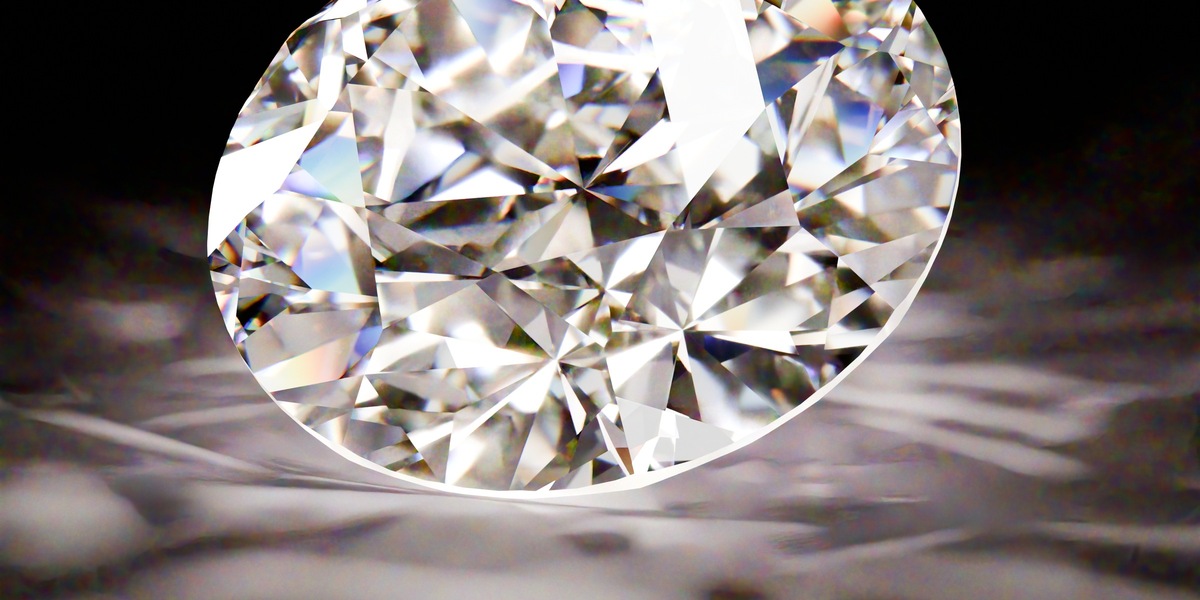
Real cuts. Each cut uses the facet layout and angles a cutter would use for that stone. The diamond's round brilliant follows the classic Tolkowsky proportions, and the other stones get crown and pavilion angles matched to how strongly they bend light.
Real optics. Every stone has its own refractive index and its own amount of fire, from gemmological data. The diamond's fire matches measured values. Colour is absorbed inside the stone rather than painted on, so it deepens where the stone is thicker.
Colour that changes with direction. Many coloured gems look different depending on which way light passes through them (gemmologists call it pleochroism), and these do too. Ruby shifts between purplish red and orangy red, sapphire between violetish and greenish blue, emerald between bluish and yellowish green, and tanzanite shows three colours: blue, violet and red-violet. The cut stones are oriented the way cutters orient them, to show off the best colour face-up.
Inclusions. The emeralds have the wispy internal veils emeralds are known for, and the rough ruby and sapphire crystals carry fine "silk", the needle-like inclusions that give corundum its soft glow. These are real volumes inside the stone, not textures.
Alexandrite's colour change. Alexandrite is bluish green in daylight and purplish red under warm indoor light. You can't fake that by just tinting the lights, because it comes from how the stone absorbs different wavelengths. So I worked out its colour from its absorption spectrum under daylight and under incandescent light. The daylight version is the default; the indoor values are stored as GEMS["Alexandrite"]["T_A"] in scripts/precious.py.
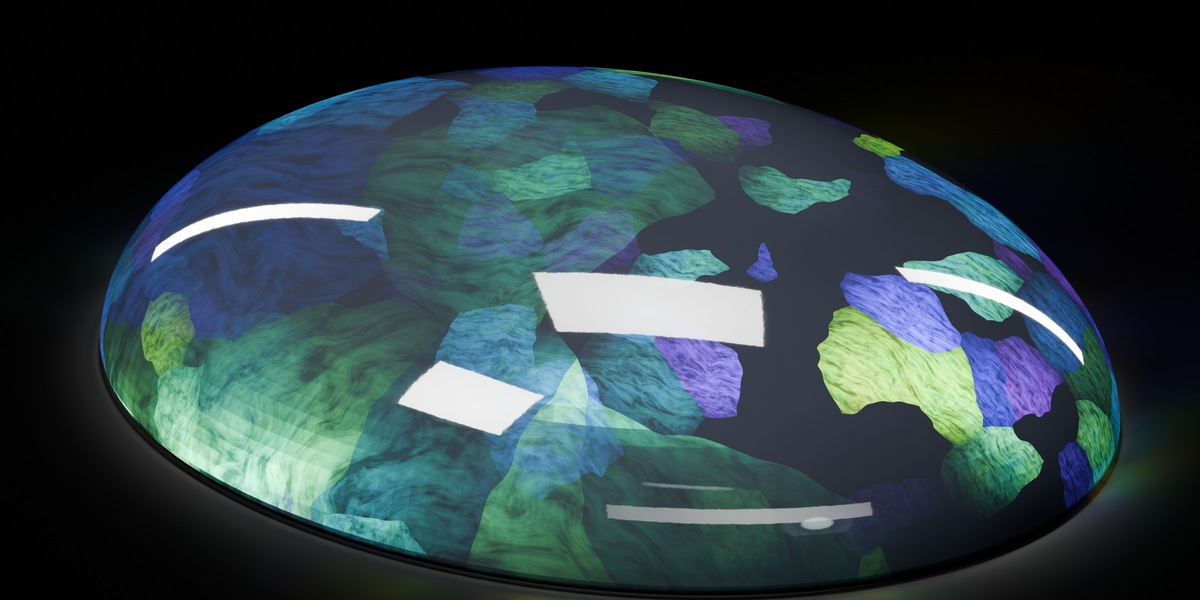
Black opal's play of colour. Opal is made of tiny silica spheres stacked in neat patches. Each patch reflects one colour, and which colour depends on the size of its spheres and the angle you see it from. The material works the same way, so the colours flash and drift from red through green to blue as the stone tilts, with large patches and fine pinfire mixed together on a black body.
Imperial jadeite. Fine jade glows because light travels a little way into it before coming back out. The material does that too, with interlocking grains, darker mossy veins and pale feathers. The rough is a boulder with a brown weathered skin and a polished window cut into it, which is how jade rough is actually sold.
Weight and data come along. Every object stores its mass and carat weight (from its volume and the mineral's density) plus the gem data below as custom properties. They also travel into the GLB files.
Gem data
| Stone | Species | Crystal system | Mohs | SG | RI | Birefringence | Dispersion | Colour cause |
|---|---|---|---|---|---|---|---|---|
| Diamond | Diamond (C) | Cubic | 10 | 3.52 | 2.417 | - | 0.044 | Near-colourless (H, N3 centres) |
| Ruby | Corundum | Trigonal | 9 | 4.00 | 1.762-1.770 | 0.008 | 0.018 | Cr3+ |
| Sapphire | Corundum | Trigonal | 9 | 4.00 | 1.762-1.770 | 0.008 | 0.018 | Fe2+-Ti4+ charge transfer |
| Emerald | Beryl | Hexagonal | 7.5-8 | 2.72 | 1.577-1.583 | 0.006 | 0.014 | Cr3+, V3+ |
| Alexandrite | Chrysoberyl | Orthorhombic | 8.5 | 3.73 | 1.746-1.755 | 0.009 | 0.015 | Cr3+ (colour change) |
| Spinel | Spinel | Cubic | 8 | 3.60 | 1.718 | - | 0.020 | Cr3+ |
| Tanzanite | Zoisite | Orthorhombic | 6-7 | 3.35 | 1.691-1.700 | 0.009 | 0.021 | V (trichroic) |
| Paraiba tourmaline | Elbaite | Trigonal | 7-7.5 | 3.06 | 1.620-1.640 | 0.019 | 0.017 | Cu2+ |
| Black opal | Opal (SiO2.nH2O) | Amorphous | 5.5-6.5 | 2.15 | 1.45 | - | - | Bragg diffraction (play-of-colour) |
| Imperial jadeite | Jadeite | Monoclinic aggregate | 6.5-7 | 3.33 | 1.654-1.667 | - | - | Cr3+ |
Rough specimens and primary cuts
| Stone | Rough specimen (mm) | Rough mass | Cut | Cut size (mm) | Carats | Game LOD0/1/2 tris (rough - cut) |
|---|---|---|---|---|---|---|
| Diamond | 11.9 x 12.0 x 8.9 | 2.2 g | Round brilliant (Tolkowsky) | 6.5 x 6.5 x 3.9 | 0.99 | 212/68/68 - 446/286/112 |
| Ruby | 17.8 x 22.0 x 10.5 | 12.5 g | Oval brilliant | 8.0 x 6.0 x 3.8 | 1.36 | 140/44/44 - 468/316/116 |
| Sapphire | 10.8 x 12.7 x 28.0 | 7.3 g | Cushion brilliant | 9.0 x 9.0 x 5.7 | 3.70 | 164/68/68 - 470/310/120 |
| Emerald | 22.8 x 20.0 x 40.0 | 34.4 g | Emerald cut (octagonal step) | 10.0 x 8.0 x 5.5 | 3.05 | 160/52/52 - 156/132/76 |
| Alexandrite | 22.0 x 20.5 x 6.0 (trilling) | 7.1 g | Cushion brilliant | 7.0 x 6.3 x 4.0 | 1.35 | 688/204/204 - 472/312/120 |
| Spinel | 17.4 x 18.0 x 7.0 (macle) | 5.1 g | Pear brilliant | 10.0 x 7.0 x 4.2 | 1.66 | 116/32/32 - 462/306/118 |
| Tanzanite | 21.6 x 23.7 x 40.0 | 43.8 g | Trillion brilliant | 8.3 x 9.0 x 3.8 | 1.36 | 130/44/40 - 410/282/104 |
| Paraiba tourmaline | 22.8 x 21.5 x 28.0 | 23.3 g | Oval brilliant | 9.0 x 7.0 x 4.6 | 1.66 | 196/64/64 - 468/302/116 |
| Black opal | 37.4 x 30.9 x 23.7 (nobby) | 28.5 g | Oval cabochon | 14.0 x 10.0 x 3.8 | 2.99 | 3000/1200/400 - 1200/500/200 |
| Imperial jadeite | 64.0 x 45.5 x 38.2 (windowed boulder) | 220.6 g | Oval cabochon (high dome) | 15.0 x 11.0 x 6.5 | 9.33 | 3000/1200/400 - 1200/500/200 |
The clear stones are true flat-faced geometry, and their LOD0 keeps a tiny edge bevel so the edges still catch the light. The opaque rough pieces are about 330,000 triangles in high poly.
All seven cuts
Every stone comes in the seven cuts it's most often sold in. The first one listed is the "primary" cut (object _Cut_HP); the others are named _Cut__HP, and their game meshes are SM__Cut__LOD0 to LOD2. Each cut is a complete asset: high-poly model, three LODs, FBX and GLB, with its gem data and carat weight. The full list of all 70 cuts with sizes, carat weights and triangle counts is in the README inside the download.
A couple of honest notes on the cuts. The princess and radiant cuts use a standard brilliant facet pattern on their square and rectangular outlines; real princess and radiant stones use a slightly different, chevron-style pavilion. And there are no heart cuts, because my faceting tools only build convex stones.
Using the stones in a game engine
In glTF viewers, three.js, Babylon, Unity (with glTFast) and Unreal's glTF importer, the clear stones' GLB materials work straight away. The direction-dependent colour, inclusions, fire and the opal's flashes are Cycles-only; engines get the averaged colour.
In Godot 4 or anywhere you're using the FBX files, coloured glass doesn't carry over on import. Set up a transparent material with refraction and roughness 0, and use the colour below as the albedo. These are the stone's colour through 1 cm, so lighten them a bit for small stones.
| Stone | Albedo (sRGB) | IOR |
|---|---|---|
| Diamond | #FEFEFB | 2.417 |
| Ruby | #CE1D45 | 1.762 |
| Sapphire | #618BE2 | 1.762 |
| Emerald | #61CEA2 | 1.577 |
| Alexandrite | #586B66 (daylight) / #775D75 (incandescent) | 1.746 |
| Spinel | #EF457C | 1.718 |
| Tanzanite | #9586EC | 1.691 |
| Paraiba tourmaline | #50DAF3 | 1.620 |
- Black opal: the baked BaseColor is a snapshot of the play of colour as seen straight on. For a live effect in an engine, drive an iridescence (thin-film) effect or a view-angle hue shift from the baked map.
- Jadeite: turn on subsurface scattering (or a wrap or transmission term) in your engine with a green scatter colour. The bake carries the colour only.
Good to know
- Normal maps use the OpenGL convention (Blender, Godot, Unity). In Unreal, flip the green channel.
- The studio lighting is set up for the clear stones, so the opaque ones are rendered with less light to keep their colour from washing out.
- To change a stone, edit its recipe in
scripts/precious.py, add the pack'sscriptsfolder tosys.pathin Blender's Python console, then runprecious.build("Ruby"),gameready.process("Ruby", "Cut")andgameready.export("Ruby", "Cut").
The studio setups
Both lighting setups I used for the product shots are in the .blend, so you can re-render the stones yourself.
-
Showcase is a seamless studio backdrop with softboxes and strip lights. In its dark mode the table is matte black, and each clear stone gets three small lights that can only reach the table by passing through the stone. That makes the caustics, the little flecks and coloured patches of light a gem throws around it, easy to see. Run
showcase.gem_shots("Ruby")for one stone orshowcase.hero("Cut", path)for the whole set. -
Jewelry is black felt under display-case lighting: a soft panel overhead plus a ring of small warm spots that make the facets sparkle. Run
jewelry.stone("Ruby")orjewelry.tray(). - A few extras:
showcase.cut_shot("Ruby", "Cut_Pear")renders any single cut,showcase.family("Ruby")lines up all seven cuts,showcase.hd("Diamond")does a 4K close-up,jewelry.alexandrite_colour_change()renders the daylight and indoor pair,jewelry.opal_tilt()tilts the opal so you can watch its colours move, andjewelry.turntable("Diamond")renders a seamless 360-degree loop.
Renders are saved to a renders folder next to the .blend. They need Cycles, and the caustics come out soft rather than razor sharp, which is just how Cycles handles them.
Have questions about this product?
Login to message
| Published | 1 day ago |
| Blender Version | 5.3 |
| Render Engine Used | Cycles |
| Misc Data | Uvs-Unwrapped, Manifold-Mesh, Low-High-Resolution |
| License | Royalty Free |
