Pretty Nodes
 Creative Skipper


Documentation for "Pretty Nodes" addon
Important Information:
Palette Preservation
How to preserve your palette when reinstalling the addon, Blender, or updating.
- Palette is saved in the addon directory in file
palette.json - Example path:
C:\Users\user_name\AppData\Roaming\Blender Foundation\Blender\4.5\extensions\user_default\pretty_nodes\palette.json -
Important: Before reinstalling/updating the addon or Blender, make a backup copy of
palette.json
Reroute Helper - Clean Function
Removes only those reroute nodes that:
- Are located on the same coordinate axis
- Have no connections (except connections to other reroute nodes)
Example: If nodes are not on the same line, they will not be deleted.
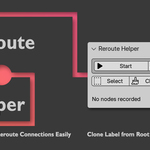
Reroute Helper - Chain Creation Function
Working principle: Dynamic recording of selected reroute nodes and their sequential connection.
Process:
- Press "Start"
- Duplicate reroute nodes (Shift+D)
- Move created Reroute points orthogonally (scroll wheel)
- Press "Link" to connect all nodes
Note: Function works with sequentially selected nodes. To create an additional branch, restart the process (Stop → Start).
Location: Node Editor → Sidebar → Pretty Nodes
 Included
Includes 12 months of
- Support from Creative Skipper
- Product updates
Extend this product’s Support Period +12 months: 50% of product price
Have questions before purchasing?
Login to message
| Blender Extension Compatible | Yes |
| Published | about 1 year ago |
| Blender Version | 3.6 - 5.2 |
| Extension Type | Add-on |
| Render Engine Used | Cycles |
| License | GPL |
Discover more products like this
nodes compositor managment shader editor align nodes Geometry Nodes Editor node-managment compositor-nodes