 Contrast Render



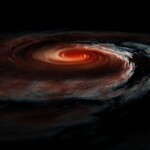
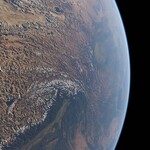
Rendering volumetric / atmospheric lighting in Blender can often seem to be impossible. First and foremost its really complicated and time consuming to setup a realistic shader using real world parameters. Then if you managed to create a somewhat realistic shader, you often realize that it takes ages to render and you have to go back and forth until you found a setup that your PC can handle.
Pro Atmo contains a variety of realistic and render friendly solutions, which can be quickly setup and adjusted so that you can focus on the important parts.
Without Pro Atmo :(
Time and energy consuming setup
Bad render efficiency
Redundant workflow for every scene
Using Pro Atmo :)
Fine tuned shader setup
Best balence between realism and render time
Highly customizable via a UI
Sky
This Extension generates realistic sky lighting using the world texture. It is one of the fastest and render effizient ways to light up your Scene. You can use it for small scenes, where no atmospheric depth is needed like architectural visualizations.
Atmosphere
This Extension generates an volumetric atmosphere which is perfect for rendering large scenes like mountain ranges where optical depth is needed. You can render clouds and any other object type within the atmosphere. The atmosphere only works with sun light and don't cast any shadows which results in very fast render times.
Planet
This extension enables you to render planets with multiple atmosphere layers, clouds and rings. All properties are set to match the earth by default but the setup is very customizable so that you can approach any other planet or look you want.
Cumulus Clouds Asset Pack
There are 30 high quality VDB files + clouds shader contained in this asset pack. These clouds can be complimented with Pro Atmo - Atmosphere extension.