Pro Aligner - Align Any Object With a Click
 CG GALAXY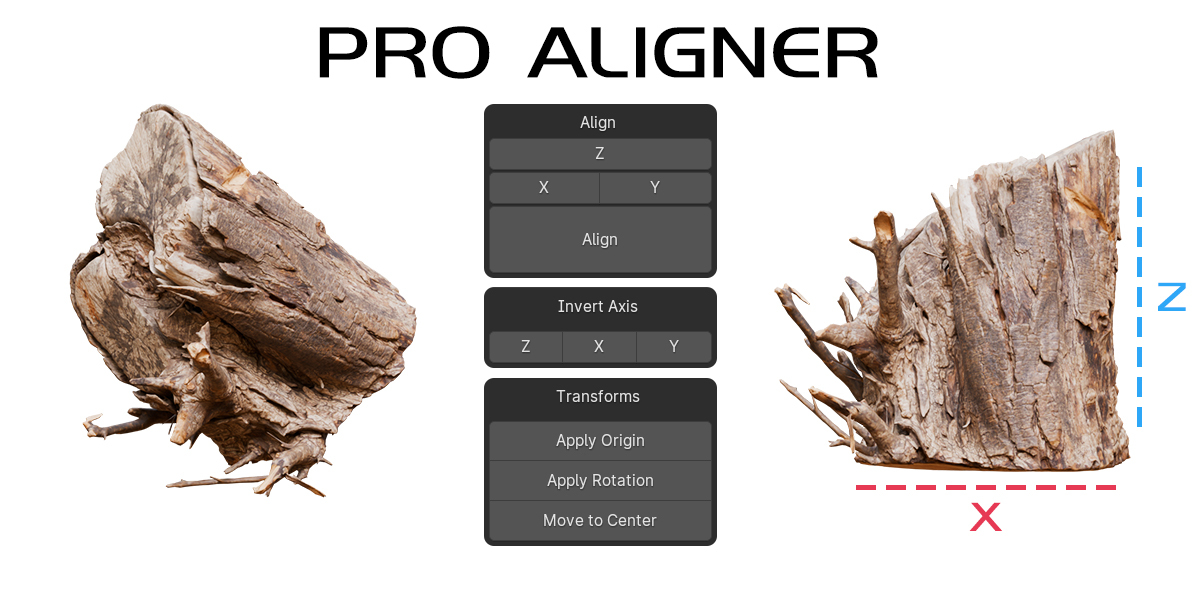

How to install?
Go to Edit > Preferences > Add-ons > Install > Select Pro Aligner
How the addon works?
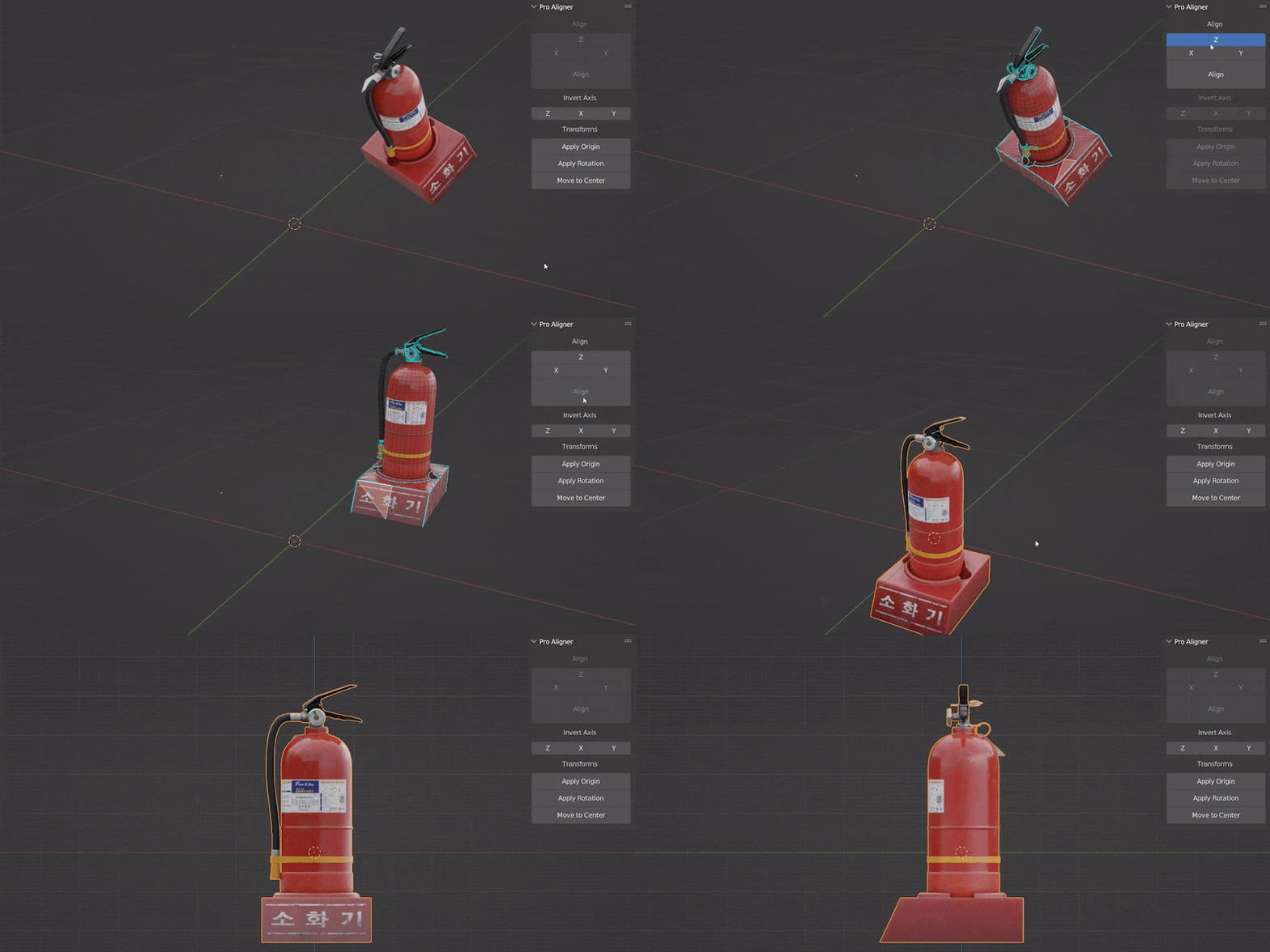
- First you have to be in edit mode to access align buttons
- You can select any face or edge or even a single vertex
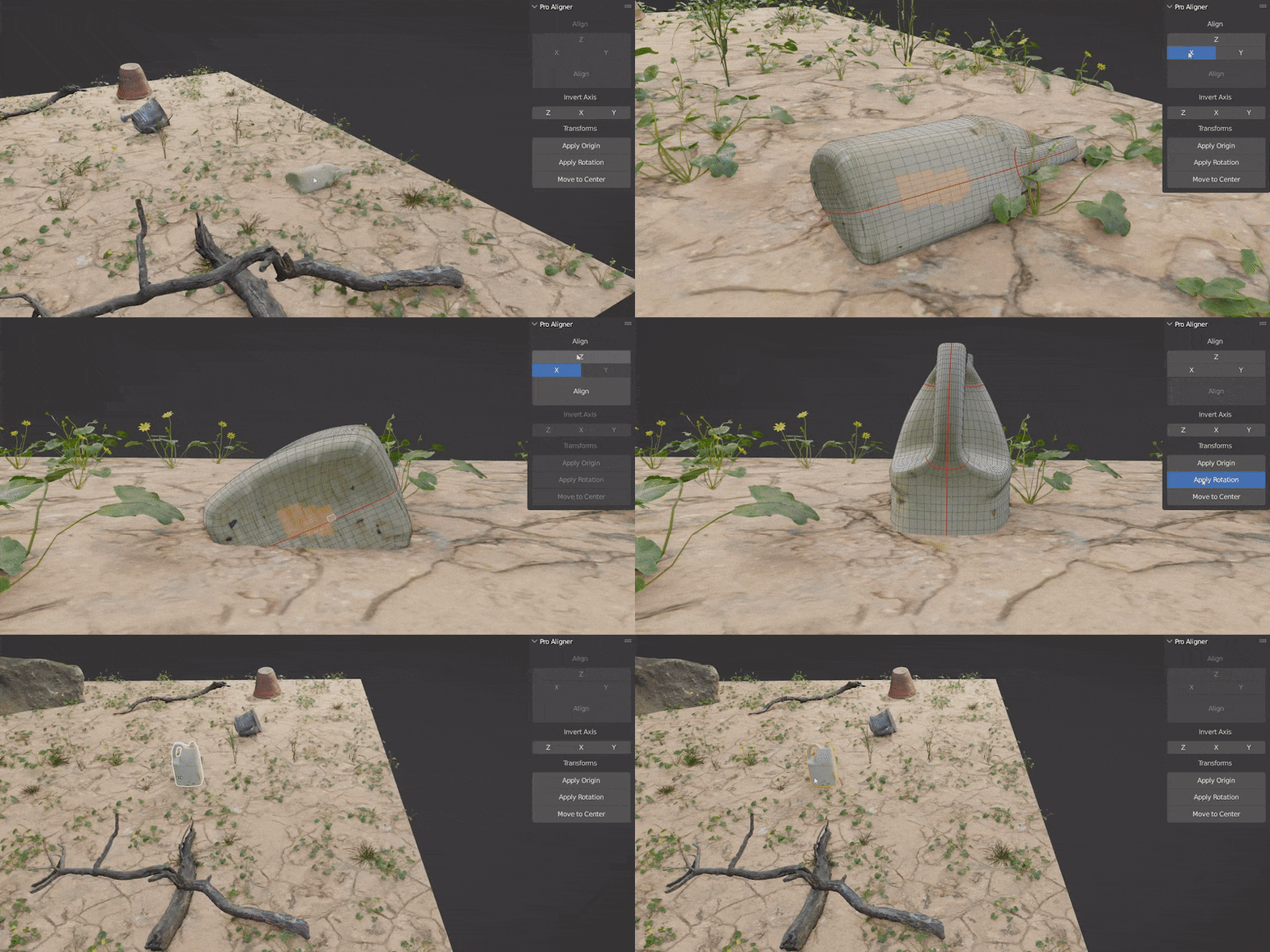
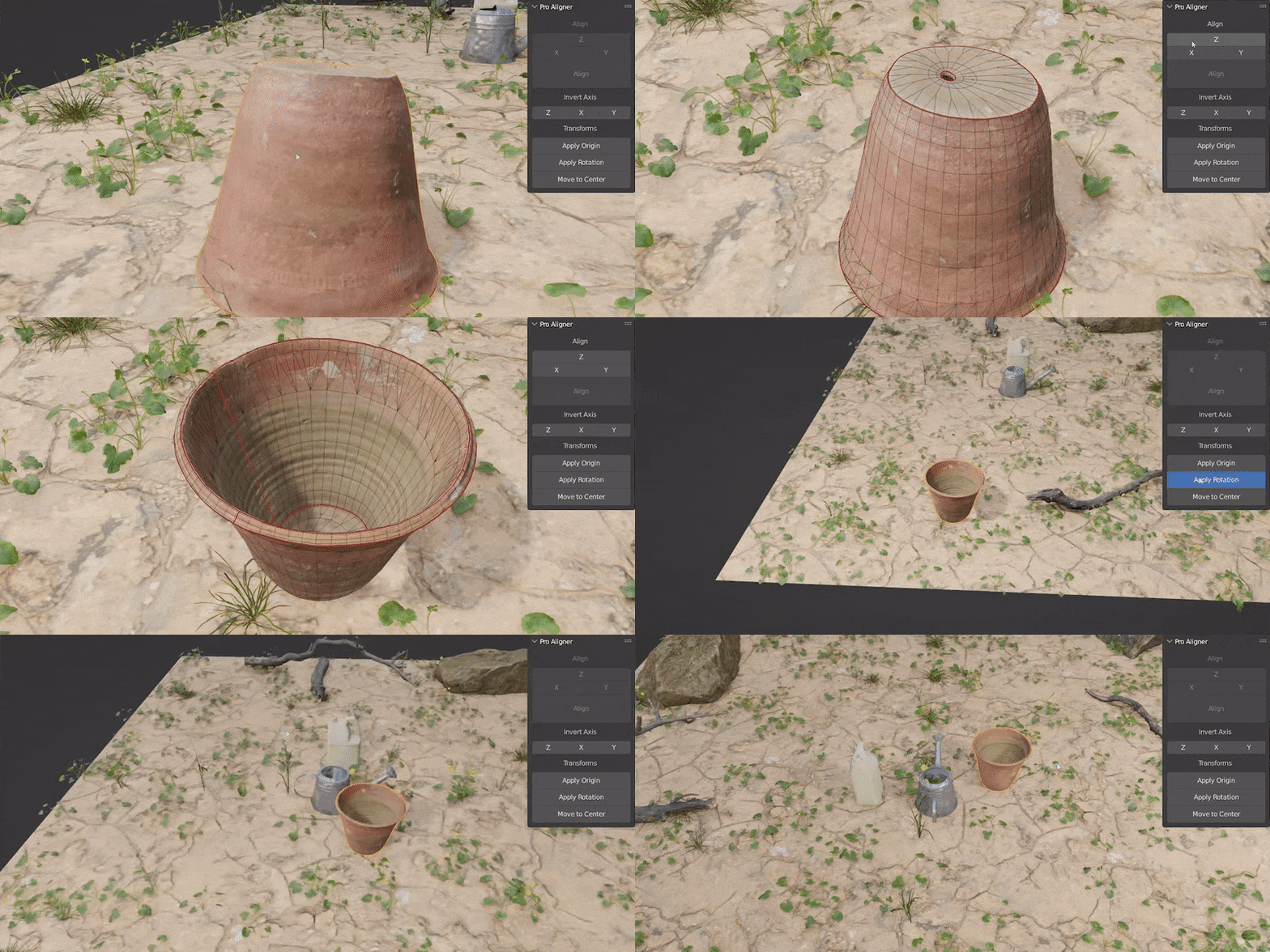
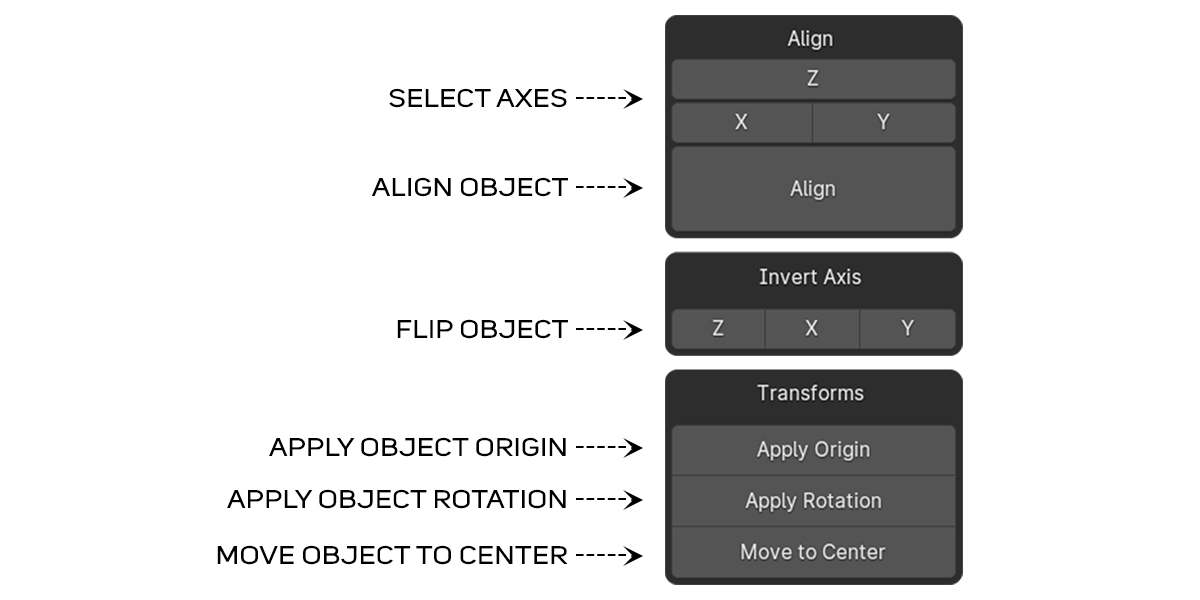
- Single Axis > Select any face then choose desired axis
- Multiple Axes > Select face 1 then set it to desired axis, then select face 2 set it to another axis
- Align > Align the object
- Invert Axis > If the object is upside down or it's facing toward negative side, you can click on Invert Axis Buttons to align the object as you like
- Apply Origin > It moves the origin to the center of an object
- Apply Rotation > It applies the rotation and sets it to zero in every axis
- Move to Center > It moves the object to the center of 3d space
Discover more products like this
Add-on addon auto rotation proaligner spring23 orient summer23 bake rotation bfcm23 3-axis spring24 align