Escalator - Fully Procedural | Pure Geometry Nodes
 LemonEdge


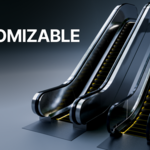
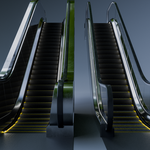
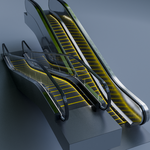
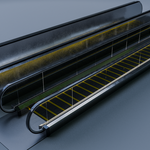
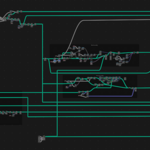
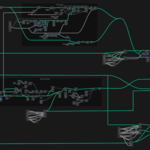
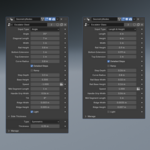
Welcome to the 100% Procedural Escalator asset. This tool is built entirely using Blender’s Geometry Nodes, ensuring a completely non-destructive workflow. You have absolute control over the shape, size, and micro-details of the asset without ever having to touch a single vertex.
Below is a comprehensive guide to the parameters exposed in the modifier panel.
Dimension Modes
To accommodate different architectural planning styles, the escalator supports two distinct methods for defining its primary bounding size.
| Input Mode | Best Used For | How it Works |
| Width & Height | Bridging specific floor levels. | You define the exact vertical height between floors and the overall footprint width. |
| Angle & Diagonal Length | Concept art and custom environments. | You define the exact slope angle (e.g., 30°) and how far the escalator travels along that slope. |
Major Controls
These are your primary macro-settings for shaping the overall silhouette of the transit system.
Stair Width: Adjusts the width of the step area itself (does not include the side housings).
Angle / Height / Length: (Driven by your chosen Dimension Mode above).
Ramp Mode (Toggle): Instantly flattens the individual steps into a continuous, smooth slanted ramp. Perfect for creating accessible walkways or angled airport conveyor belts.
Radius of Curvature: Controls the smoothness of the transition where the flat landings curve into the angled slope.
Step Depth: Adjusts how deep each individual stair tread is from front to back.
Railing Height: Sets the vertical height from the steps to the top of the handrail.
Landing Extensions
You can easily adjust the flat floor sections at the beginning and end of the escalator to seamlessly integrate into your existing floor plans.
Top Extension Length: Extends the flat walkway at the upper landing.
-
Bottom Extension Length: Extends the flat walkway at the lower landing.
(Note: These can be controlled entirely independently of one another).
Granular & Micro-Controls
For extreme close-ups and high-fidelity archviz renders, you can tweak the smallest structural details.
-
Step Detail Mode (Optimization Toggle): Switch between two modes depending on your camera distance to save viewport memory.
Detailed Steps (On): Generates full geometry-level micro-details (like individual modeled ridges and grooves). Best for hero shots and extreme close-ups.
Detailed Steps (Off): Swaps the steps to a low-poly model where surface details are defined purely at the texture level via material shaders. Perfect for background assets.
Base Housing Dimensions: Adjust the height and width of the structural base section that houses the mechanical rails.
Handle Grip Width: Controls the thickness of the rubberized moving handrest.
-
Step Ridge Details (Requires Detailed Steps 'On'):
- Ridge Width: Adjusts the spacing of the anti-slip safety grooves on each step.
Ridge Height: Controls the vertical extrusion/depth of the grooves.
Steel Variant Specifics
If you are using the "Steel/Industrial" housing variant, additional parameters are unlocked for the side panels.
-
Side Panel Thickness: Adjust the structural thickness of the side walls.
Toggle: Can be adjusted symmetrically (both sides match) or asymmetrically (independent left/right thickness).
Inner Tilt Angle: Slants the interior walls of the escalator inward or outward for a sleeker, modern aesthetic.
Animation & Speed Control
The asset comes fully rigged and animated out of the box. Animation is driven by a single, intuitive value.
Parameter: Steps per Second
How it works: > * Input 1 = The escalator moves upward at a speed of 1 step per second.
Input 2.5 = The escalator moves upward at a speed of 2.5 steps per second.
Input -2 = The escalator moves downward at a speed of 2 steps per second.
Setting this value to a negative number automatically reverses the direction of the steps and the synchronized handrails.
-
$18
Perfect for freelancers, indie creators, and hobbyists looking to speed up their scene assembly with a powerful, flexible tool.
-
$50
Equip your entire team with a highly flexible, production-ready environment asset. This commercial tier is tailored for studios, agencies, and VFX/ArchViz firms looking to streamline pipeline efficiency without tracking individual seats.
Have questions about this product?
Login to message
| Dev Fund Contributor | |
| Published | 4 months ago |
| Blender Version | 4.5 |
| Render Engine Used | Cycles, Eevee |
| License | Royalty Free |
Discover more products like this
Blender_Geometry_Nodes animated-geometrynode 3d archviz escalator walkway 3d-urban-building-asset airport Escalators Geometry Node shopping mall advanced-procedural