 Mrs Eliza

• The library does not appear in the Asset Browser
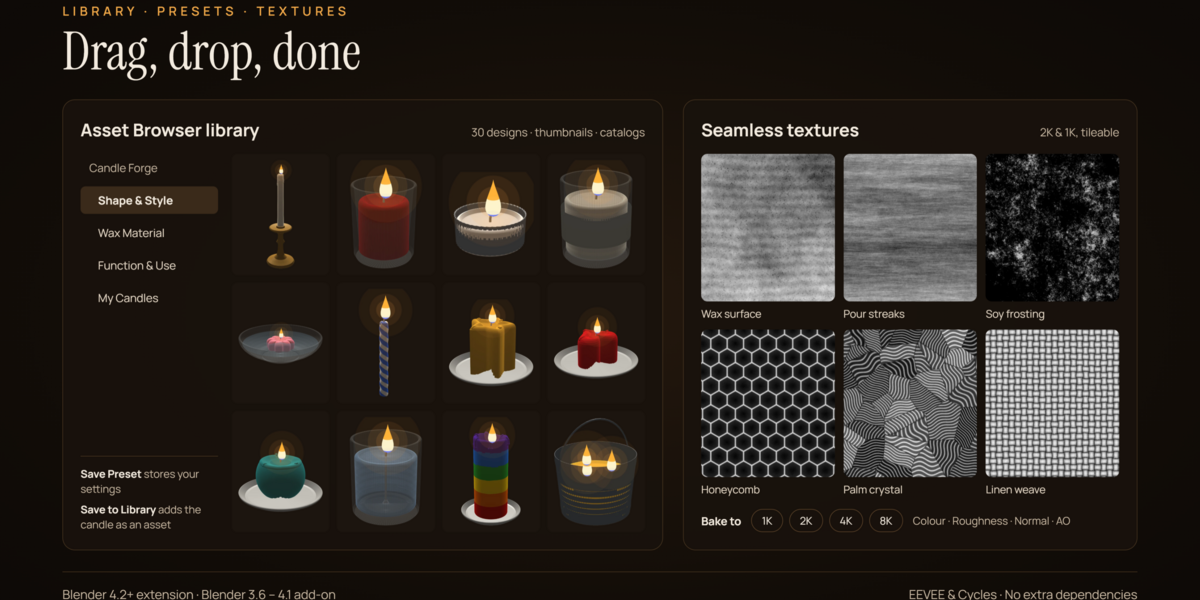
Run Save Candle to Library or Build Full Library once to register it, then pick Candle Forge from the library dropdown in the Asset Browser header
• Baked textures went to an unexpected folder
The default bake folder sits next to the .blend file. If the file has not been saved, the maps go to a candle_textures folder in your home folder instead. Save the file first, or choose a full folder path.
• The gel candle or glass looks black in EEVEE.
Enable raytracing or screen-space refraction in the render settings, or render in Cycles.
• The candle looks dark or flat in EEVEE
Make sure the viewport is in Rendered mode and that Bloom (or the compositor glare that One-Click Scene adds) is enabled.
• Hand edits disappeared
• Changing any setting rebuilds the mesh. Finalize the candle first, then edit.
• Settings changes are ignored
- Check that Live Update is on, or click Regenerate. If the candle was finalized, it no longer responds to settings.
Have questions about this product?
Login to message
| Blender Extension Compatible | Yes |
| Published | 1 day ago |
| Blender Version | 4.2 - 5.3 |
| Extension Type | Add-on |
| Render Engine Used | Cycles, Eevee |
| License | GPL |
Discover more products like this
procedural candles candle generator wax shader blender addon flame effect geometry nodes 3d PROPS medieval assets 3d candles realistic-lighting one-click setup blender 3d