 Mrs Eliza
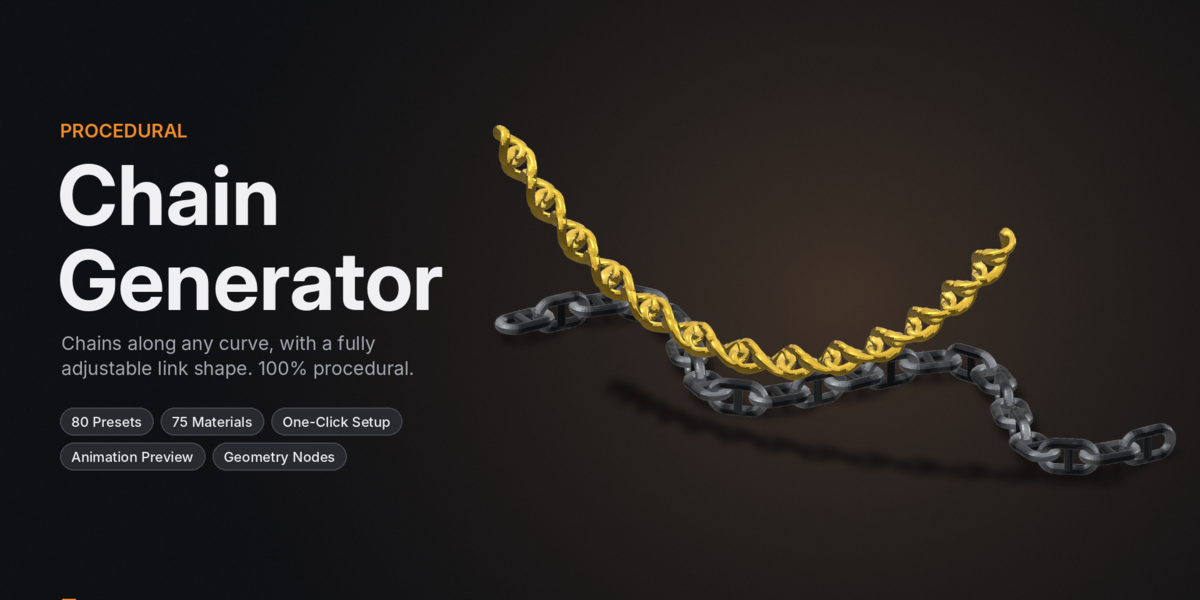
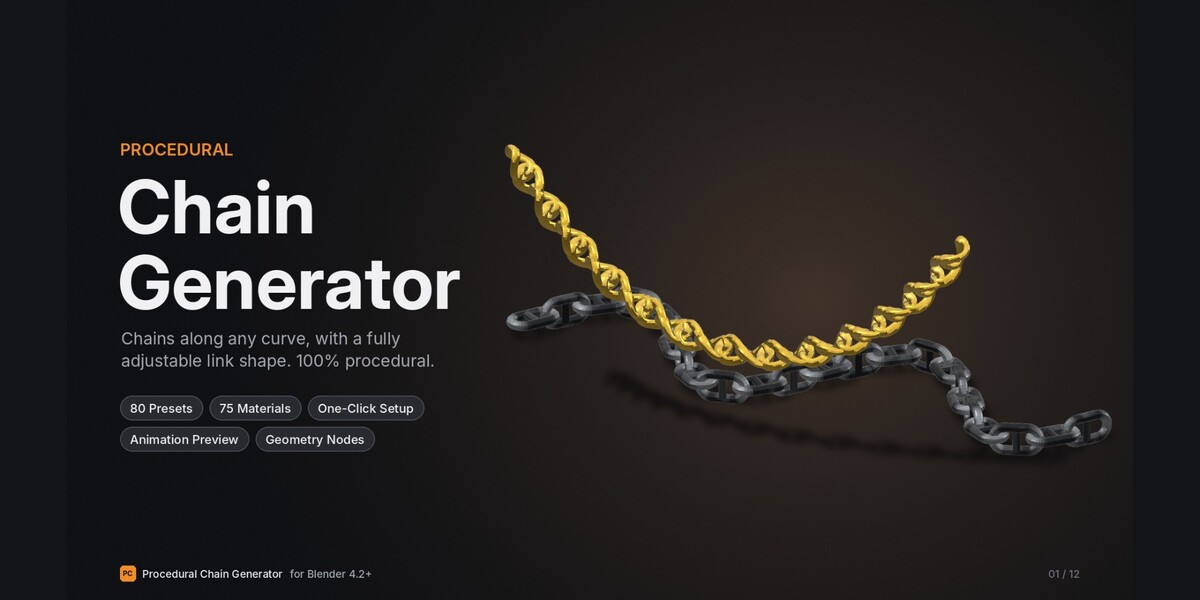

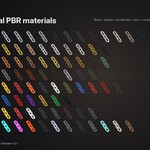
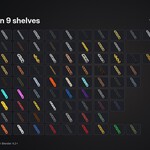



Create realistic, fully procedural chains in Blender with complete control over link geometry, distribution, materials, and animation.
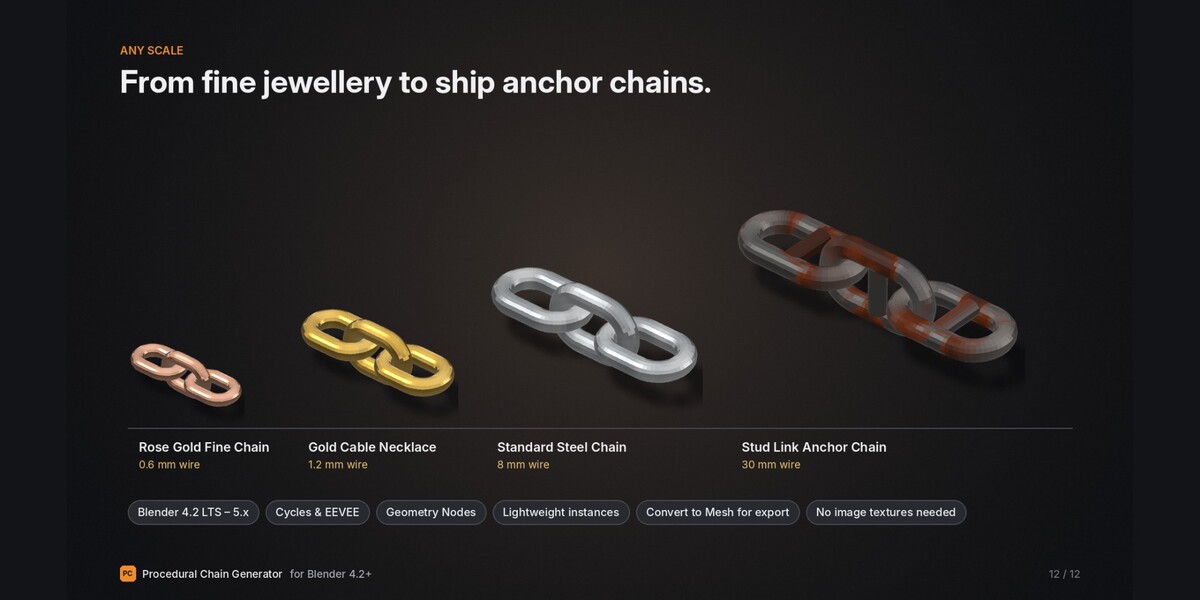
The Procedural Chain Generator is a powerful Blender add-on designed to generate detailed, customizable chains along any curve. From industrial and marine chains to elegant jewelry, fantasy designs, and futuristic chains, create a wide range of styles without manually modelling individual links.
Powered by Geometry Nodes and a layered procedural shader, every chain remains editable and non-destructive. Adjust the curve, link shape, spacing, surface finish, or animation settings and see your changes update instantly.
With 80 chain presets, 75 procedural materials, and an extensive collection of customization controls, you have everything you need to create professional-quality chains for product visualization, architecture, games, cinematic scenes, and more.
✨ KEY FEATURES
Fully Procedural Workflow: Generate chains directly along curves using Geometry Nodes. Nothing needs to be baked while working.
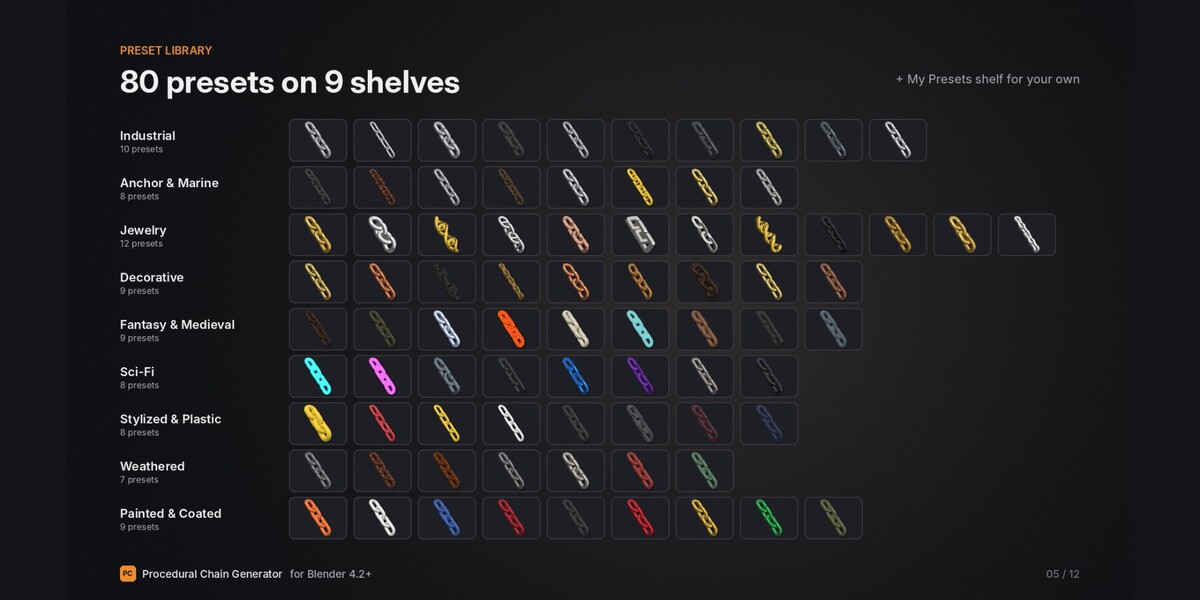
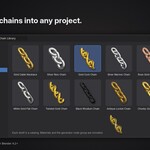
80 Ready-to-Use Chain Presets: Explore a diverse collection of chain designs organized into 9 categories.
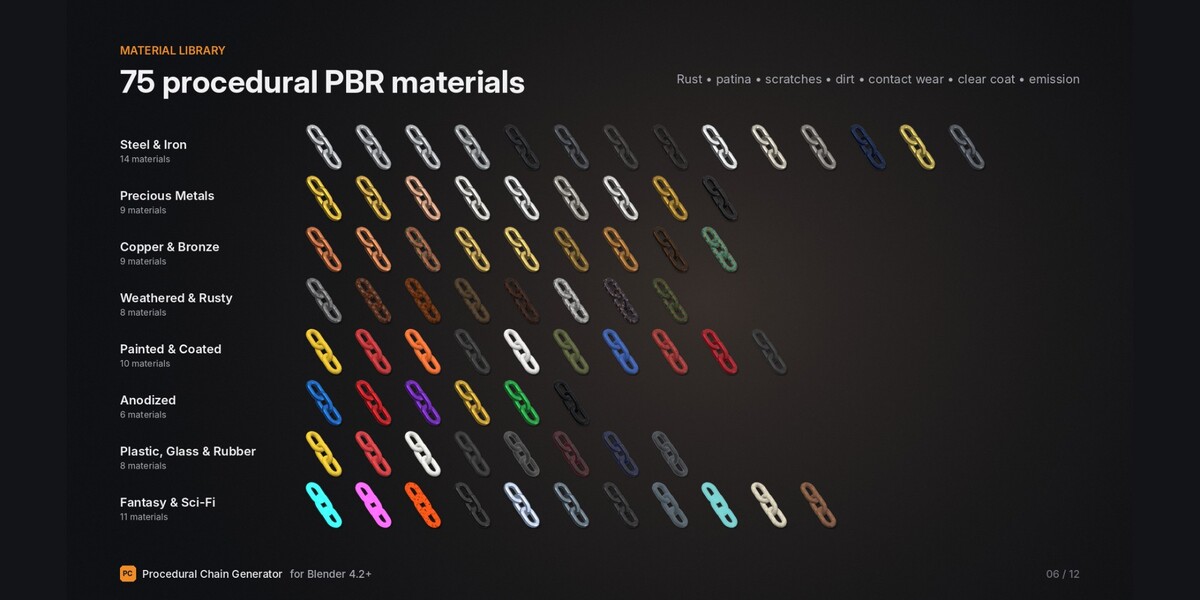
75 Procedural Materials: Choose from realistic metals, precious metals, rust, painted finishes, plastics, glass, and fantasy materials.
9 Preset Categories: Quickly find the right chain style for industrial, jewelry, marine, decorative, fantasy, sci-fi, and other projects.
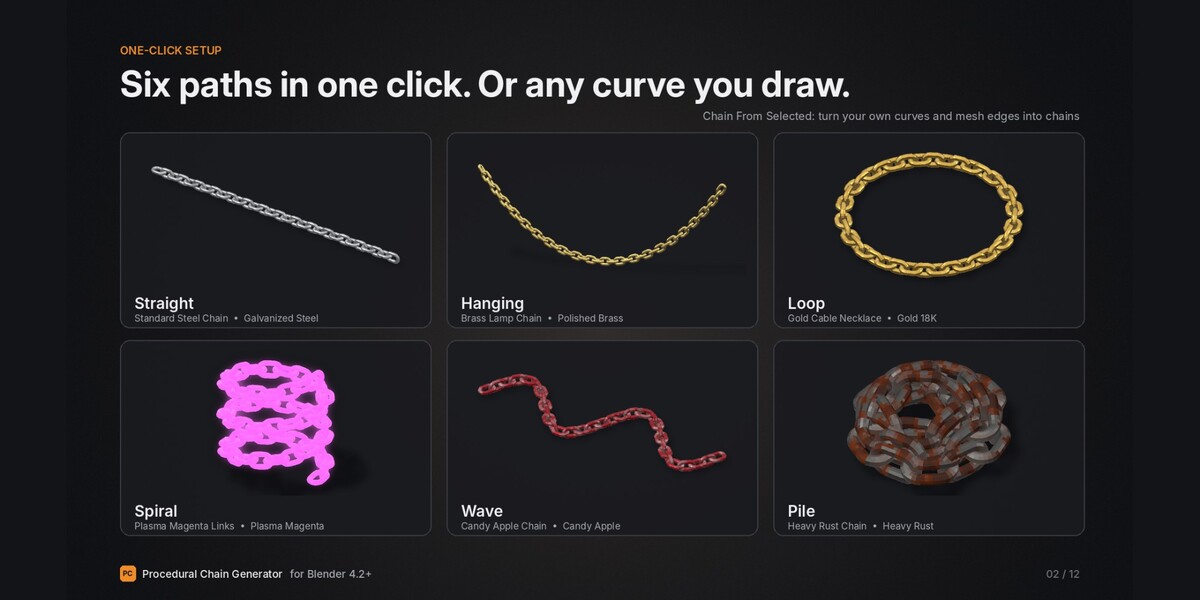
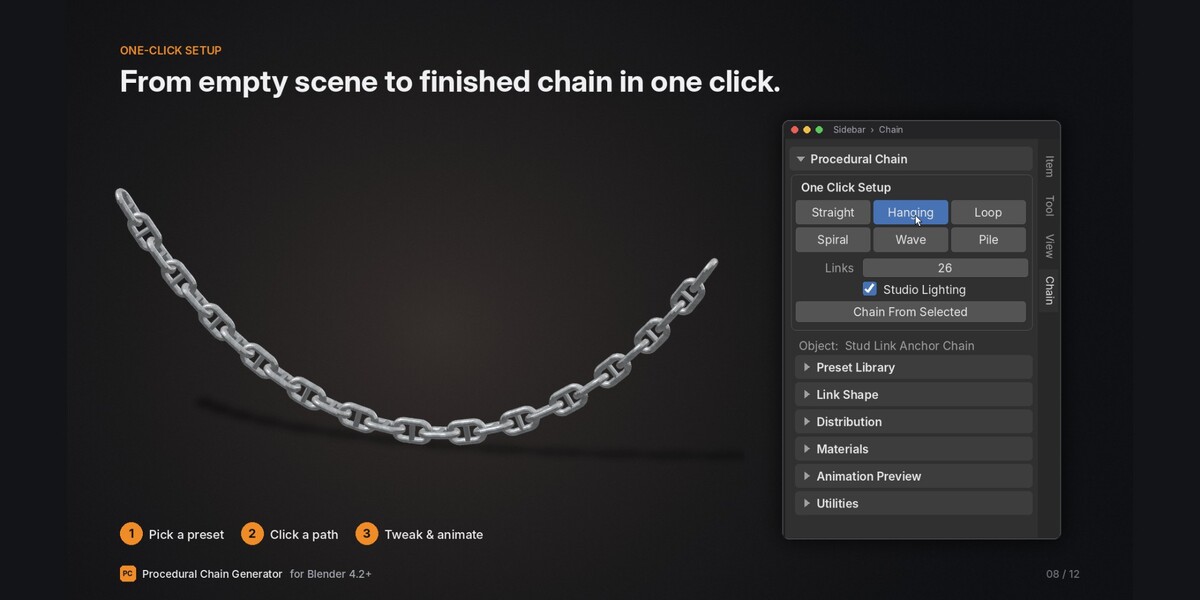
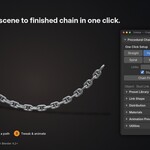
One-Click Chain Creation: Generate complete chains on ready-made paths with a single click.
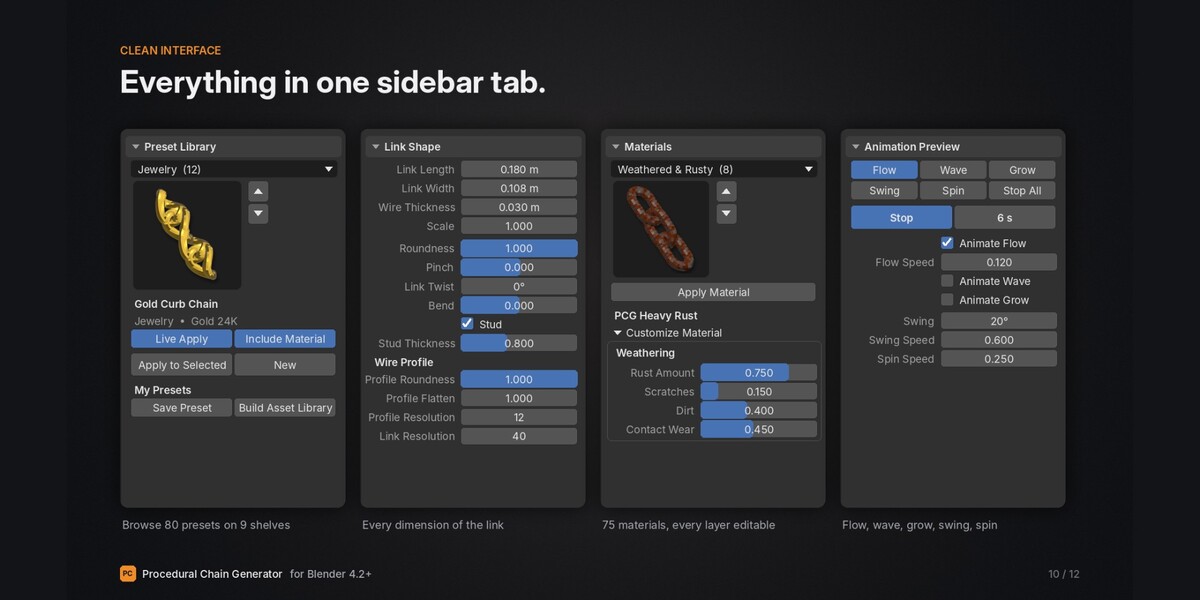
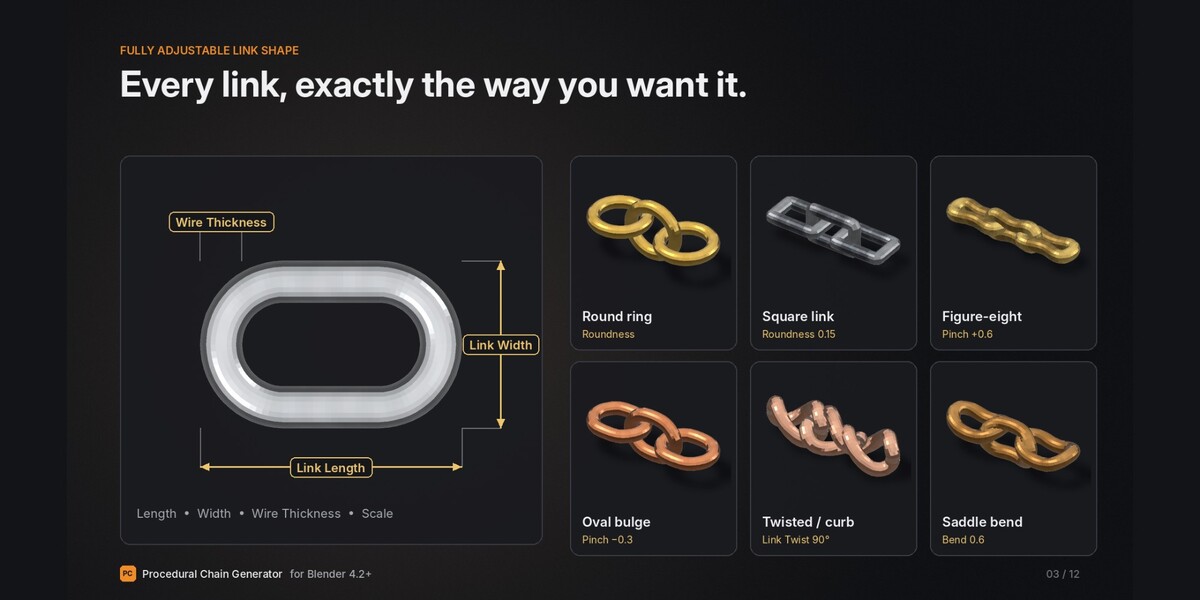
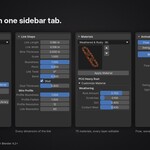
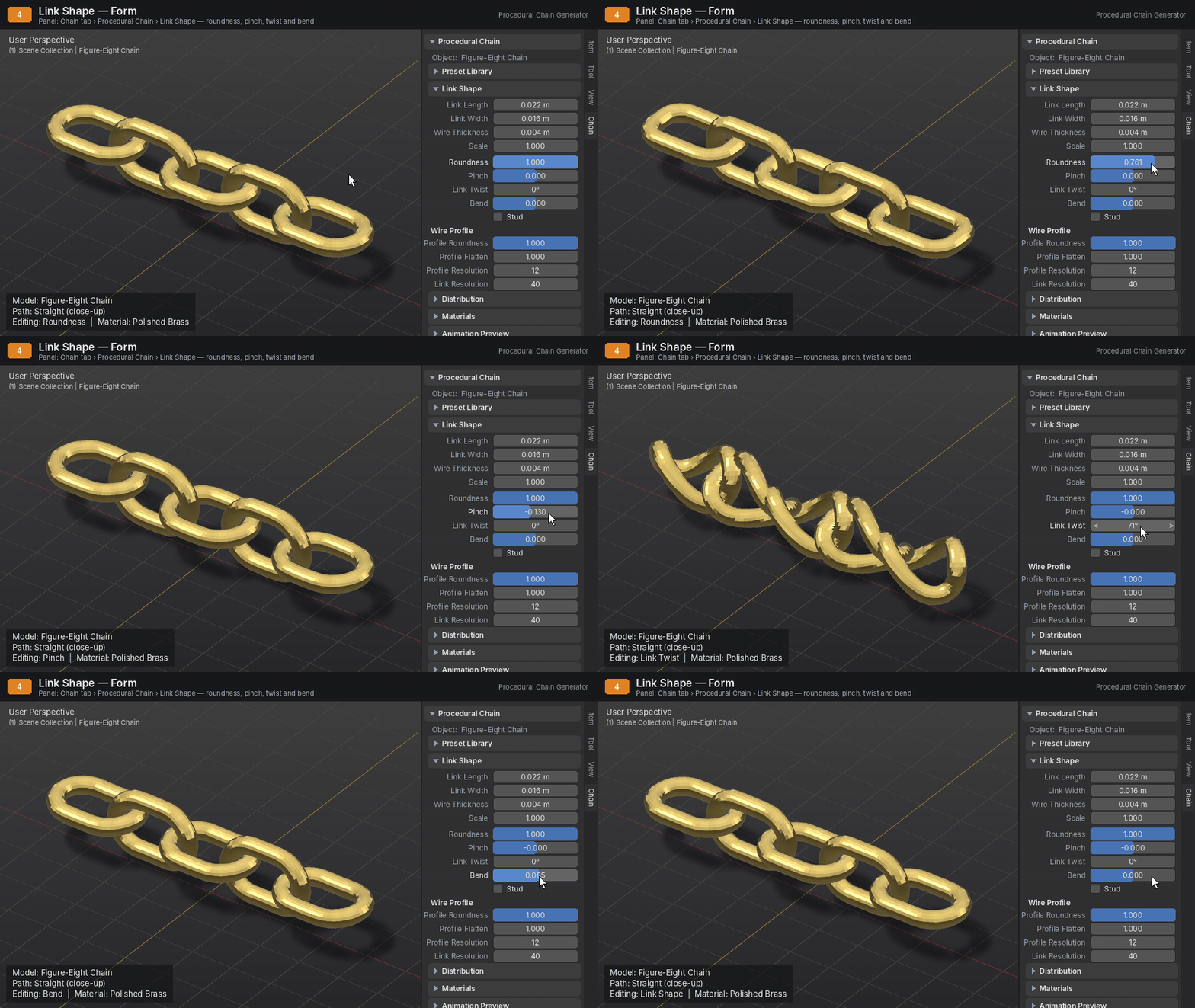
Custom Link Geometry: Control link length, width, wire thickness, roundness, pinch, twist, bend, and more.
Advanced Distribution Controls: Adjust link spacing, rotation, offset, trimming, and random variation.
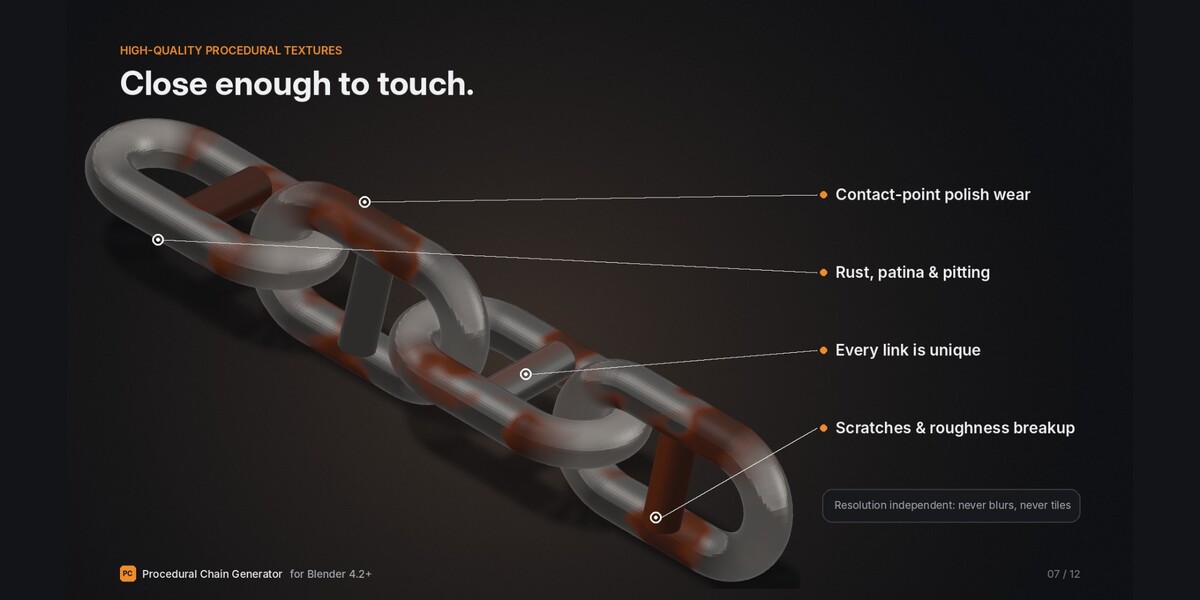
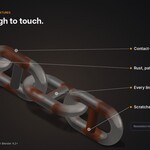
Procedural PBR Materials: Create realistic surfaces featuring scratches, rust, dirt, pitting, patina, and contact wear.
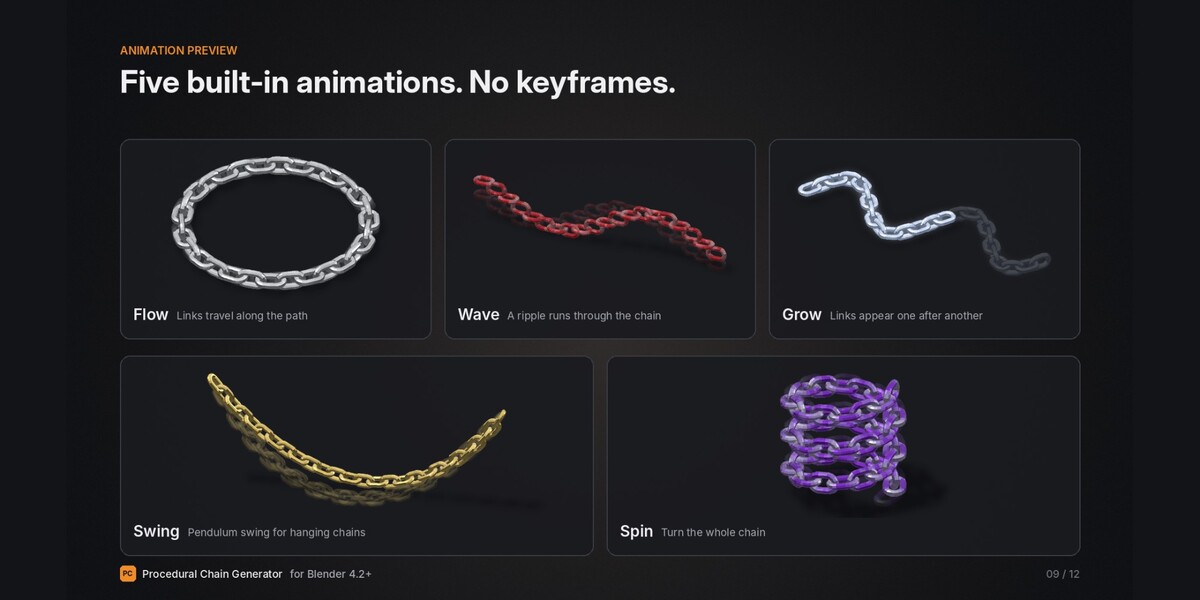
5 Built-in Animation Modes: Create Flow, Wave, Grow, Swing, and Spin animations without manually creating keyframes.
Custom Preset Saving: Save your own chain configurations and reuse them whenever needed.
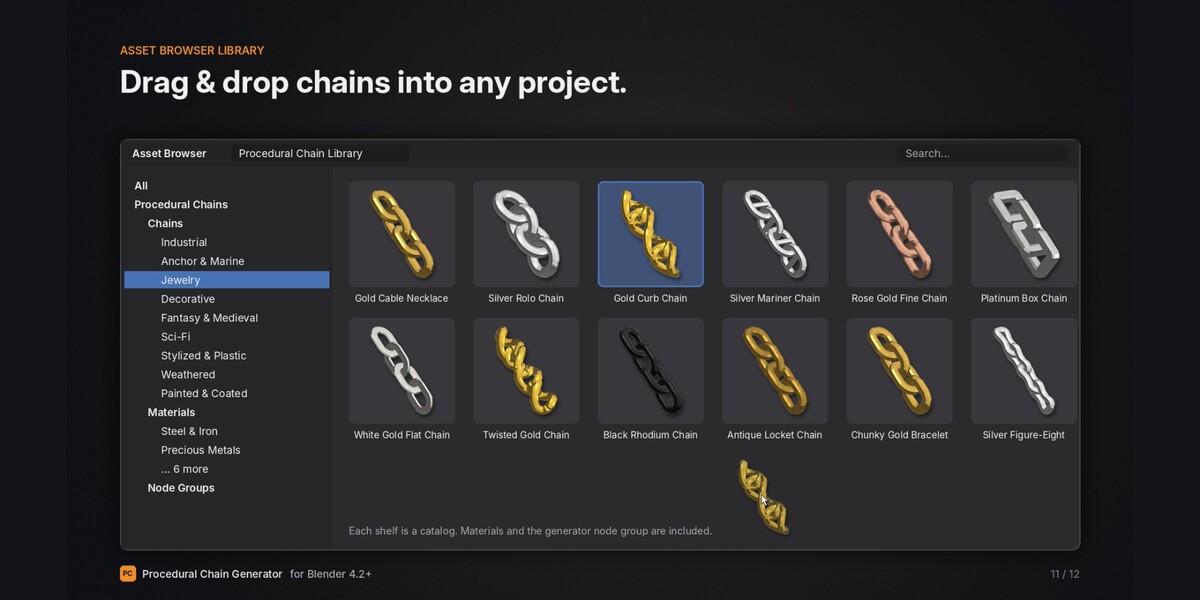
Asset Browser Integration: Export presets and materials into a dedicated Blender Asset Library.
Studio Setup: Automatically create a camera, three area lights, floor, and world for presentation.
Export-Ready Workflow: Convert procedural chains into editable mesh geometry when required.
⚙️ REQUIREMENTS
Software: Blender 4.2 LTS or newer.
Render Engines: Cycles and EEVEE.
Installation Format: ZIP add-on package.
Workflow: Geometry Nodes and procedural materials.
📦 WHAT'S INCLUDED?
The Procedural Chain Generator includes:
Included Content |
Quantity |
|---|---|
Ready-made chain presets |
80 |
Procedural materials |
75 |
Preset library categories |
9 |
Material library categories |
8 |
Animation modes |
5 |
One-click path options |
6 |
Custom preset support |
Yes |
Asset Browser export |
Yes |
🎨 CHAIN PRESET LIBRARY
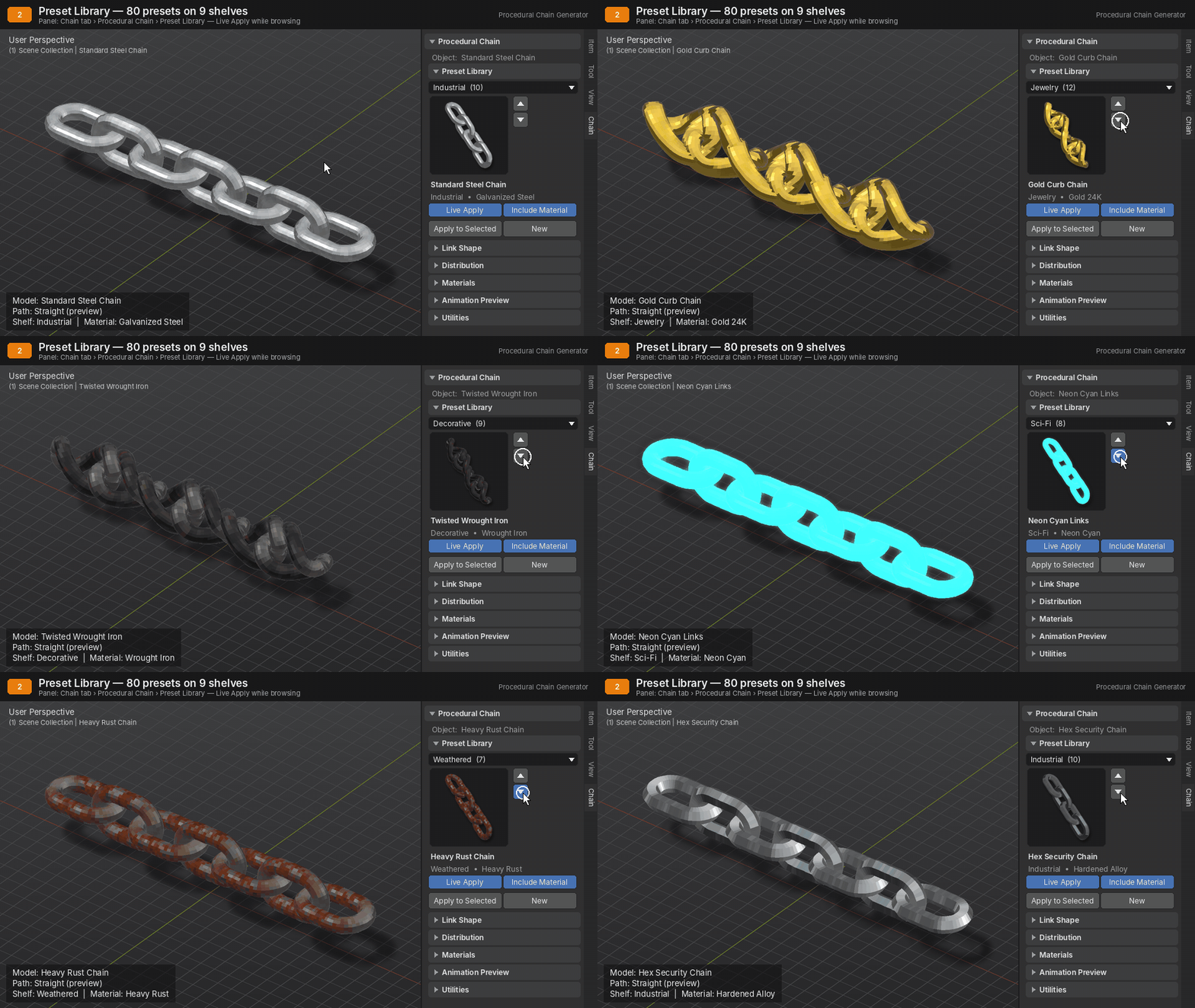
Explore 80 professionally designed chain presets, organized into 9 convenient shelves.
1. Industrial (10 Presets)
Standard chains, long-link chains, proof coils, G80 lifting chains, square-link chains, and hex security chains.
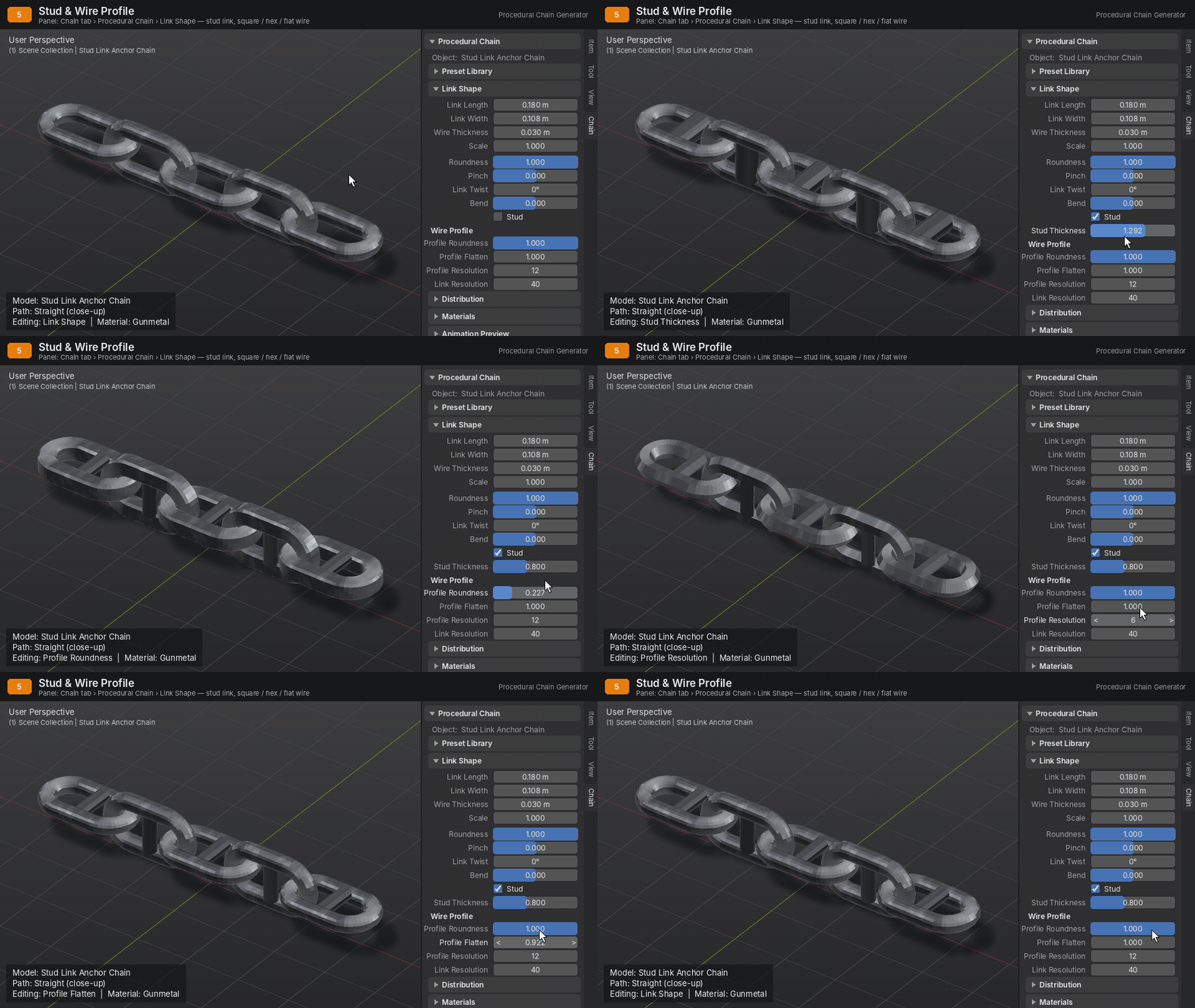
2. Anchor & Marine (8 Presets)
Stud-link anchor chains, mooring chains, shipwreck chains, and brass ship chains.
3. Jewelry (12 Presets)
Cable, rolo, curb, mariner, box, flat, twisted, and figure-eight necklace and bracelet designs.
4. Decorative (9 Presets)
Lamp chains, chandelier chains, garden chains, rain chains, and saddle chains.
5. Fantasy & Medieval (9 Presets)
Dungeon chains, ancient bronze, mithril, lava-forged, bone, ghost, wooden, and frozen chains.
6. Sci-Fi (8 Presets)
Neon, plasma, adamantium, carbon fibre, hex-tech, and titanium chain designs.
7. Stylized & Plastic (8 Presets)
Cartoon chains, barrier chains, rubber chains, glass chains, and crystal chains.
8. Weathered (7 Presets)
Light rust, heavy rust, corroded metal, barn chains, tarnished finishes, chipped paint, and verdigris.
9. Painted & Coated (9 Presets)
Safety orange, enamel, candy apple, matte black, anodized, and military finishes.
🛠️ ONE-CLICK CHAIN GENERATION
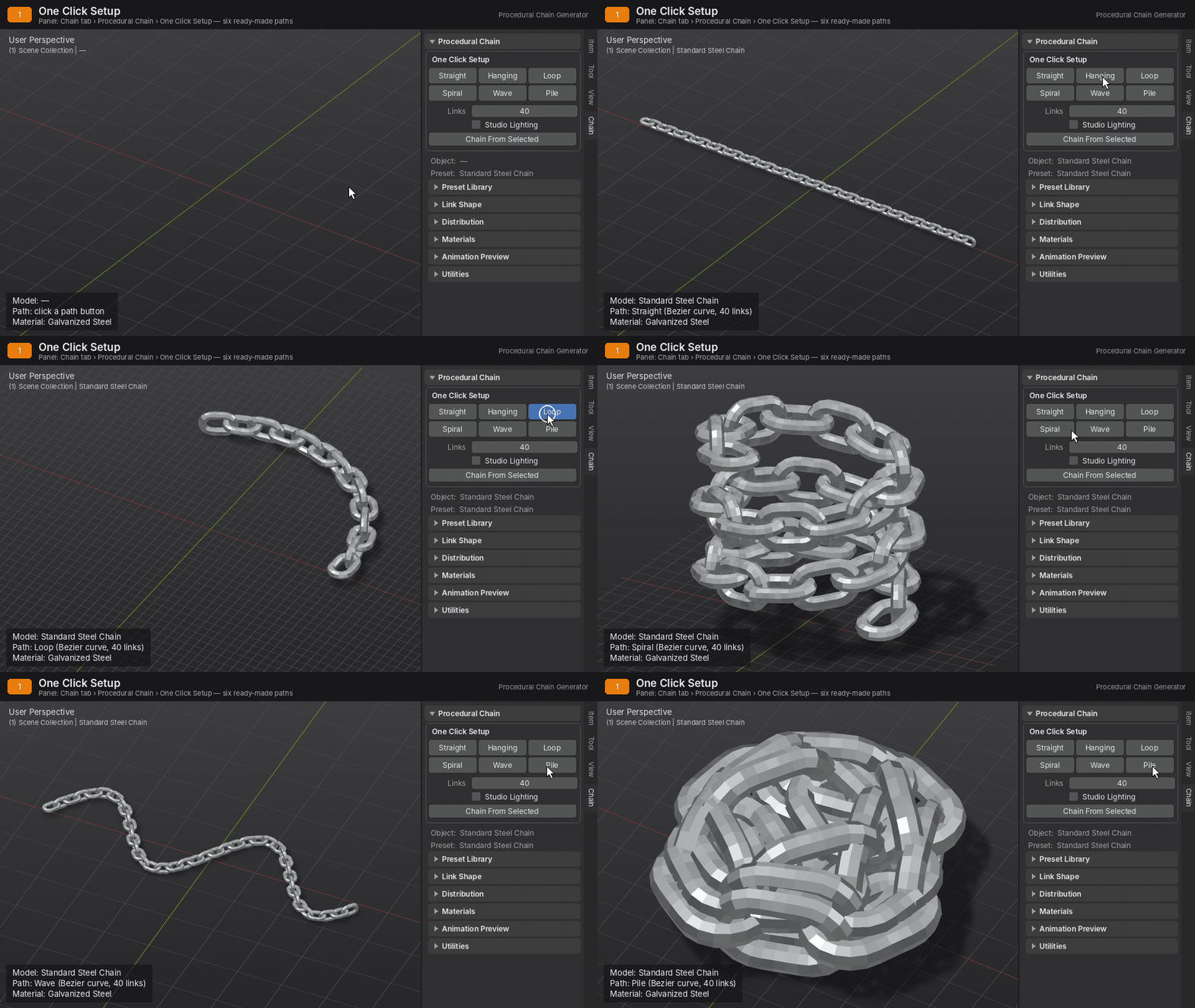
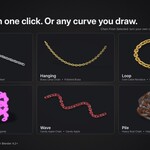
Create complete chains instantly using six built-in path options. Each option generates an editable Bezier curve and a fully configured chain using your currently selected preset.
Available Path Types:
Straight: Create a simple straight chain, ideal for close-up renders and custom starting points.
Hanging: Generate a naturally sagging chain between two anchor points using a catenary shape.
Loop: Create a closed circular chain for necklaces, bracelets, and conveyor systems.
Spiral: Generate a three-turn helical chain.
Wave: Create an S-shaped chain lying along the ground.
Pile: Generate a loose, coiled chain as if it had been dropped.
Chain From Selected: Convert your own curves or edge-only meshes into fully procedural chains using the currently selected preset.
Studio Setup Toggle: Automatically add a camera, three area lights, a dark floor, and a world environment to newly generated chains.
🔗 COMPLETE LINK SHAPE CUSTOMIZATION
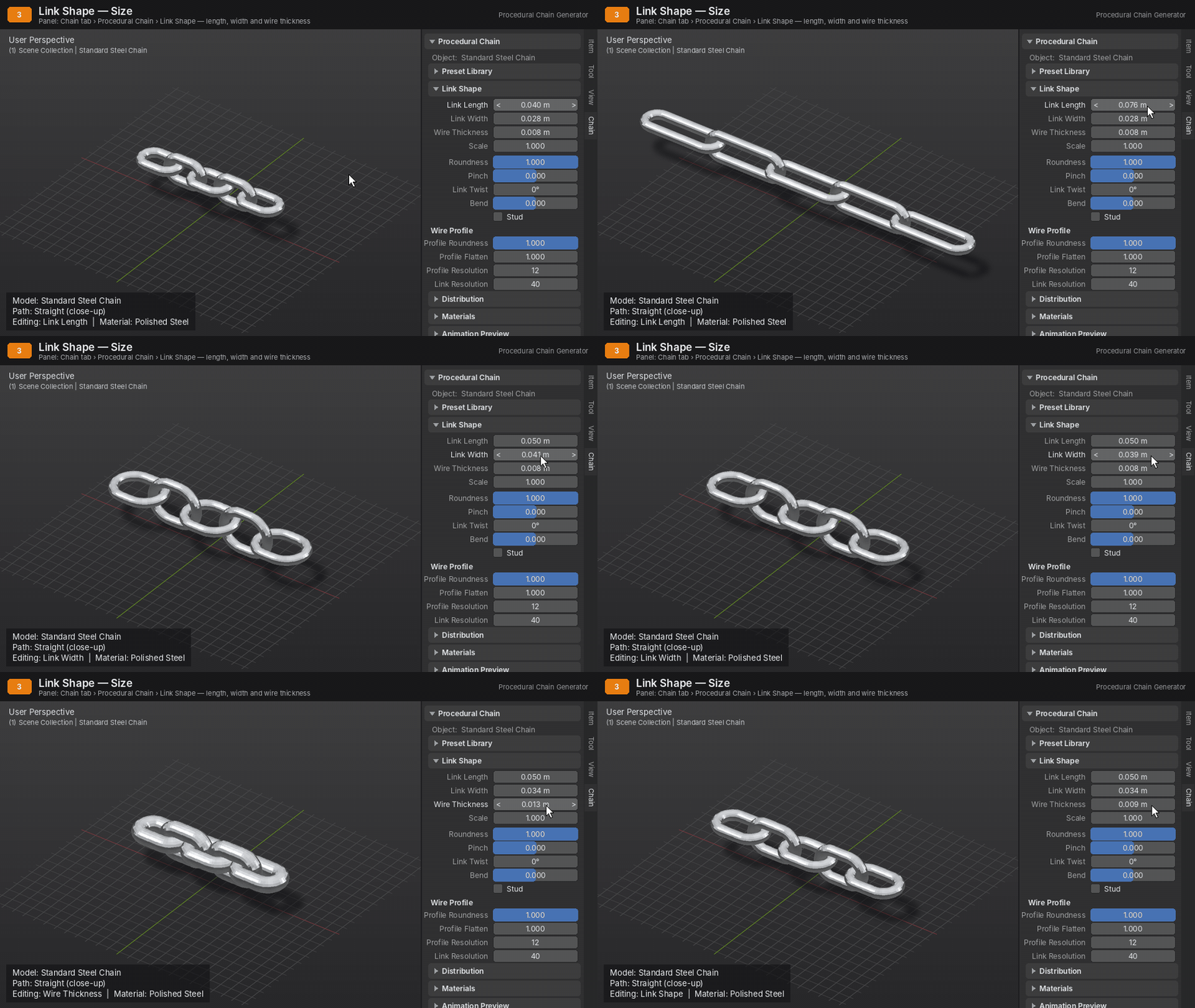
Every chain link can be customized to achieve the exact geometry you need.
Size Controls
Link Length: Set the outer length of each individual link.
Link Width: Control the outer width of the link.
Wire Thickness: Adjust the diameter of the wire used to form the link.
Scale: Resize all three dimensions together while preserving proportions.
Shape Controls
Roundness: Adjust corners from square to fully rounded.
Pinch: Squeeze the middle of a link to create figure-eight shapes or expand it into an oval.
Link Twist: Twist each link around its long axis for curb and twisted jewelry styles.
Bend: Curve the link out of its plane to create a saddle-like shape.
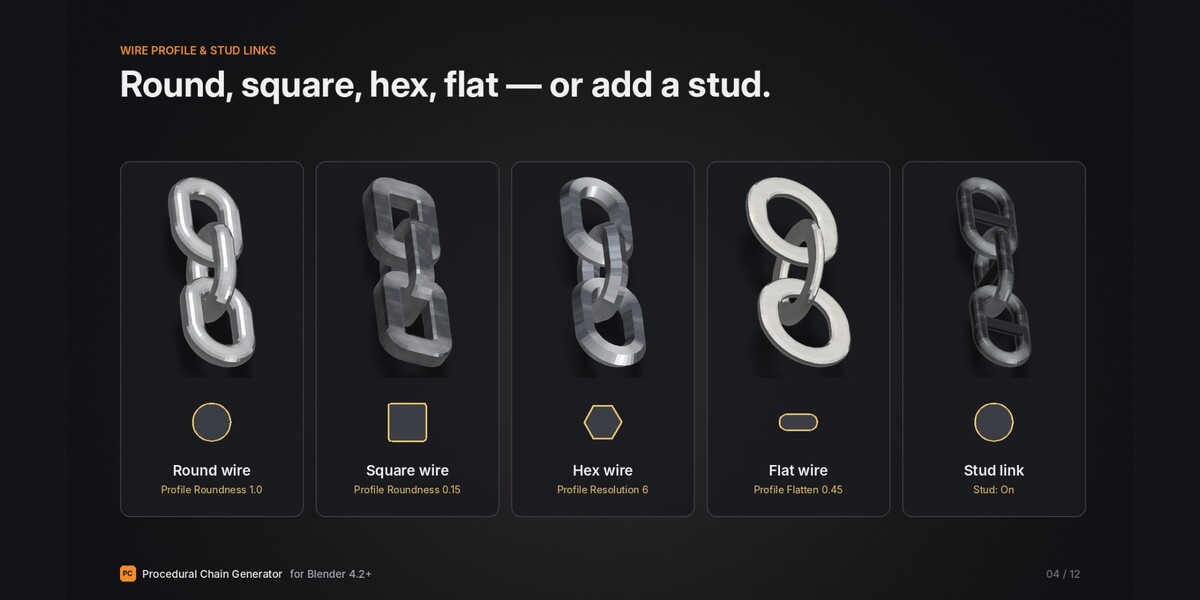
Stud: Add a crossbar for anchor and stud-link chains.
Stud Thickness: Adjust the diameter of the crossbar relative to the wire.
Wire Profile Controls
Profile Roundness: Switch between square and round wire profiles.
Profile Flatten: Stretch or flatten the wire cross-section.
Profile Resolution: Control the number of points around the wire.
Link Resolution: Adjust the number of points along each link.
Shade Smooth: Enable or disable smooth shading.
📐 ADVANCED CHAIN DISTRIBUTION
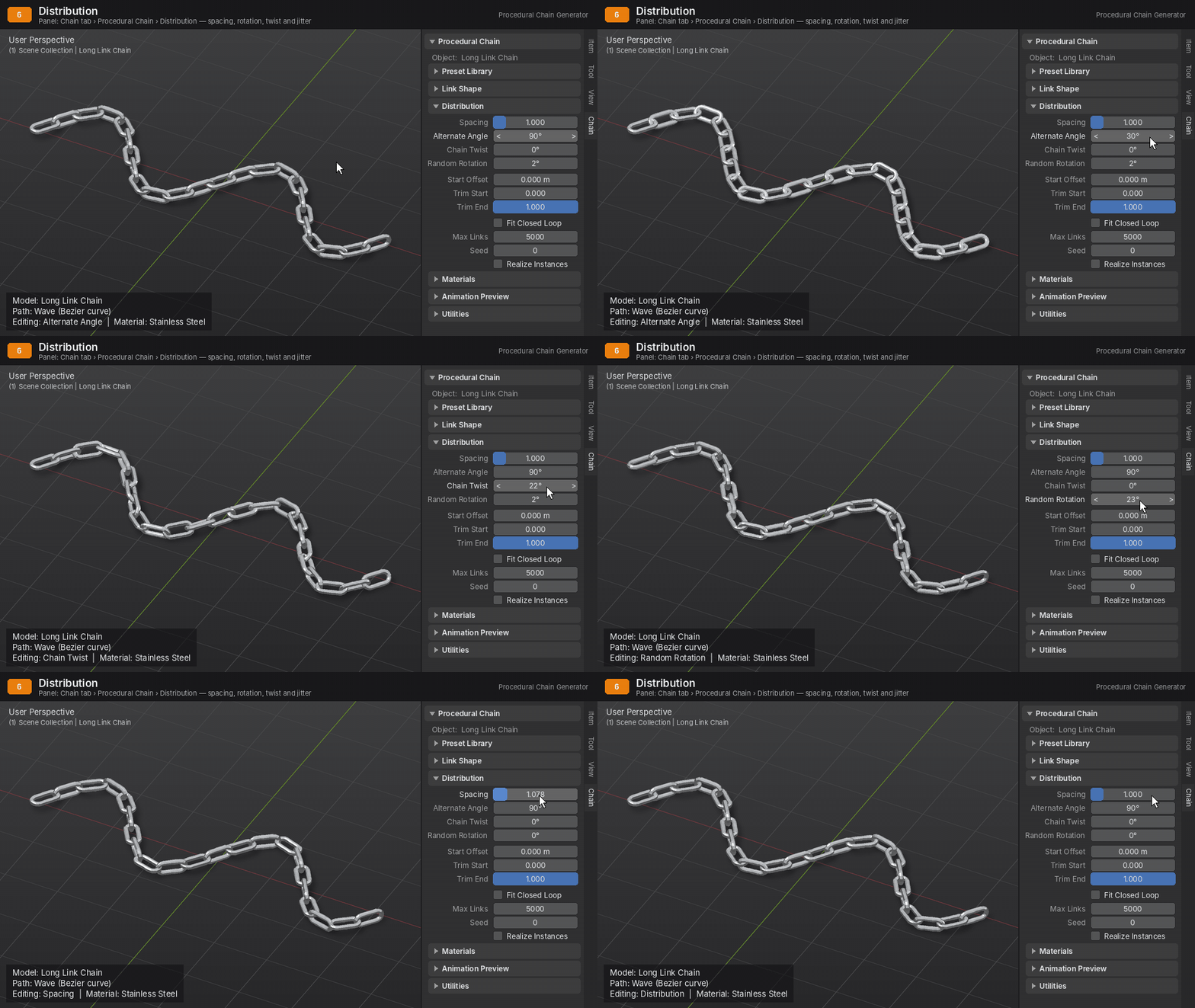
Take full control over how links are positioned, spaced, and rotated along your curve.
Spacing: Control the distance between links. A value of 1.0 makes links touch.
Alternate Angle: Set the rotation of every second link. 90° creates a classic chain arrangement.
Chain Twist: Add progressive rotation to create a rope-like spiral effect.
Random Rotation: Introduce natural variations for realistic heavy or weathered chains.
Start Offset: Slide all links along the curve.
Trim Start: Control where the chain begins along the curve.
Trim End: Control where the chain finishes.
Fit Closed Loop: Automatically adjust spacing to close circular chains without visible seams.
Max Links: Set a safety limit for the total number of generated links.
Seed: Change random rotation and individual texture variations.
Realize Instances: Convert instances into real geometry when necessary.
🗂️ CUSTOM PRESETS & ASSET BROWSER
Save your own creations and build a reusable chain library.
The preset system allows you to store complete chain configurations, including link geometry, distribution settings, and matching materials.
My Presets
Save your current chain settings under a custom name.
Automatically store your presets between Blender sessions.
Access your saved presets from the My Presets shelf.
Remove unwanted presets whenever needed.
Blender Asset Browser Integration
Use Build Asset Library to export every preset, material, and generator node group into a single .blend library file.
Automatically organize assets into separate catalogs.
Create a dedicated Procedural Chain Library.
Drag and drop chains and materials directly into your projects.
Save the library in Blender's user data folder or choose a custom location, such as a shared studio drive.
🎭 75 PROCEDURAL MATERIALS
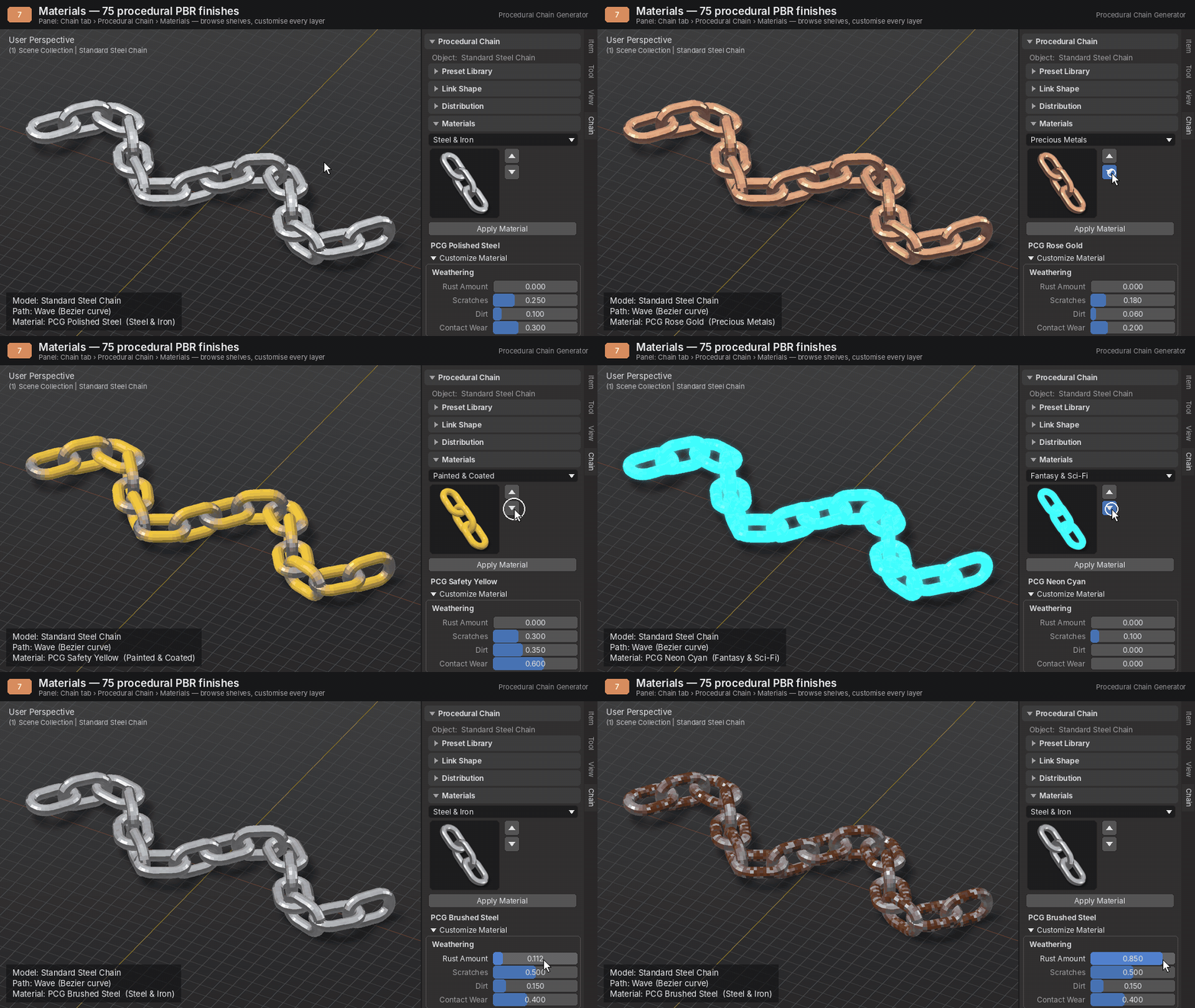
Create realistic surfaces with a comprehensive collection of 75 fully procedural materials.
All materials use a shared layered shader, allowing you to customize their appearance without relying on fixed image textures.
Material Categories
Steel & Iron (14): Polished steel, brushed metal, stainless steel, galvanized metal, black oxide, chrome, titanium, and blued steel.
Precious Metals (9): Different karats of gold, rose gold, white gold, silver, tarnished silver, platinum, and black rhodium.
Copper & Bronze (9): Polished and aged copper, brass, bronze, and verdigris.
Weathered & Rusty (8): Light rust, heavy rust, corroded iron, shipwreck metal, dungeon iron, and burnt steel.
Painted & Coated (10): Safety colors, powder coatings, enamel, chipped paint, and candy apple finishes.
Anodized (6): Blue, red, purple, gold, green, and black anodized finishes.
Plastic, Glass & Rubber (8): Plastic, rubber, clear glass, crystals, and frosted acrylic.
Fantasy & Sci-Fi (11): Neon, plasma, lava-forged metal, obsidian, mithril, adamantium, carbon fibre, ice, ghost, bone, and carved wood.
✨ REALISTIC PROCEDURAL SURFACE DETAILS
The layered shader combines multiple surface effects to create detailed and convincing materials.
Surface Features Include:
Color and roughness variation.
Directional scratches in two directions.
Rust and patina effects.
Surface pitting and imperfections.
Dirt accumulation in crevices.
Detailed bump mapping.
Realistic contact wear where individual links rub against each other.
Intelligent Contact Wear
One of the standout features is its contact-wear system. Real chains develop polished areas where links repeatedly rub against one another. The shader recreates this effect by brightening those contact areas.
Consistent Texture Scale
Procedural details are measured in link space, keeping their size consistent whether you're creating a small jewelry chain or a massive industrial anchor chain.
Each link also receives its own random texture offset, helping avoid repetitive appearances.
Material Customization
Use the material browser to select and apply a finish, or activate Live Apply to preview materials while browsing.
The Customize Material panel provides four main groups:
Surface: Color, metallic, roughness, anisotropy, and clear coat.
Weathering: Rust, scratches, dirt, and wear.
Detail: Bump, pitting, and texture scale.
Special: Emission, transmission, and IOR.
Make Unique: Duplicate a shared material before editing if you want changes to affect only one chain.
Reset Material: Restore the original material library values.
🎬 BUILT-IN ANIMATION SYSTEM
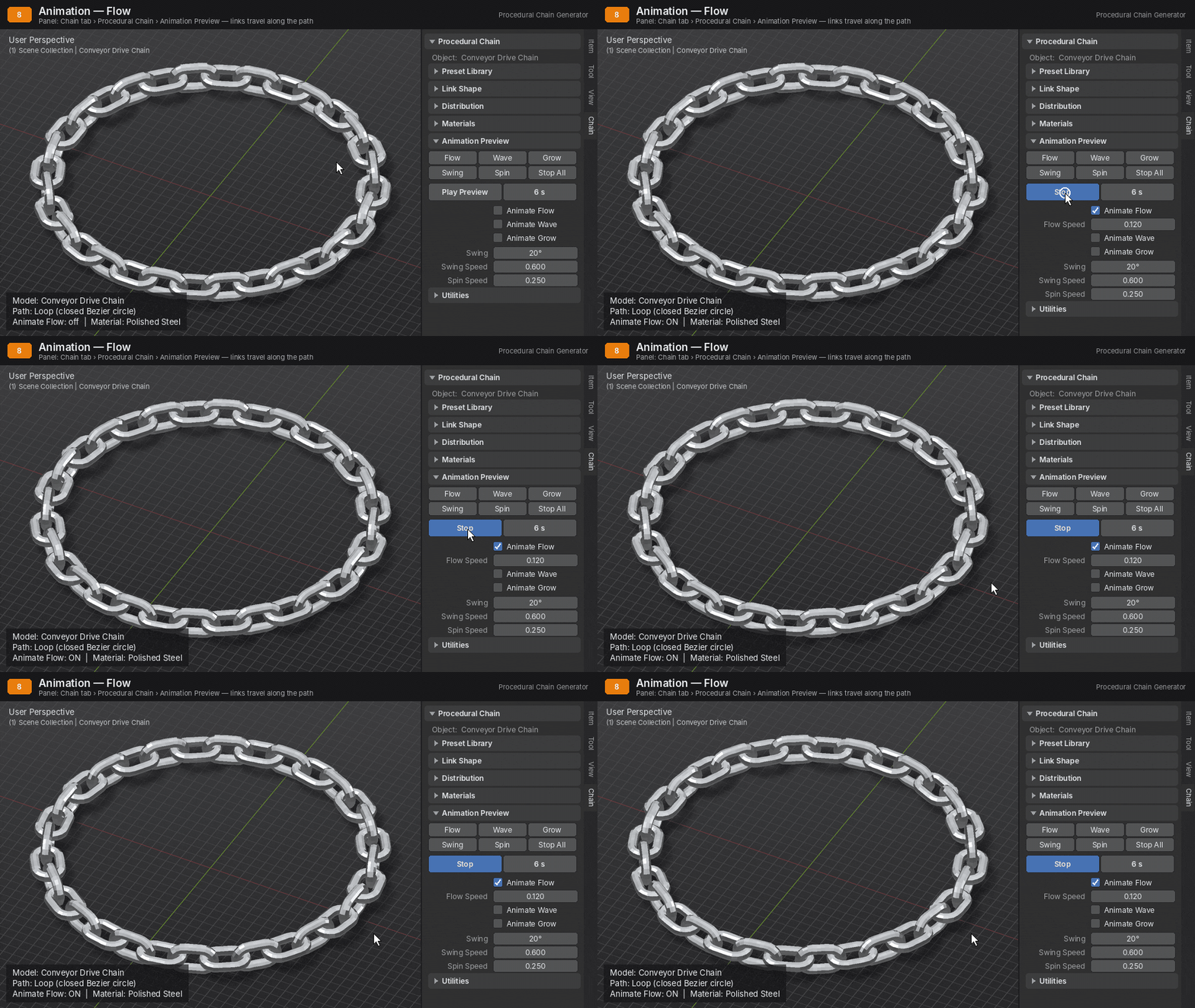
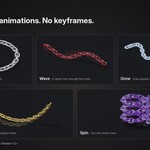
Bring your chains to life with five procedural animation modes. No manual keyframes are required.
01. Flow Animation
Move links continuously along the chain path, ideal for conveyor systems, winches, and moving mechanical elements.
Closed loops circulate endlessly.
Open paths allow links to enter at the beginning and leave at the end.
Adjust Flow Speed to control movement.
Use negative speed values to reverse direction.
02. Wave Animation
Create a moving ripple throughout the chain.
Wave Amplitude controls the height of the movement.
Wave Frequency controls how tightly the chain bends.
Wave Speed controls how quickly the wave travels.
03. Grow Animation
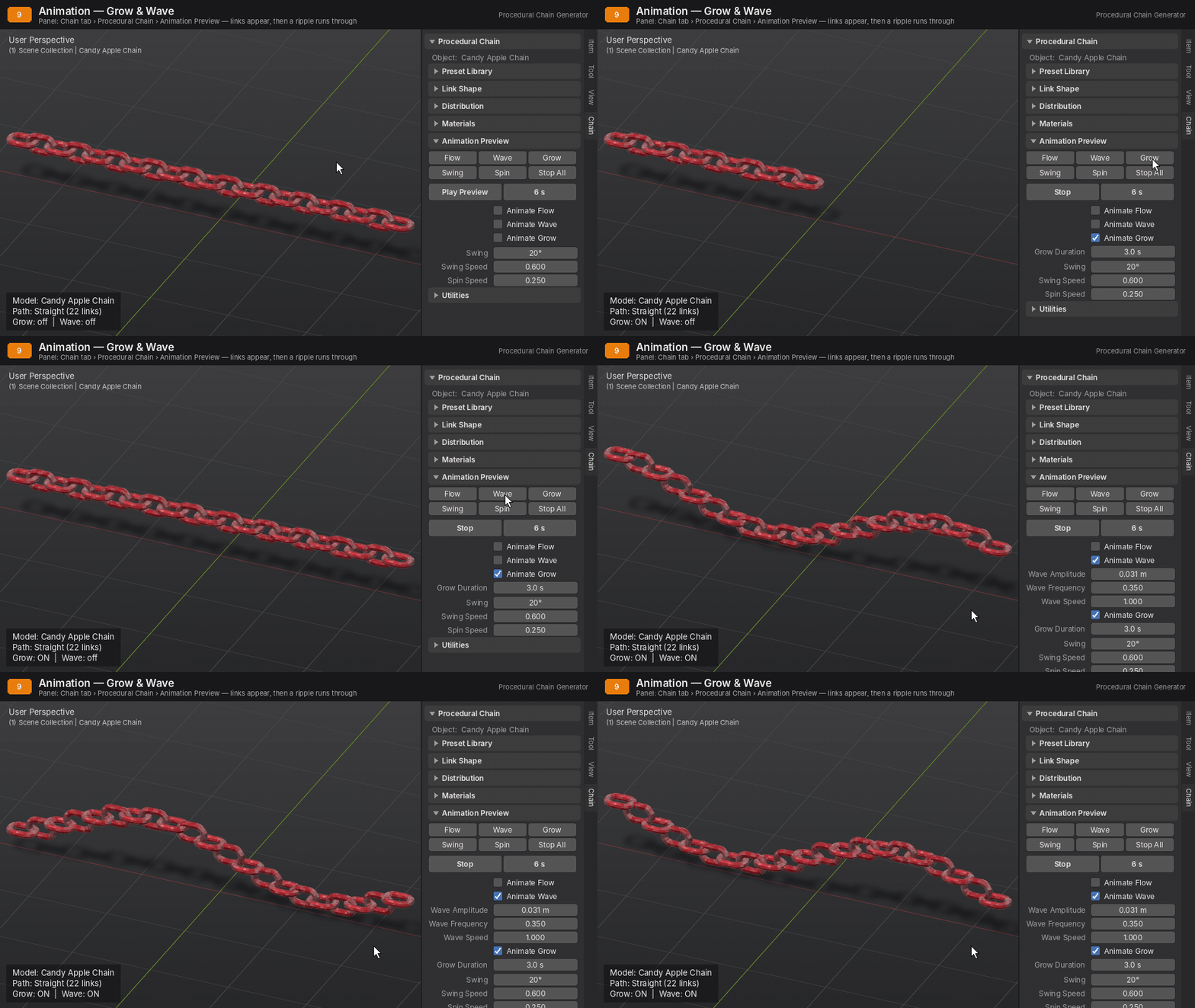
Make the chain appear progressively, with links emerging one after another until the complete chain is generated.
Adjust Grow Duration to control the animation length.
04. Swing Animation
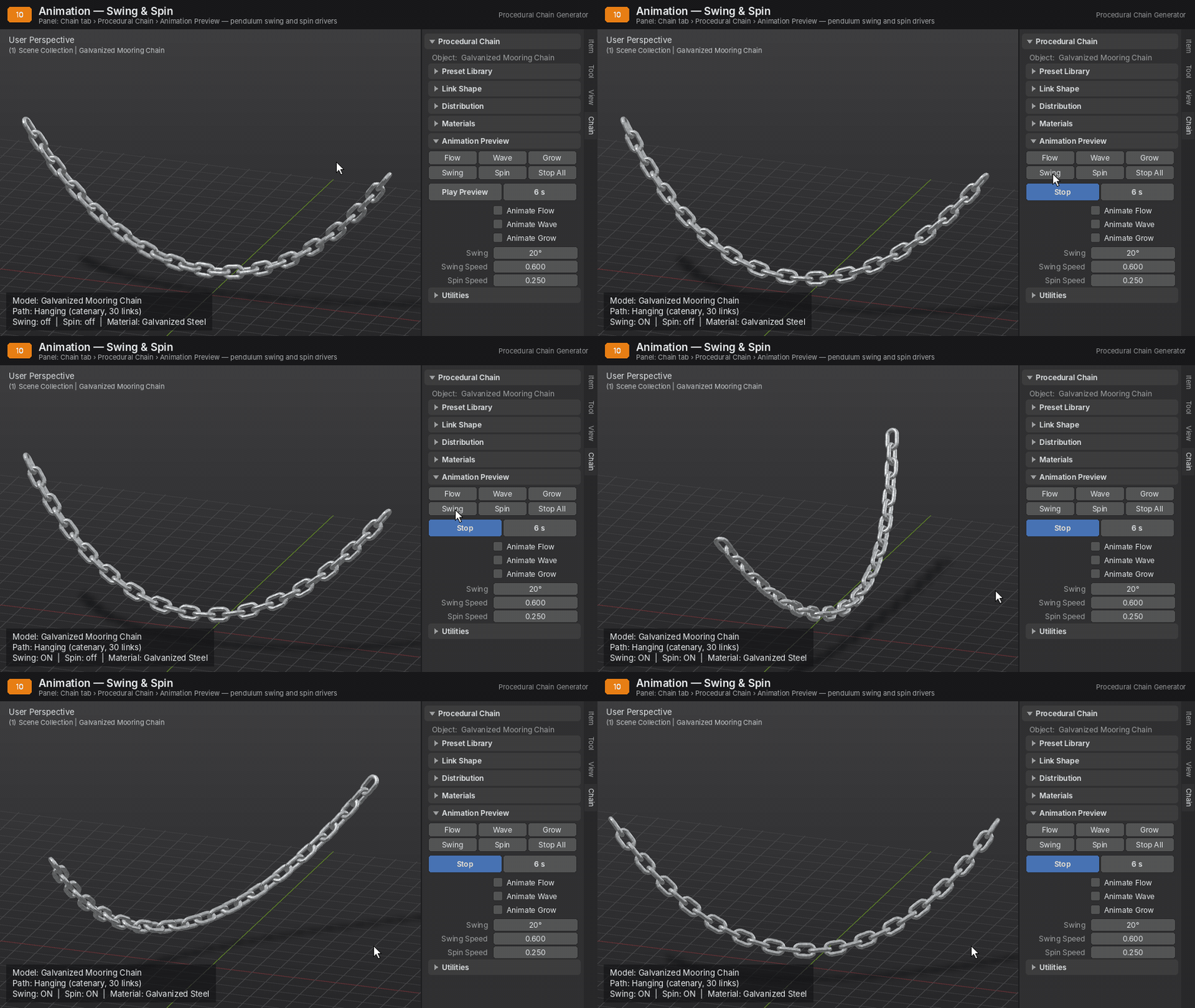
Create natural pendulum-like movement for hanging chains.
Swing controls the angle.
Swing Speed controls the number of swings per second.
Works especially well with the Hanging path.
05. Spin Animation
Rotate the entire chain around its vertical axis.
Adjust Spin Speed to control the number of rotations per second.
Animation Controls
Play Preview to start animation playback.
Preview Length to define the playback duration.
Stop All to disable every animation and reset the chain's rotation.
Combine animation modes to create more complex motion effects.
🔧 UTILITIES & WORKFLOW TOOLS
Additional tools help streamline your workflow and prepare chains for different production requirements.
Randomize Look
Generate quick variations by randomly selecting a preset, material, and new random seed from the current library shelves.
Studio Setup
Automatically create a presentation environment featuring a camera, three area lights, a floor, and a dark world background.
Convert to Mesh
Create a real, editable mesh copy of your chain with its material. The original procedural chain is hidden, allowing you to return to it whenever necessary.
Rebuild / Repair Nodes
Generate a fresh chain generator node group and move selected chains onto it while preserving their existing settings.
📤 EXPORTING & COMPATIBILITY
Procedural chains use instances to keep Blender scenes lightweight and efficient.
However, some external applications and exporters may not support instances directly.
Before exporting to FBX, OBJ, glTF, or a game engine, use one of the following options:
Convert to Mesh: Create real editable geometry.
Realize Instances: Convert all instanced links into actual geometry.
Important: Procedural materials do not automatically transfer to other software. If your target application requires image textures, bake the materials to image textures inside Blender before exporting.
💡 WORKFLOW TIPS
Use Scale instead of changing individual dimensions when resizing a chain while preserving its proportions.
Add a few degrees of Random Rotation to heavy or weathered chains for a more natural appearance.
Increase Profile Resolution to 16–24 for close-up renders.
Reduce Profile Resolution to 6–8 for distant chains to keep scenes efficient.
Use mesh edges to draw custom paths and convert them into procedural chains.
Keep Realize Instances disabled during regular editing for better performance.
❓ TROUBLESHOOTING
No chain appears
Make sure the selected object is a curve or an edge-only mesh. Also check that Trim End is greater than Trim Start.
Links overlap on a closed loop
Enable Fit Closed Loop to automatically adjust the spacing.
Links look too dense or too sparse
The chain may be out of scale with its curve. Adjust Scale or Spacing, and check the Max Links setting.
Editing one material changes other chains
Materials are shared across chains. Use Make Unique before editing if you want to modify only one chain.
Interface panels show no controls
Select the actual procedural chain object rather than the studio objects or a converted mesh.
📥 INSTALLATION GUIDE
Installing the Procedural Chain Generator is simple.
Open Blender.
Navigate to Edit → Preferences → Add-ons.
Click the small arrow menu in the upper-right corner.
Select Install from Disk.
Choose
procedural_chain_addon.zip.Enable Procedural Chain Generator.
Open the 3D Viewport and press N.
Navigate to the Chain tab to access the add-on.
You can also access chain creation through Add → Procedural Chain.
Updating the Add-on
To install a newer version, disable and remove the previous version, restart Blender, and install the new ZIP package.
Your saved custom presets are stored in Blender's user data folder and remain available after updates.
🚀 PERFECT FOR
The Procedural Chain Generator is suitable for a wide range of Blender projects, including:
Product visualization and jewelry rendering.
Industrial and mechanical modelling.
Marine and nautical environments.
Architectural visualization.
Game asset creation.
Fantasy and medieval environments.
Science-fiction and futuristic scenes.
Motion graphics and animation.
Cinematic and VFX production.
Decorative and stylized 3D artwork.
⭐ WHY CHOOSE PROCEDURAL CHAIN GENERATOR?
Stop manually modelling individual chain links.
With 80 ready-made presets, 75 procedural materials, advanced Geometry Nodes controls, and five built-in animation systems, you can create everything from delicate jewelry chains to massive industrial chains in a streamlined, non-destructive workflow.
Customize every detail, experiment with different materials, animate your creations, and build your own reusable chain library.