Procedural Gift Generator
 NodeMonkey


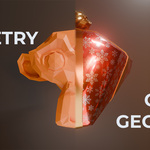
📖 Procedural Gift Generator Documentation
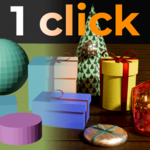
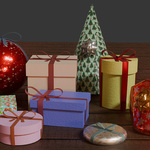
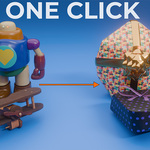
Welcome to the official documentation for the Procedural Gift Generator. This tool is designed to be a "1-click" solution for wrapping geometry, but it offers deep customization via the Modifier tab.
🚀 Quick Start Guide
Append the Node: In your project, go to File > Append, locate the downloaded .blend file, and navigate to NodeTree > gift generator v17
Apply to Mesh: Select the object you want to wrap. In the Modifiers tab, add a Geometry Nodes modifier and select the "gift generator v17" node tree.
Customize: Use the sliders in the modifier panel to adjust the fit, ribbons, and bows.
⚙️ Parameter Guide
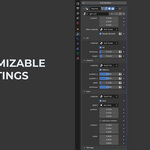
The Procedural Gift Generator is controlled entirely through the Modifier tab. Parameters are grouped for an easy workflow:
Main Settings
Rotation: Adjust the overall orientation of the gift wrapping.
Main Material: Apply your primary wrapping paper texture here.
Shade Smooth: Toggle between faceted or smooth shading for the paper geometry.
Lid Controls
Material: Set a unique material for the lid (allows for two-tone gift designs).
Lid (Checkbox): Toggle the entire lid geometry on or off.
Thickness: Adjust how thick the lid cardboard appears.
Height: Controls how far down the lid extends over the base of the gift.
Ribbons Controls
Material: Set the material for the ribbon strips.
Ribbons (Checkbox): Enable or disable the crossing ribbons.
Position X / Y: Offset the ribbons along the surface to find the perfect placement.
Width: Controls how wide the ribbon strips are.
Thickness: Adjusts the physical depth/offset of the ribbons from the paper.
Bow Controls
Material: Set the material for the bow asset.
Bow (Checkbox): Toggle the top bow on or off.
Object: A mesh picker that allows you to swap between the included bows or use your own custom assets.
Position / Rotation / Scale: Fine-tune the transform of the bow to ensure it sits perfectly on your specific mesh.
🛠 Technical Notes & Troubleshooting
"My textures aren't showing up correctly!"
The generator creates procedural UVs named UVMap. To use your own seamless textures:
Go to the Shader Editor.
Add an Attribute Node (Shift + A > Input > Attribute).
Type UVMap into the Name field.
Plug the Vector output into the Vector input of your Image Texture (or Mapping node).
Shade Smooth Issues:
If the bounding box appears faceted, ensure the "Shade Smooth" toggle in the modifier panel is enabled.
🕒 Version History (Changelog)
v17 (Dec 30, 2025)
Fixed "Shade Smooth" bug affecting Bounding Box and Cylinder shapes.
v16 (Dec 30, 2025)
Adjusted Lid Thickness calculations to prevent it from adding unwanted height to the total box scale.
v15 (Dec 30, 2025)
Fixed a critical bug where Ribbon Normals were occasionally inverted on complex meshes.
v14 (Dec 29, 2025)
MAJOR UPDATE: Added "Bounding Box" and "Cylinder" as gift shape options. You can now wrap irregular or high-poly meshes into clean, geometric gift shapes instantly.
Support:
If you have questions or want to share your renders, please visit the NodeMonkey HQ Discord. Join the Discord Server Here!
Have questions about this product?
Login to message
| Dev Fund Contributor | |
| Published | 8 months ago |
| Blender Version | 5.0 - 5.2 |
| Render Engine Used | Cycles, Eevee |
| License | Royalty Free |
Discover more products like this
holiday decoration ribbon wrapping Christmas geometry nodes gift box birthday present Generator procedural