 Nuno Sousa
Procedural Screw
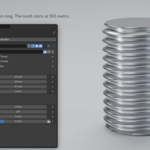
Bolts, screws, threaded rods and threaded holes from one Geometry Nodes modifier, closed and ready to render or 3D print.
Set a diameter, a length and a pitch, and Procedural Screw builds the thread as one clean, watertight mesh.
Shape the tooth with four sliders, or draw your own tooth and the thread follows it.
There are no Booleans inside: the head is welded to the thread, the mesh updates in milliseconds and stays closed at every setting.
What's included
- Procedural Screw 0.2: the modifier (Geometry Nodes asset, ready for the Asset Browser).
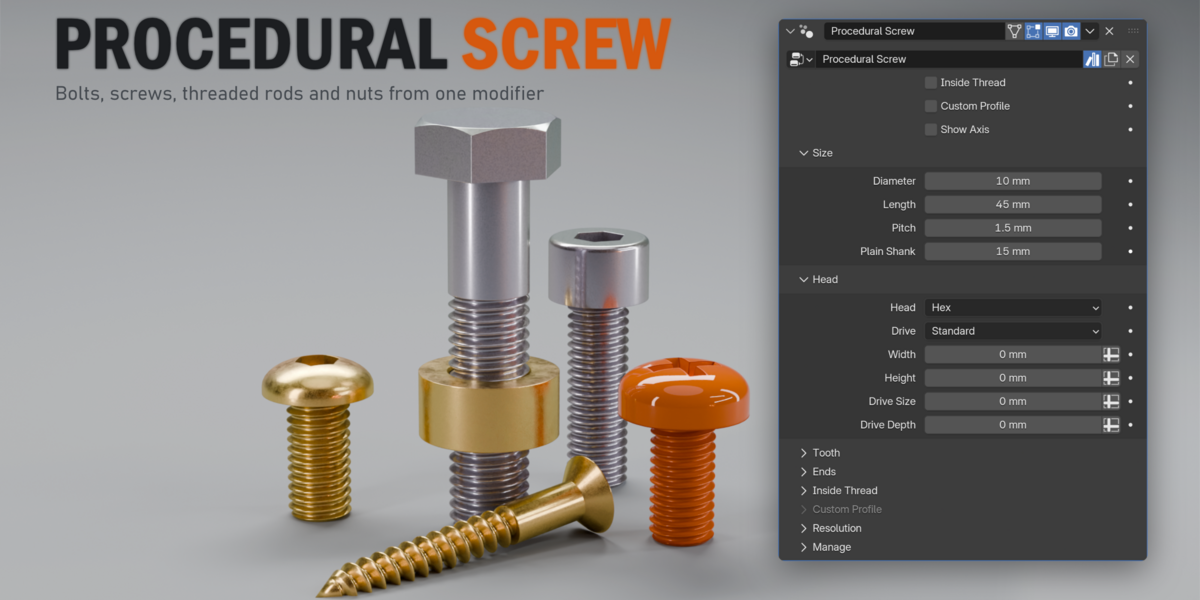
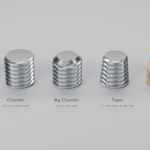
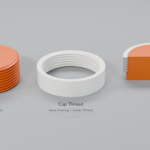
- A demo file with a threaded rod, a nut, a drawn bottle-cap tooth in Custom Profile mode, and six bolts and screws: a hex bolt with a plain shank, socket cap, countersunk, button, pan head and a wood screw.
- Requires Blender 5.0 or newer (tested in 5.0 and 5.1).
Highlights
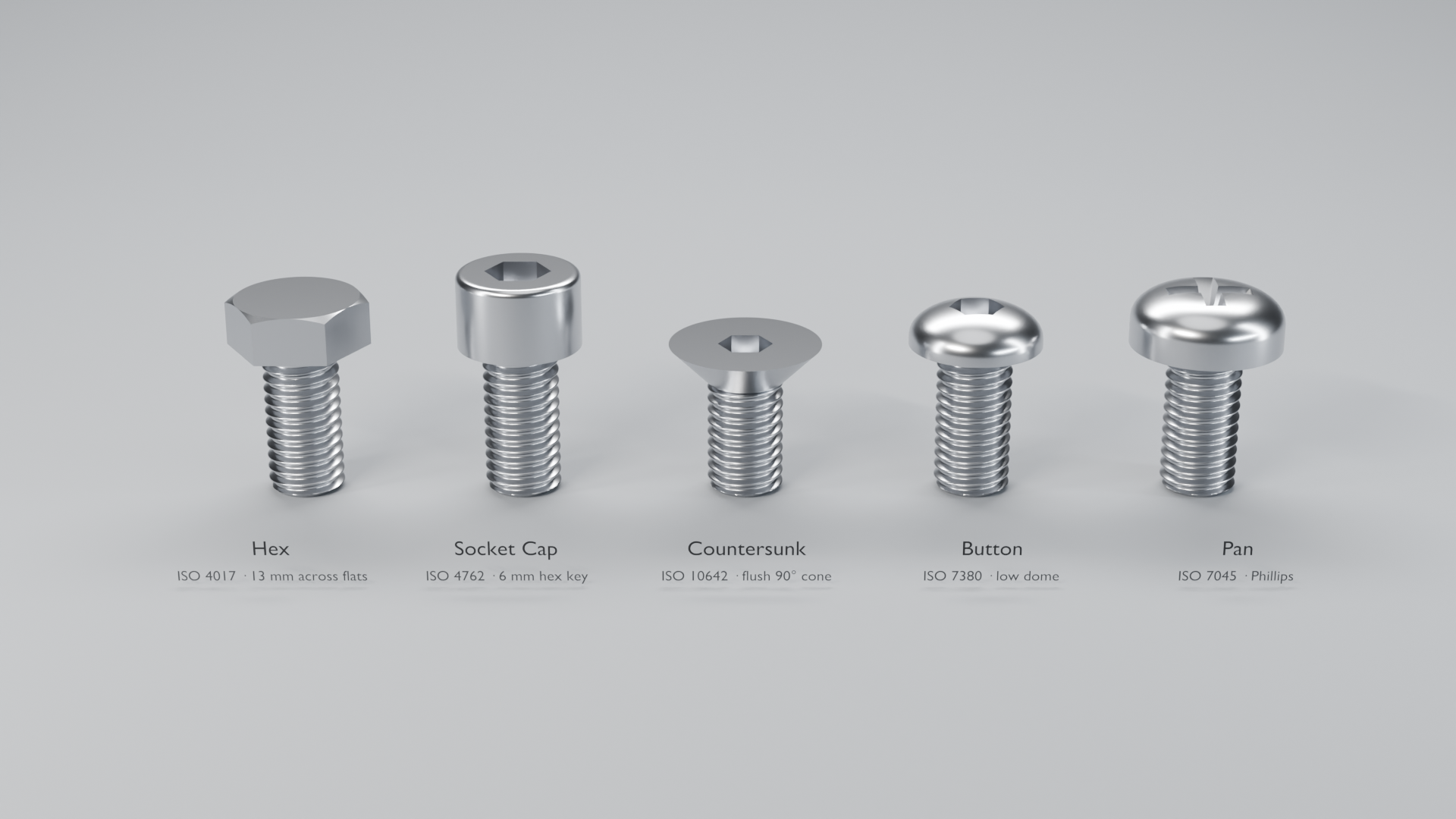
- Five ISO heads. Hex, socket cap, countersunk, button and pan, sized by ISO for the thread diameter. Override any size with a slider.
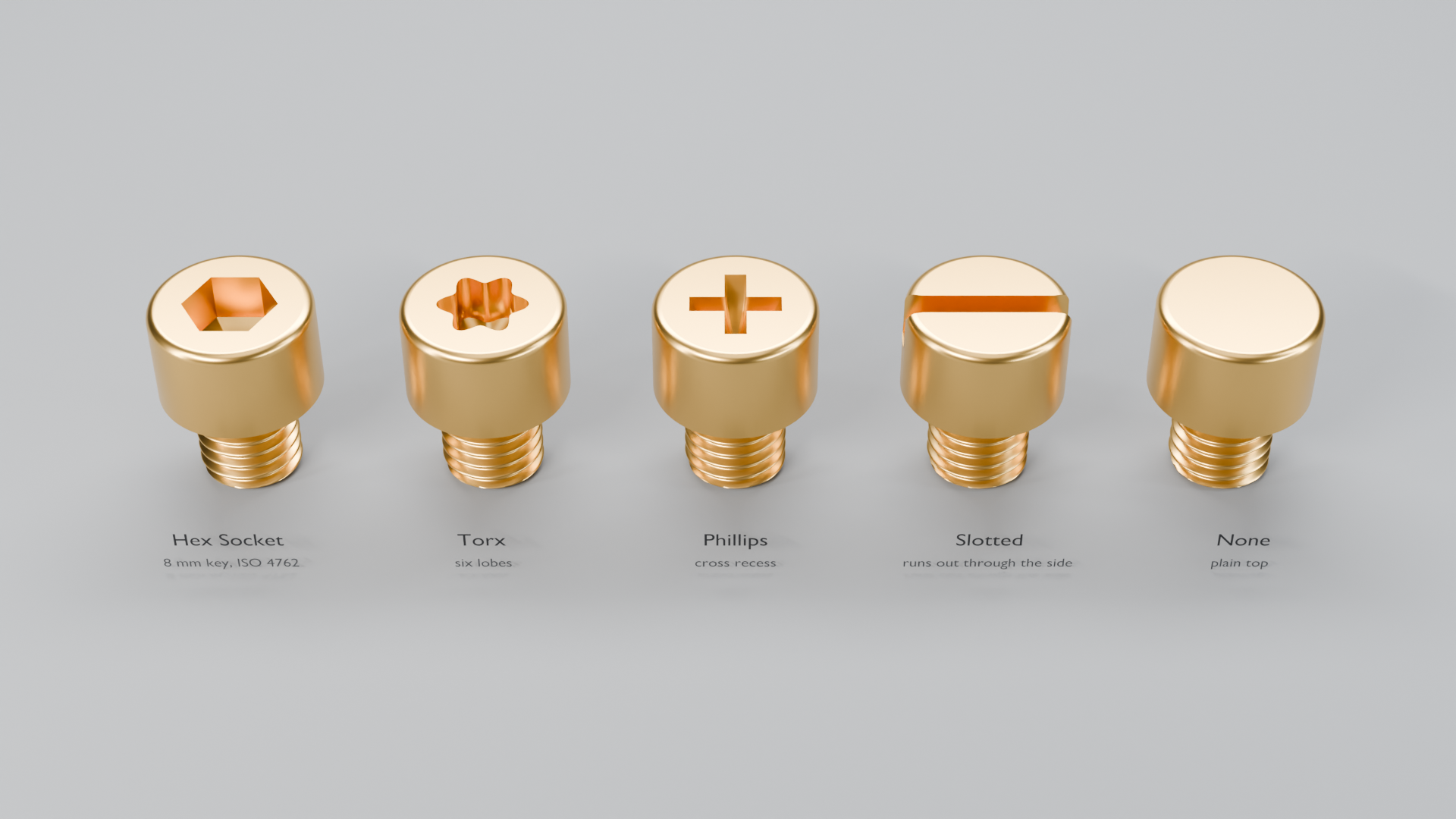
- Four drives. Hex socket, Torx, Phillips and slotted, with sharp corners. A slot runs out through the side of the head.
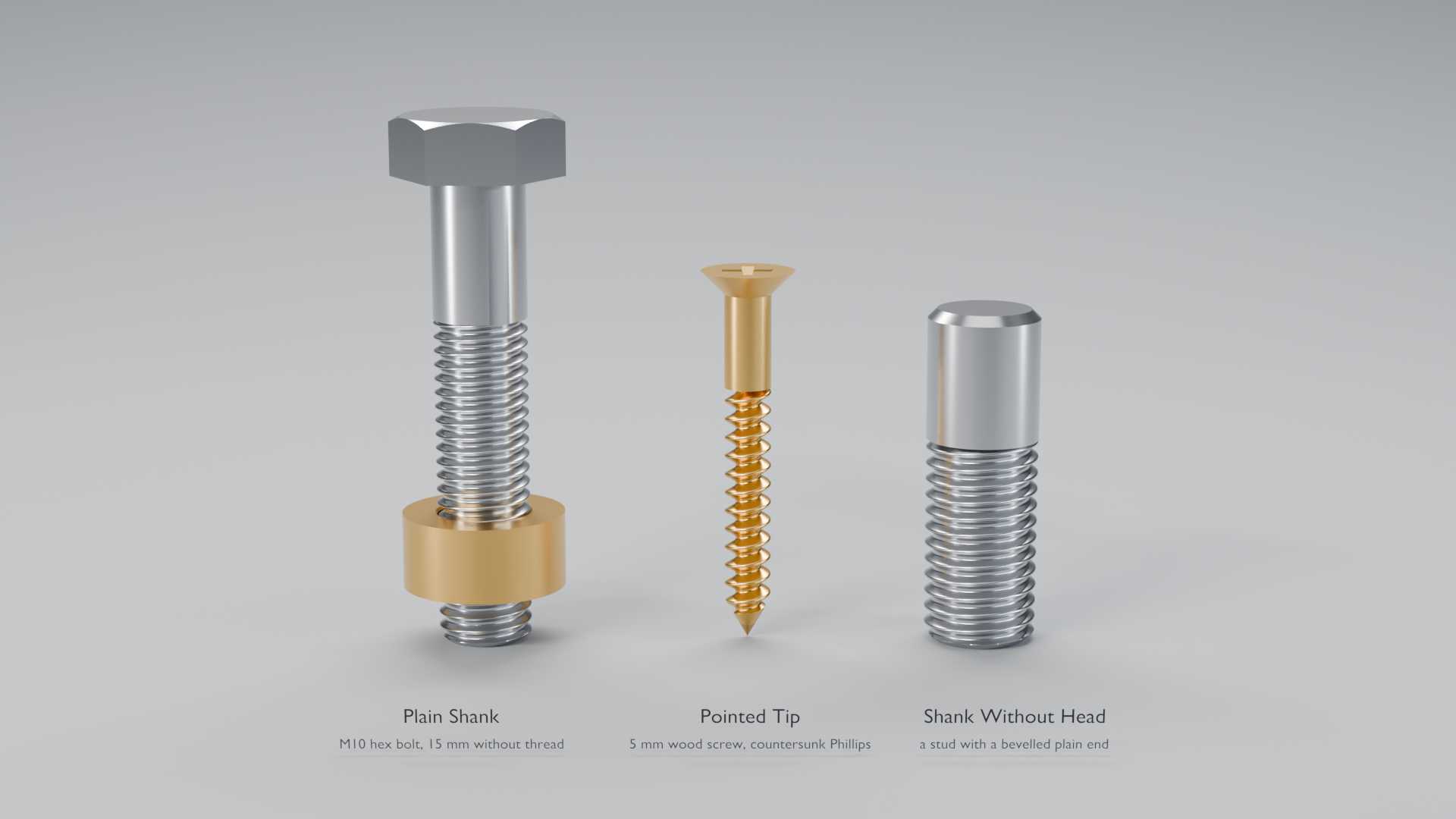
- Plain shank and pointed tip. An unthreaded part under the head, like a real bolt, and a point the thread runs onto, like a wood screw.
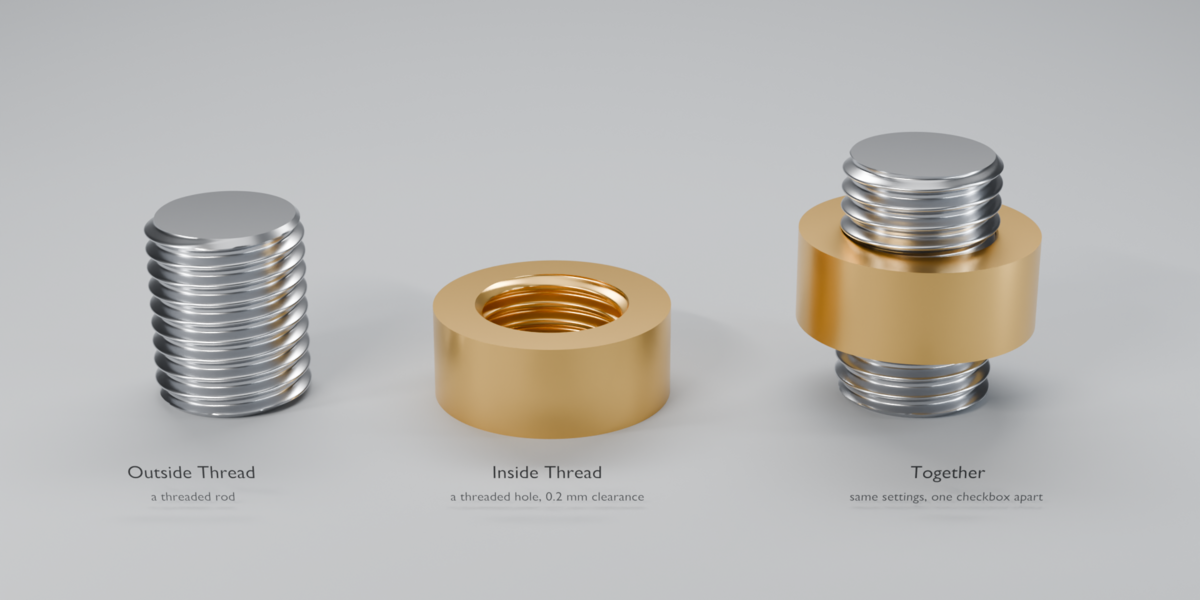
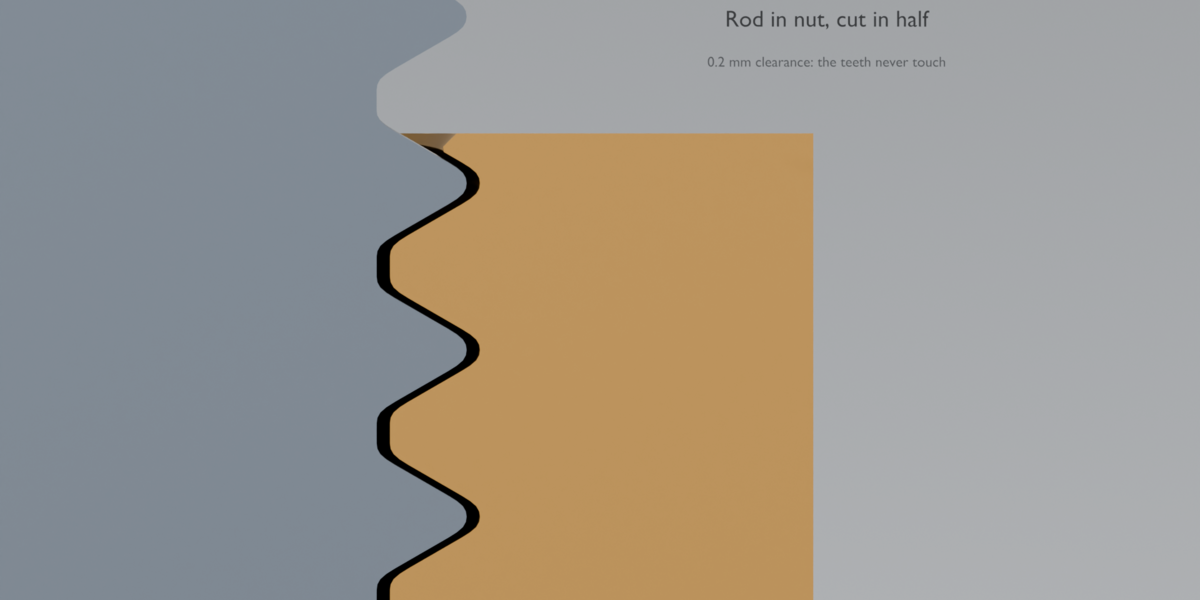
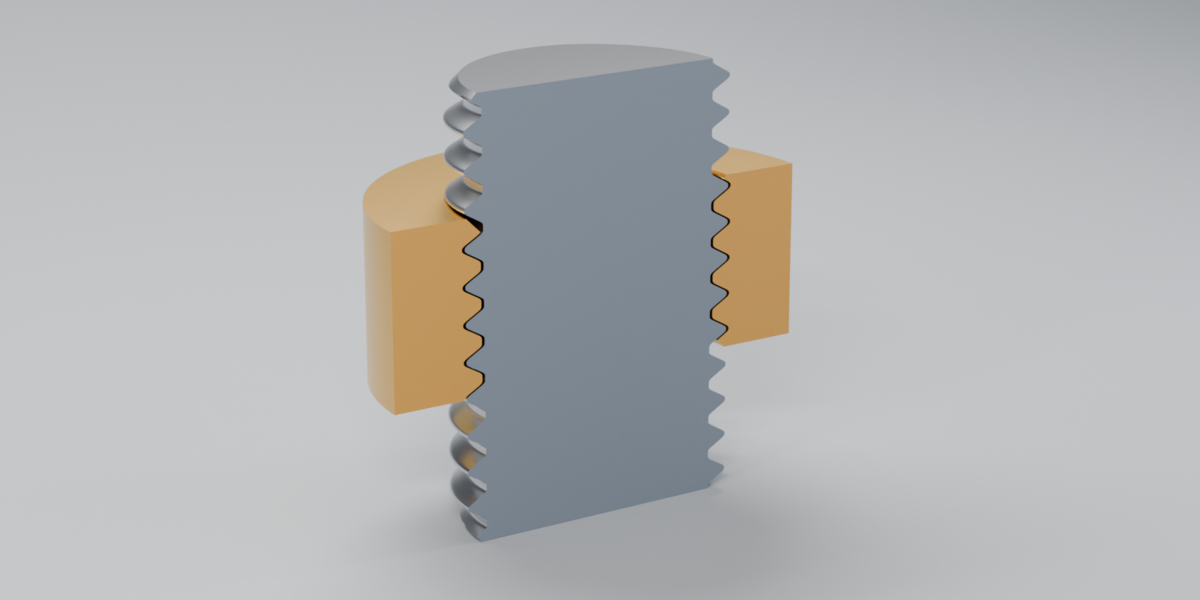
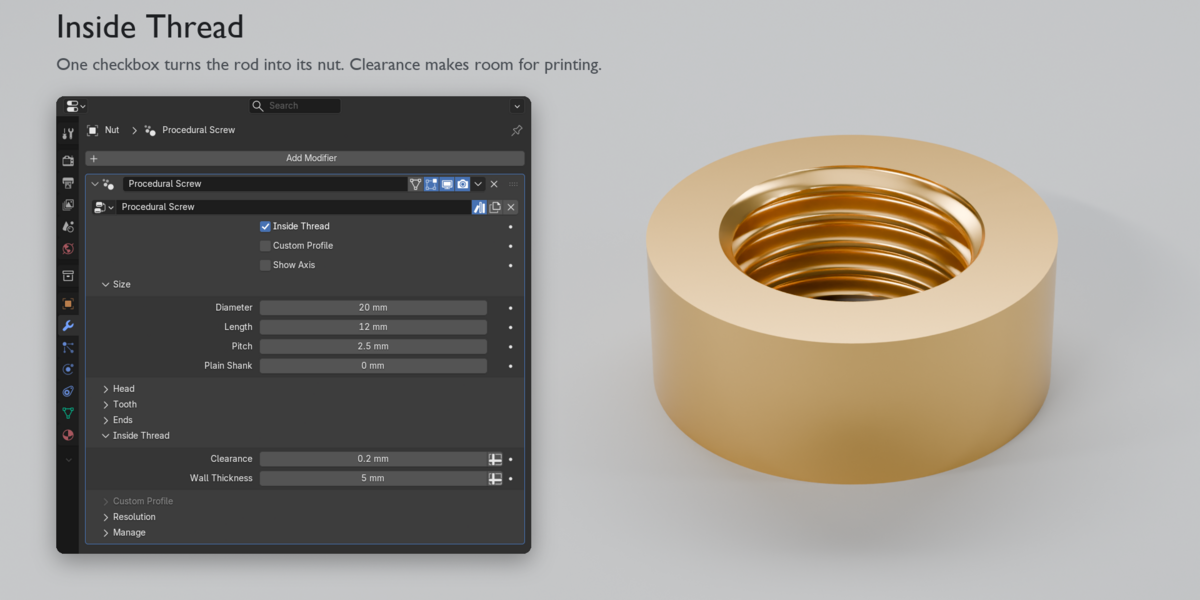
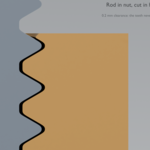
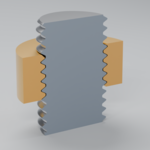
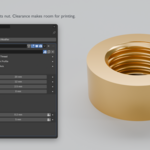
- Rod or nut, one checkbox. Inside Thread turns the rod into a threaded hole with the same settings, plus Clearance on every side so the two fit.
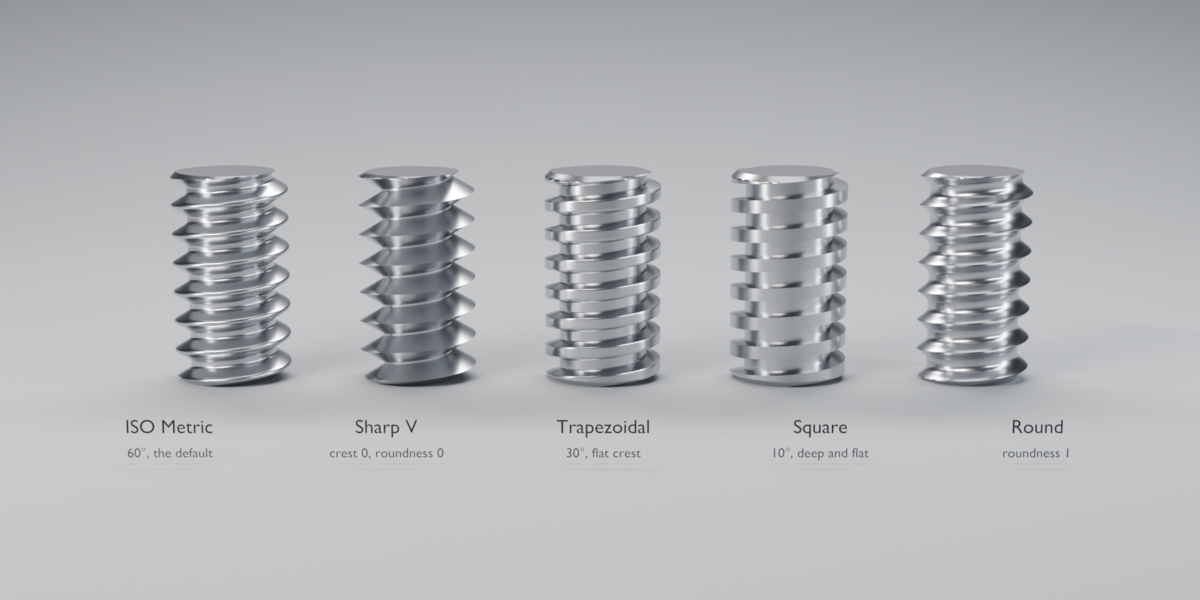
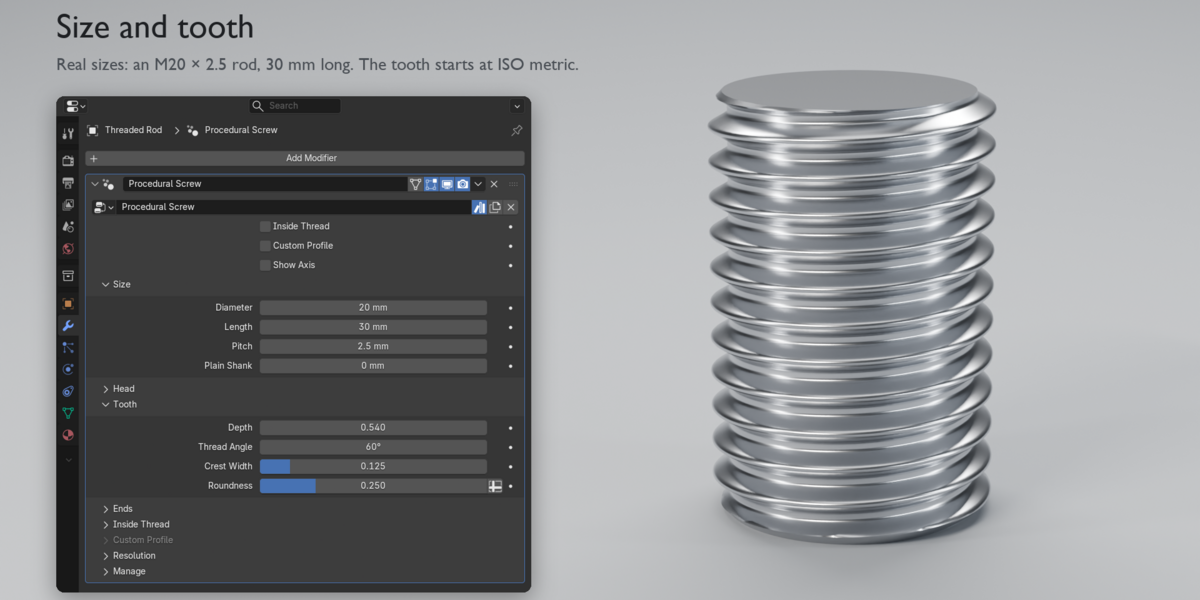
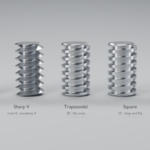
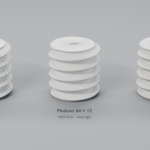
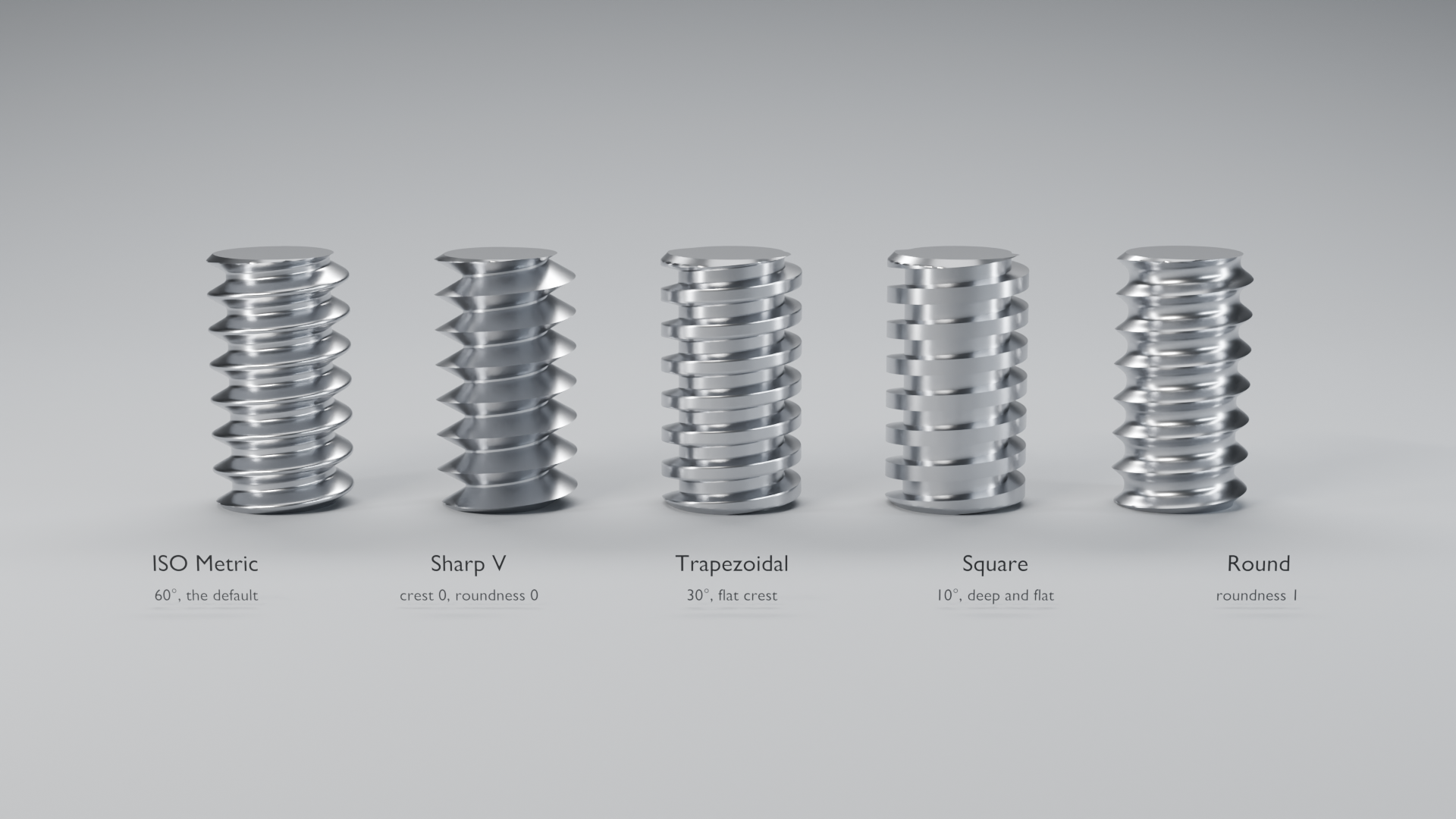
- Any tooth. Depth, Thread Angle, Crest Width and Roundness cover ISO metric (the default), sharp V, trapezoidal, square and round threads.
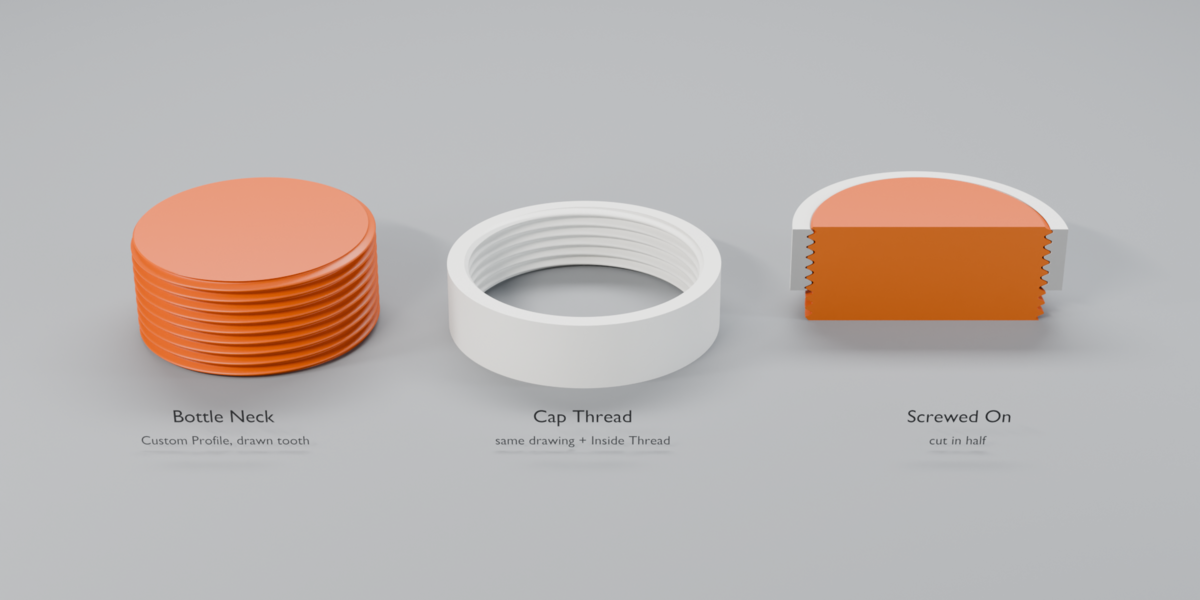
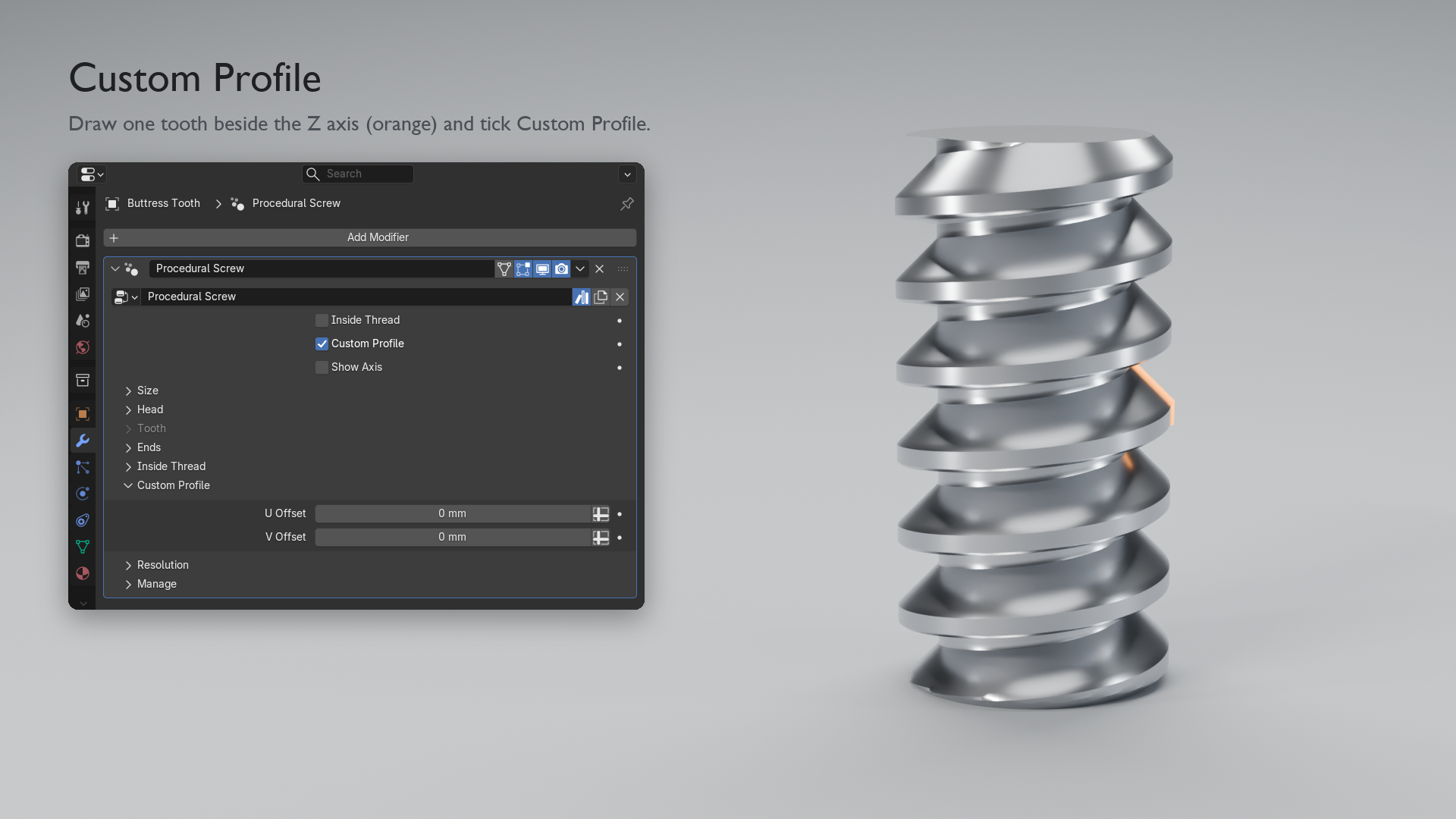
- Draw your own tooth. Custom Profile uses the object's own mesh or curve as the tooth: buttress threads, bottle caps, anything you can draw.
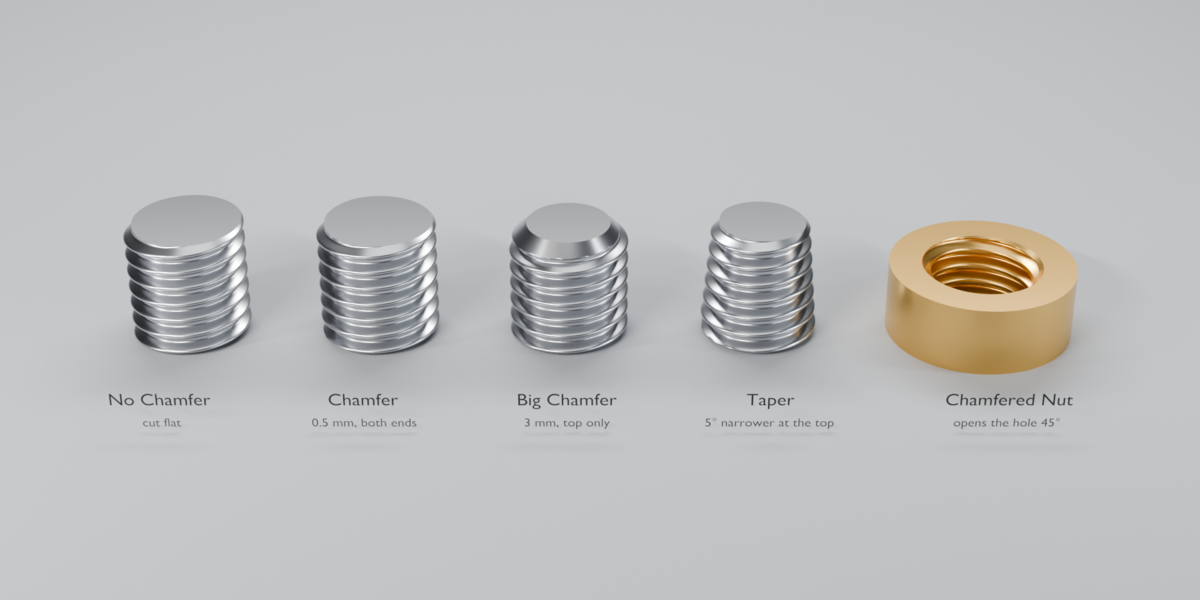
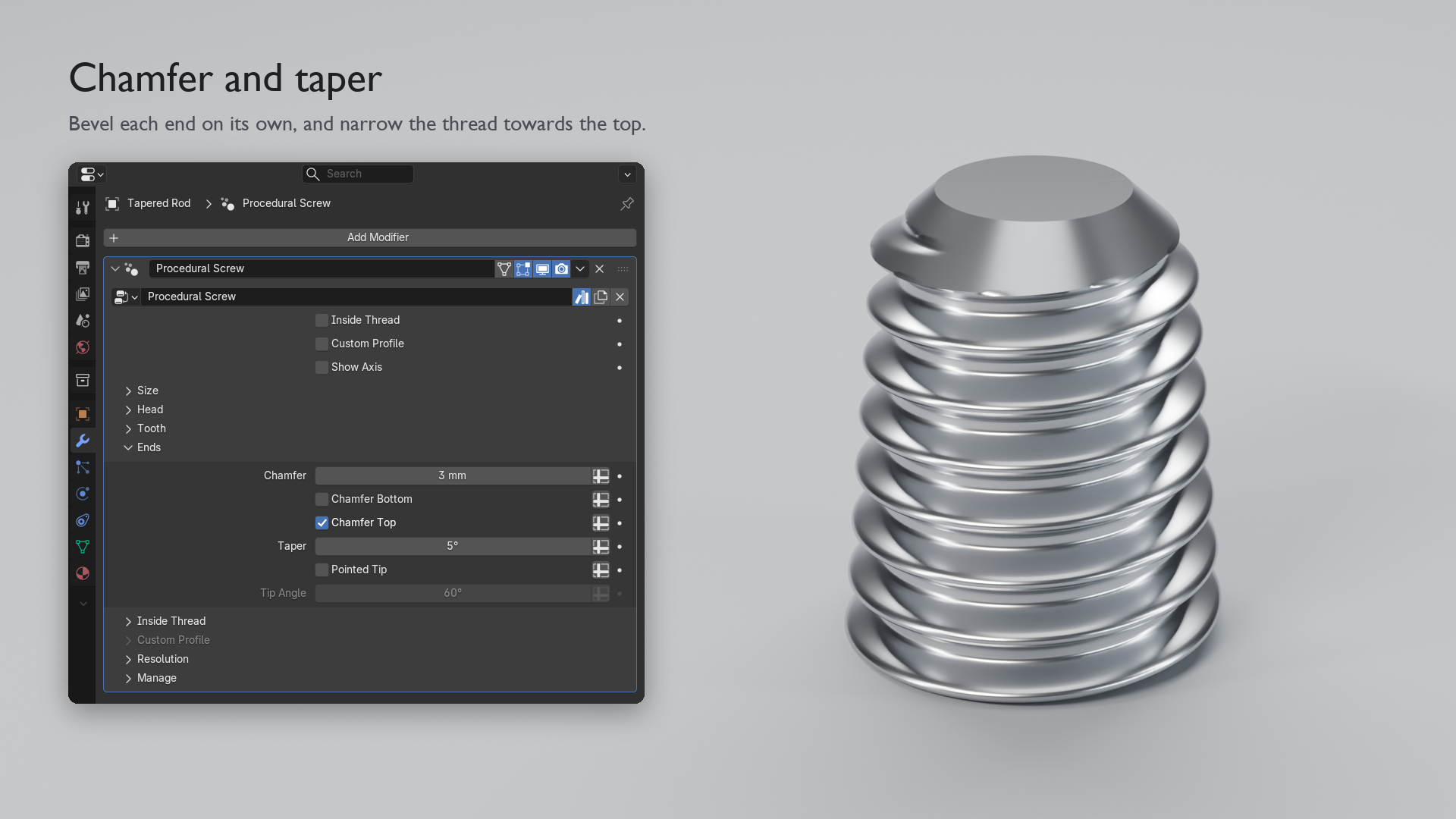
- One closed mesh, no Booleans. Head, shank, thread and ends are one watertight piece, with exact flat ends. Chamfer each end on its own, and taper the thread.
- Fast. About 8 ms per update for a threaded rod and 25 ms for an M8 bolt, so every slider is live.
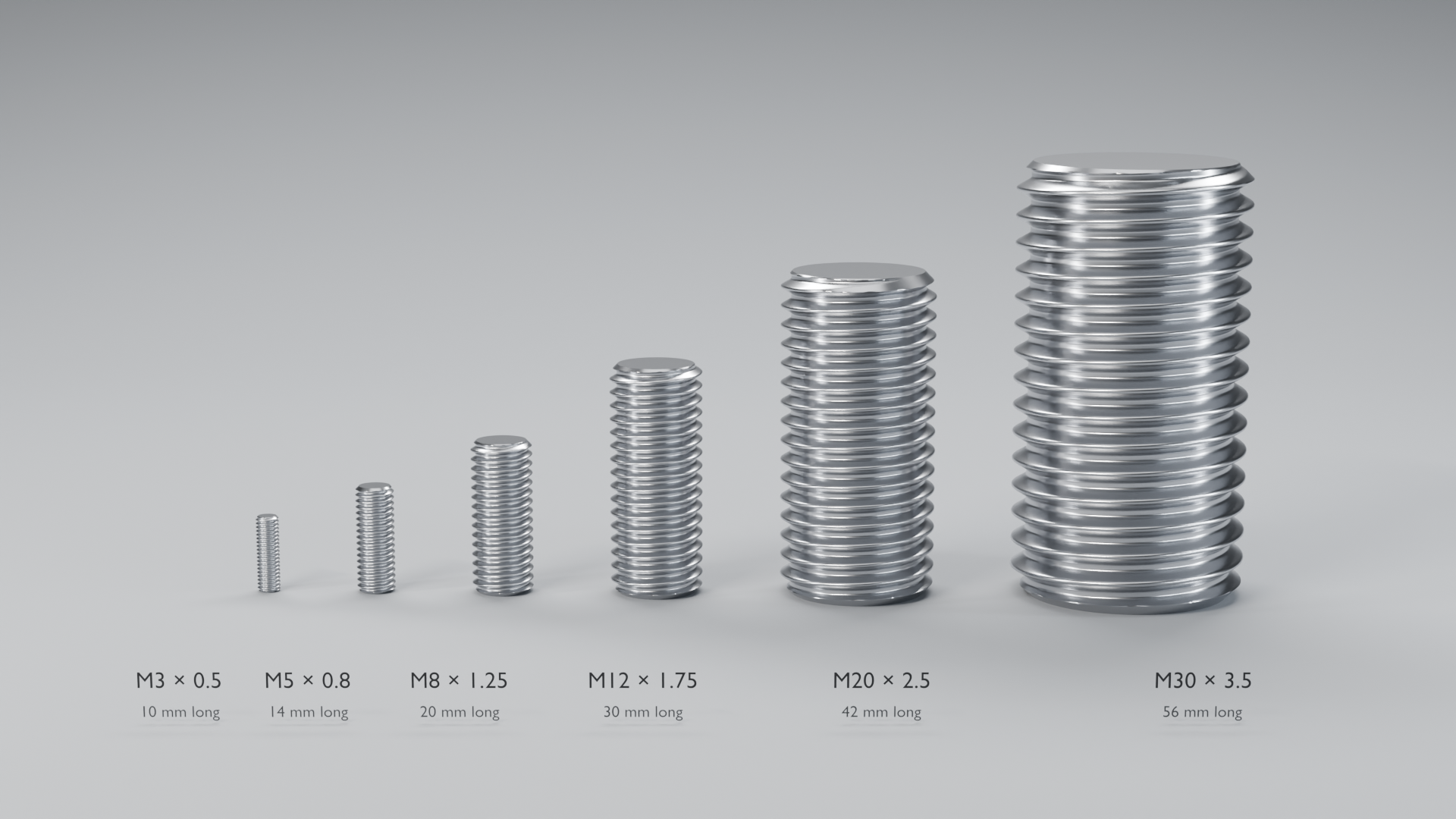
- Real sizes. Diameter, Length and Pitch are real distances: an M8 × 1.25 rod is 8 mm across with 1.25 mm between threads.
Heads and drives
Head sizes follow each standard's ISO table (M3 to M36 for hex and socket cap heads) and scale with the diameter outside it. Leave Width, Height, Drive Size and Drive Depth at 0 for the ISO size.
- Hex (ISO 4017): a hex bolt head with a bevelled top. No drive as standard.
- Socket Cap (ISO 4762): a cylinder head for an Allen key, with a rounded top edge. Hex socket as standard.
- Countersunk (ISO 10642): a 90° cone that sits flush. Hex socket as standard.
- Button (ISO 7380): a low dome. Hex socket as standard.
- Pan (ISO 7045): a round head with a flat top. Phillips as standard.
Length is measured under the head, as bolt lengths are. A countersunk head sits in the surface, so there Length includes the head.
Settings
Every input has a tooltip.
- Inside Thread: makes a threaded hole (a nut) instead of a threaded rod.
- Custom Profile: uses this object's mesh or curve as the tooth. Diameter and the Tooth panel then come from the drawing.
- Show Axis: draws the axis as a line. Turn it off before exporting.
Size
- Diameter: outer diameter of the thread.
- Length: length along the axis. Both ends are cut flat.
- Pitch: distance from one thread to the next. A drawn tooth repeats every Pitch.
- Plain Shank: top part of Length with no thread, as on many bolts. Without a head, the plain end gets Chamfer Top's bevel.
Head
- Head: None, Hex, Socket Cap, Countersunk, Button or Pan.
- Drive: Standard (the usual one for the head), None, Hex Socket, Torx, Phillips or Slotted.
- Width: across flats for Hex, the head diameter for the others.
- Height: height of the head.
- Drive Size: hex key size, Torx size across the points, Phillips size across the arms, or slot width.
- Drive Depth: depth of the recess.
Tooth
- Depth: thread depth as a fraction of the pitch. ISO metric: 0.54.
- Thread Angle: angle between the two sides of the tooth. ISO metric: 60°.
- Crest Width: flat top of the tooth as a fraction of the pitch. ISO metric: 0.125.
- Roundness: rounds the top and the bottom of the tooth. 0 = sharp corners.
Ends
- Chamfer: size of the 45° bevel, measured in from the outer diameter.
- Chamfer Bottom and Chamfer Top: bevel the end at the object origin, the end at Length, or both.
- Taper: narrows the thread towards the top (negative: towards the bottom).
- Pointed Tip and Tip Angle: end the rod in a point (60° by default). The thread runs onto it, like a wood screw.
Inside Thread
- Clearance: extra room on every side of the hole so a printed rod fits. Default 0.2 mm.
- Wall Thickness: wall around the hole, measured from the outer diameter.
Custom Profile
- U Offset: moves the drawn tooth away from the axis.
- V Offset: moves the drawn tooth along the axis, which turns where the thread starts.
Resolution
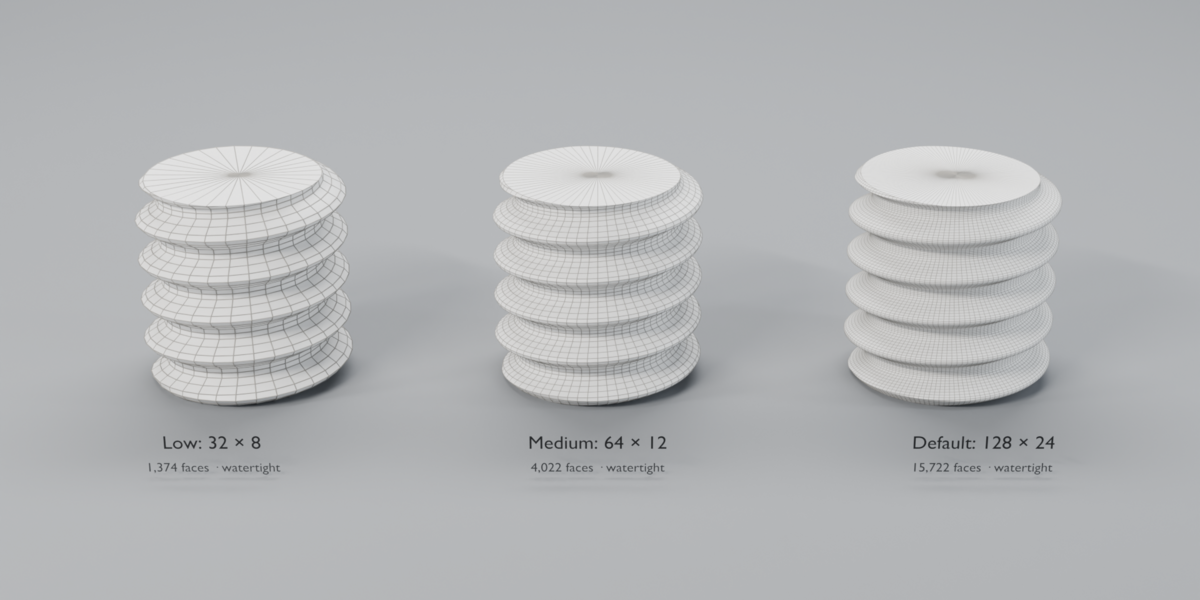
- Segments: vertices around one turn (default 128).
- Rows per Pitch: vertices along one pitch (default 24). More makes a smoother tooth.
Draw your own tooth
- Add a mesh (or curve) object. In Edit Mode, draw the outline of one tooth as connected edges in a plane through the Z axis.
- Make the drawing about one pitch tall.
- Add the Procedural Screw modifier to that object and tick Custom Profile.
- Set Pitch to the height of your drawing. Length, Head, Ends, Inside Thread and Resolution work as usual.
3D printing
- A bolt or screw is one closed mesh with no self-intersections, so it goes straight to the slicer. No repair needed.
- Clearance widens the hole on every side. Raise it if your parts print tight.
- A Chamfer on the free end helps the first turn catch.
- Turn Show Axis off before you export.
Roadmap
- Threaded rods and threaded holes: Implemented
- Custom drawn teeth: Implemented
- Screw heads (hex, socket cap, countersunk, button, pan) and drives (hex socket, Torx, Phillips, slotted): Implemented in 0.2
- Plain shank and pointed tip: Implemented in 0.2
- Implementing diferent types of Screw and nut heads (WIP)
- Focusing on better 3D printing performance (WIP)
Version History
31/10/26 · Version 0.2 · LATEST
Heads, drives, plain shank and pointed tip
- New: Head. Hex, socket cap, countersunk, button and pan heads at ISO sizes for the diameter, welded to the thread in one closed mesh.
- New: Drive. Hex socket, Torx, Phillips and slotted, or the standard drive for each head.
- New: Width, Height, Drive Size and Drive Depth to override the ISO sizes.
- New: Plain Shank, with or without a head.
- New: Pointed Tip and Tip Angle, for wood-screw points.
- Improved: Custom Profile no longer shows an "unsupported type" note in the modifier panel.
- Rods and nuts without a head come out exactly as in 0.1, at the same speed.
7/10/26 · Version 0.1 · FIRST RELEASE
Procedural Screw
- Threaded rods and threaded holes (Inside Thread) from one modifier.
- Built-in tooth with Depth, Thread Angle, Crest Width and Roundness. ISO metric by default.
- Custom Profile: draw your own tooth, with U and V Offset.
- Flat, exact ends with no Boolean. Chamfer per end, and Taper.
- Clearance and Wall Thickness for threaded holes.
- Watertight output, smooth flanks and flat caps.
- Requires Blender 5.0 or newer.
