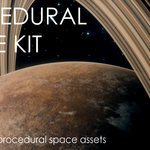
 Demiurge


How to edit materials?
To edit materials, you need to open the shader editor. It contains a node that controls all the most important parameters of the material. Its functions are clearly named, described, and organized.
Remember that, in addition to materials, the asteroid also uses geometry nodes, which you can edit in the modifiers tab.
What is the difference between a personal license and a commercial license?
A personal license does not allow you to use the pack in monetized projects, but it does allow you to publish your projects on social media.
A commercial license allows you to profit from your work using this package, but please note that you still cannot: use the shader or its output in logos, trademarks, or brand identities, resell, redistribute, or include the shader (original or modified) in any product, asset library, or template.
For more information, please visit:
PERSONAL USE LICENSE
You may:
- Use the shader in non-commercial personal projects.
- Modify it for learning or experimentation.
- Share rendered images or animations as long as they are not monetized.
You may not:
- Use the shader or its output in any commercial or client work.
- Use the shader or its output in logos, trademarks, or brand identities.
- Resell, redistribute, or include the shader (original or modified) in any product or asset pack.
COMMERCIAL USE LICENSE
You may:
- Use the shader and its output in commercial projects.
- Modify the shader to fit your production needs.
- Share final renders, animations, or in-game usage.
You may not:
- Use the shader or its output in logos, trademarks, or brand identities.
- Resell, redistribute, or include the shader (original or modified) in any product, asset library, or template.
-
$8
Personal license, all assets, future updates
-
$12
Commercial license, all assets, future updates
Have questions about this product?
Login to message
| Sales | 30+ |
| Rating | 1 ratings |
| Published | about 1 year ago |
| Blender Version | 4.0 - 5.2 |
| Render Engine Used | Cycles, Eevee |
| License | Royalty Free |