 Mrs Eliza

SPIDER WEBS PRO
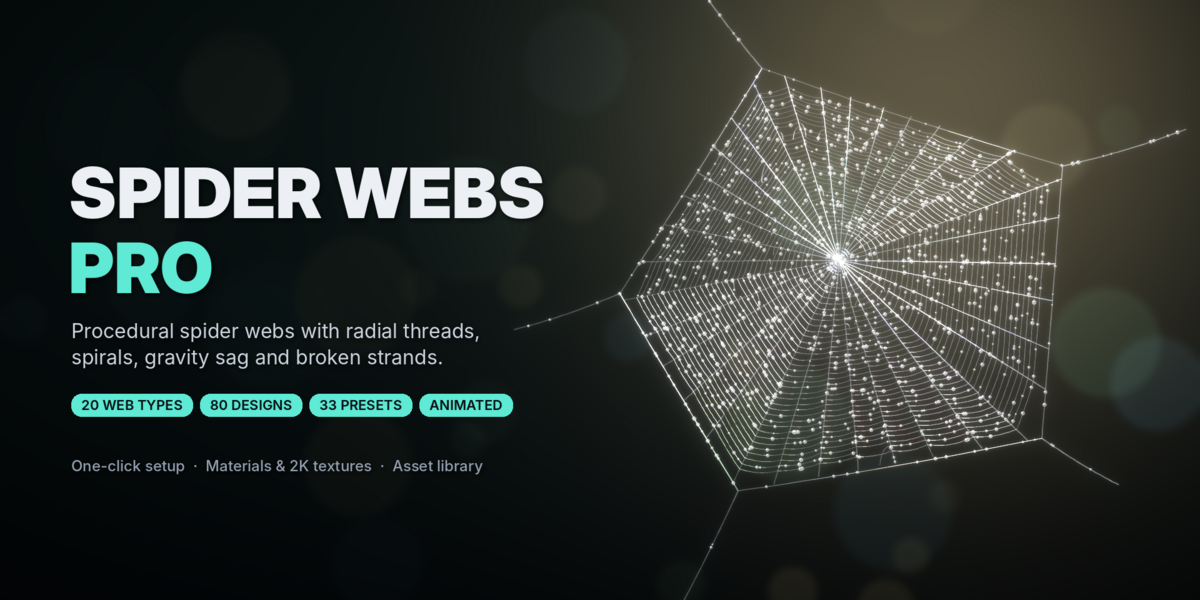
Procedural Spider Web Generator for Blender
Create realistic spider webs with complete procedural control.
Spider Webs Pro lets you generate detailed spider webs in Blender, featuring radial threads, spiral patterns, gravity sag, broken strands, silk materials, dew droplets, and animation.
Every web remains fully editable after creation, making it easy to customize designs for environments, cinematic scenes, games, and visual effects.
✦ 01 — Key Features
80 Base Web Designs
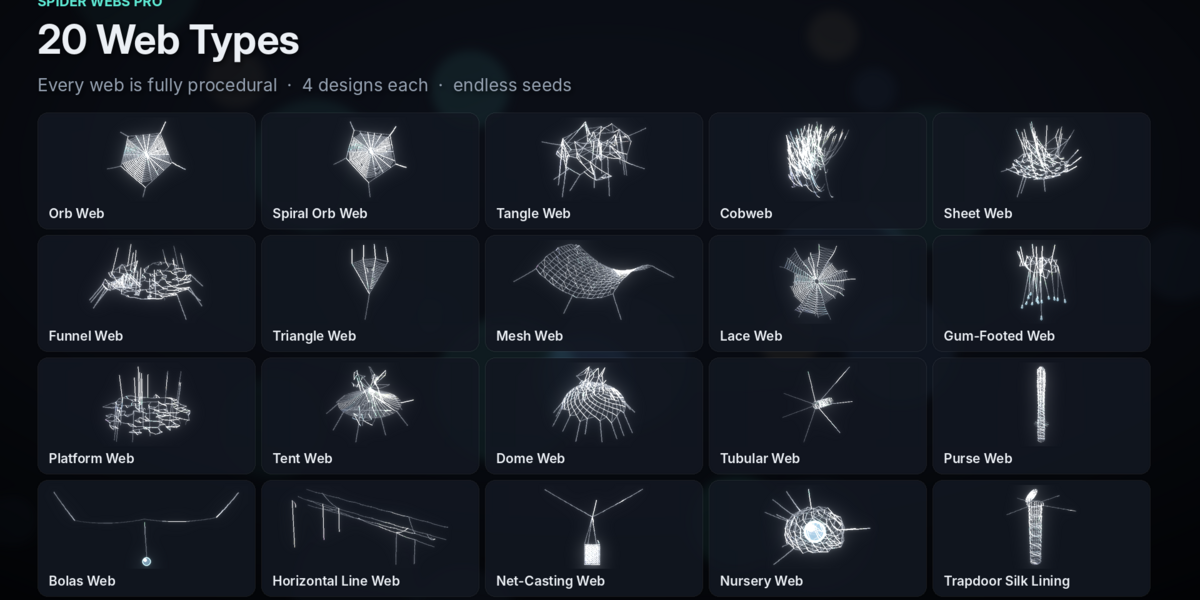
20 different web types.
4 designs for each web type.
Unlimited variations using random seeds.
33 Ready-to-Use Presets
5 preset categories.
Custom preset saving.
Import and export presets as JSON.
Realistic Silk & Details
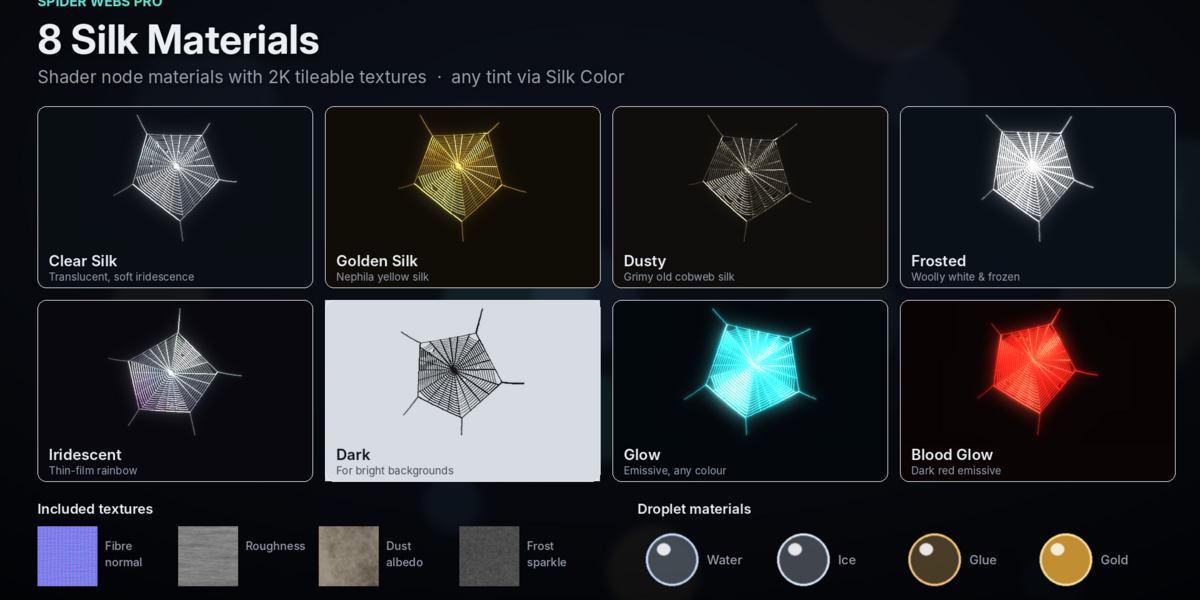
8 silk material styles.
4 droplet types.
2K tileable textures for silk details.
Procedural Animation
Wind and gust effects.
Prey tremble.
Animated spinning web construction.
No simulation or baking required.
Easy Workflow
One-click web creation.
Visual preset library in the sidebar.
One-click Asset Browser library.
Optional studio lighting and camera setup.
⚙ 02 — Requirements & Installation
Requirements
Blender 4.2 or newer.
Windows, macOS, or Linux.
Compatible with Cycles and EEVEE.
Installation Steps
Open Edit → Preferences → Get Extensions (or Add-ons).
Click the small arrow menu in the top-right corner.
Select Install from Disk….
Choose
spider_webs_pro.zip.Keep the ZIP file compressed; do not extract it.
Press N in the 3D Viewport and open the Spider Web tab.
Updating the Add-on
Uninstall the previous version, restart Blender, and install the new ZIP package. Your saved presets are preserved.
🚀 03 — Quick Start
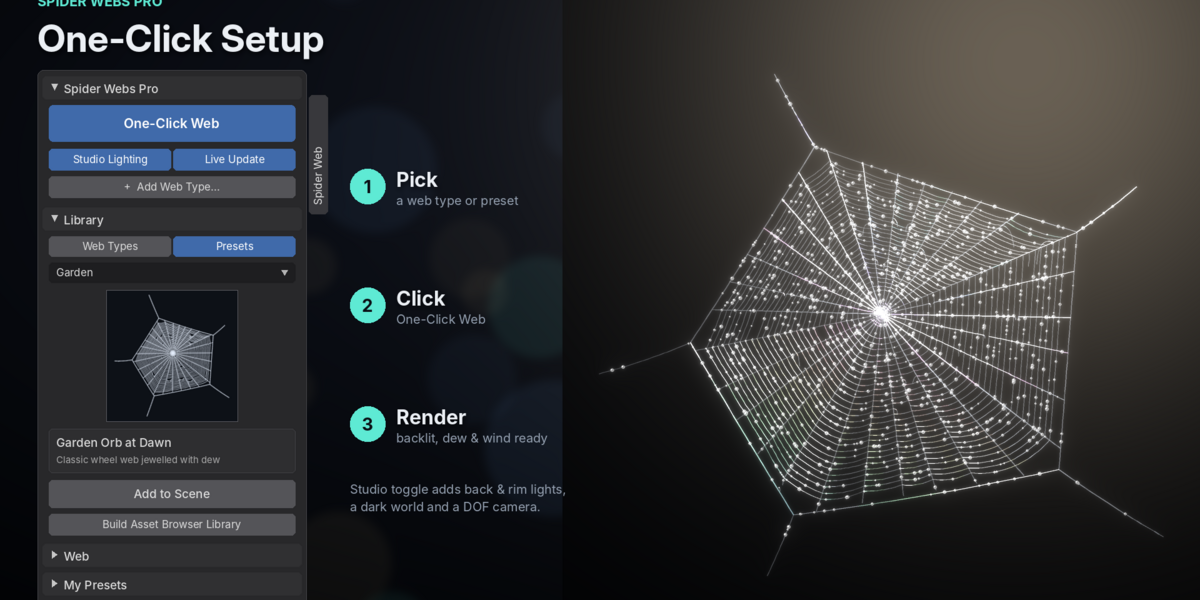
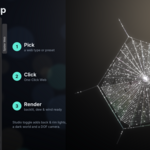
Create your first spider web in three simple steps.
STEP 01 — Choose a Design
Open the Library panel and select a preset or web type.
STEP 02 — Generate the Web
Click One-Click Web. The web appears at the 3D Cursor with its material, dew, and wind settings ready.
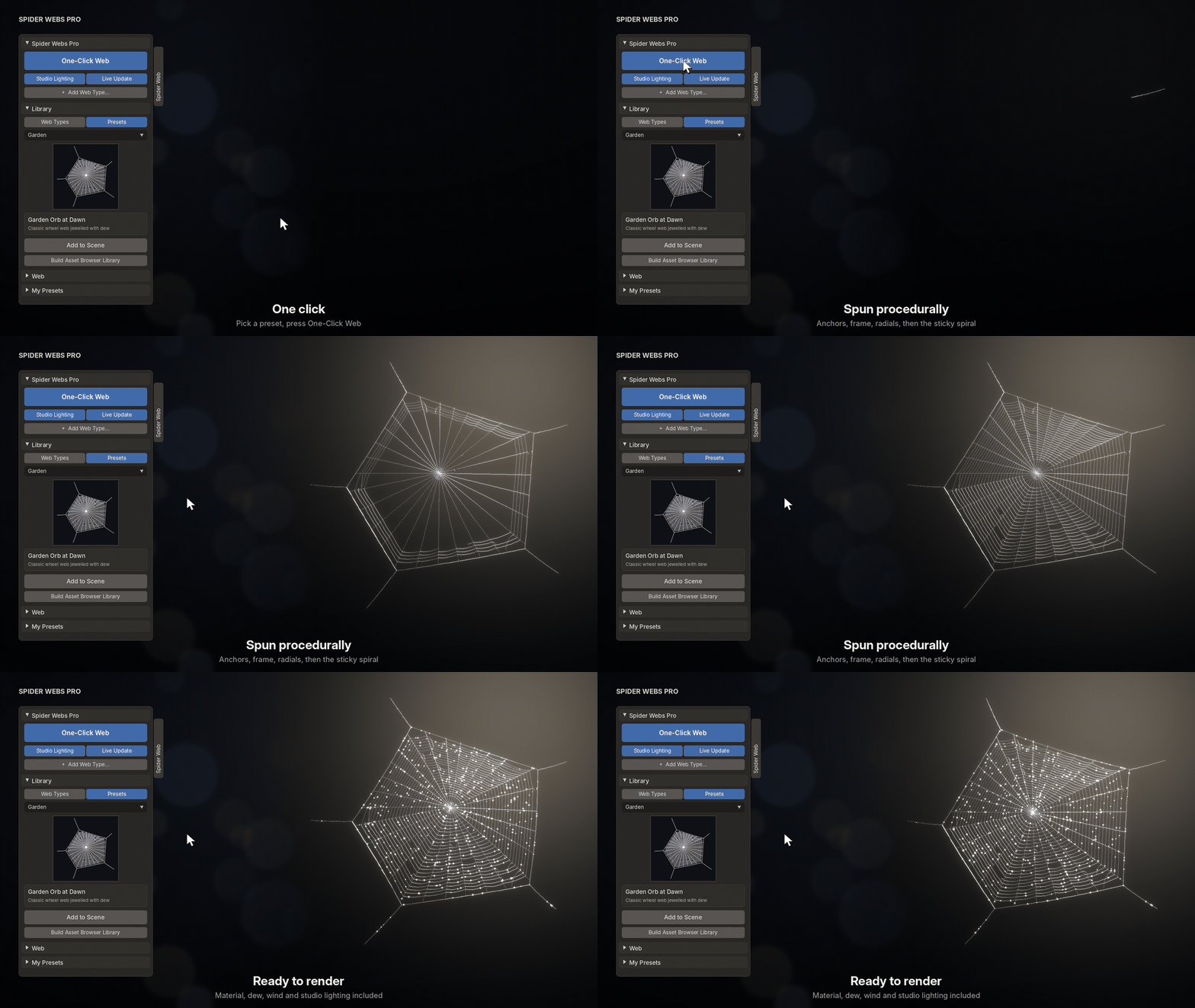
STEP 03 — Customize & Render
Select the generated web to access its settings in the Web panel. Adjust the design, materials, and animation controls as needed.
Optional: Studio Setup
Enable Studio Lighting & Camera before creation to automatically add back lights, a dark world, and a camera with depth of field.
You can also create webs through Add → Spider Web.
🕸 04 — Web Type Library
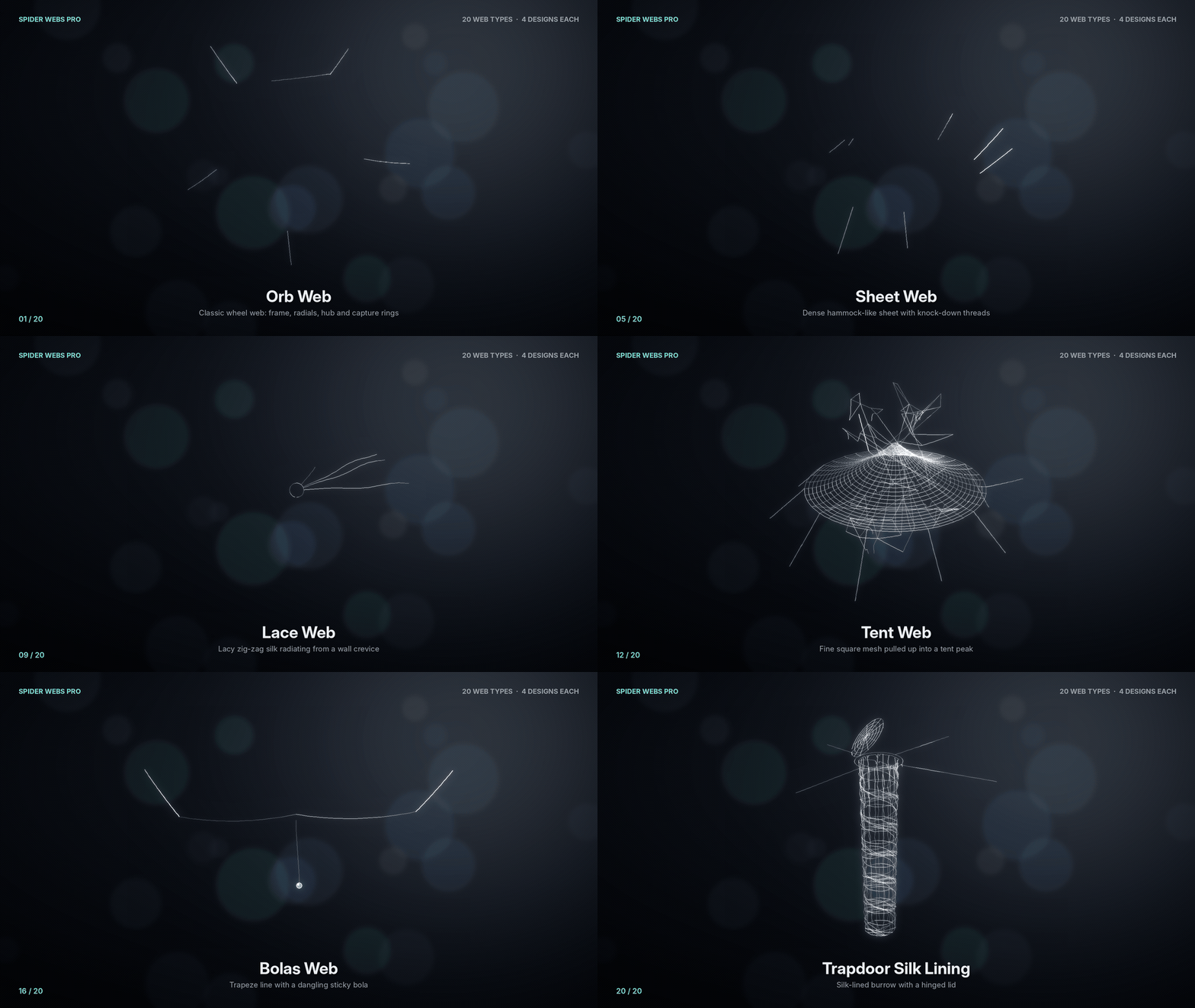
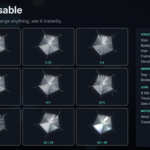
Spider Webs Pro includes 20 web types, each with four selectable designs. Change the Seed value to generate new variations.
Orb & Spiral Webs
01. Orb Web
Classic
Missing Sector
Stabilimentum
Ladder
02. Spiral Orb Web
Archimedean
Logarithmic
Double Arm
Golden Silk
Irregular & Decorative Webs
03. Tangle Web
Ball
Column
Wide
Sparse
04. Cobweb
Ceiling Corner
Floor Corner
Ghost Drape
Dust Sheet
05. Sheet Web
Hammock
Flat
Bowl & Doily
Tilted
06. Funnel Web
Classic
Deep Tube
Wide Sheet
Grass Funnel
07. Triangle Web
Single Lines
Paired Lines
Wide Fan
Narrow
08. Mesh Web
Leaf Tip
Flat Patch
Twig Wrap
Crumpled
09. Lace Web
Classic
Sparse
Dense Hackled
Curly
10. Gum-Footed Web
Classic
Many Feet
Tall Retreat
Low
Structural & Specialized Webs
11. Platform Web
Classic
Oval
Layered
Thick
12. Tent Web
Peak
Soft Dome
Twin Peak
Flat Tent
13. Dome Web
Dome
Bowl
Double Dome
Low Dome
14. Tubular Web
Wall Crevice
Ground Tube
Long Tube
Collar
15. Purse Web
Upright
Leaning
Bulbous
Tall
16. Bolas Web
Single Bola
Twin Bola
Long Drop
Short Drop
17. Horizontal Line Web
Few Lines
Many Lines
Stepped
Bridged
18. Net-Casting Web
Held
Expanded
Compact
Wide Scaffold
19. Nursery Web
Leaf Tent
Round Veil
Tall Veil
Loose Veil
20. Trapdoor Silk Lining
Half Open
Closed
Wide Open
With Trip Lines
🎛 05 — Web Customization Panel
The Web panel displays only the settings relevant to the selected web type, keeping the interface clean and easy to use.
Use Reset to restore default settings while keeping the current web type and design.
General Web Settings
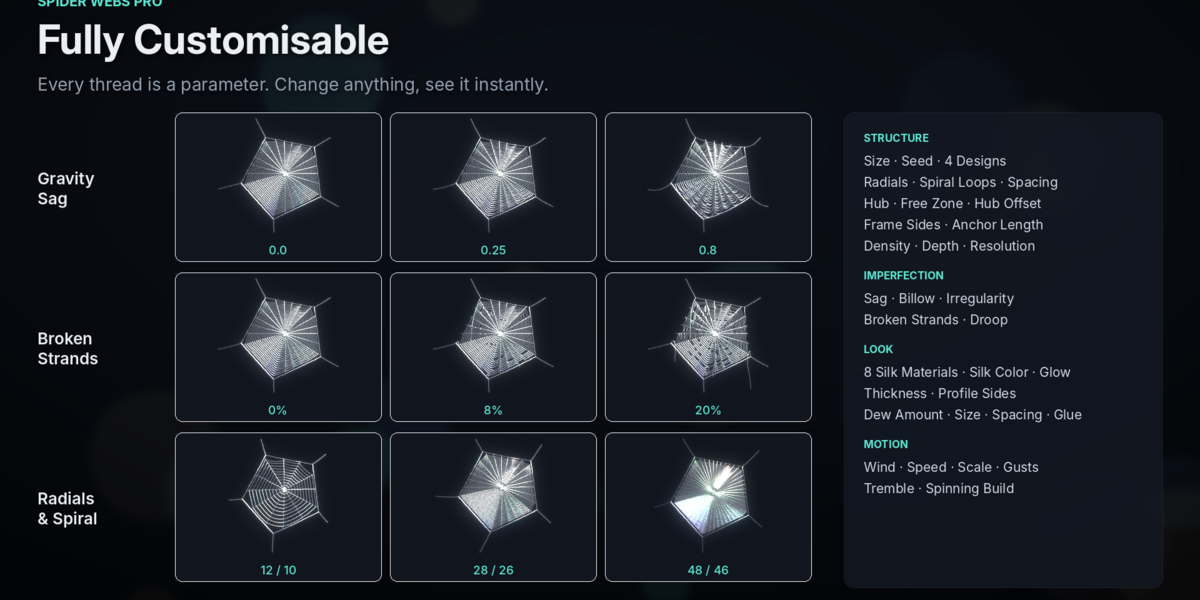
Size — Controls the overall radius of the web. Default: 0.5 m.
Seed — Generates random variations. The same seed always produces the same web.
Orientation — Sets the web to vertical or horizontal. Available for Orb, Spiral Orb, and Triangle webs.
Structure Controls
Customize the geometry and thread arrangement:
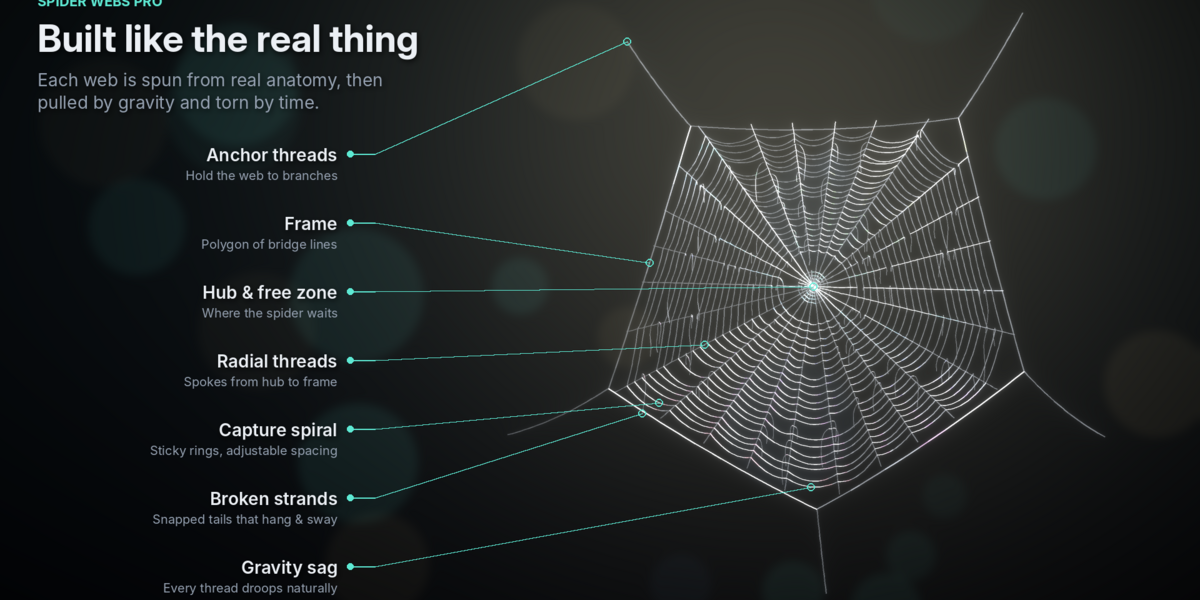
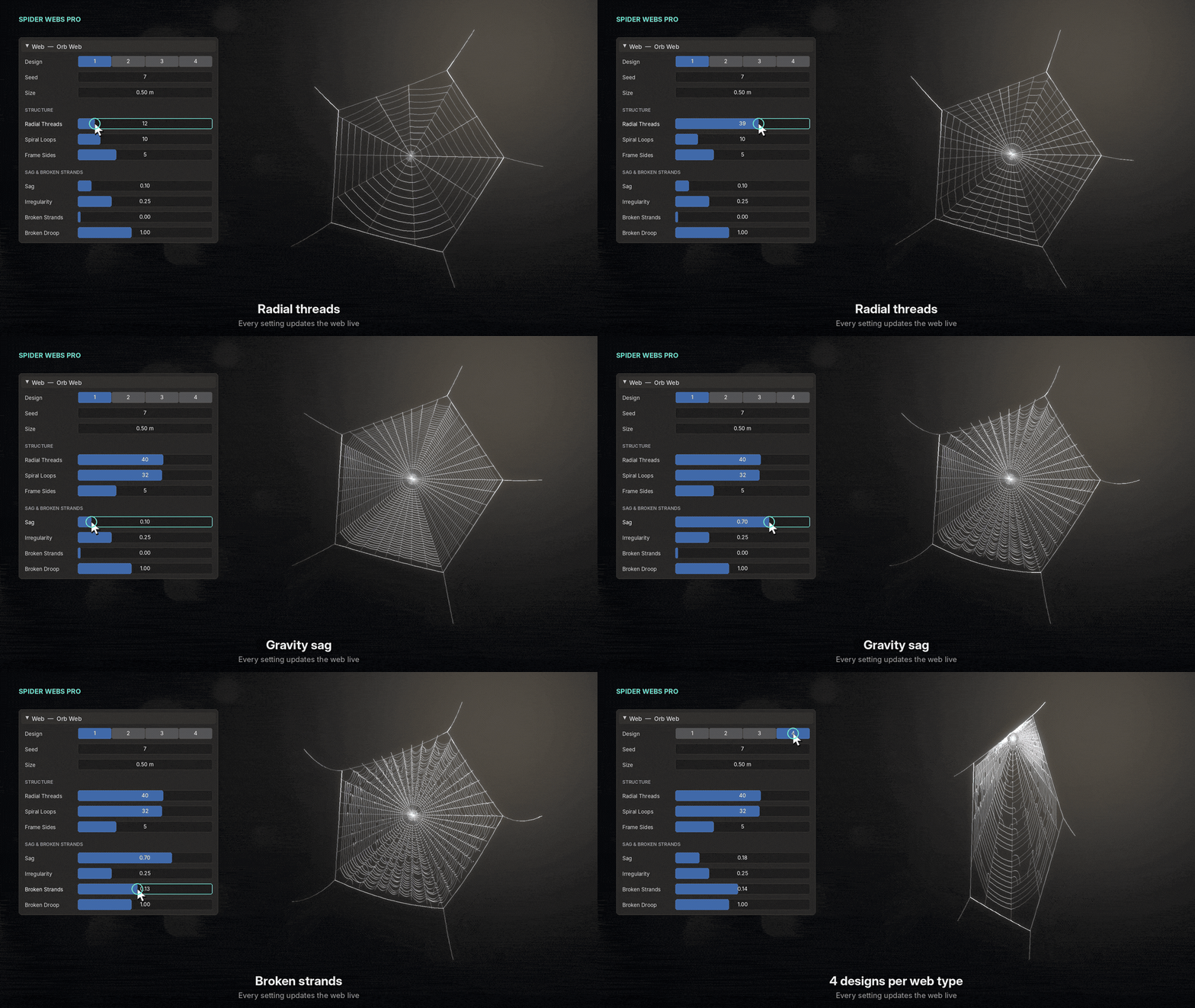
Radial Threads: Controls the number of spokes connecting the hub to the outer frame. Default: 28.
Spiral Loops: Sets the number of capture rings or spiral turns. Default: 26.
Spiral Spacing Bias: Controls ring distribution. Values above 1 pack rings toward the hub, while values below 1 move them toward the rim.
Hub Size: Changes the size of the central area.
Free Zone: Controls the open space around the hub.
Hub Offset: Moves the hub upward, similar to natural orb webs.
Frame Sides: Sets the number of outer frame corners, from 3 to 10.
Density: Controls thread quantity in sheet, tangle, mesh, and veil webs.
Depth / Height: Adjusts the web's third-dimensional shape.
Anchor Length: Controls the length of threads connecting the web to its surroundings.
Curve Resolution: Adjusts the smoothness of sagging threads.
Sag & Broken Strand Controls
Add natural imperfections and realistic thread behavior.
Sag — Creates gravity-based drooping along the threads.
Billow — Pushes flat webs out of their plane to simulate wind pressure.
Irregularity — Adds random variations to thread spacing and angles.
Broken Strands — Controls the probability of individual thread segments breaking.
Broken Droop — Sets how far broken thread ends hang downward.
✨ 06 — Silk Materials, Dew & Glue
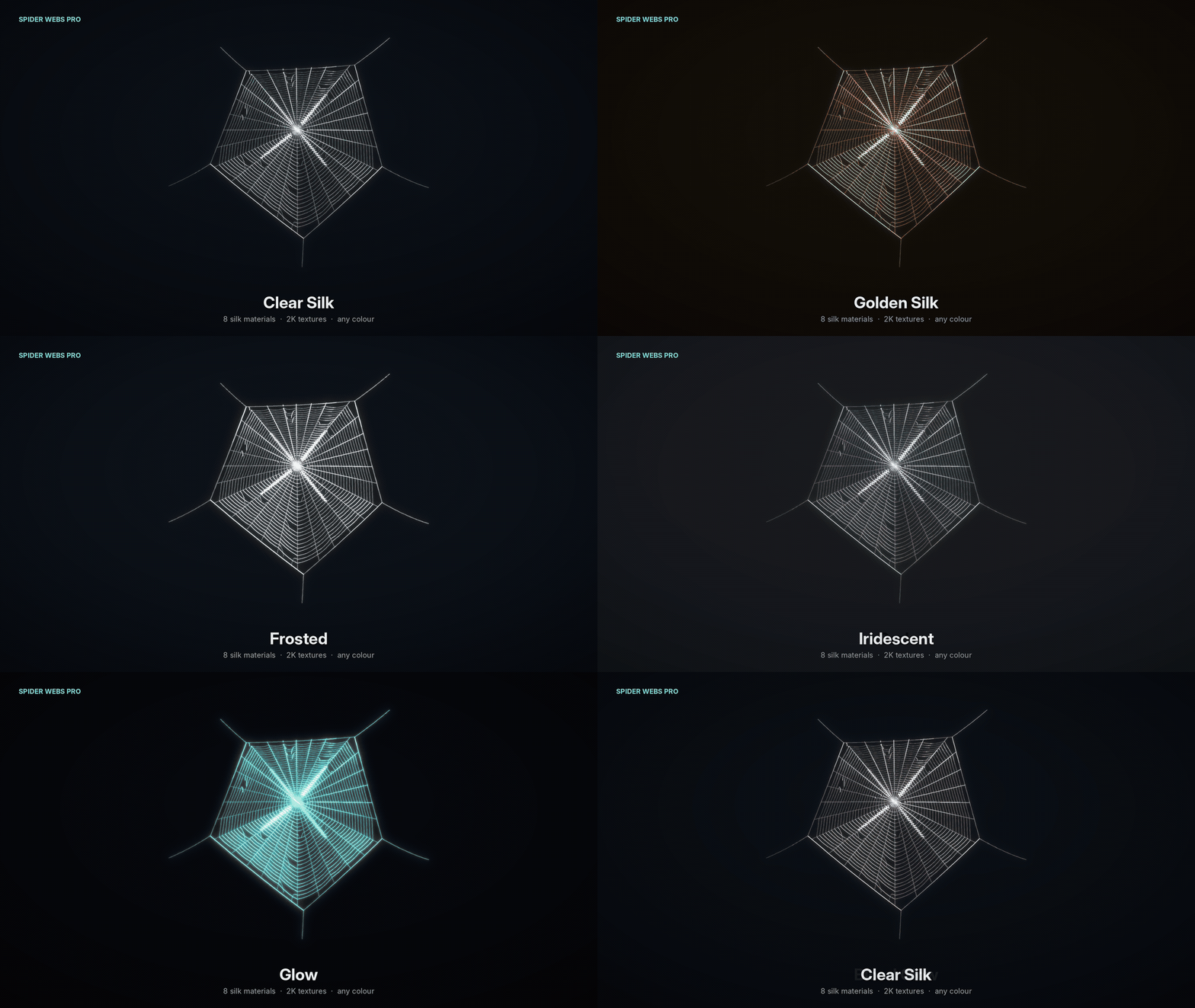
Customize the appearance of your web through Web → Silk & Materials.
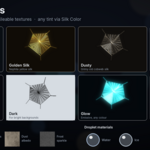
8 Silk Material Styles
Clear Silk — Translucent silk with soft iridescence.
Golden Silk — Warm yellow silk inspired by golden orb-weaver webs.
Dusty — Aged, dirty silk for abandoned cobwebs.
Frosted — Woolly white silk with a frosty sparkle.
Iridescent — Strong rainbow thin-film appearance.
Dark — Dark silk designed for bright backgrounds.
Glow — Emissive silk for stylized scenes.
Blood Glow — A dramatic glowing material for darker visual effects.
Material Controls
Silk Color — Changes the silk tint and glow colour.
Thread Thickness — Controls thread diameter. Default: 0.6 mm.
Profile Sides — Adjusts the thread's cross-sectional shape.
Silk detail uses 2K tileable textures, including fibre normal, roughness, dust, and frost.
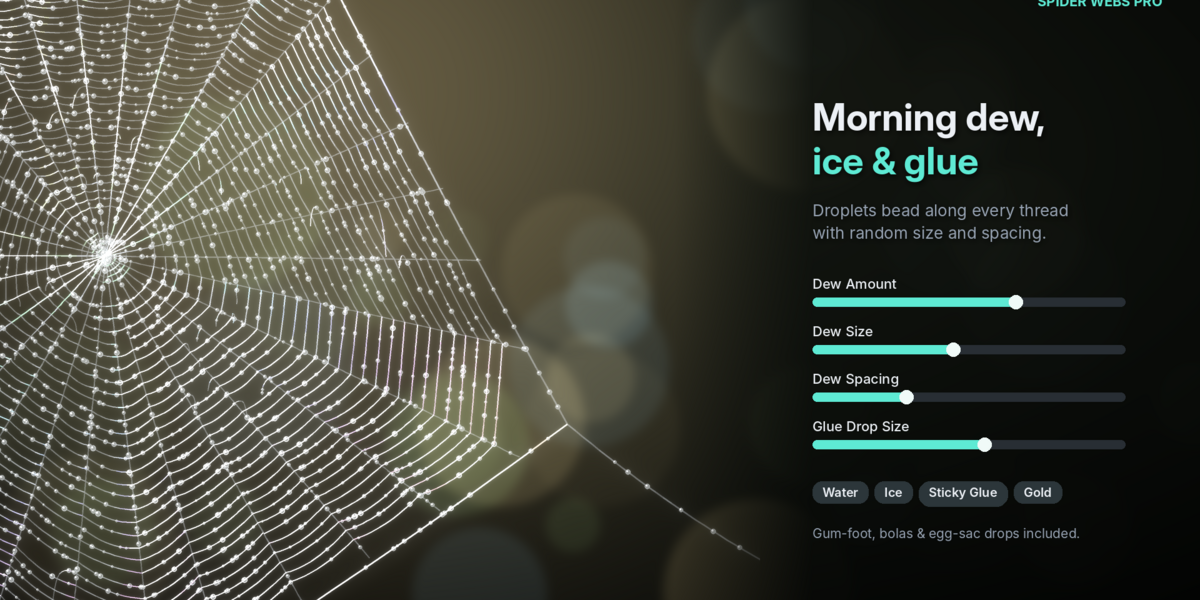
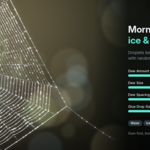
Dew & Droplet System
Add realistic droplets along the web threads.
Adjust:
Dew Amount: Controls the quantity of droplets.
Dew Size: Changes droplet size.
Dew Spacing: Controls the distance between droplets.
Choose from four droplet types:
Water
Ice
Sticky Glue
Gold Beads
Glue Drop Size controls glue droplets on gum-footed lines, bolas, and egg sacs.
🎬 07 — Procedural Animation
Bring your spider webs to life without simulations or baking.
Press Play to see the web move. The centre moves most, while broken thread ends swing freely.
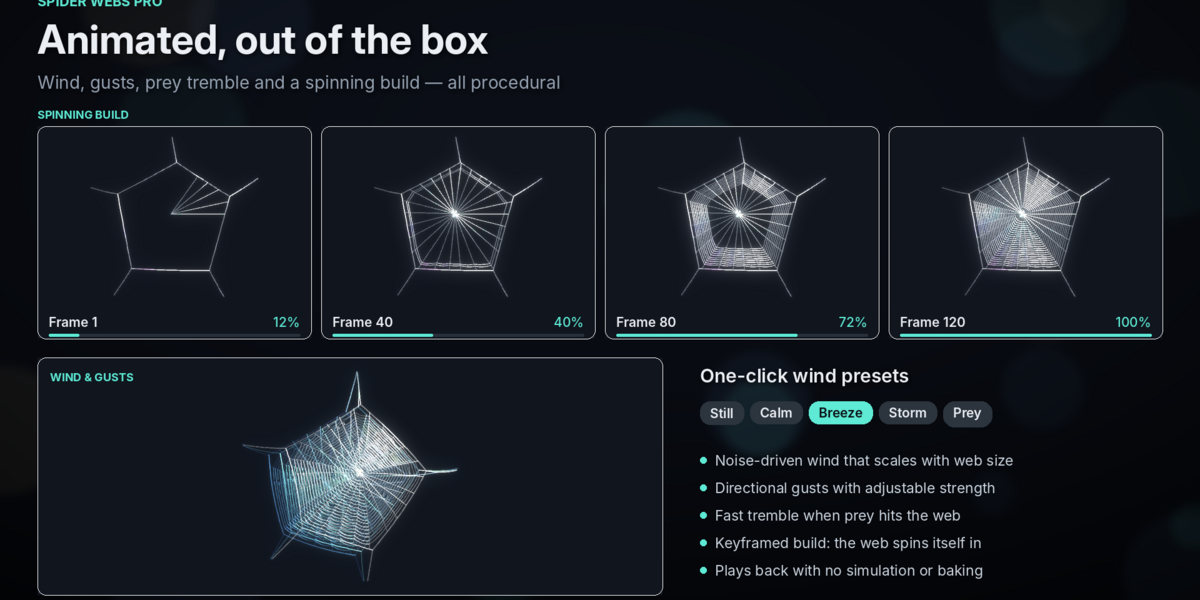
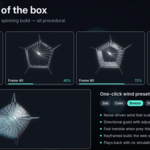
Wind Presets
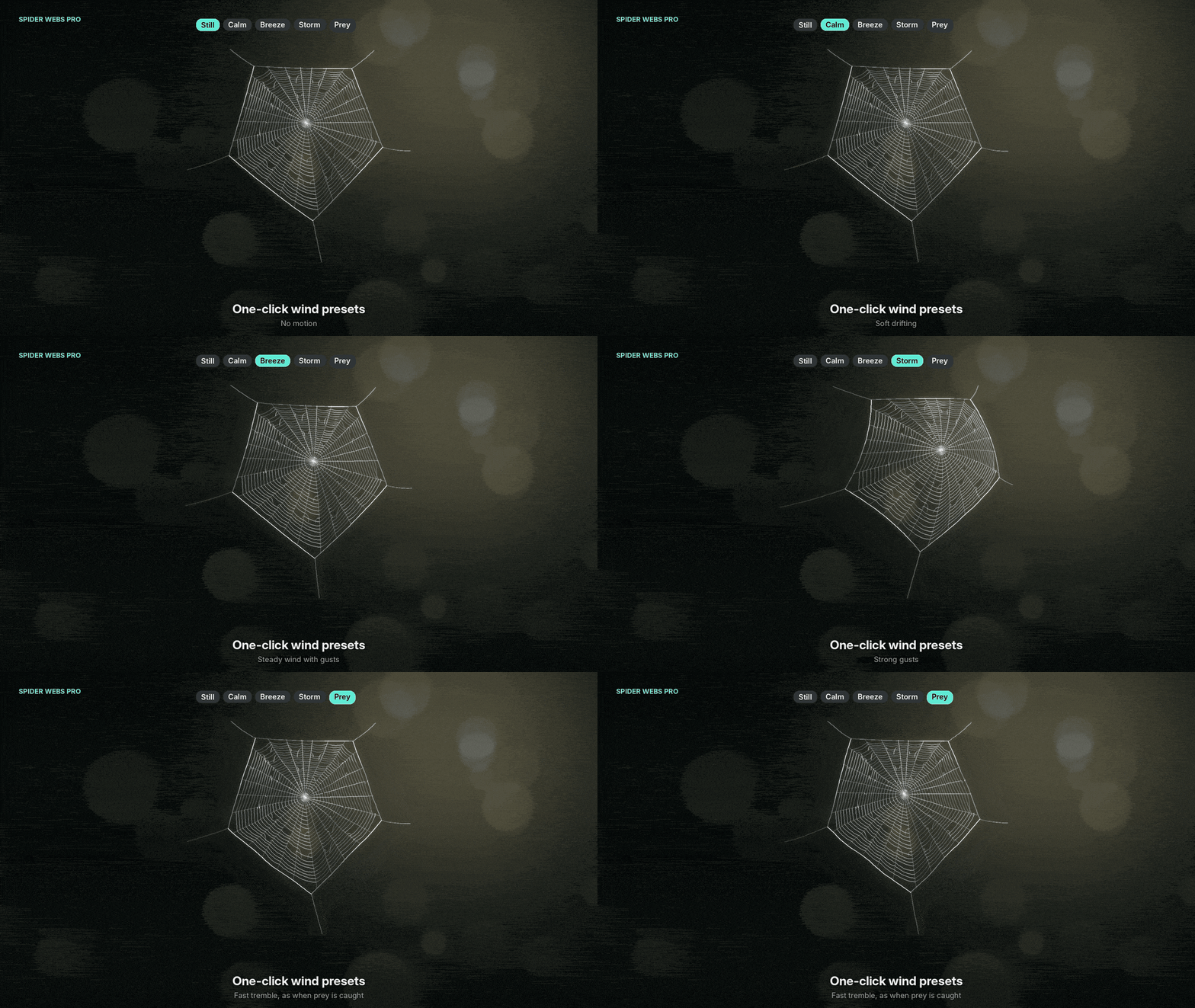
Choose a ready-made animation style:
Still: No noticeable wind movement.
Calm: Gentle movement.
Breeze: Natural light wind.
Storm: Stronger wind movement.
Prey: Movement suitable for prey interaction.
Wind Controls
Wind Strength — Controls the intensity of movement.
Wind Speed — Adjusts how quickly the web moves.
Wind Scale — Changes the scale and variation of wind motion.
Gust Strength & Direction — Creates stronger pulses that push the web in a chosen direction.
Tremble — Adds rapid vibration, similar to a web reacting when prey becomes trapped.
Spinning Web Build Animation
Create an animated spider web construction effect.
Set the Start and End frames.
Click Animate Spinning.
Play the animation to watch the web build itself.
The construction follows a spider-like sequence:
Anchors, frame, and radial threads appear first.
The sticky spiral builds afterward, progressing from the outside toward the centre.
Build Progress can also be adjusted manually to create a still image of a partially constructed web.
📚 08 — Presets & Visual Library
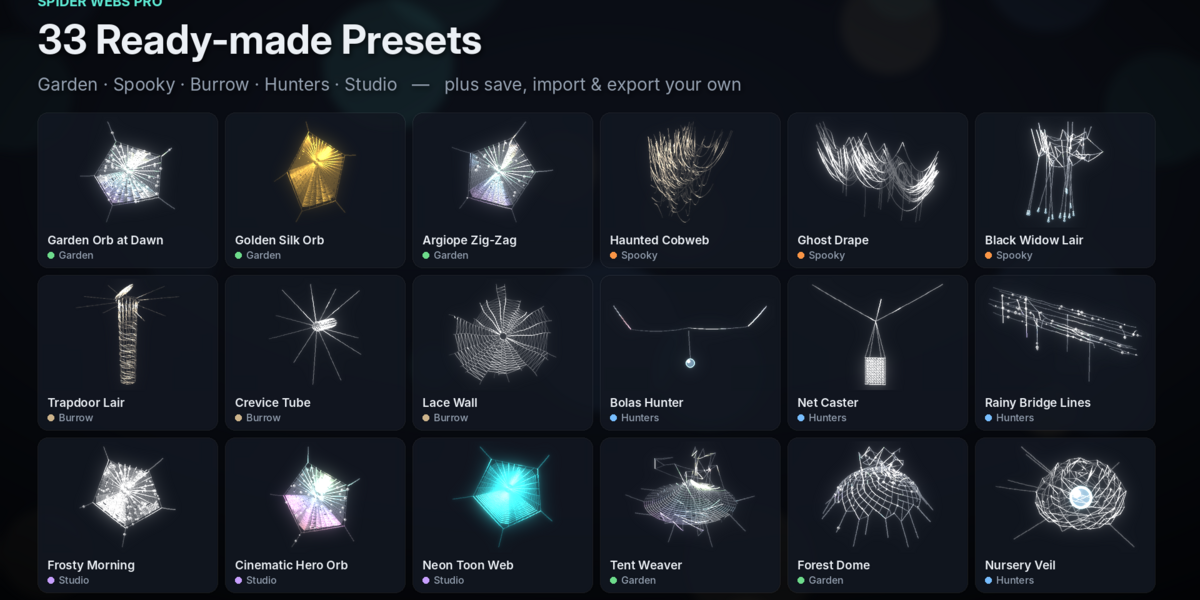
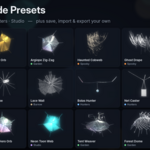
Spider Webs Pro includes 33 built-in presets organized into five categories.
Garden
Natural outdoor designs featuring dewy orb webs, golden silk, sheets, funnels, domes, and tents.
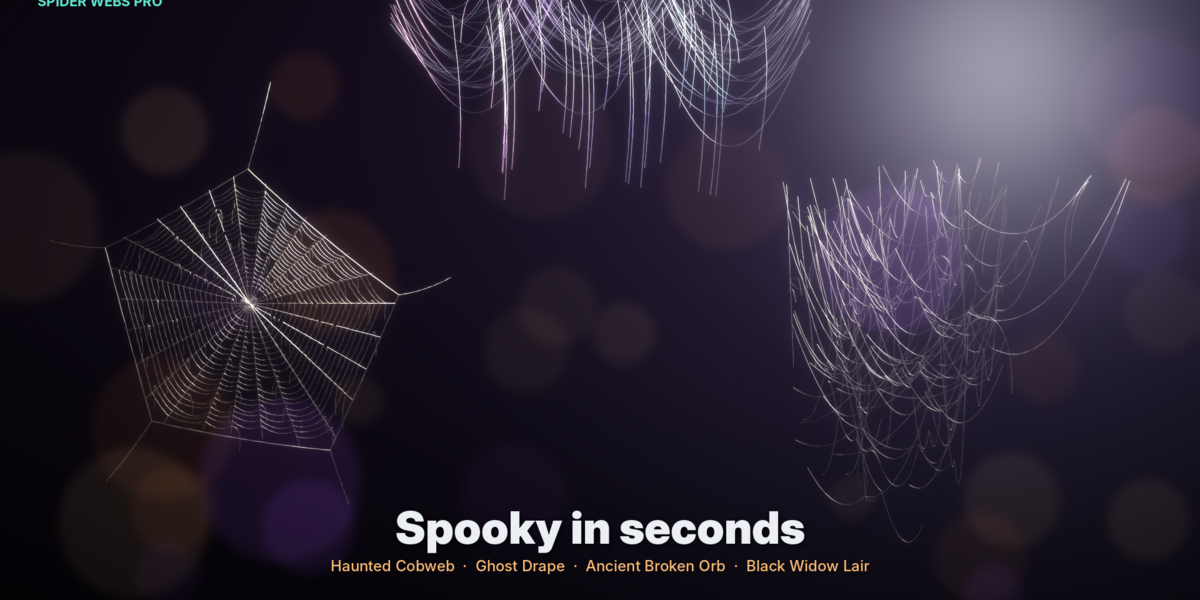
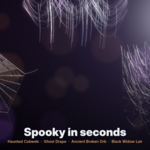
Spooky
Atmospheric designs including haunted cobwebs, ghost drapes, broken orb webs, and a black widow lair.
Burrow
Underground-inspired designs featuring trapdoors, tubes, purse webs, and lace walls.
Hunters
Specialized hunting designs including bolas, net casters, bridge lines, and nursery veils.
Studio
Presentation-ready styles featuring frosty, cinematic, neon, and spinning-build looks.
Applying Presets
Choose a preset and use one of the following actions:
Add to Scene — Creates a new web using the selected preset.
Apply to Active — Applies the selected preset to the currently selected web.
💾 09 — Save Your Own Presets
Create and manage your own reusable web configurations.
Open the My Presets panel to:
Save: Store your current web settings as a preset.
Apply: Load a saved preset.
Delete: Remove presets you no longer need.
Import: Load presets from a
.jsonfile.Export: Share your presets as a
.jsonfile.
Your custom presets make it easy to reuse designs across different projects.
🧩 10 — Blender Asset Browser Library
Turn the complete web collection into a reusable Blender Asset Browser library.
Click Build Asset Browser Library to generate a library containing:
All 80 base web designs.
Every built-in preset.
Preview thumbnails.
Organized catalogs.
The library is added to Blender as Spider Webs Pro.
You can then browse the collection and drag webs directly into any scene.
Important: Webs added through the Asset Browser remain fully editable, so you can continue changing their geometry, materials, and other settings.
💡 11 — Workflow Tips
Use the Seed setting to quickly explore different variations of the same web design.
Start with a built-in preset, then customize its structure and materials.
Increase Sag and Irregularity for a more natural, imperfect appearance.
Use Dusty or Frosted silk for abandoned or cold environments.
Add dew droplets to create detailed close-up renders.
Use the Wind presets for quick animation setups.
Adjust Build Progress for partially constructed web shots.
Build the Asset Browser library to reuse your favourite designs across projects.
Spider Webs Pro
Create everything from delicate natural orb webs to tangled abandoned cobwebs, specialized hunting structures, and cinematic animated webs—all with a flexible procedural workflow inside Blender.