 Mrs Eliza






Installation
Install traceforge.zip exactly as downloaded. Do not unzip it; Blender reads the zip directly.
Blender 4.2 and newer (extension)
- Open Edit → Preferences.
- Choose Get Extensions in the left column.
- Click the ⌄ menu in the top-right corner and choose Install from Disk….
- Select
traceforge.zipand click Install from Disk. The extension is enabled straight away.
Blender 3.6 to 4.1 (legacy add-on)
- Open Edit → Preferences → Add-ons.
- Click Install… (top right).
- Select
traceforge.zipand click Install Add-on. - Search for "TraceForge" and tick the checkbox next to Import-Export: TraceForge - Image to 3D.
For SVG files
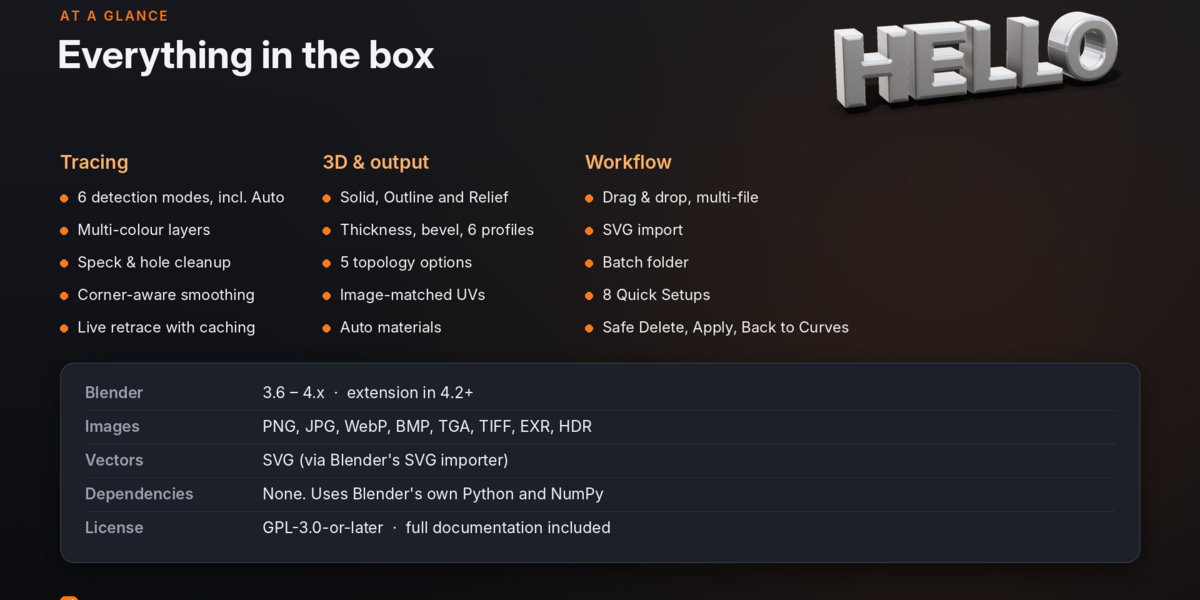
TraceForge uses Blender's own SVG importer. In Blender 3.6 to 4.1, check that Import-Export: Scalable Vector Graphics (SVG) is ticked in the add-on list; in 4.2+ it is built in.
Where to find TraceForge after installing
Have questions about this product?
Login to message
| Blender Extension Compatible | Yes |
| Published | 1 day ago |
| Blender Version | 3.6 - 4.2 |
| Extension Type | Add-on |
| Render Engine Used | Cycles, Eevee |
| License | GPL |
Discover more products like this
mesh tracer Silhouette to 3D traceforge 3d logo maker 2d to 3d Image-to-3D blender addon procedural modeling svg to mesh geometry nodes Vector to 3D blender 3d