 Mrs Eliza
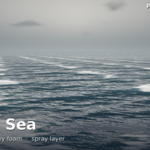

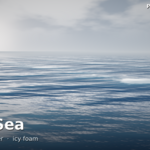
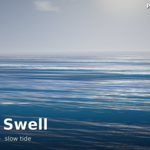
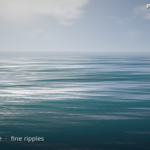
Requirements and installation
The add-on needs Blender 3.6 or newer, which is the minimum version written into its header. It is a single Python file with no dependencies beyond Blender itself, and it works with both the EEVEE and Cycles render engines. A few effects, such as the absorption volume, look different or need extra settings in EEVEE, which is covered in the performance section.
Installing
- Download the file
procedural_water_pro_v3.pyand keep it somewhere you can find it again. - In Blender, open Edit, then Preferences, then Add-ons.
- Click Install, choose the file, and confirm.
- Tick the box beside Procedural Water Pro to enable it. Its category in the list is Add Mesh.
- Close Preferences. The add-on is now available in two places: the Add menu in the 3D Viewport (Add, then Mesh, then Procedural Water) and the Water tab of the sidebar.
If you cannot see the sidebar, hover over the 3D Viewport and press N. The Water tab sits along the right edge of the sidebar.
Have questions about this product?
Login to message
| Published | 1 day ago |
| Blender Version | 3.6 - 4.2 |
| Extension Type | N/A |
| Render Engine Used | Cycles, Eevee |
| License | GPL |
Discover more products like this
blender addon realistic water environment assets procedural-water blender 3d geometry nodes liquid shader animated ocean