Quick Measure2
 Blender.Fun

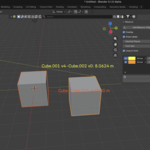
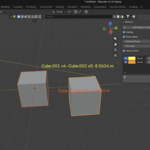
Overview Quick Measure provides fast, precise distance measurements directly in Blender’s 3D Viewport. Measure between objects, vertices and arbitrary points without leaving the viewport. The add-on is GPL-licensed and designed to speed up modeling, rigging and layout work.
Installation
- Download the Quick Measure add-on ZIP or folder.
- In Blender: Edit → Preferences → Add-ons → Install...
- Select the downloaded file and click Install Add-on.
- Enable “Quick Measure” in the Add-ons list.
- Close Preferences. The tool appears in the Viewport (see Location).
Location Viewport → Measure Measurement controls and results are displayed directly in the 3D Viewport overlay.
Quick Start
- Enable the add-on in Preferences.
- Open the 3D Viewport and switch to the interaction mode recommended by the add-on (Object/Edit as needed).
- Activate the Measure tool from Viewport → Measure (or from the toolbar if visible).
- Click the first point (object surface, vertex or free point).
- Click the second point. The distance will be shown in the viewport overlay.
- Repeat or clear measurements using the tool UI.
What You Can Measure
- Distances between object origins or surfaces
- Distances between mesh vertices
Reading Measurements
- Measurements are shown as numeric overlays adjacent to the measured segment.
- Units follow Blender’s scene unit settings (Metric/Imperial).
- Precision and display format may be adjusted in the add-on settings (see Settings).
Settings & Preferences Open Blender Preferences → Add-ons → Quick Measure to configure:
- Display precision (decimal places)
- Unit handling (follow scene units or use a fixed unit)
- Overlay style (font size, color, visibility)
- Snap behavior (vertex, edge, face preference)
Tips
- Use Blender’s vertex/edge snapping to select precise geometry points before measuring.
- Switch between Object and Edit modes to measure object-to-object and vertex-to-vertex distances.
- Lock the viewport view (Numpad / and view locking) to maintain stable camera perspective while measuring.
- For repeated measurements, keep the tool active and clear only older segments you no longer need.
Troubleshooting
- Measurements not visible: check overlay visibility (Viewport Overlays) and add-on display settings.
- Incorrect units: confirm Scene Properties → Units and the add-on’s unit preference.
- Cannot pick vertices: ensure you are in Edit Mode for mesh-level vertex selection, or enable vertex snapping.
- Add-on not listed: confirm Blender version is 2.93 or newer and that installation succeeded.
$3
Have questions about this product?
Login to message
| Blender Extension Compatible | Yes |
| Dev Fund Contributor | |
| Published | 11 months ago |
| Blender Version | 2.93 - 5.1 |
| Extension Type | Add-on |
| License | GPL |
