Quick Move Keyframes
 Blender.Fun
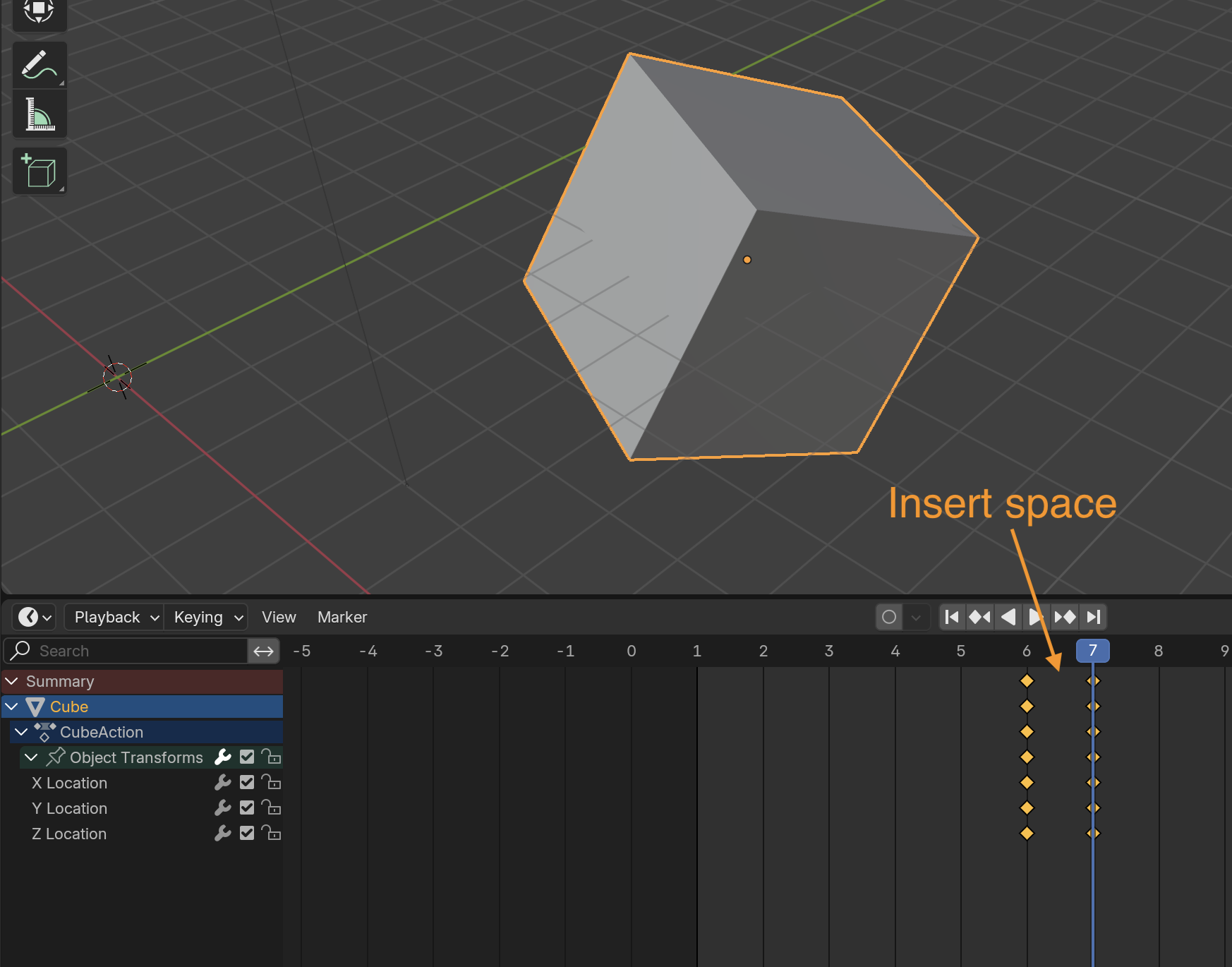
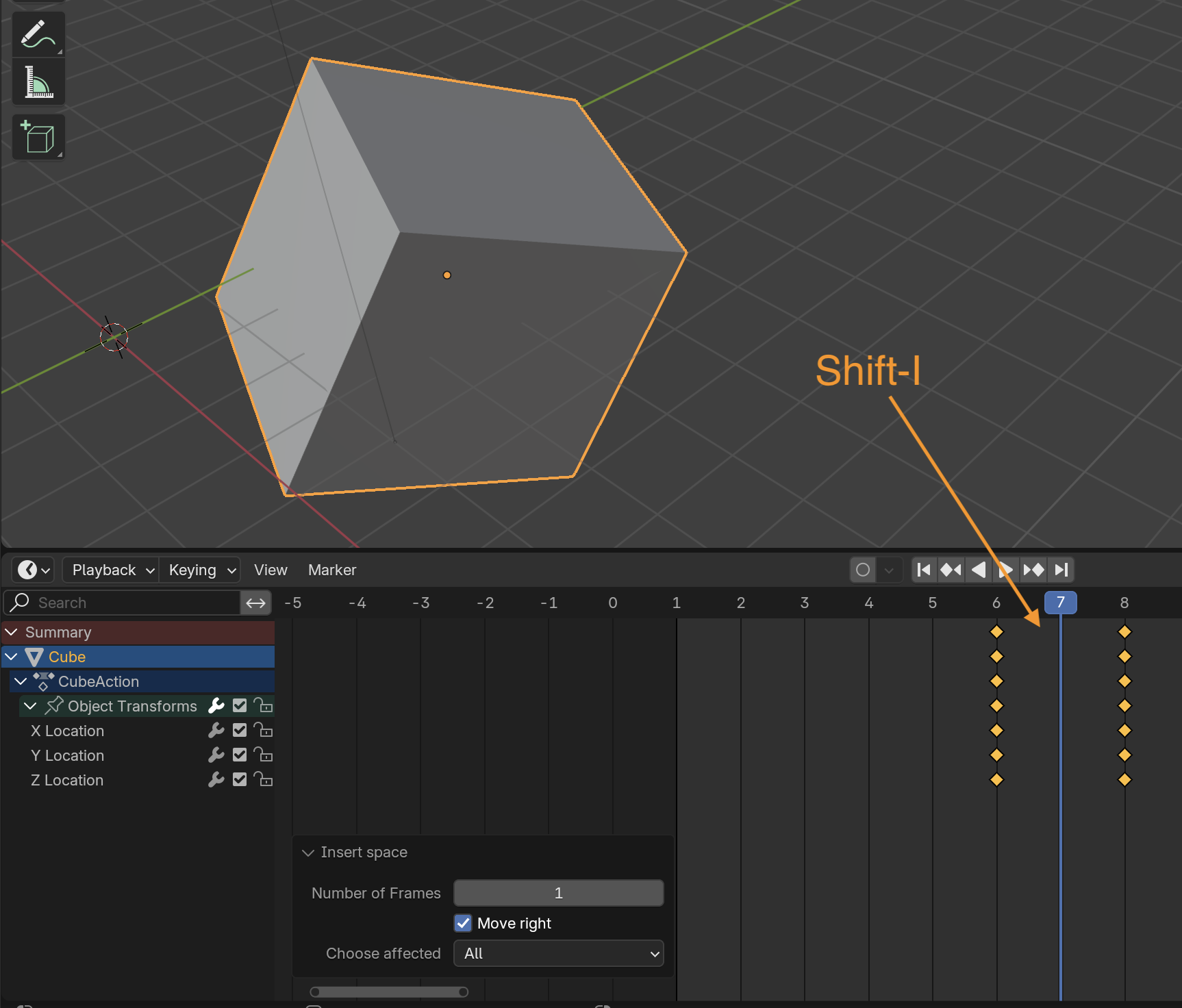
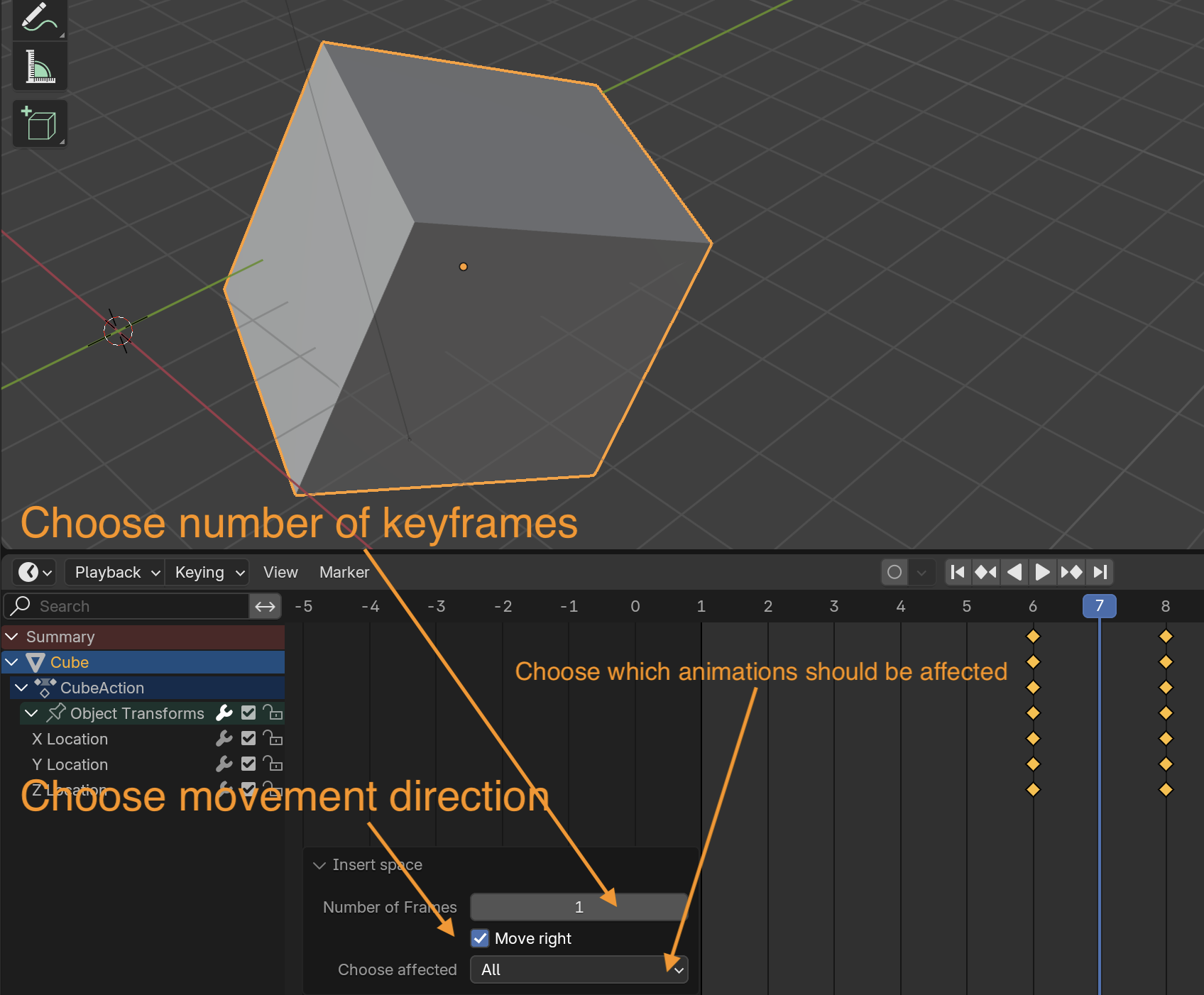


Quick Move Keyframes – User Documentation
Overview
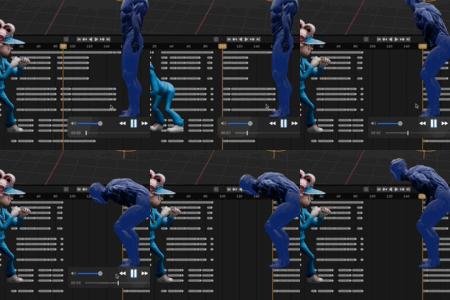
Quick Move Keyframes is a Blender add-on designed to streamline the process of moving keyframes in your animations. It provides a fast and intuitive way to shift keyframes in the Graph Editor, Dope Sheet, and Timeline, helping animators save time and improve workflow efficiency.
Installation
- Download the add-on as a .zip file.
- Open Blender and go to Edit > Preferences > Add-ons.
- Click Install... and select the downloaded file.
- Enable the add-on in the list.
Features
- Move Keyframes: Shift keyframes by any number of frames to the left or right.
- Selection Options: Choose to move keyframes for all objects, selected objects, objects in the scene, or only selected curves.
- Hotkeys: By default, use Shift + I in the Graph Editor and Dope Sheet to open the move keyframes dialog.
- Undo Support: All actions can be undone.
Usage
1. Via Menu
- Open the Graph Editor or Dope Sheet.
- Click on Insert space in the menu.
- Set the number of frames, direction (right/left), and the affected area.
- Confirm with OK.
2. Via Hotkey
- Press Shift + I in the Graph Editor or Dope Sheet.
- The dialog will appear for you to set the parameters.
Preferences
- In the add-on settings, you can toggle the display of hotkeys.
- Hotkeys can be customized in Blender’s keymap editor.
Notes
- Compatible with Blender version 2.93 and above.
- The “Selected Curves” option is only available when curves are selected in the Graph Editor.
- Changes are applied immediately and can be undone.
$3
Have questions about this product?
Login to message
| Blender Extension Compatible | Yes |
| Sales | 20+ |
| Dev Fund Contributor | |
| Published | over 2 years ago |
| Blender Version | 4.3, 4.2, 4.1, 4.0, 3.6, 3.5, 3.4, 3.3, 3.2, 3.1, 3.0, 2.93 |
| Extension Type | Add-on |
| License | GPL |
