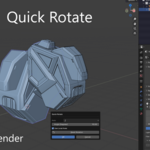
Quick Rotate
 Christopher Groff


📦 Installation
- In Blender, go to Edit > Preferences > Add-ons.
- Click Install... and select the quick_rotate.zip file.
- Enable the checkbox for Quick Rotate.
- (Optional) Open Preferences > Add-ons > Quick Rotate to customize the hotkey and modifiers (Ctrl/Alt).
🚀 How to Use
- Select any object in Object Mode.
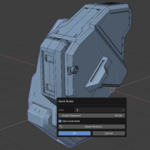
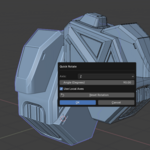
- Press the hotkey (default Shift + W) to open the popup.
- In the popup:
- Choose the axis (X, Y, or Z)
- Enter a rotation angle (e.g. 45, -90)
- Toggle Local Axes on/off
- Press Reset Rotation to zero it out (if needed)
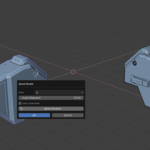
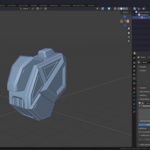
- A live blue transparent preview appears in the viewport.
- Press OK to apply the rotation — or press Esc to cancel.
🔄 Hotkey Customization
You can change the hotkey to anything you prefer:
- Go to Edit > Preferences > Add-ons.
- Find Quick Rotate, and expand its panel.
- Change:
- The main letter key (default: W)
- Toggle Ctrl or Alt modifiers
- Save your preferences for future sessions.
💡 Notes
- Only affects the active object (multi-object support may come later).
- The transparent preview uses a fixed light-blue color and does not affect your real object until confirmed.
$9.99
Have questions about this product?
Login to message
| Published | about 1 year ago |
| Blender Version | 4.0 - 4.4 |
| Extension Type | N/A |
| Render Engine Used | Cycles, Eevee |
| License | GPL |
Discover more products like this
object rotation rotate-add-on modeling-utility addon axis-rotation transform-helper rotate-tool quick-transform Live Preview Fast Workflow popup-menu kitbashing-tool