Quick Seam & Sharp
 Rip Vertices Studio


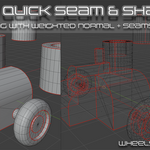
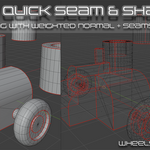
Quick Seam & Sharp
**Quick Seam & Sharp** is a professional Blender addon designed to automate and optimize your UV unwrapping and shading workflow. It intelligently marks Sharp edges, Seams, and Bevel weights based on geometry analysis, saving hours of manual labor in hard-surface and organic modeling.
---
## Key Features
### 1. Auto-Sharp & Seam
Automatically marks edges that meet a specific angle threshold.
- **Precision Shading**: Sets edges to "Sharp" and applies "Smooth Shading" to faces.
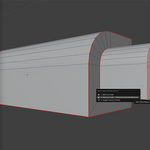
- **UV Optimization**: Places Seams exactly where shading breaks occur, ensuring clean UV islands.
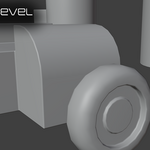
- **Bevel Integration**: Automatically assigns Bevel weights (1.0) to sharp edges for use with the Bevel modifier.
### 2. Master Seam (Experimental / Advanced)
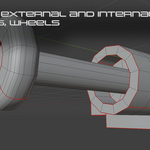
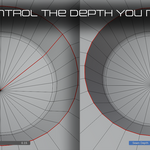
A proprietary algorithm designed to solve the "spiral seam" problem on cylindrical and spherical objects.
- **Dijkstra-based Pathfinding**: Uses a shortest-path algorithm to find the most logical longitudinal seam.
- **Smart Island Detection**: Analyzes 3D connectivity to identify tubular shapes and apply a single, clean "master" seam.
- **Adaptive Geometry Support**: Works on complex organic tubes, handles, and mechanical cylinders.
### 3. Smart Bevel Workflow
Seamlessly integrates your modeling with high-quality shading.
- **Weighted Normal Support**: Automatically adds and manages a `Weighted Normal` modifier with `Keep Sharp` enabled.
- **Modifier Stack Management**: Ensures the `Bevel` modifier is correctly placed before `Weighted Normal` for artifact-free shading.
- **Interactive Thickness**: Adjust bevel width in real-time with an intuitive mouse-based modal operator.
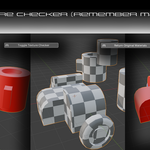
### 4. Texture Checker
A production-ready UV diagnostic tool.
- **Instant Preview**: Toggles a high-contrast checkerboard material on selected objects.
- **Non-Destructive**: Your original materials are safely stored and can be restored with a single click.
---
## 🛠 Installation
1. Download the `QuickSeamSharp_v0.96.zip` (or the latest version).
2. In Blender, go to **Edit > Preferences > Add-ons**.
3. Click **Install...** and select the `.zip` file.
4. Enable the addon by checking the box next to **3D View: Quick Seam & Sharp**.
---
## Controls & Shortcuts
| Action | Shortcut | Description |
| :--- | :--- | :--- |
| **Open Quick Menu** | `Alt + C` | Access main functions (Auto-Seam, Advanced Mode, Checker). |
| **Interactive Bevel** | Triggered via UI | Drag mouse to adjust thickness. |
| **Precision Mode** | `Shift + Mouse` | Hold Shift during Interactive Bevel for fine adjustments. |
| **Cancel Operator** | `Esc` / `Right Click` | Cancels the current modal operation or reverts changes. |
---
## Parameters
- **Angle**: The threshold (in radians/degrees) above which an edge is considered "Sharp".
- **Master Seam Depth**: Controls the sensitivity of the cylinder detection. Lower values allow for more organic shapes.
- **Bevel Width**: The offset distance for the Bevel modifier.
---
## Requirements
- **Blender**: 4.1.0 or higher.
- **Supports**: Both EEVEE and Cycles engines.
---
*Developed by Rip Vertices Studio*
Have questions about this product?
Login to message
| Published | 6 months ago |
| Blender Version | 4.1 - 5.1 |
| Extension Type | N/A |
| Render Engine Used | Cycles, Eevee |
| License | GPL |

Discover more products like this
sharp seam addon quick modeling and unwrapping sharpness autoseam seams One Click Addon autosharp