 jkdesign


Quick Render Presets – Fast & Easy Output for Blender
Save time and streamline your rendering workflow with Quick Render Presets, the ultimate add-on for exporting sequences in Blender with professional-quality formats—no manual setup required.
Whether you’re working with images or video, this tool gives you one-click access to industry-standard output settings, letting you focus on creativity, not configurations.
Supported Formats
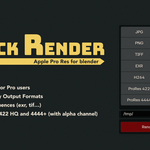
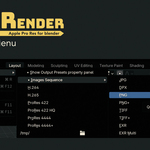
Image Sequences
- JPEG (.jpg)
- PNG (.png)
- PNG + Alpha (.png with transparency)
- TIFF (.tif)
- OpenEXR (.exr)
- OpenEXR MultiPass (.exr multi-layer)
Video Codecs
- H.264 (.mp4)
- H.265 (.mp4)
- ProRes 422 HQ
- ProRes 4444
- ProRes 4444 + Alpha*
* h265 and Apple Pro Res are available for Blender 4.5+. Feel free to download the latest version : blender.org/download
Key Features
- One-click render presets
- Alpha channel support where needed.
- Professionally named presets for clarity and fast access.
- Great for animators, motion designers, and compositors.
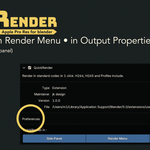
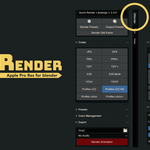
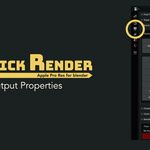
- Seamless integration into Blender’s UI (menu, sidebar or Output Properties)
Perfect for:
- Quickly exporting preview renders.
- Delivering final output in broadcast-ready formats.
- Avoiding render mistakes and format mismatches.
- Anyone who wants to render faster with less hassle.
Compatibility
- Blender 3.6+ (4.5+ for h265 and Apple Pro Res)
- Windows, macOS, Linux
Try Quick Render now !
Versions
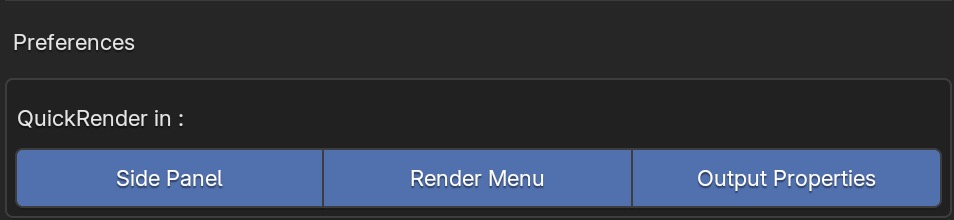
- 1.0.1 : add new preference to select where you want to use QuickRender (Side Panel, Render Menu, Output Properties)
- 1.0.0 : initial version
- 0.4.6 : early version
Try Quick Render now !
