Quickrezopro Render V2.0 – One Click Resolution Toolkit For Blender
 Tri-vima Studio


QuickRezoPro Render V2.0
Simple Documentation & FAQs
🚀 Welcome
Thank you for choosing QuickRezoPro Render V2.0.
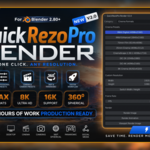
QuickRezoPro Render is a professional Blender addon that lets you switch between common resolutions, cinema formats, camera presets, panoramic formats, and 360° resolutions with just one click.
Compatible with Blender 2.80+
📦 Installation
Step 1
Open Blender.
Step 2
Go to:
Edit → Preferences → Add-ons
Step 3
Click:
Install…
Step 4
Select:
QuickRezoPro_Render_V2.zip
Step 5
Enable:
✅ QuickRezoPro Render V2.0
📍 Accessing the Addon
Open:
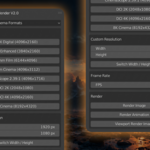
3D Viewport → Sidebar (N) → QuickRezoPro Render V2.0
🎬 Using QuickRezoPro Render
1. Select Category
Choose a preset category:
- Mobile Screens
- Tablet Screens
- Laptop Screens
- Desktop Screens
- Various Resolutions
- Cinema Formats
- Camera Presets
- Panoramic Formats
- 360° Spherical
- Social Media
2. Choose Resolution
Simply click any preset.
Example:
- Full HD
- 4K UHD
- IMAX Digital
- DCI 4K
- Sony Venice
- Canon Cinema EOS
- 8K 360°
- Instagram Post
The render resolution updates automatically.
3. Custom Resolution
You can manually set:
- Width
- Height
for any custom project.
4. Switch Width & Height
Use:
Switch Width / Height
to quickly convert:
1920 × 1080
↓
1080 × 1920
Perfect for:
- Instagram Reels
- TikTok
- YouTube Shorts
5. FPS Settings
Set frame rates directly:
- 24 FPS
- 25 FPS
- 30 FPS
- 60 FPS
or any custom value.
6. Rendering
Quick access buttons:
Render Image
Renders current frame.
Render Animation
Renders animation sequence.
Viewport Render
Creates a viewport preview render.
🎞 Cinema Presets Included
IMAX Digital
4096 × 2160
IMAX Enhanced
3840 × 2160
70mm Film
6144 × 4096
35mm Cinema
4096 × 3112
DCI 2K
2048 × 1080
DCI 4K
4096 × 2160
CinemaScope
4096 × 1716
8K Cinema
8192 × 4320
📷 Camera Presets Included
Sony Cinema
Canon Cinema
Panasonic VariCam
Kodak Film Format
Professional resolutions inspired by industry workflows.
🌎 360° Spherical Presets
- 2K 360°
- 4K 360°
- 8K 360°
- 16K 360°
Perfect for:
- VR
- Virtual Tours
- YouTube 360 Videos
📱 Social Media Presets
Included:
- YouTube
- Behance
- ArtStation
-
Gumroad
Need Help?
Tri-vima Studio
Create Better. Render More.
For support, updates, and new products, visit:
Superhive Market → Tri-vima Studio
Thank you for supporting Tri-vima Studio ❤️
Have questions about this product?
Login to message
| Published | 3 months ago |
| Blender Version | 2.8 - 5.2 |
| Extension Type | N/A |
| Render Engine Used | Cycles, Eevee |
| License | GPL |
Discover more products like this
blender 4.x product-visualization Render Resolution blender 3.x sony 8k camera presets panoramic VFX IMAX cinema Blender 2.8 CG Artist 16k Blender tool animation DCI kodak canon architecture rendering panasonic 360 Rendering blender addon