RabbidRender Inspector
 RabbidRender


Installation
- Download rabbidrender_inspector-1.0.0.zip. Do not extract it.
- In Blender, open Edit → Preferences → Extensions.
- Choose Install from Disk and select the downloaded ZIP.
- Enable RabbidRender Inspector if it is not enabled automatically.
- Open the 3D Viewport, press N, and select the RabbidRender tab.
Supported versions: Blender 4.5 LTS through Blender 5.2 LTS.
Quick Start
- Save the .blend file whenever possible.
- Open the RabbidRender tab in the 3D Viewport sidebar.
- Select Check Scene.
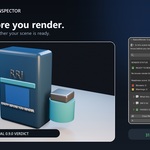
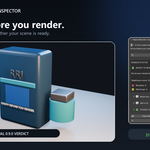
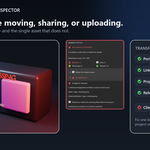
- Read the verdict first, then expand Blockers, Warnings, Info, or Passed for details.
- Correct anything relevant and select Check Again.
Understanding the Verdict
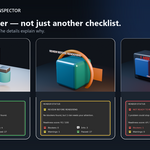
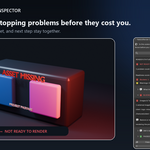
- Ready to Render — no known render blocker or transfer risk was found.
- Review Before Rendering — no blocker was found, but one or more warnings need attention.
- Not Ready to Render — one or more concrete problems could stop or break the render.
The readiness score is a secondary triage aid, not a guarantee of the artistic result. Informational findings never reduce the score.
Sharing Reports
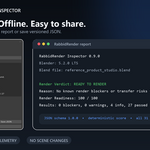
Select Copy Report to copy a human-readable report to the clipboard. Select Save JSON to save the verdict, scene context, counts, and all findings in a versioned machine-readable format.
Reports may contain local paths and scene, object, material, or node names. Review a report before sharing it outside your team if those names are sensitive.
Optional Automatic Checks
In the add-on preferences, you can enable checks when saving or when a render starts. A render check runs once before the complete render job and refreshes once after completion or cancellation — not once per animation frame.
Automatic checks use the same read-only inspection. They never alter the scene and never stop a render.
Important Limitations
- A green verdict means no known issue was found; it is not a render guarantee.
- The inspector does not render a proof frame or judge artistic quality.
- It does not predict render time, RAM, or VRAM usage.
- Relative paths cannot be fully verified before the project has been saved.
- Custom render engines and third-party add-ons must also exist on the destination machine.
- Another workstation or render farm must support the required Blender version, engine, add-ons, and hardware.
- RabbidRender Inspector reports issues but intentionally makes no automatic changes.
Privacy
RabbidRender Inspector works locally and offline. It contains no telemetry, cloud connection, account system, or license server. It does not upload the scene or report data.
Support
Use the Superhive marketplace inbox for support. Include the RabbidRender Inspector version, Blender version, operating system, and the visible finding or error. If possible, provide a minimal reproduction. Review reports before sharing because they can contain private paths or object names.
Have questions about this product?
Login to message
| Blender Extension Compatible | Yes |
| Published | about 2 months ago |
| Blender Version | 4.5 - 5.2 |
| Extension Type | Add-on |
| Render Engine Used | Cycles, Eevee |
| License | GPL |
Discover more products like this
simulation cache missing textures project transfer render preflight Production Workflow scene validation Render Farm missing assets render checker compositor