Blender Procedural



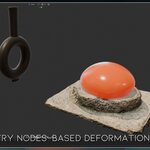
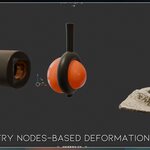
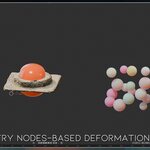
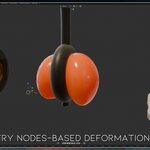
Soft deformation. Instant interaction. No baking.
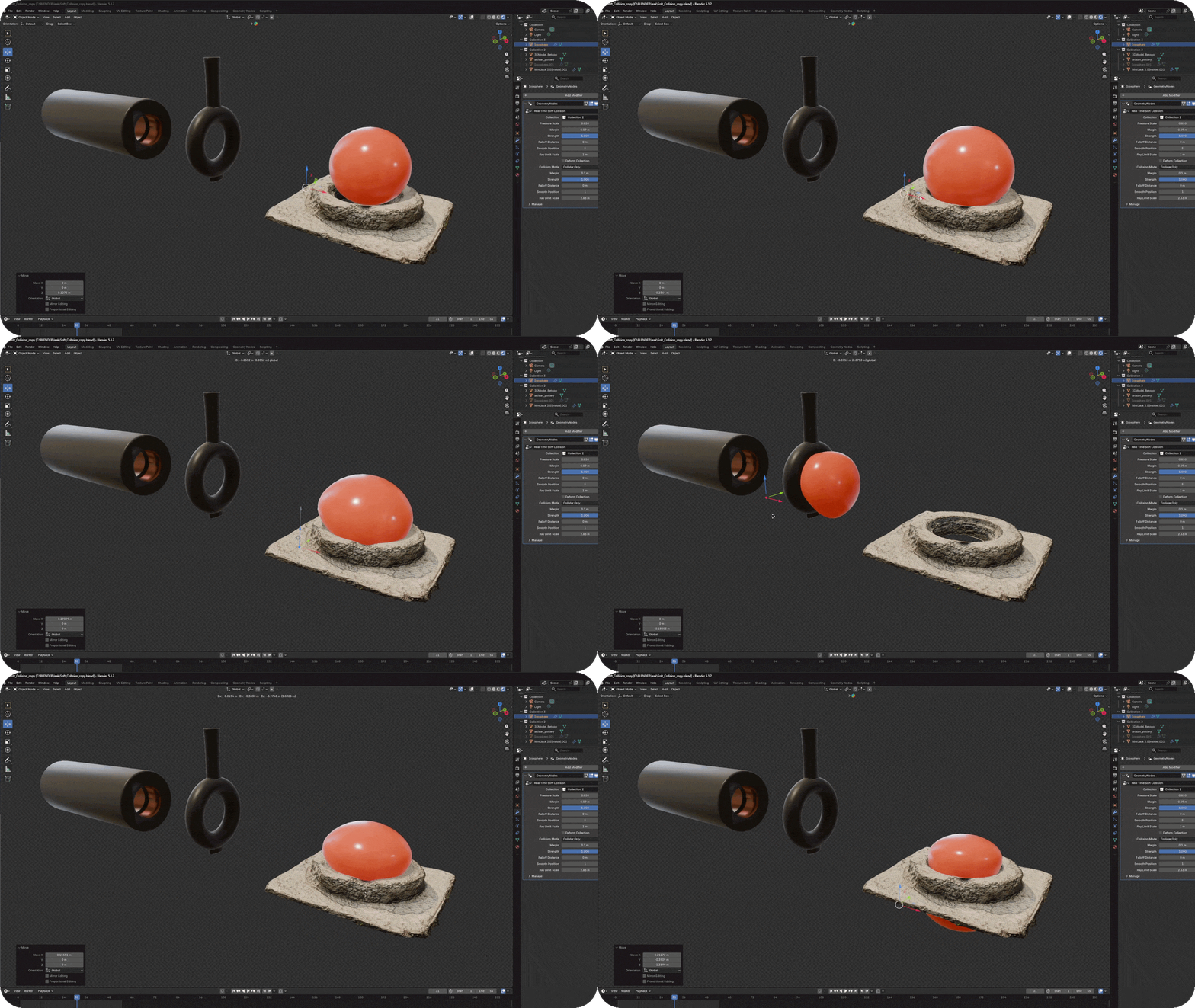
Real Time Soft Body Collision is a procedural Geometry Nodes system for creating smooth, soft-body-style collision effects directly in Blender. It allows objects to react to colliders with organic compression and surface deformation—without using a traditional soft body simulation.
Simply place your collider objects inside a collection, select that collection from the modifier and customize the response using the exposed controls. The result can be previewed directly in the viewport, making it easy to animate and art-direct.
Features
- Real-time collision-based deformation
- No simulation baking required
- Multiple collider support through collections
- Adjustable pressure and deformation strength
- Independent collision margin controls
- Customizable falloff and smoothing
- Ray limit controls for different scene scales
- Fully procedural and non-destructive workflow
- Simple controls inside the modifier panel
Main Controls
- Collection: Selects the collection containing the collider objects.
- Pressure Scale: Controls volume retention and the overall softness of the object.
- Margin: Sets the distance at which the collision response begins.
- Strength: Controls the intensity of the deformation.
- Falloff Distance: Determines how far the deformation spreads from the contact area.
- Smooth Position: Smooths the surface for a softer and more organic result.
- Ray Limit Scale: Adjusts the collision detection range according to the size of the scene.
- Collision Mode: Defines how objects inside the selected collection interact with the system.
Perfect For
Rubber, foam, cushions, inflatable objects, soft products, packaging animations, stylized deformation, abstract motion graphics and satisfying collision effects.
Recommended Workflow
- Apply the scale of the deformable object.
- Use a sufficiently dense and evenly distributed mesh.
- Place all collider objects inside a dedicated collection.
- Select the collection from the Geometry Nodes modifier.
- Adjust Pressure, Margin, Strength and Smoothing to create the desired response.
- Animate the collider objects and preview the deformation in real time.
All important settings are exposed in the modifier, so the system can be used and customized without opening the Geometry Nodes editor.
“Press. Collide. Deform.”
Soft deformation. Instant interaction. No baking.
Real Time Soft Body Collision is a procedural Geometry Nodes system for creating smooth, soft-body-style collision effects directly in Blender. It allows objects to react to colliders with organic compression and surface deformation—without using a traditional soft body simulation.
Simply place your collider objects inside a collection, select that collection from the modifier and customize the response using the exposed controls. The result can be previewed directly in the viewport, making it easy to animate and art-direct.
Features
- Real-time collision-based deformation
- No simulation baking required
- Multiple collider support through collections
- Adjustable pressure and deformation strength
- Independent collision margin controls
- Customizable falloff and smoothing
- Ray limit controls for different scene scales
- Fully procedural and non-destructive workflow
- Simple controls inside the modifier panel
Main Controls
- Collection: Selects the collection containing the collider objects.
- Pressure Scale: Controls volume retention and the overall softness of the object.
- Margin: Sets the distance at which the collision response begins.
- Strength: Controls the intensity of the deformation.
- Falloff Distance: Determines how far the deformation spreads from the contact area.
- Smooth Position: Smooths the surface for a softer and more organic result.
- Ray Limit Scale: Adjusts the collision detection range according to the size of the scene.
- Collision Mode: Defines how objects inside the selected collection interact with the system.
Perfect For
Rubber, foam, cushions, inflatable objects, soft products, packaging animations, stylized deformation, abstract motion graphics and satisfying collision effects.
Recommended Workflow
- Apply the scale of the deformable object.
- Use a sufficiently dense and evenly distributed mesh.
- Place all collider objects inside a dedicated collection.
- Select the collection from the Geometry Nodes modifier.
- Adjust Pressure, Margin, Strength and Smoothing to create the desired response.
- Animate the collider objects and preview the deformation in real time.
All important settings are exposed in the modifier, so the system can be used and customized without opening the Geometry Nodes editor.
“Press. Collide. Deform.”
Soft deformation. Instant interaction. No baking.
Real Time Soft Body Collision is a procedural Geometry Nodes system for creating smooth, soft-body-style collision effects directly in Blender. It allows objects to react to colliders with organic compression and surface deformation—without using a traditional soft body simulation.
Simply place your collider objects inside a collection, select that collection from the modifier and customize the response using the exposed controls. The result can be previewed directly in the viewport, making it easy to animate and art-direct.
Features
- Real-time collision-based deformation
- No simulation baking required
- Multiple collider support through collections
- Adjustable pressure and deformation strength
- Independent collision margin controls
- Customizable falloff and smoothing
- Ray limit controls for different scene scales
- Fully procedural and non-destructive workflow
- Simple controls inside the modifier panel
Main Controls
- Collection: Selects the collection containing the collider objects.
- Pressure Scale: Controls volume retention and the overall softness of the object.
- Margin: Sets the distance at which the collision response begins.
- Strength: Controls the intensity of the deformation.
- Falloff Distance: Determines how far the deformation spreads from the contact area.
- Smooth Position: Smooths the surface for a softer and more organic result.
- Ray Limit Scale: Adjusts the collision detection range according to the size of the scene.
- Collision Mode: Defines how objects inside the selected collection interact with the system.
Perfect For
Rubber, foam, cushions, inflatable objects, soft products, packaging animations, stylized deformation, abstract motion graphics and satisfying collision effects.
Recommended Workflow
- Apply the scale of the deformable object.
- Use a sufficiently dense and evenly distributed mesh.
- Place all collider objects inside a dedicated collection.
- Select the collection from the Geometry Nodes modifier.
- Adjust Pressure, Margin, Strength and Smoothing to create the desired response.
- Animate the collider objects and preview the deformation in real time.
All important settings are exposed in the modifier, so the system can be used and customized without opening the Geometry Nodes editor.
“Press. Collide. Deform.”
🚀 Explore More by Blender Procedural