 jkdesign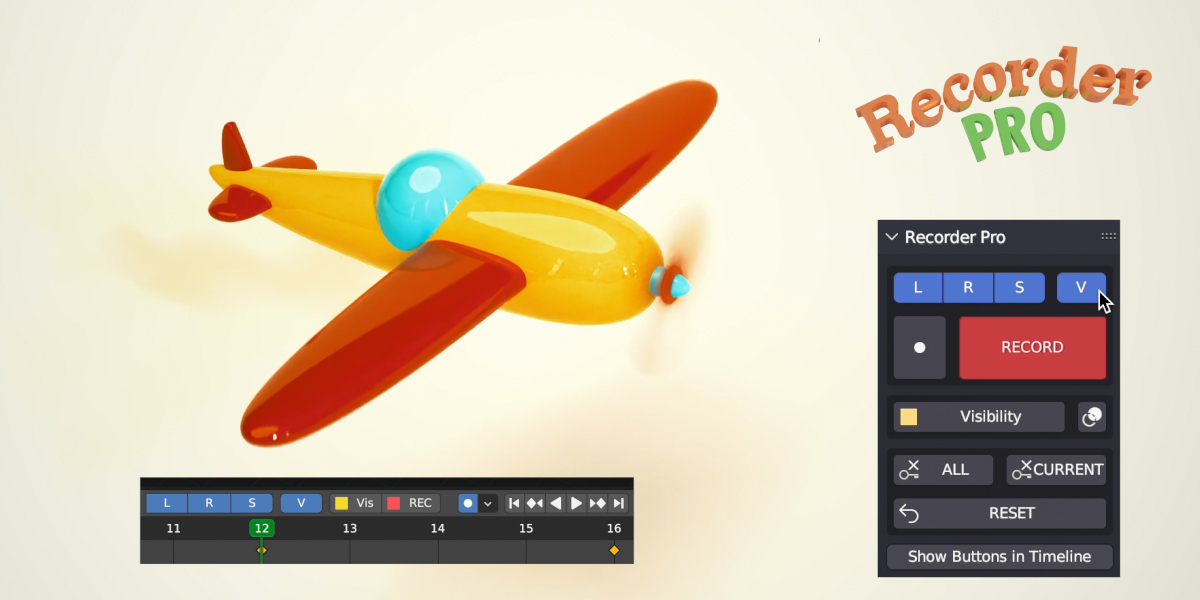


⚠ Due to changes in Blender code, this plugin works well in Blender 4 and up to Blender 5.0.0 alpha (https://builder.blender.org/download/daily/archive) but does not work in Blender 5.0.0 RC and later.
We are working on an update.
New Way to Record your animations
With Recorder Pro, you can animate and delete the Position, Rotation, Scale, and even Visibility of multiple objects, lights, cameras, and bones with a Music Recorder. With a RECORD button instead of selecting each object and property. User-friendly.

How it works
- Click on the L, R, S, or V buttons and choose the desired property such as Location, Rotation, Scale, or Visibility.
- Select the objects, camera, lights, or bones (in Pose Mode) that you want to animate.
- Click on the "RECORD" button.
- Move in the timeline, move the objects, and click on the "RECORD" button again (or SHIFT+R).
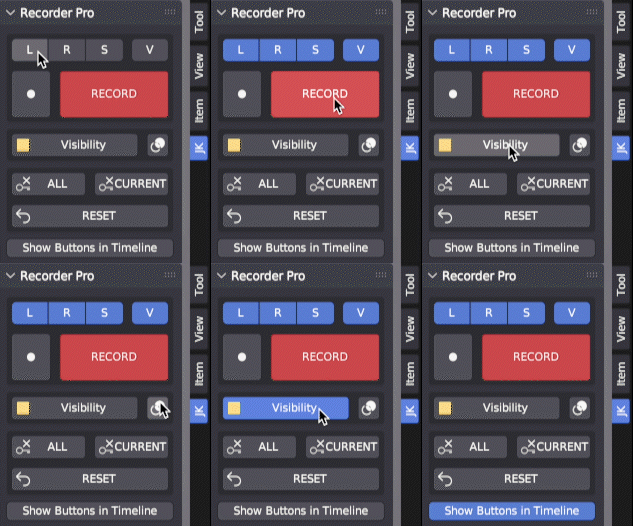
Recorder Pro will automatically create keyframes for all selected objects and properties.
Animating the visibility
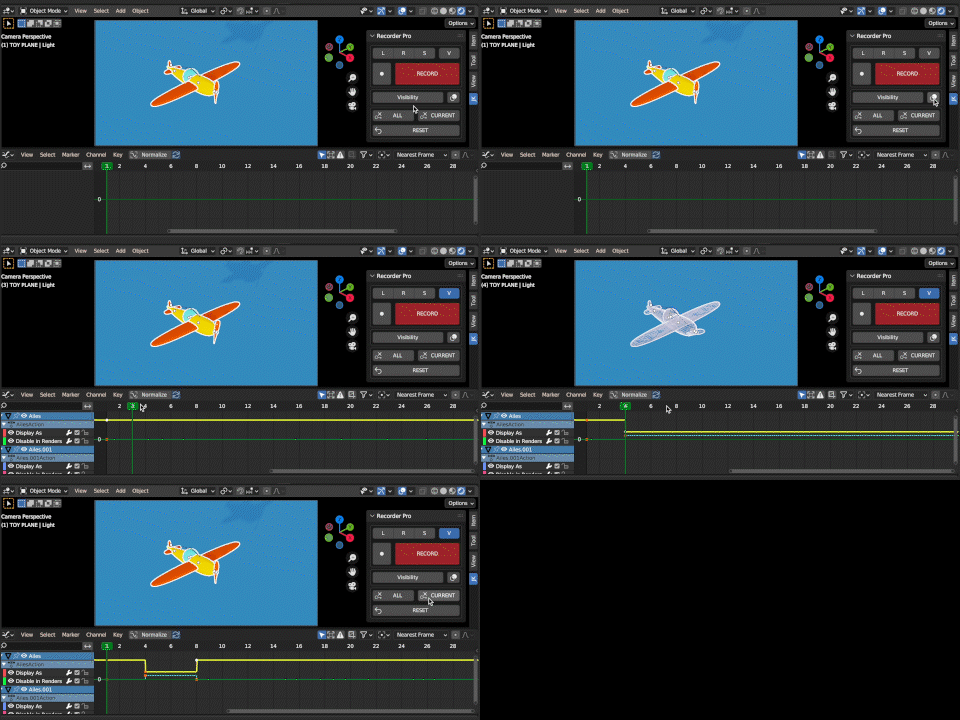
To animate the visibility of objects in both the viewport and render, follow these steps:
- Select the object you want to animate.
- Check the "V" property for visibility.
- Hit the "RECORD BUTTON".
- Move in the timeline, click the "VISIBILITY BUTTON", and click on the "RECORD" button.
Note: Due to Blender limitations, the visibility won't update with Autokey (but you can click on Record!).
Key Features of Recorder Pro
- Works on objects, cameras, and bones (in Pose Mode).
- Easy-to-use interface in Sidebar Panel.
- Supports position, rotation, and scale animation.
- Special property for animating visibility.
- Ability to create or delete keyframes.
- Autokey and overlay options.
- Recorder Buttons available in the Timeline, Dopesheet, and Graph Editor.

Changelog
⚠ Due to changes in Blender code, this plugin works well in Blender 4 and up to Blender 5.0.0 alpha (https://builder.blender.org/download/daily/archive) but does not work in Blender 5.0.0 RC and later.
We are working on an update.
2.0.0
Icons updated for Blender 4.2+
Minor interface update
Compatible with playback display in new plugins Timeline Pro.
1.0.3 - Update for Studio version:
"Show in Timeline" Button adds Recorder Pro panel in the Non-linear animation and Drivers panels.
1.0.2 - Great update!
New designed "Show in Timeline" Button adds Recorder Pro panel in the Timeline, Graph Editor, and Dope Sheet with the same delete/reset options of the RP panel.
1.0.1 - Added "Show Buttons in Timeline" Button in Recorder Pro panel to see the Record Buttons in the Header of the Timeline.
1.0.0 - Initial release.
Stay tuned for more user-friendly plugins coming soon to the market!
