 CGRIGS




Author: Pablo Romero 02/26/24
Recsure Version: 1.2.7 | 08/04/26
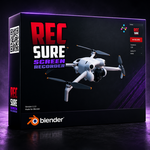
This Blender addon allows you to screen recorder video using the active 3D viewport and save it in MP4 format.
Follow the instructions below to use the addon correctly.
Requirements
Blender Version: 4.5.2 or later - (Windows 10 / 11). Linux and MacOS not yet!
This version was tested in Windows 11.
Using the Addon
Open Blender and load your project.
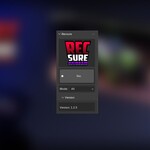
Press CTRL+SHIFT+R to call Recsure popup UI.
Now, the video file is saved automatically in the same folder of your scene.
Click REC toggle button to START video capture.
Click REC toggle button to STOP video capture.
Open explorer to navigate you folder video.
Recsure needs maximized Blender window.
Create Camera from Capture. If check on, Recsure will be to create a camera animation from capture.
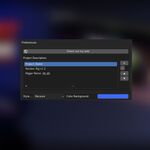
Advance Settings
Click right button on Start button to asign shortcut.
Enjoy capturing videos without leaving blender!
Have questions about this product?
Login to message
| Blender Extension Compatible | Yes |
| Published | about 3 years ago |
| Blender Version | 4.5 |
| Extension Type | Add-on |
| License | GPL |