 TastyVoxels


PHOTOS IN, PRINT-READY COLOUR 3MF OUT
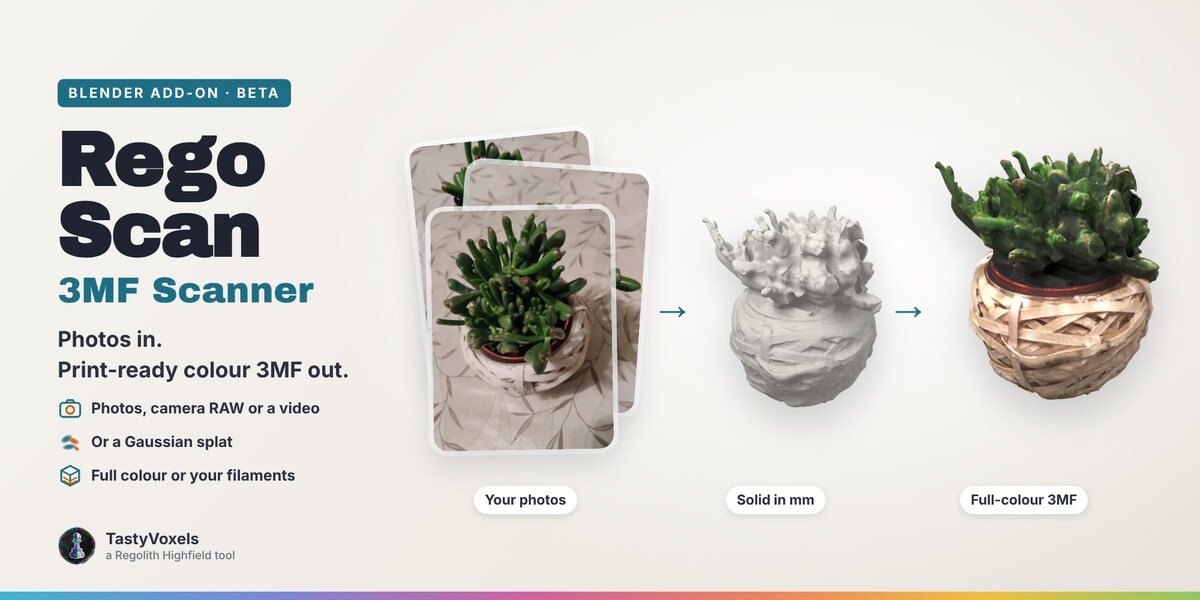
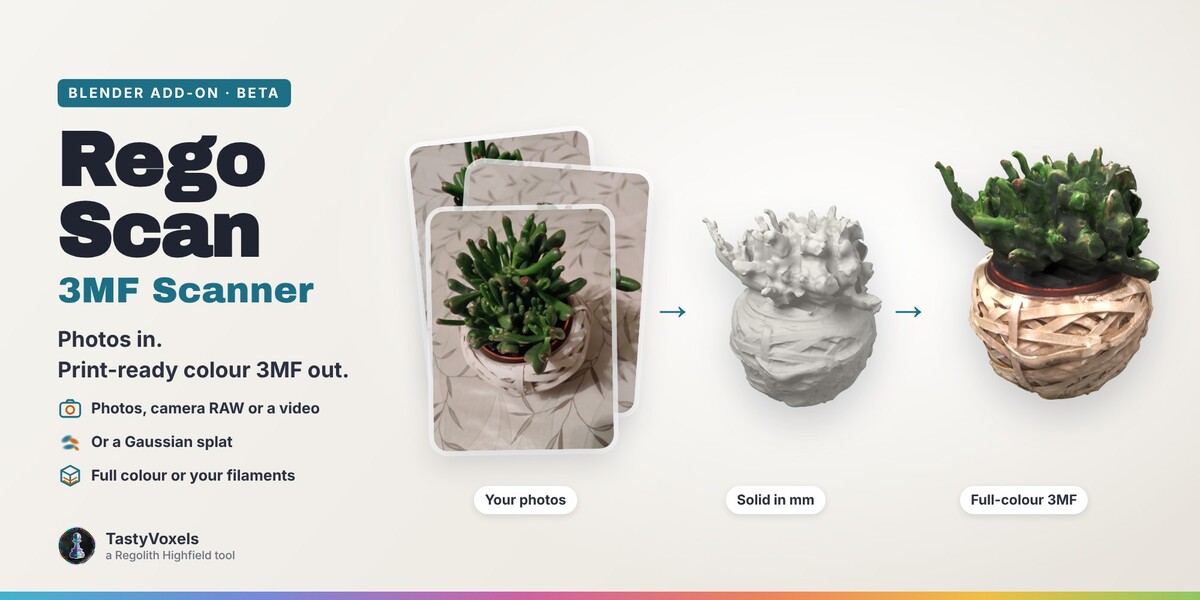
Rego Scan is a Blender add-on for photogrammetry aimed at colour 3D printing. It turns a set of photos (JPG, PNG or camera RAW), a phone video or a Gaussian splat of a real object into a solid you can print in colour. It solves the cameras, builds a dense coloured point cloud, closes it into a watertight solid in real millimetres, colours it from your photos and writes the 3MF: full colour for UV and inkjet printing, or reduced to the spools in your multi-filament printer.
Everything happens on your computer, inside Blender. In one sentence: photo scan to colour 3MF, offline, in Blender.
Made for: multicolor FDM printers with an AMS or a tool changer (Bambu Lab, Prusa, Creality, Snapmaker, Anycubic and others that open a colour 3MF), full-colour UV inkjet printing, and anyone who wants a real object as a printable, correctly scaled model: food props, plants and other matte objects.

PRO, LITE OR THE FREE SAMPLE
Pro is the complete add-on: everything on this page, including the 3D print exports (full-colour and filament 3MF), Repair Mesh, Gaussian splats in and out and point clouds.
Lite, at half the price, is for study and personal renders: photos, camera RAW or video to a coloured, watertight solid in real millimetres, light fix and texture bake, ready to render in Blender. It does not include the 3MF and filament exports, Repair Mesh, Gaussian splats or point clouds; those buttons stay greyed out. Lite to Pro: you pay only the difference, install Pro over Lite and keep the same panel and the same projects.
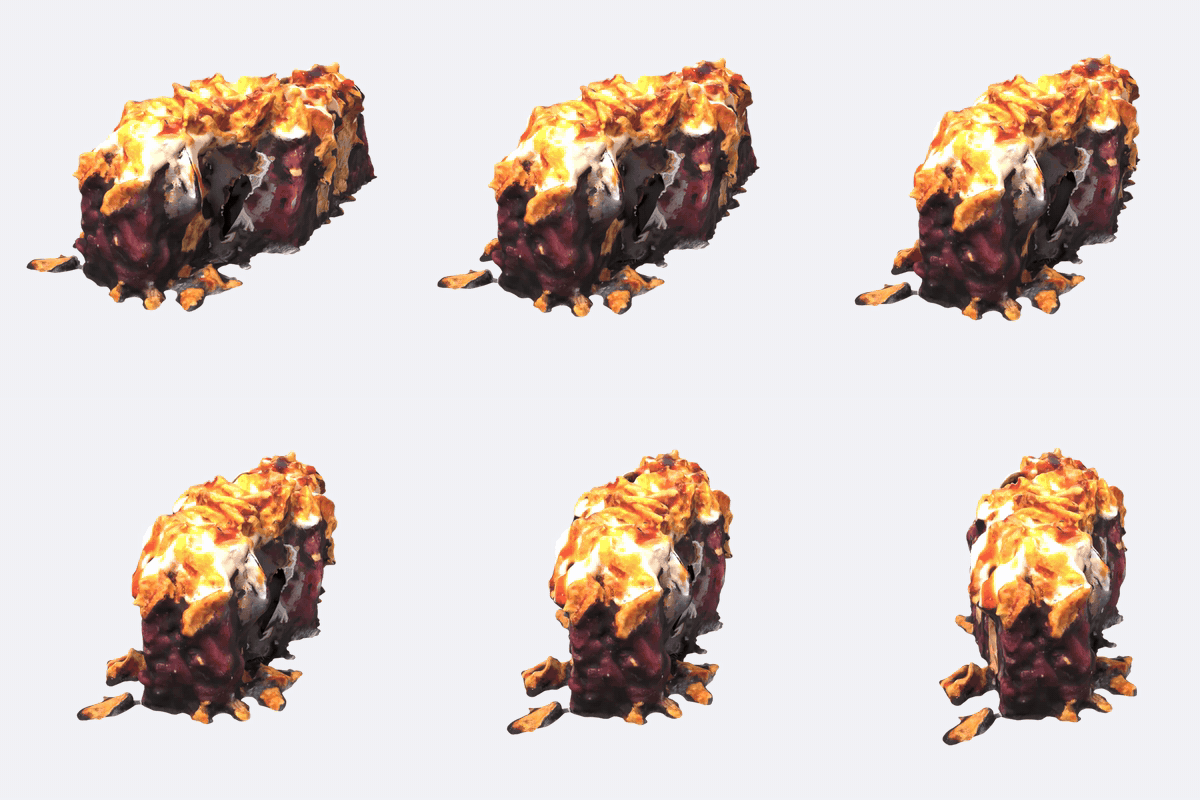
Free sample: want to see what a scan can become first? Download the nigiri keychain for free, a real nigiri I scanned at my favourite sushi place, printed in full colour: the classic one and a flexy one whose shrimp wiggles on a chain printed in place. Two Full Spectrum 3MF, colours painted in, no add-on inside, personal use only.
HOW IT WORKS
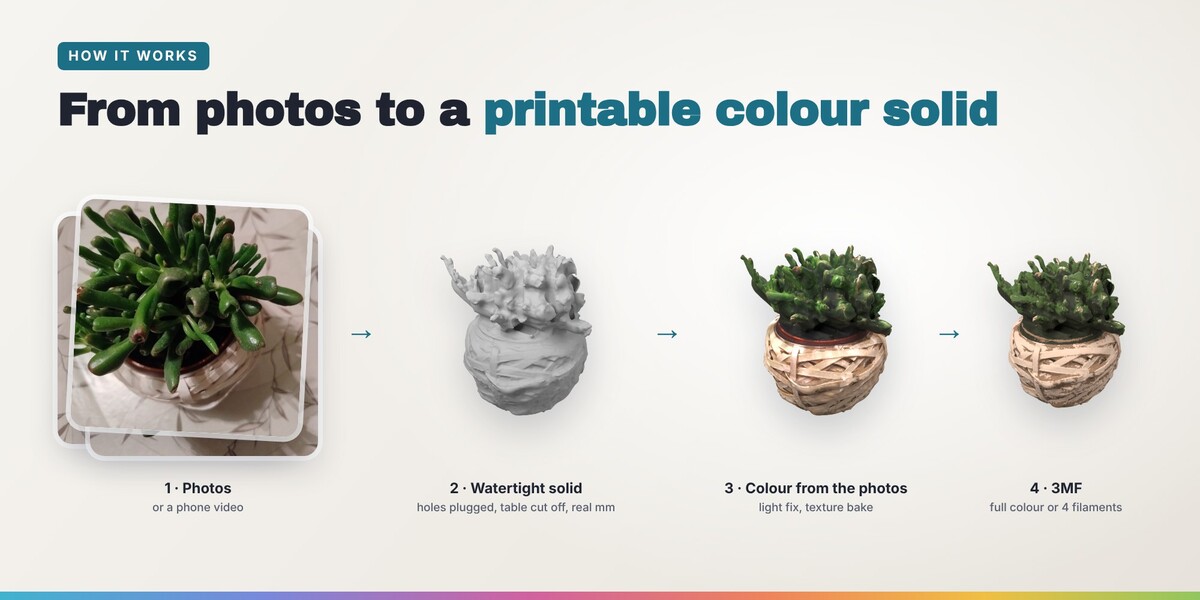
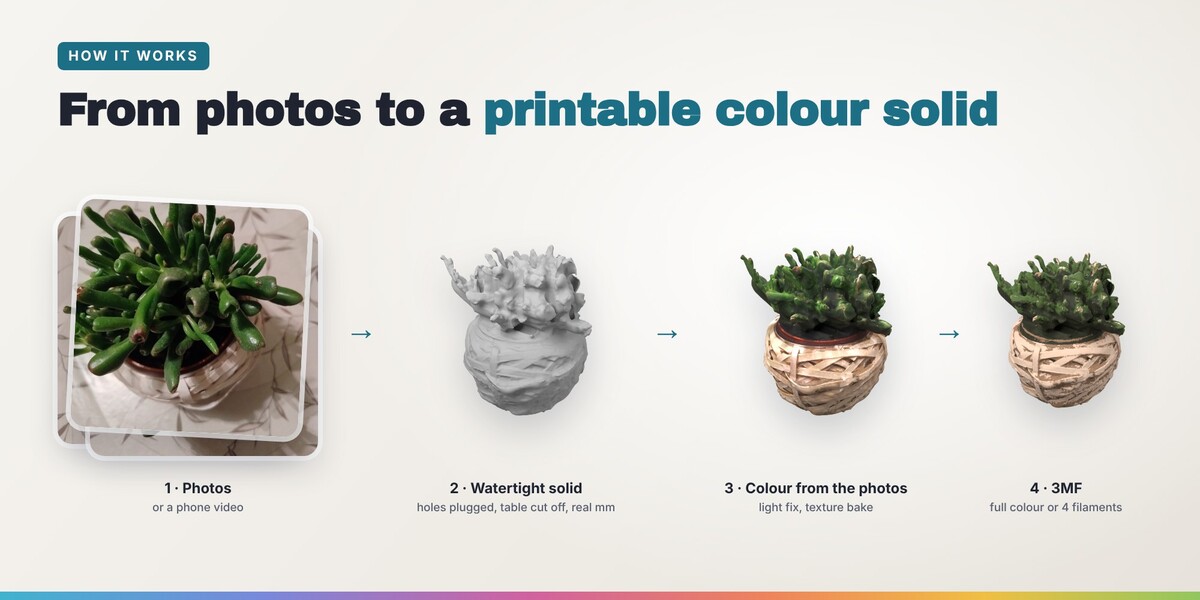
- Photos or a video. 30 to 150 photos around the object, or one slow lap with your phone.
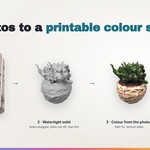
- Watertight solid. The table and the plate under the object are removed, the surface is closed (a Poisson solve), and the object is stood up and scaled to the size you type in millimetres. Repair Mesh then plugs the pin holes, cracks and hidden hollows a scan keeps. The status line tells you whether the solid is closed and in one piece, ready to print.
- Colour from the photos. Every point takes its colour from the photos that really see it, exposure-matched. A light fix (white balance, flatten light, exposure, contrast, saturation) works non-destructively, and the texture bake writes a PNG for UV printing.
- 3MF. Full colour, or reduced to 1 to 16 filaments.
FULL COLOUR, OR YOUR FILAMENTS
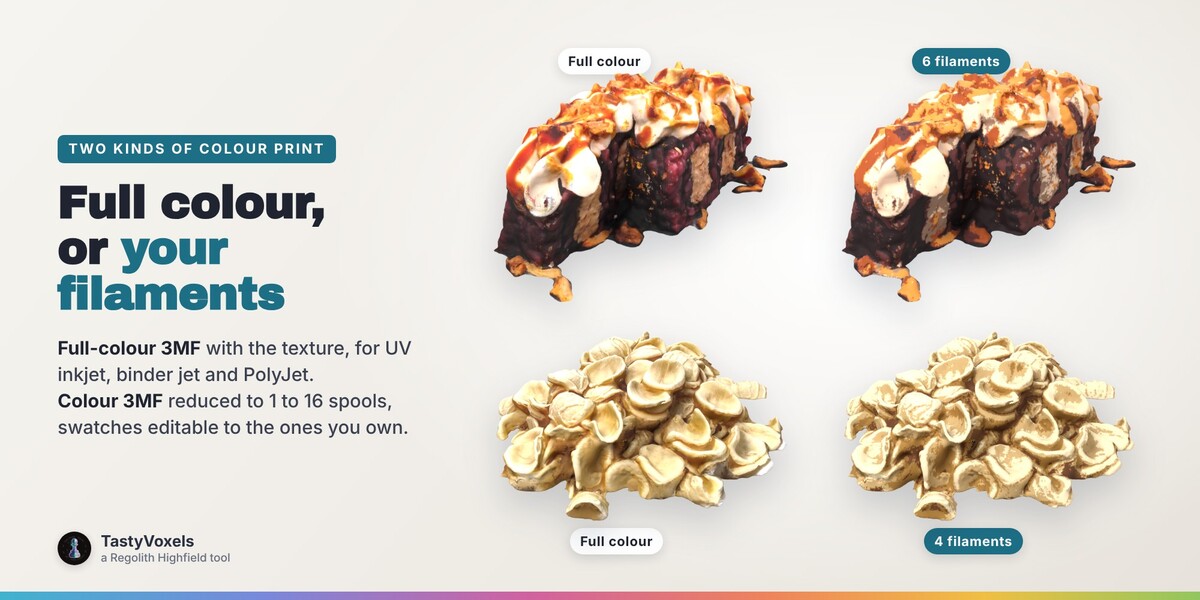
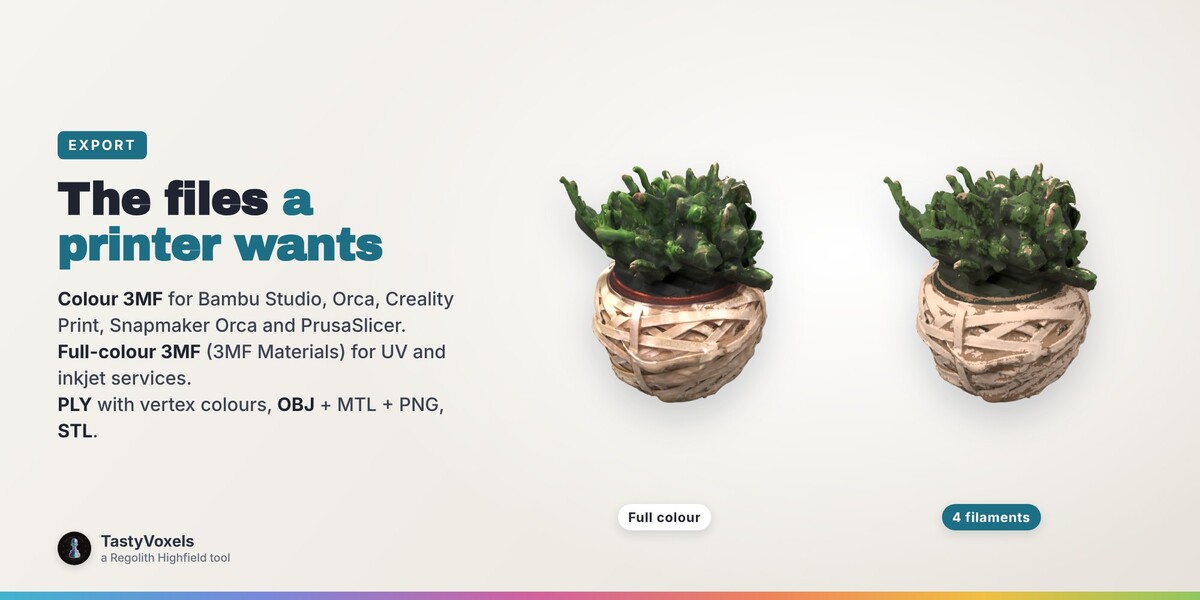
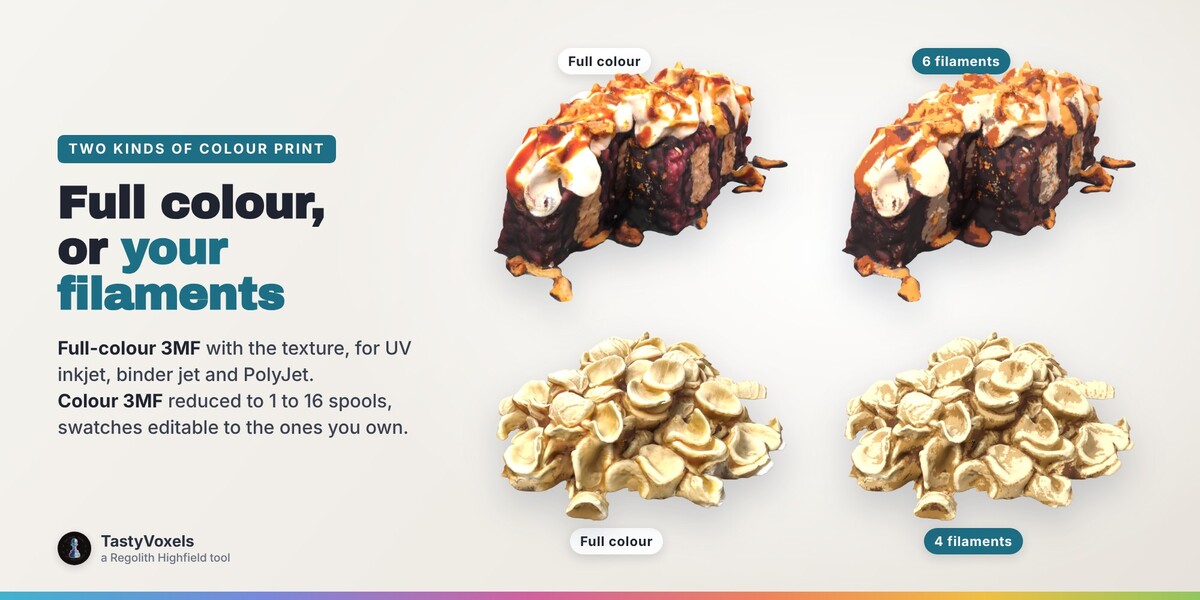
Full-colour 3MF (3MF Materials extension, texture or vertex colour) for UV inkjet, binder jet and PolyJet printing.
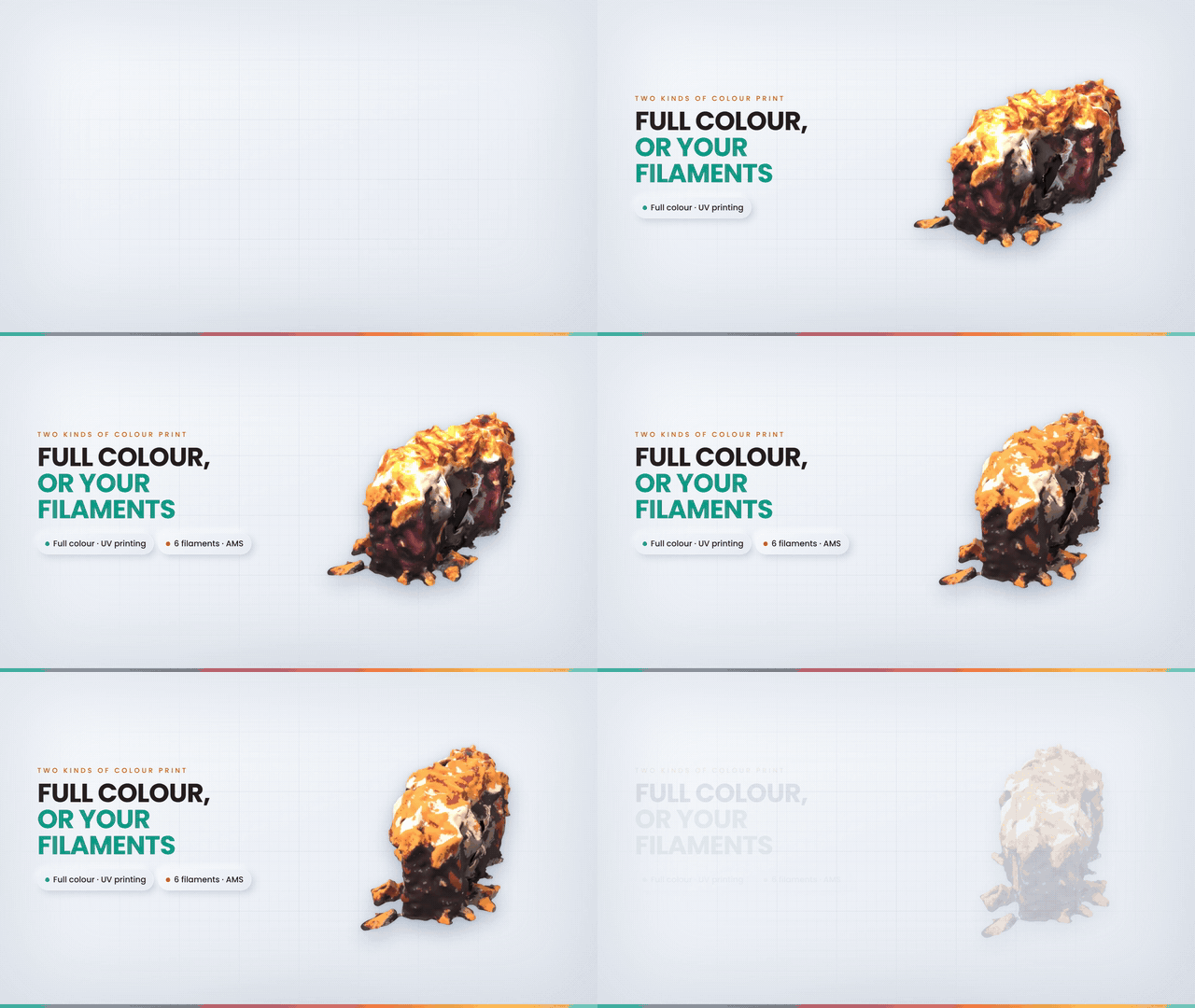
Colour 3MF reduced to the number of spools you own, from 1 to 16. The reduction works in Lab colour space, so "nearest colour" is what the eye would say. Every swatch can be edited to match the filament you actually have, then re-assigned. Emphasise relief darkens crevices before reducing, so folds stay readable with few colours.
EASY CROP: OFF WITH THE PLATE
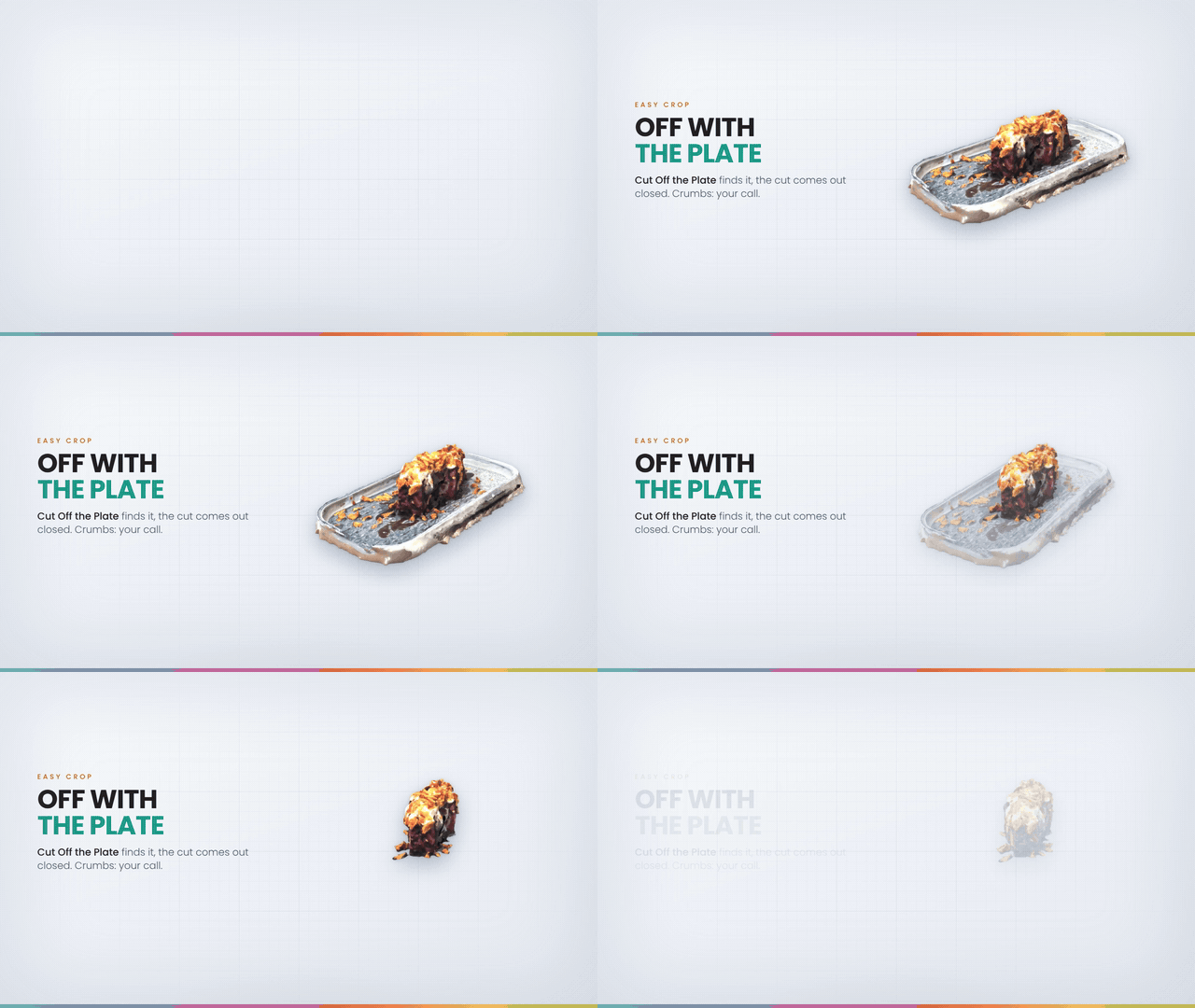
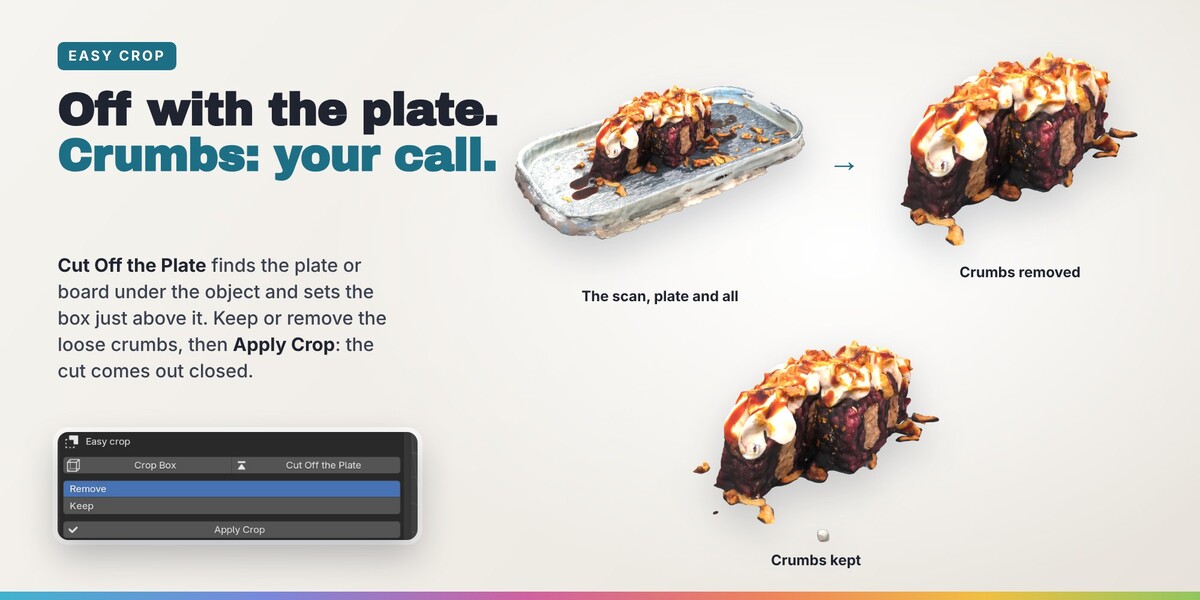
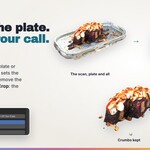
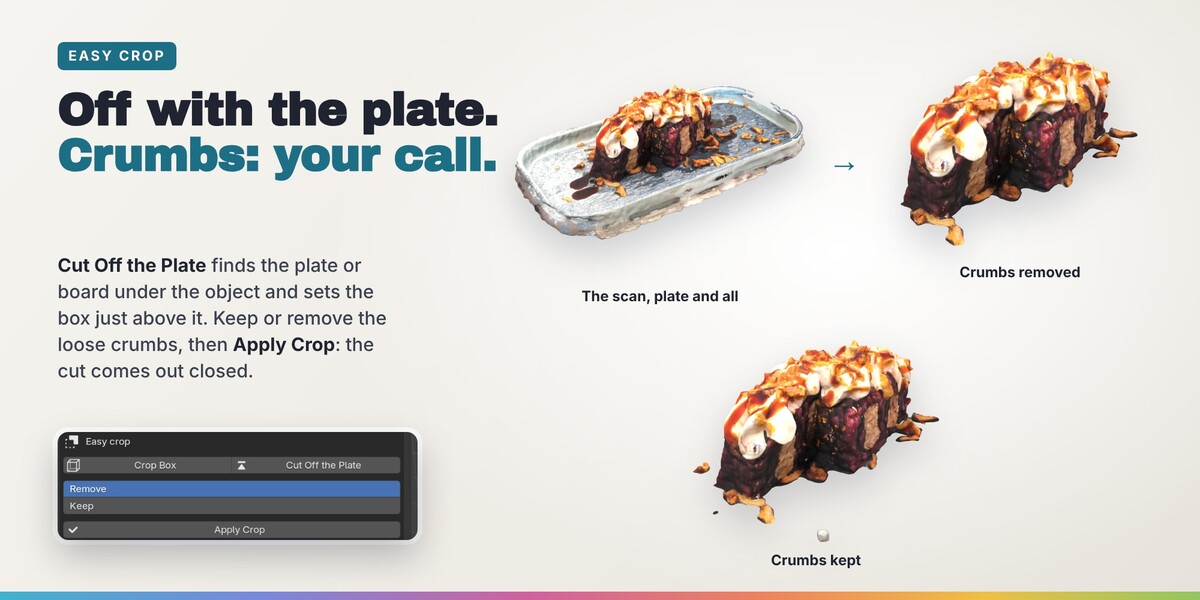
A scan usually comes with whatever the object was standing on. Cut Off the Plate finds the plate or board under the object and sets a crop box just above it. Choose whether the loose crumbs around the object stay or go, then Apply Crop: the cut is closed, so the solid stays printable, and a coloured scan is coloured again from the photos, cut included. With no plate under the object, it finds the scrap of table fused to the bottom and cuts just above it.
REPAIR MESH: HOLES AND HOLLOWS, FILLED
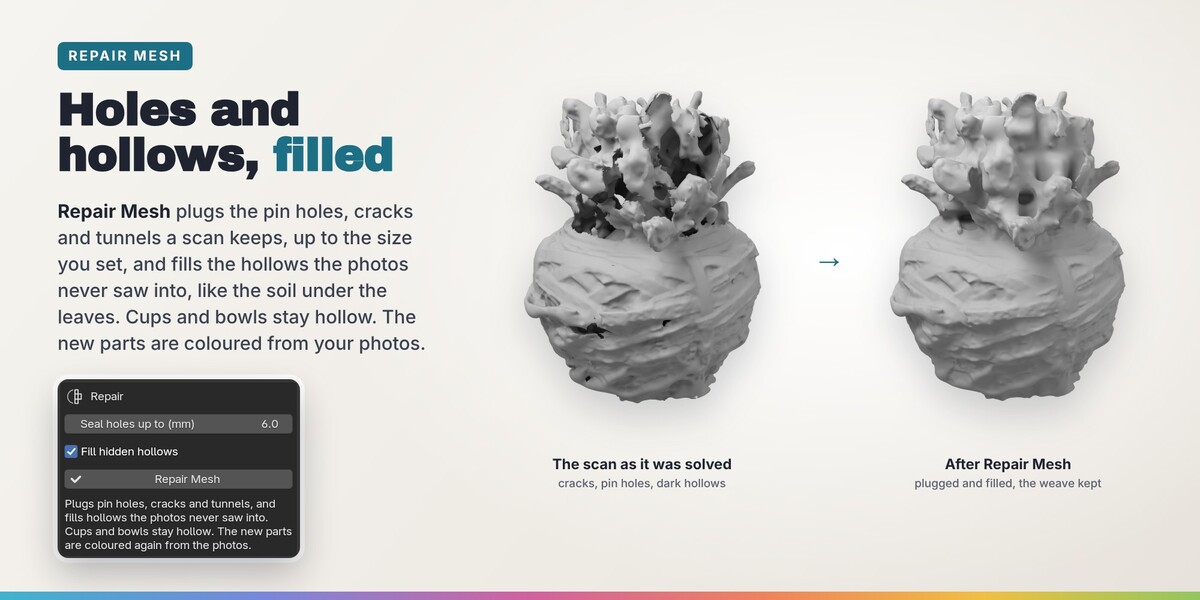
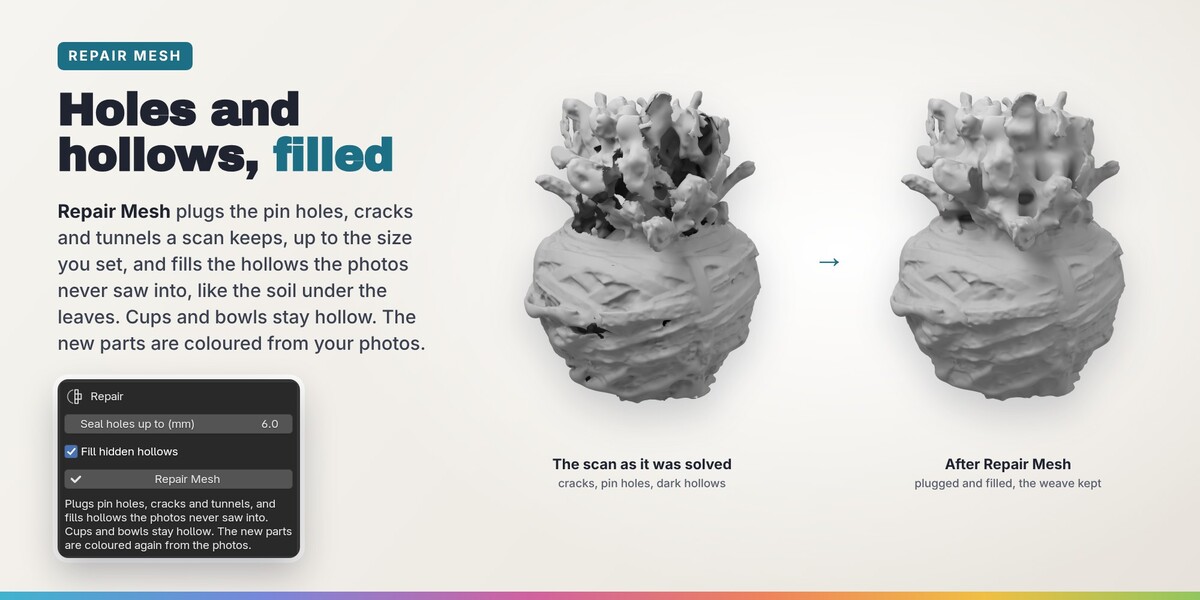
Every photo scan keeps some holes: pin holes, cracks, small tunnels through thin parts, and dark hollows where the camera never looked, like the soil under the leaves of a plant. A solid like that is not ready to print. Repair Mesh plugs them up to the size you set in Seal holes up to (mm), rebuilds only the missing parts and leaves the rest of the surface as it was scanned. Fill hidden hollows also fills the hollows the photos could not see into; cups and bowls stay hollow, because they open upward, and you can turn it off for an object that must stay hollow sideways. The new parts are coloured again from your photos, and the status line says how many tunnels were sealed and whether the solid is closed and in one piece. For full colour, bake the texture again after the repair.
GAUSSIAN SPLATS, IN AND OUT
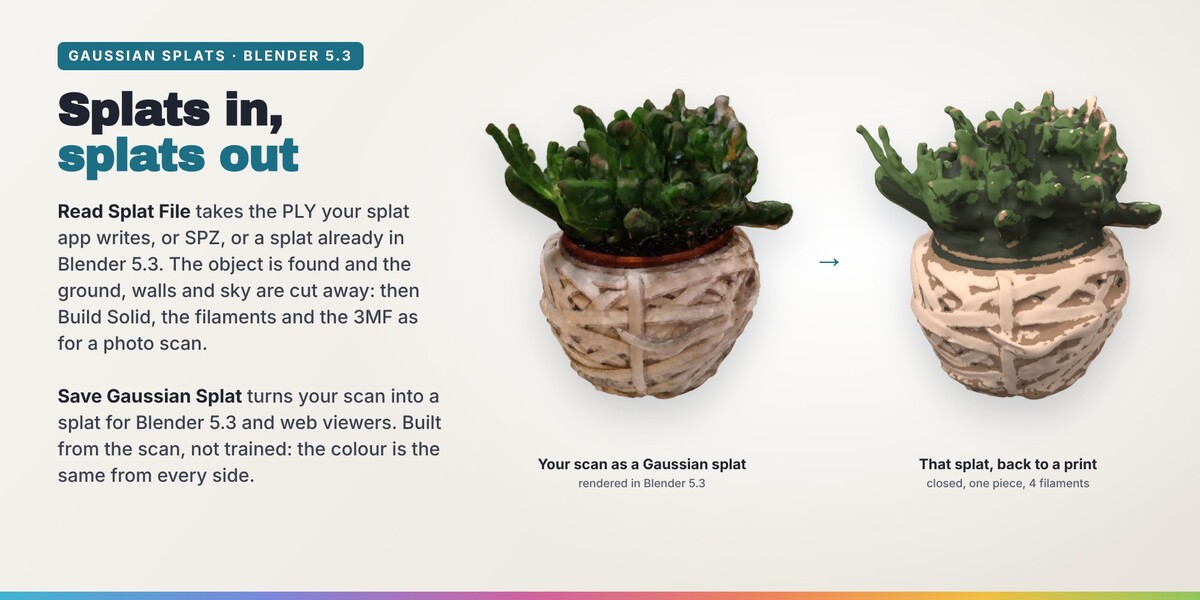
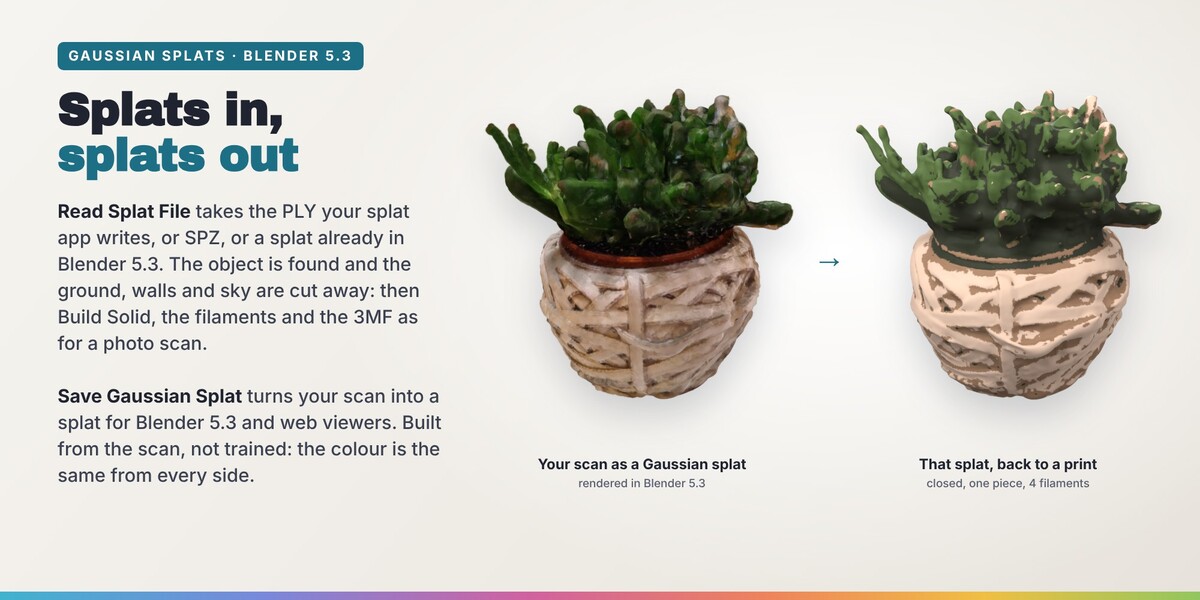
Already have a Gaussian splat of the object? Load the .ply (or, in Blender 5.3, a .spz or a splat object) and Rego Scan finds the object, drops the floor and the background, and closes it into the same watertight, coloured solid you get from photos, ready for the 3MF. A Crop Box lets you choose exactly what to keep.
And the other way round: Save Gaussian Splat writes any scan or solid as a standard 3DGS .ply, so the same object can go to print and to a splat viewer.
CAMERA RAW AND TEXTURE TOUCH UP
Point it at a folder of camera RAW files (CR2, CR3, NEF, ARW, DNG and others): the full-size image inside each file is used, no RAW developer needed, and RAW+JPG pairs are counted once. After the bake, Touch Up Texture opens the baked texture with the Clone brush ready, so a stray reflection or a smudge can be painted out before you export.
ONE PANEL, SIX STEPS
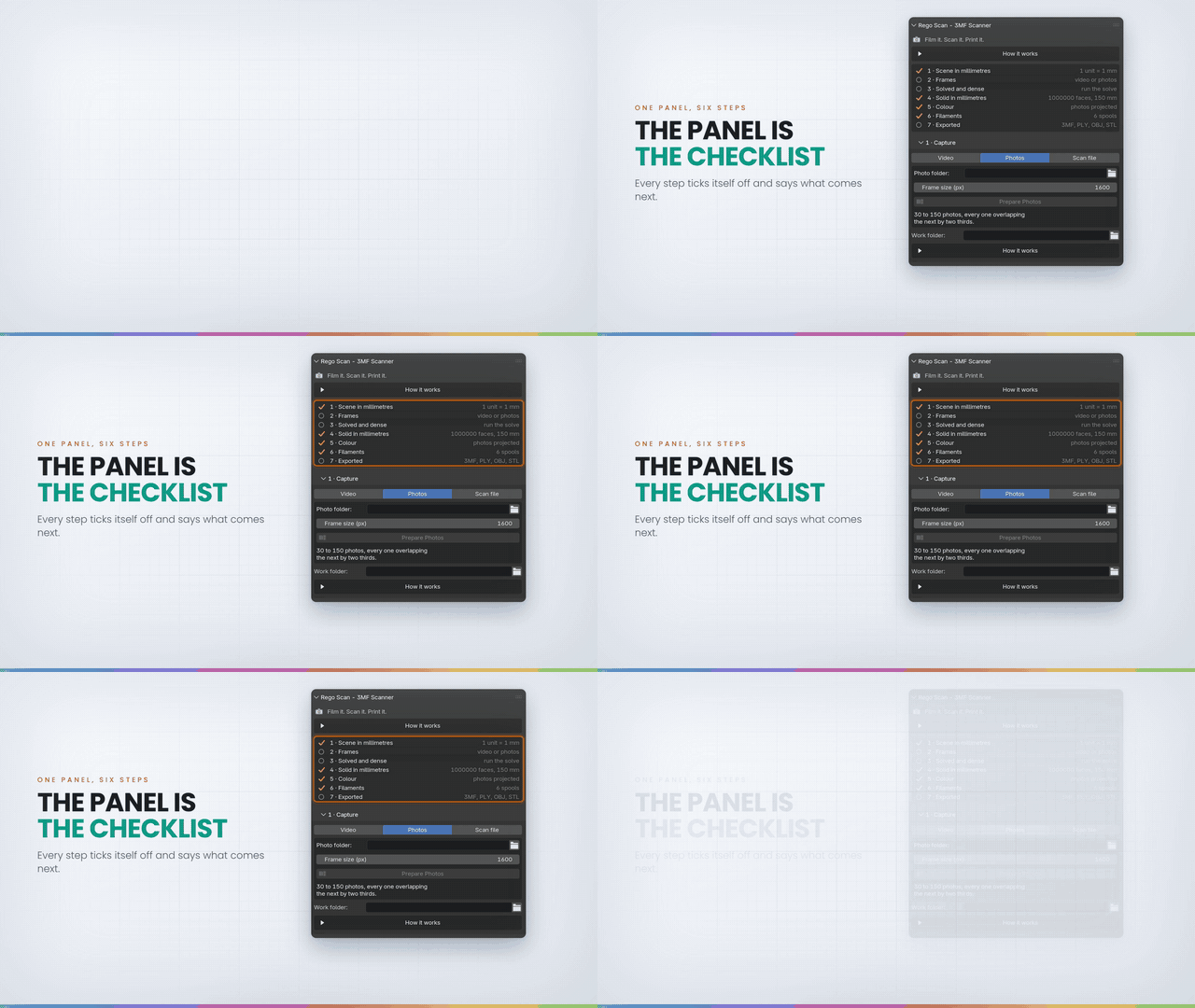
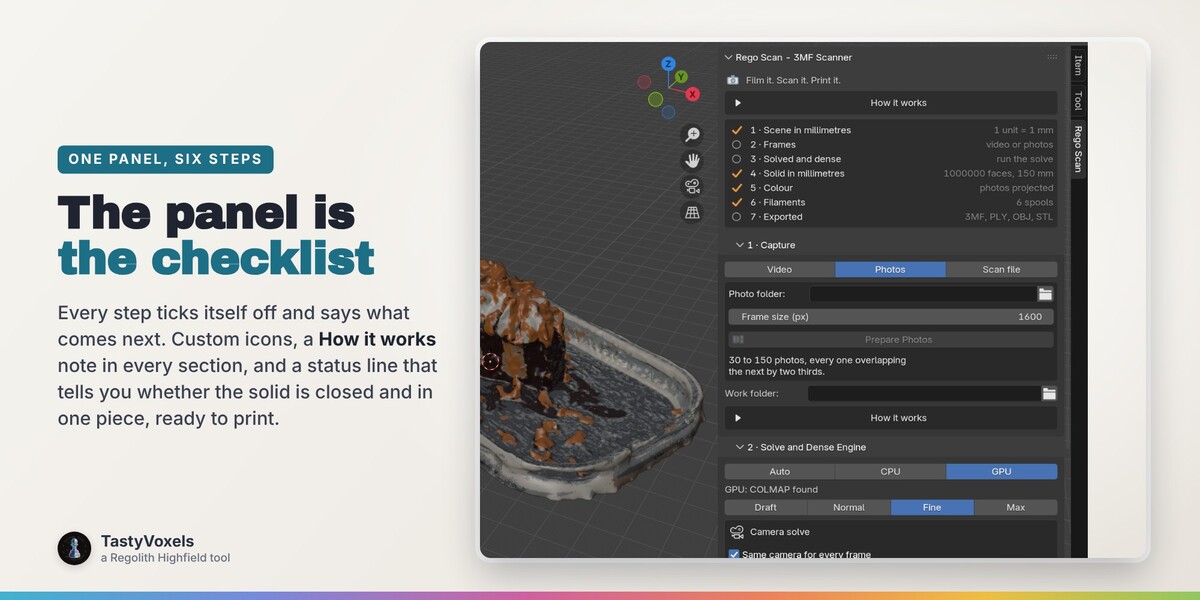
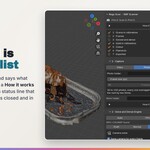
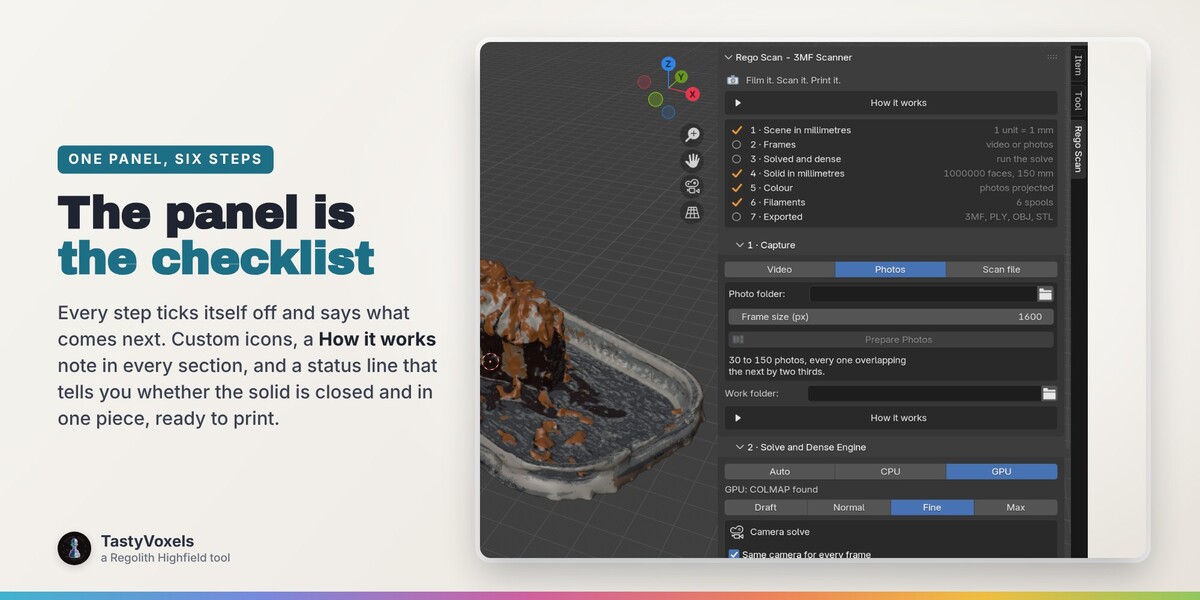
The panel is the checklist. Every step ticks itself off and says what comes next; each section has its own How it works note, custom icons, and the buttons are grouped by the step they belong to. Warnings appear in the panel itself when something is missing, and the system console prints the progress of every long step.
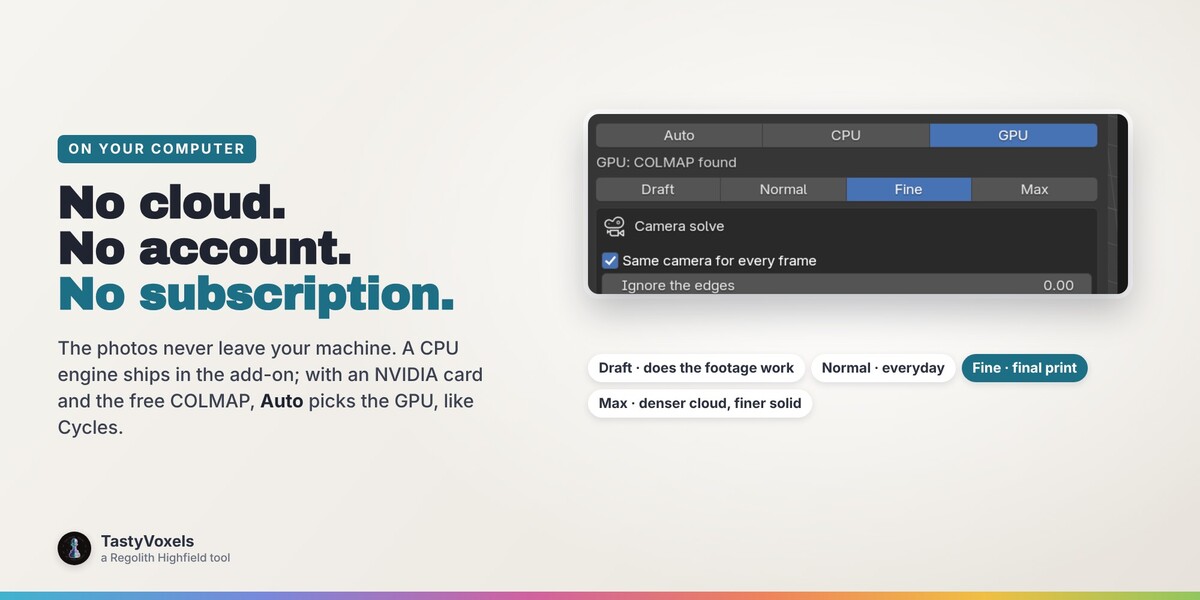
LOCAL. NO CLOUD, NO ACCOUNT, NO SUBSCRIPTION
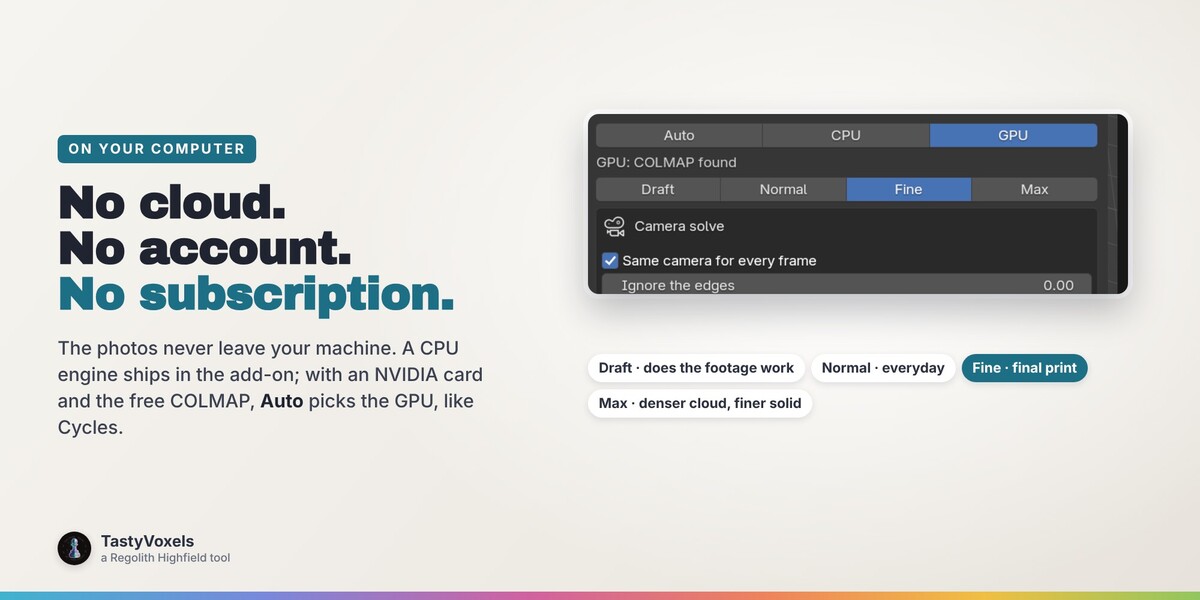
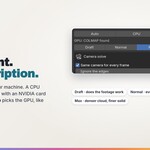
Your photos never leave your machine. A CPU engine ships inside the add-on and needs nothing else. If you have an NVIDIA card, install the free COLMAP (BSD licence) and point the add-on at it: Auto then picks the GPU, the same way Cycles does, for a faster and finer dense cloud.

Four quality levels: Draft to check that the footage works, Normal for everyday use, Fine for a final print, Max for a denser cloud and a finer solid when you have the memory for it (32 GB or more).
The only download the add-on can trigger is optional: the robust photo matcher (ALIKED + LightGlue) for photos where the object was turned by hand. COLMAP fetches its two models once, and only when Blender's Allow Online Access is on.
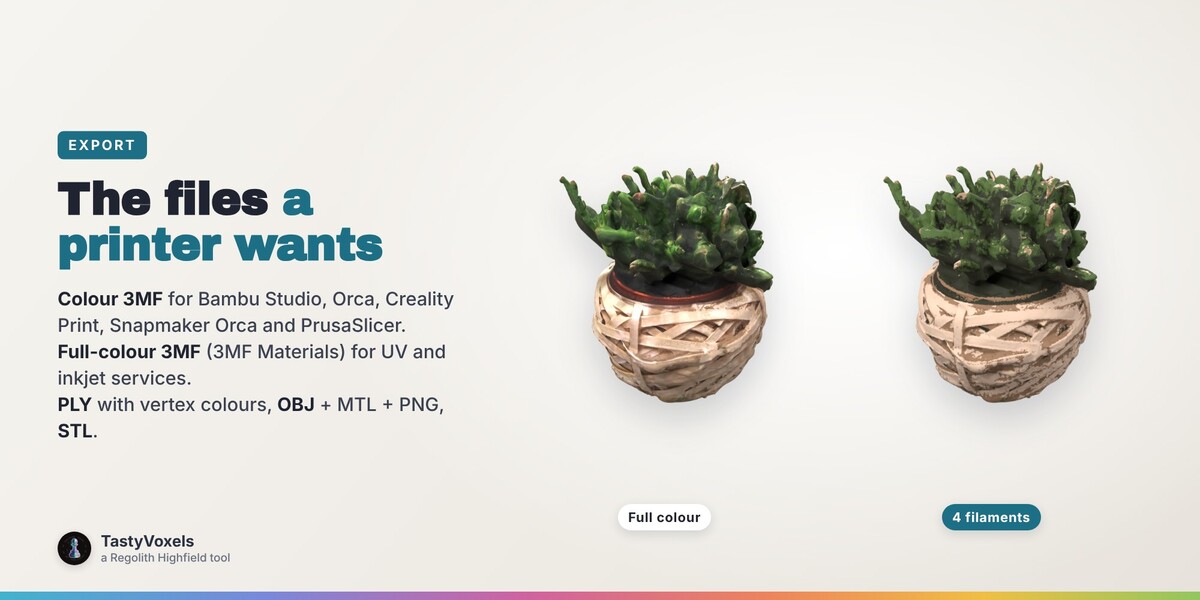
THE FILES A PRINTER WANTS
- Colour 3MF for Bambu Studio, Orca Slicer, Creality Print, Snapmaker Orca and PrusaSlicer
- Full-colour 3MF (3MF Materials) for UV and inkjet services
- PLY with vertex colours, OBJ + MTL + PNG, STL

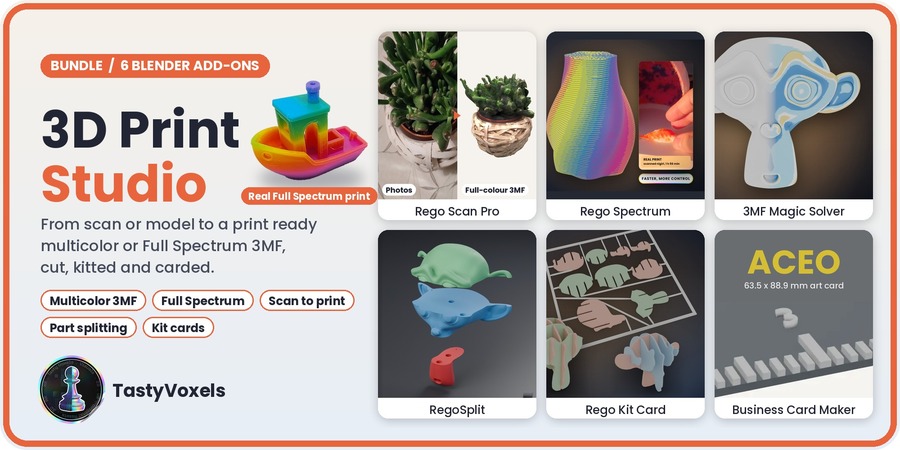
When they are installed, the model can also be handed over to the 3MF Magic Solver, RegoSplit and Rego Kit Card, the other TastyVoxels add-ons.
WHAT MAKES IT DIFFERENT
- It ends in a print, not in a pretty mesh. The solid is closed, in one piece, stood up and scaled in millimetres, and the panel tells you when it is ready to print.
- Colour that a printer can use. Full colour for UV printing, or the same scan reduced to the exact filaments you own.
- Inside Blender, on your computer. No upload, no account, no monthly plan, no credits: you buy it once.
- CPU or NVIDIA GPU, like Cycles: it works without a graphics card and goes faster with one.
THIS IS A BETA
Everything described on this page is in the add-on and has been tested on real scans: food, plants, objects on a table. It is a beta because photogrammetry meets a world of different objects and photos, and every piece of feedback helps: write to me through Superhive chat. Shiny, transparent and very dark objects are hard for any photo scanner, this one included.
Rego Scan does not come with sample photos or sample models: you scan your own objects.
NO AI INSIDE THE PRODUCT
There is no model, no inference, no telemetry and no data collection in Rego Scan: it is geometry and image processing code that runs on your computer. The add-on itself sends nothing anywhere.
I have been programming since long before generative tools were mainstream. AI assists me today: it writes code with me, and it translates my documentation into English, which is not my first language. The design decisions, the tests on real scans and the checks are mine.
REQUIREMENTS
Blender 4.2 LTS or newer (tested on 4.2, 4.5, 5.0 and 5.3), on Windows x64, macOS Apple Silicon or Linux x64 (one download per platform). macOS Intel is not supported for the scan steps, because the photo-solving library has no build for it. Reading .spz files and splat objects needs Blender 5.3; .ply splats work on every supported version.
An NVIDIA card is optional (GPU engine through COLMAP). Solving and building take minutes, not seconds; more photos and higher quality take longer.
UPDATES AND SUPPORT
Updates and support are included for good: no support period, no renewal fee.
Licence: GPL-3.0-or-later. Bundled libraries: pycolmap (BSD-3-Clause) and opencv-python-headless (Apache-2.0).