Render Negative Frames
 alexdepario
in Rendering
Is Render Negative Frames compatible with Blender 4.2 and newer versions?
Yes. The package includes blender_manifest.toml, making it ready for Blender 4.2+ extension installation.
Do I need to extract Render_Negative_Frames.zip before installing it?
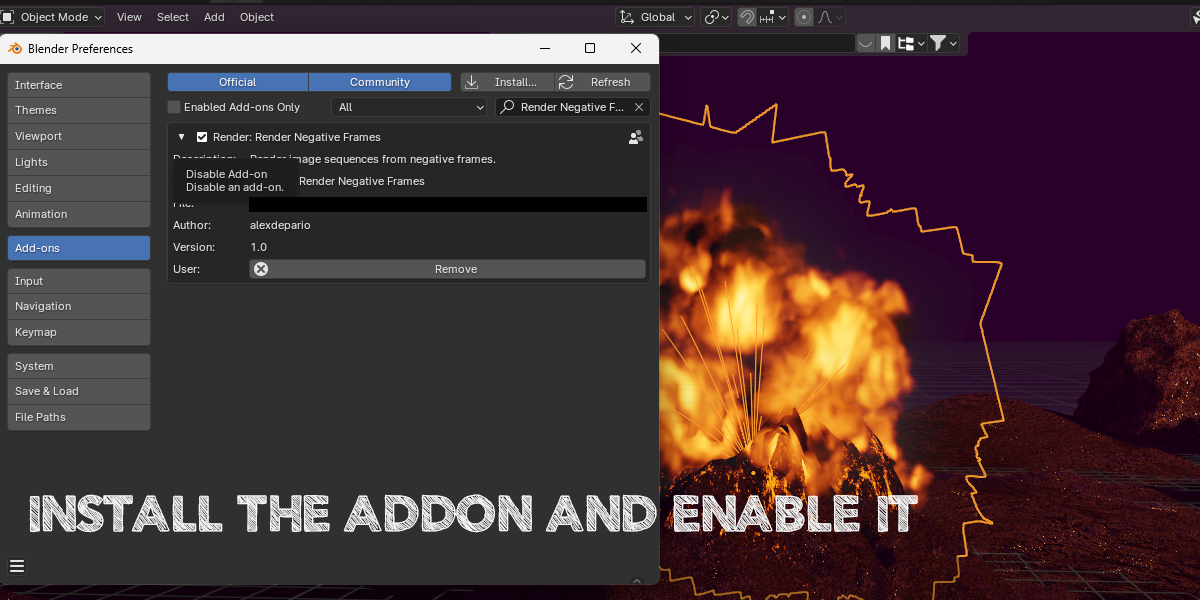
No. Keep the .zip archive compressed and install it directly inside Blender via Edit > Preferences > Add-ons (or Get Extensions) using Install from Disk.
Should I save my .blend file before starting a negative-frame sequence render?
Yes. Always save your project before running the batch render so your scene progress is protected while the sequence outputs to your chosen folder.
Why do I need this add-on if Blender already has an "Allow Negative Frames" setting?
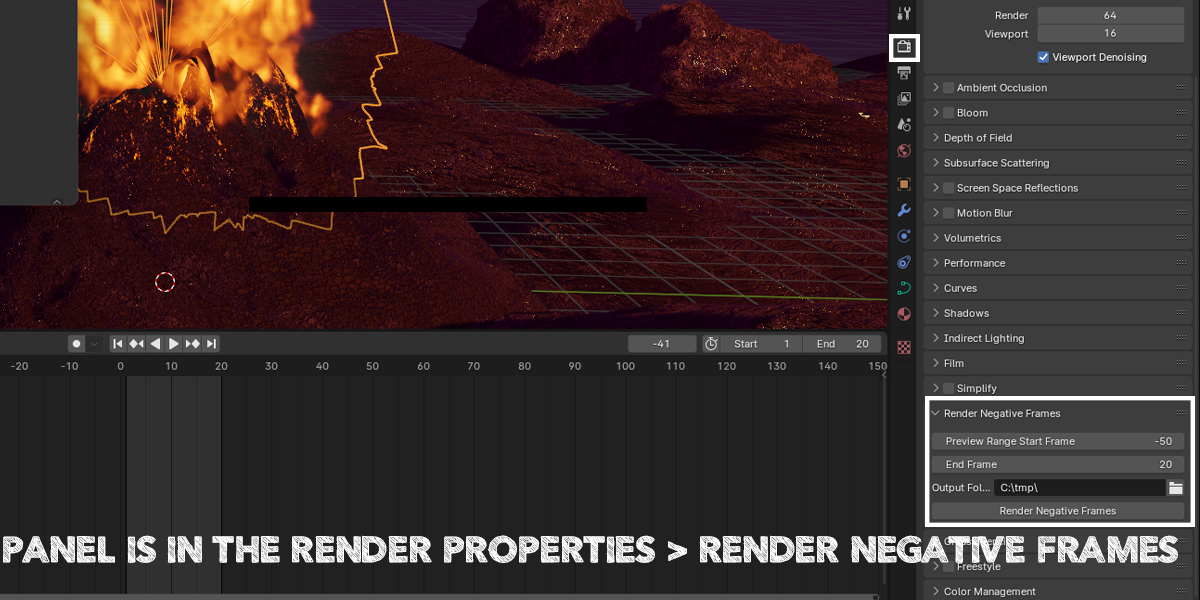
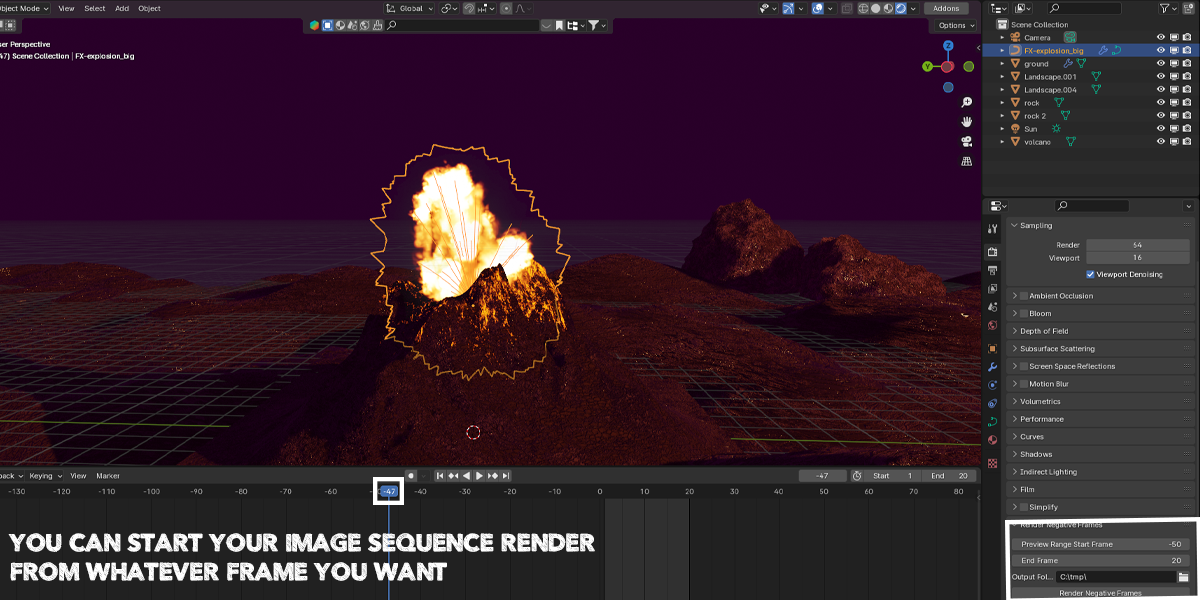
Enabling Allow Negative Frames in Blender's Preferences only lets you scrub and place keyframes before frame 0 on the Timeline—the standard Output Properties panel still prevents you from entering a negative Start Frame for sequence rendering. Render Negative Frames bypasses that restriction so you can render full image sequences starting in negative frame ranges (ideal for physics/smoke simulation pre-rolls, motion-blur lead-ins, or extended intros) without shifting your existing keyframes.
Where do I find the Render Negative Frames tool inside Blender?
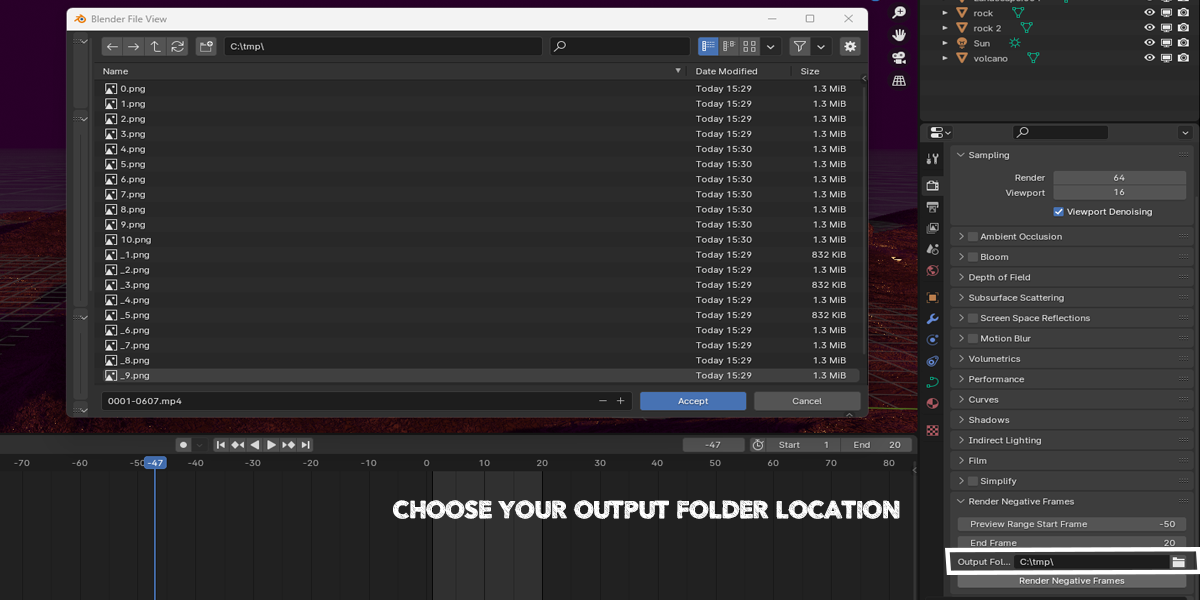
After enabling the add-on, open the Render menu in Blender's top header bar and select Render Negative Frames to set your negative start frame, end frame, and output folder.
Have questions about this product?
Login to message
| Sales | 60+ |
| Dev Fund Contributor | |
| Published | over 2 years ago |
| Blender Version | 4.3, 4.2, 4.1, 4.0, 3.6, 3.5, 3.4, 3.3, 3.2, 3.1, 3.0, 2.93, 2.92, 2.91, 2.9, 2.83, 2.82, 2.81, 2.8 |
| License | GPL |

alexdepario
Discover more products like this
Creativity 3d modeling negative frames efficiency animation blender digital-art productivity addon Image Sequence interface lag rendering