Render Raw - Color Grading & Effects
 Orange Turbine





- Fixed linking issue with enabling Render Raw in multiple scenes
- Fixed issue with duplicating nodes right after upgrading
- Fixed setting presets folder when Render Raw is disabled
- Fixed issue with disabling Render Raw after deleting the node manually
- Fixed issue with upgrading from version 1.2.19
- Fixed some settings not getting applied from saved presets
- Fixed operator poll in Edit Mode search menu when Render Raw is disabled
- Renamed Shadows and Highlights in contrast section to Toe and Shoulder
- Fixed issue with Parametric AgX alongside custom transforms
- Fixed detecting some Pixel Manager view transforms
- Fixed issue when reverting to a previous AgX look when disabling in Blender 5.0
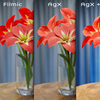
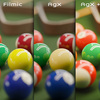
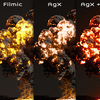
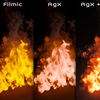
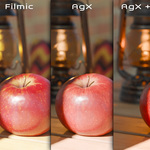
- Added option to use a parametric version of AgX for a fully customizable view transform
- Added option to set presets folder directly from presets menu
- Fixed enabling Render Raw when using an HDR view transform
- Fixed Render Raw panels not displaying correctly in node editor in Blender 5.0+
- Fixed Advanced panel from Color Management incorrectly displaying when Render Raw is enabled
- Improve layout in node utilities panel
- Improved undo for enabling and disabling Render Raw
- Removed upgrade panel showing for a split second after enabling in Blender 5.0+
- Improved clipping threshold default values
- Fixed issue with view transform when upgrading some legacy node setups
- Fixed issues when creating a blank scene while Render Raw is active
- Improved detection of Render Raw nodes when it is inside another group
- Fixed vignette edges in Blender 5.0
- Allowed False Color to account for pre-transform settings in 5.0
- Added per-camera settings to layers
- Animated Values needs to be on if cameras are bound to timeline markers
- Scene Exposure and Scene Gamma can now be animated when Animated Values is enabled
- Refactored settings to make Animated Values slightly more stable
- This is still listed as unstable for now as more work needs to be done
- A planned Blender update will make the need for this setting obsolete
- Fixed Split Tone not disabling when color panel is disabled
- Fixed Accurate Film Grain not muting with layer
- Moved working space from view transform menu into main panel
- Fixed view transforms not always carrying over when upgrading to Blender 5.0
- Fixed Color Boost clamping too much at small values
- Fixed importing layer nodes when not necessary
- Fixed contrast controls affecting hue
- Improved saturation control
- A value of 0 is now more accurate subtractive saturation
- Fixed RGB values pushing above 1 in the perceptual model
- Added preference to disable the inverse transform workflow introduced in 1.2.18
- Fixed Lift Gamma Gain in Blender 5.0 release version
- Fixed fast film grain levels “zooming” in Blender 4.5+
- Added option to make per-hue adjustments in pre-transform linear space
- Fixed issue with custom view transforms not appearing in menu
- Fixed glare not updating when disabling effects
- Added Halation effect to Glare panel in Blender 4.5+
- Improved glare parameter mixing
- Fixed glare pass output when glare is not used
- Fixed Fast film grain Animate option being inverted
New features:
- Added new control, Shadow Bleed, in Blender 4.5+
- This simulates the film effect of softer edges around shadows
- Added new control, Split Tone, for warming highlights while cooling shadows and vice versa
- Added new controls for refining contrast in the shadows and highlights
- Added transparent film to the Alpha Utilities panel
- Added basic support for Blender 5.0 alpha
Changes:
- Improved film grain pattern and performance in Blender 4.5+
- Fix Clipping is now called Highlight Rolloff
- Adjusting the contrast no longer affects the amount of glare
- Improved presets for High Key Photo, Low Key Photo, and Polaroid
- Improved Filmic mix in Colors Tone Mapping to not affect values
- Fixed seemingly random crashes in Blender 4.5
- Fixed upgrading nodes leaving behind many unused node groups
- Fixed appending a new node when enabling Render Raw even when not necessary
- Fixed issue with toggling Render Raw after upgrading older files
- Fixed issue when upgrading from versions before 1.2
- Fixed Render Raw appending extra viewer node
- Fixed density affecting fully black areas
- Fixed density not getting saved in presets
- Fixed layer factor being applied twice to some effects
- Fixed post-curves tone control not updating correctly
- Fixed upgrading from some previous add-on versions
- Fixed vignette showing hard edges at half opacity in Blender 4.5
- Improved performance of Vignette
- Improved layout of new Render Raw nodes in Blender 4.5
- Improved adjusting layer factors in Blender 4.5
- Fixed older per hue presets not applying correctly
- Added support for all Pixel Manager view transforms
- Added new control for color density
- Added horizontal lens distortion for Blender 4.5
- Improved switching between incompatible Blender versions
- Improved preserving exposure and gamma when enabling and disabling Render Raw
- Improved saturation so that the default of 0.5 Perceptual is smart and won’t cause clipping
- Removed option for improperly used ACES format
- Lowered default highlight cutoff in Tone Mapping panel
- Ported improved vignette to Blender 4.2 - 4.4
- Fixed error when Render Raw is enabled but the node is deleted
- Fixed issue with getting preset from earlier versions
- Added improved vignette for Blender 4.5
- Added Tone Mapping options for blending aspects of sRGB and Filmic with AgX
- Fixed issue with upgrading from beta builds
- Fixed issue with Texture effect on transparent backgrounds
- Fixed issue with upgrading nodes when setup is corrupted
- Fixed CPU artifacting when saturation exceeded 1 in perceptual method
- Fixed CPU artifacting when extreme clarity settings push values above 1
- Fixed values in panels not showing as disabled when category is disabled
- Fixed Subtle Pop preset including grain
- Added support for Blender 4.5 alpha
- Improved film grain performance
- Improved film grain desaturation
- Added a glare output socket to the Render Raw node
- Added a tint control to the vignette
- Fixed install issue on Mac
- Fixed issue with enabling Render Raw in multiple scenes
- Improved UI to be more compact
- Properties are now grouped more tightly together
- Added tabs to some panels
- Hue / Hue, Hue / Saturation, and Hue / Value are now under Per Hue
- Color Blending and Value / Saturation are now under Per Value
- Fixed sub-panel header spacing
- Added pre-transform curves
- Added controls for curve tone, black level, and white level
- Re-added option to use a view transform instead of raw while rendering
- Allow Animated Values now works with layers
- Though using it with them is currently super slow
- Fixed duplicated Render Raw node flagged as needing upgrade
- Fixed issue with saving gamma corrected colors in presets
- Improved upgrading nodes from previous versions
- Improved performance by caching active nodes and layers
- Improved error when loading a preset that was deleted outside of Blender
- Lots of code cleanup
This version includes a few hotfixes for issues in version 1.2. Please read the release notes for 1.2 as well if you are upgrading from 1.1 or before.
- Fixed enabling Render Raw in Edit Mode
- Fixed scene exposure and gamma not applied when refreshing nodes
- Fixed error when using render handlers
- Fixed issue with upgrading nodes from older versions
- Added strength sliders to Effects panels when closed
- Due to a bug in Blender 4.4, the Show Raw During Rendering option has been removed for it for now.
This version includes a few hotfixes for issues in the 1.2.0 release. Please read the release notes for the 1.2.0 version as well if you are upgrading from a version before 1.2.
- Fixed glare streaks and ghosting thresholds in Blender 4.4
- Fixed saving presets in Blender 4.4
- Fixed layers having some settings linked
- Fixed Refresh Nodes operator
Render Raw 1.2 is a fairly significant refactor that fixes some key issues.
If you are upgrading a project from an earlier version, please save a backup before upgrading. The new version will automatically upgrade your node setup (you may need to re-enable Render Raw) and you will not be able to use the new node setup with earlier versions of the add-on.
When you do upgrade though, you'll be able to use as many Render Raw nodes in your scene as you want, and they can all have separate settings. This change also fixes the issues with swapping between multiple scenes in the same file.
If you choose to work with multiple Render Raw nodes, here are some things you'll need to know:
- The settings are saved in the group and not the node itself, so you can have multiple nodes that all share the same settings if you'd like
- Duplicating the node and making it a single user does not make it a fully independent copy, since the sub-groups inside the node are still linked. To make a fully unique copy, either use the Duplicate Render Raw Node command in the Utilities section or use Unlink Render Raw Node on an existing node that you would like to make unique. I hope to remove this step in the future but it is needed for now.
- You can switch which group is being edited in the 3D View or Properties by selecting the node in the Compositor to make it the active node, or you can use the dropdown that will appear at the top of the settings when you have multiple groups in the scene.
- You should be able to nest Render Raw nodes inside of other groups just fine and the add-on will recursively search to find them.
Another important change this update made possible is the introduction of a layer system. With it, you can stack different effects on top of each other within each Render Raw group. While this opens the door to lots of crazy functionality down the road, it is currently not super useful and so it is disabled in the add-on preferences by default since it takes up some space in the UI. Once the system has masking and can support different render passes though, things will get interesting. For now, here's what you need to know about layers:
- The panel is disabled in the UI by default, but you can enable it if you want in the Render Raw preferences
- Layers do not yet work properly with the experimental Allow Animated Values option
Some other new features and fixes in this version include:
- Updated bloom to support Blender 4.4
- Since the size property has changed in Blender 4.4, upgrading a scene from a previous version of Blender may require a bloom size adjustment
- Added option to visualize clipped white, black, and oversaturated areas
- You can find this in Utilities under Overlays
- The strength of the effect is controlled by the color's alpha
- There is currently no way to only display it in the viewport and not the render, so be sure to turn it off before you render
- Added factor setting for the curves adjustments
- Fixed Lift / Gamma / Gain and Offset / Power / Slope gamma correction
- Fixed many smaller issues
- Reorganized property panels
- Fixed issue displaying settings in compositor when no node is active
- Fixed thin line around transparent images
- Added option to manage alpha type in Utilities
- Added panels to Utilities section
- Added dates to changelog
-
$24.99
 Included
Includes 12 months of
- Support from Orange Turbine
- Product updates
Extend this product’s Support Period +12 months: 50% of product price
Have questions before purchasing?
Login to message
| Blender Extension Compatible | Yes |
| Sales | 3300+ |
| Rating | 40 ratings |
| Published | over 2 years ago |
| Blender Version | 4.1 - 5.1 |
| Extension Type | Add-on |
| License | GPL |