 Milad_Kambari
Render Studio
One panel for your whole render pipeline — quality presets, full Cycles & EEVEE control, auto-save, and multi-camera batch rendering. Set it once, render everything.
| 4 QUALITY TIERS | 2 ENGINES | ∞ BATCH CAMERAS |
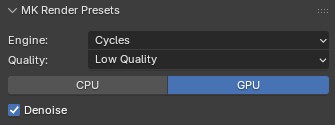 |
From Draft to Final |
| LOW · 128 samples — fast drafts |
| MEDIUM · 1024 samples — balanced work |
| HIGH · 2048 samples — clean finals |
| VERY HIGH · 4096 samples @ 4K — maximum quality |
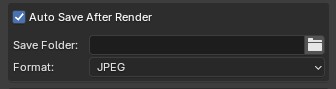 |
Never Lose |
 |
Every Setting, |
|
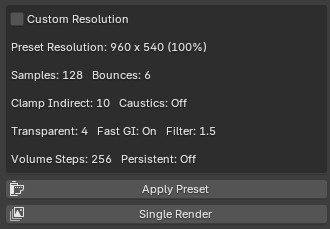
CYCLES Bounces, clamping, caustics, fast GI, volumetrics, persistent data, OpenImageDenoise |
EEVEE TAA samples, volumetrics, shadow steps & rays, ray tracing scale |
|
DEVICE CPU / GPU switch + denoise toggle in one click |
RESOLUTION Custom resolution with live viewport aspect preview |
 |
Queue Up |
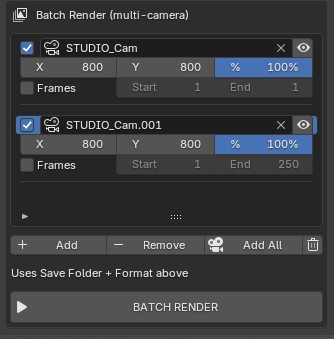 |
Per-Camera Resolution |
| ✓ Per-row resolution & optional frame range |
| ✓ Eye button — jump to any camera's view instantly |
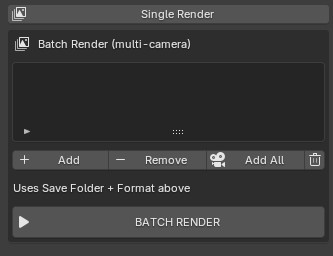
| ✓ Button turns into a red STOP — cancel anytime |
| ✓ Non-blocking — UI stays responsive during the batch |
Everything Inside
One addon, the whole render workflow.
| 4 Quality Tiers 128 → 4096 samples, sub-1K → 4K resolution, all settings scaled per tier. | Cycles & EEVEE Full parameter sets for both engines — switch and the presets adapt. | Live Aspect Preview Custom resolution with real-time viewport aspect ratio preview. |
| Safe Single Render Crash-safe render button that becomes a red Stop while rendering. | CPU / GPU + Denoise Device switch and OpenImageDenoise toggle right in the panel. | Auto Save Folder, format and frame-numbered filenames — every render saved. |
Perfect For
| Product visualization — render every angle in one batch |
| Archviz — multiple camera views with per-camera resolution |
| Anyone who jumps between fast drafts and final-quality renders daily |