 Ad Morris's Add-ons


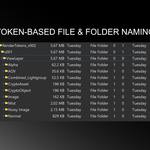
What Does it Do?
Render Tokens is an add-on for automated token-based file output naming for the Blender compositor.
Similar to what's possible in other popular 3D content creation tools such as Cinema4D and Houdini. It allows users to construct file paths and file names, using predetermined tokens as placeholders for commonly used metadata and attributes.
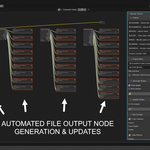
With automated generation of file output nodes, update functions for file path and name changes, and configurable file format settings per pass type (color, data and aov). Generating file outputs for your entire project can easily be achieved with 1-click.
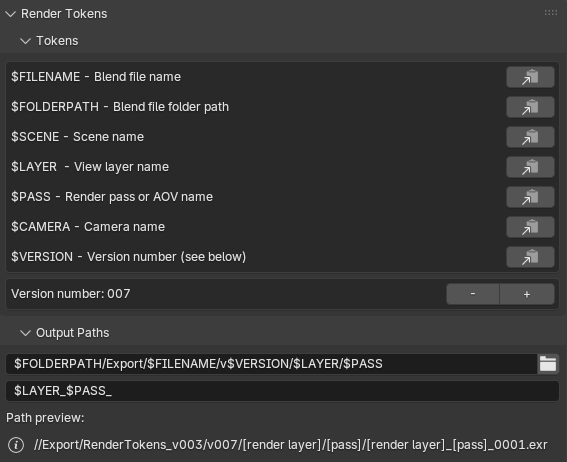
Available Tokens
$FILENAME - Blend file name
$FOLDERPATH - Blend file folder path
$SCENE - Scene name
$LAYER - Layer name
$PASS - Pass name (e.g. "Image", "Depth", "Normal" etc)
$CAMERA - Active camera name
$ENGINE - Active render engine (Cycles, EEVEE, Workbench etc)$VERSION - Custom version number (zero-padded to 3 digits e.g. "001", "002" etc)
Folderpath and Filename
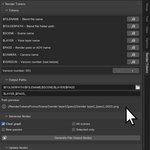
Construct your folder path and filename strings using the available tokens. All tokens can be copied to the clipboard using the copy buttons shown, and directly pasted into the folder path or filename fields for convenience.
Path Preview
The path preview field will display a live preview of your output file path, based on your configuration of the folder path and file name fields.
Technical Specification
Pass Types
Outputs are grouped into three pass types: Color, Data and AOV. Each pass type can be configured by the user depending on their production requirements. Typically, color passes only require 16-bit (half float) color and can be used with a lossy codec such as DWAA or DWAB. Whereas, data passes usually require 32-bit and a lossless codec such as ZIP. The user is free to configure each pass type according to their individual needs.
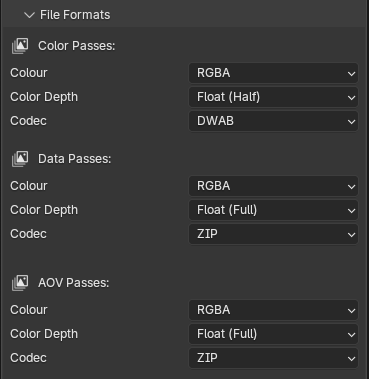
Color Passes
Combined, Emission, Environment, Ambient Occlusion, Diffuse Direct, Diffuse Indirect, Diffuse Color, Gloss Direct, Gloss Indirect, Gloss Color, Transmission Direct, Transmission Indirect, Transmission Color, Volume Direct, Volume Indirect, Shadow Catcher, Alpha
Data Passes
Depth, Mist, Position, Normal, Vector, UV, Object Index, Material Index, Crypto Object, Crypto Material, Crypto Asset
AOVs and Light Groups
User generatedGenerate Nodes
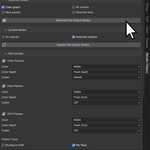
Generate new file output nodes configured to your render token settings.
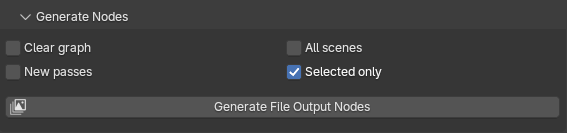
Clear Graph
Clear the compositor and generate file output nodes for all render layers.
All Scenes
Iterate through all scenes in the active blend file and generate file output nodes for all render layers.
New Passes
Generate file output nodes for new/unconnected passes only.
Selected Only
Generate new file output nodes for only the selected render layer (node).
Update Nodes
Update your file output nodes according to your render token settings.

All Outputs
Update the file paths of all file output nodes in the active compositor.
Selected Only
Update the file paths of only the selected file output nodes in the active compositor.
File Formats
The add-on currently only supports configuration of EXR file outputs. If you would like other formats to be made available, please submit a request to the developer.
Output Types
Multilayer EXR
If enabled, the add-on will generate multilayer EXR fie output nodes, configured with the codec setting assigned to Data Passes in the File Formats sections.
Per Pass
If enabled, the add-on will generate an EXR file output node per render pass, aov or light group. Each pass type will be configured according to the settings in the File Format section.
Usage Examples
Example 1
folder_path = "//_Export/$FILENAME/$SCENE/$LAYER/$PASS"
filename_pattern = "$LAYER_$PASS_"
Output Path:
//_Export/MyProject/Scene/ViewLayer/Depth/ViewLayer_Depth_0001.exr
Example 2
folder_path = "//renders/$CAMERA/$SCENE"
filename_pattern = "$PASS_"
Output Path:
//renders/Camera/Scene/Image_0001.exr
Example 3
folder_path = "//renders/v$VERSION/$SCENE/$PASS"
filename_pattern = "$SCENE_v$VERSION_$PASS_"
version number = 005
Output Path:
//renders/v005/Scene/Normal/Scene_v005_Normal_0001.exr