RenderSense | Intelligence-Driven Scene Analysis
 Pixel Vampire



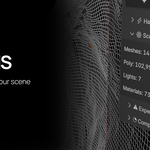



RenderSense analyses your scene for elements that are commonly associated with increased render times and higher computational demands.
These features are not necessarily "bad" or something to avoid, they are powerful tools that are often essential for achieving high-quality results. RenderSense simply helps you understand where your scene complexity is coming from before committing to a final render.
Volume
Volumetric effects simulate light interacting with particles, fog, smoke, mist, and atmospheric effects.
While visually impressive, volumes can significantly increase render complexity because the renderer must calculate light scattering through a 3D space rather than a simple surface.
Common examples:
* Fog and atmosphere
* Smoke simulations
* Volumetric lighting
* Clouds and haze
Glass
Transparent and refractive materials require additional calculations because light must pass through, reflect, and bend through surfaces.
Glass-heavy scenes can become expensive due to:
* Multiple light bounces
* Refraction calculations
* Internal reflections
* Transparency handling
Subsurface Scattering (SS)
Subsurface scattering simulates light entering a material, scattering beneath the surface, and returning to the viewer.
This is essential for realistic organic materials but adds additional shading complexity.
Common examples:
* Skin
* Wax
* Marble
* Leaves
* Organic surfaces
Particles / Hair
Hair, fur, and particle-based systems can dramatically increase scene complexity due to the number of individual elements being calculated.
Common examples:
* Character hair
* Fur
* Grass
* Dense particle effects
Heavy Reflections
Reflective materials require additional ray calculations to determine what surfaces are visible through reflections.
Scenes with many highly reflective surfaces can become expensive, especially when combined with:
* Metallic materials
* Low roughness surfaces
* Complex environments
* Multiple light sources
Displacement
Displacement modifies actual surface geometry during rendering, unlike bump or normal mapping which only affects shading.
This can greatly increase the amount of geometry being processed.
Common examples:
* Detailed terrain
* Rock surfaces
* Fabric
* High-detail assets
How RenderSense Uses This Information
RenderSense combines these expensive features with other scene factors such as:
* Resolution
* Sample count
* Polygon count
* Scene complexity
to provide a simple render complexity assessment.
The goal is not to tell you how to build your scene, but to help you understand the potential cost of your creative decisions before starting a long render.
Have questions about this product?
Login to message
| Published | 4 months ago |
| Blender Version | 4.0 - 5.2 |
| Extension Type | N/A |
| Render Engine Used | Cycles, Eevee |
| License | GPL |