Resolution Pro
 mightyiest


Resolution PRO Add-on Documentation
Overview
Resolution PRO is a Blender add-on designed to provide quick resolution presets with orientation switching directly in the Output Properties panel. Created by Mightyiest, it streamlines the process of setting up render dimensions for standard video formats and social media platforms.
-
Version: 1.0.0
-
Requires: Blender 3.0.0 or higher
-
Category: Render
-
Location: Properties Editor > Output Properties > Format panel
Features
1. Orientation Switching
The add-on introduces an intuitive orientation toggle that allows users to seamlessly switch between Landscape (horizontal) and Portrait (vertical) modes.
-
When the orientation is changed, the add-on automatically swaps the current X (
resolution_x) and Y (resolution_y) render resolution values to match the selected layout.= -
A built-in guard flag prevents recursive swapping loops during this update process.
2. One-Click Resolution Presets
A dedicated "Resolution PRO" UI box is appended to the standard Blender Format panel.
-
The panel dynamically displays different preset buttons based on the currently selected orientation.
-
Applying any preset instantly updates the scene's width and height parameters.
-
Applying a preset automatically resets the Render Resolution Percentage to 100%.
-
The preset buttons are organized in a clean, two-column grid layout.
Included Presets
The add-on comes pre-configured with industry-standard resolutions divided by orientation.
Landscape Presets
-
480p (SD): 854 x 480
-
720p HD: 1280 x 720
-
1080p Full HD: 1920 x 1080
-
1440p / 2K QHD: 2560 x 1440
-
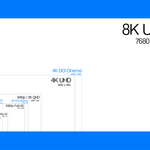
4K UHD: 3840 x 2160
-
8K UHD: 7680 x 4320
-
2K DCI Cinema: 2048 x 1080
-
4K DCI Cinema: 4096 x 2160
-
Square (1:1): 1080 x 1080
-
Instagram Landscape: 1080 x 566
Portrait Presets
-
720p Vertical: 720 x 1280
-
1080p Vertical: 1080 x 1920
-
1440p Vertical: 1440 x 2560
-
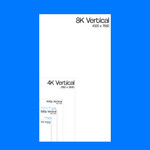
4K Vertical: 2160 x 3840
-
8K Vertical: 4320 x 7680
-
Instagram Story: 1080 x 1920
-
TikTok / Shorts: 1080 x 1920
-
Instagram Portrait: 1080 x 1350
Add-on Preferences
Resolution PRO includes customizable settings accessible via Blender's Add-on Preferences window.
-
Default Orientation: Users can define whether the tool defaults to the Landscape or Portrait layout.
-
When the add-on is registered, it attempts to read this user preference and automatically applies the chosen default orientation to the active scene.
-
$2.49
For the independent procrastinator. Just the essentials, delivered with zero extra effort required from you.
-
$2.99
You get the goods, and I get a coffee. It’s a win-win for everyone who hates moving from the couch.
-
$4.99
The ultimate "set it and forget it" bundle. Professional grade quality for people who have better things to do (like napping)
Have questions about this product?
Login to message
| Blender Extension Compatible | Yes |
| Published | 5 months ago |
| Blender Version | 3.0 - 5.1 |
| Extension Type | Add-on |
| Render Engine Used | Cycles, Eevee |
| License | GPL |