 Giambattista Von Nettesheim


ReStart: Simplify Your Blender Workflow
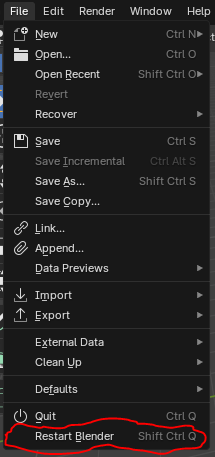
Introducing ReStart, the essential Blender addon designed to streamline your 3D creation process. With ReStart, you can instantly restart Blender with a single click, saving time and enhancing your workflow efficiency.
Key Features:
- Instant Restart: Quickly restart Blender without having to manually close and reopen the application.
- Enhanced Productivity: Reduce downtime and maintain your creative momentum with effortless restarts.
- User-Friendly Integration: ReStart integrates smoothly into your Blender interface, providing an intuitive and easy-to-use experience.
Benefits:
- Time-Saving: Eliminate the hassle of closing and reopening Blender, allowing you to focus more on your projects.
- Improved Workflow: Quickly reset your Blender environment, perfect for troubleshooting and testing.
- Efficiency: Keep your creative flow uninterrupted with the ability to restart Blender in an instant.
See It in Action
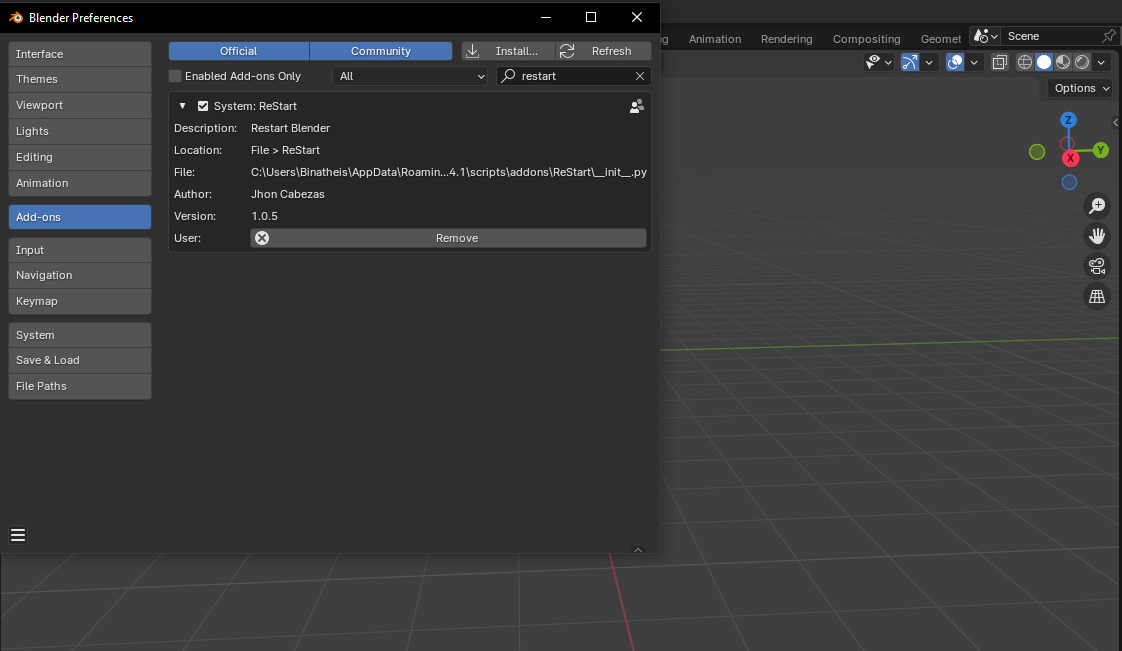
Installation Guide:
- Download the ReStart addon file from Blender Market.
-
Open Blender and go to
Edit>Preferences. -
Select Add-ons and click
Install. - Choose the ReStart addon file you downloaded.
- Enable the Addon by checking the box next to ReStart.
Limitations:
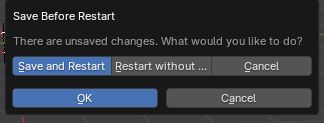
- Unsaved Files: When working with new files that haven't been saved before, make sure to save them before using the ReStart addon to avoid losing your work.